pashok - Hello!How i can pins under SMA connec...

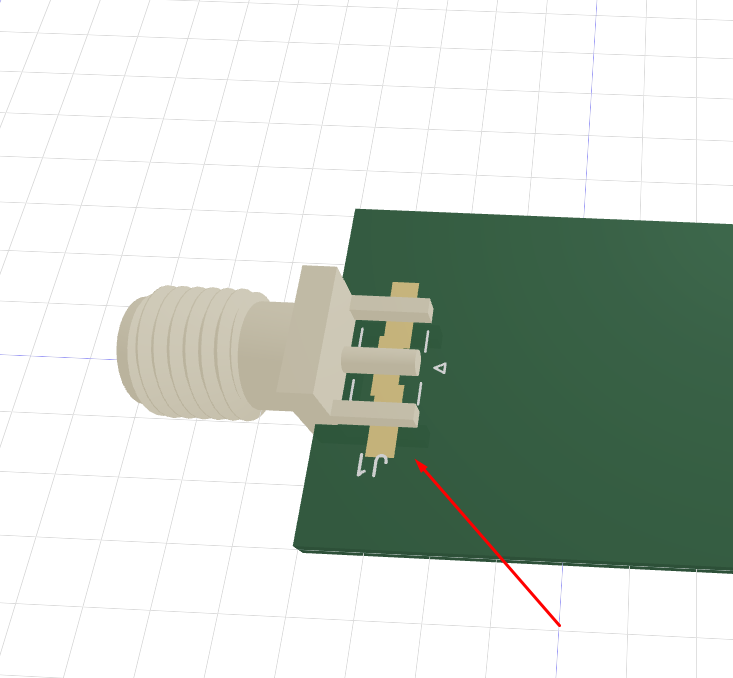
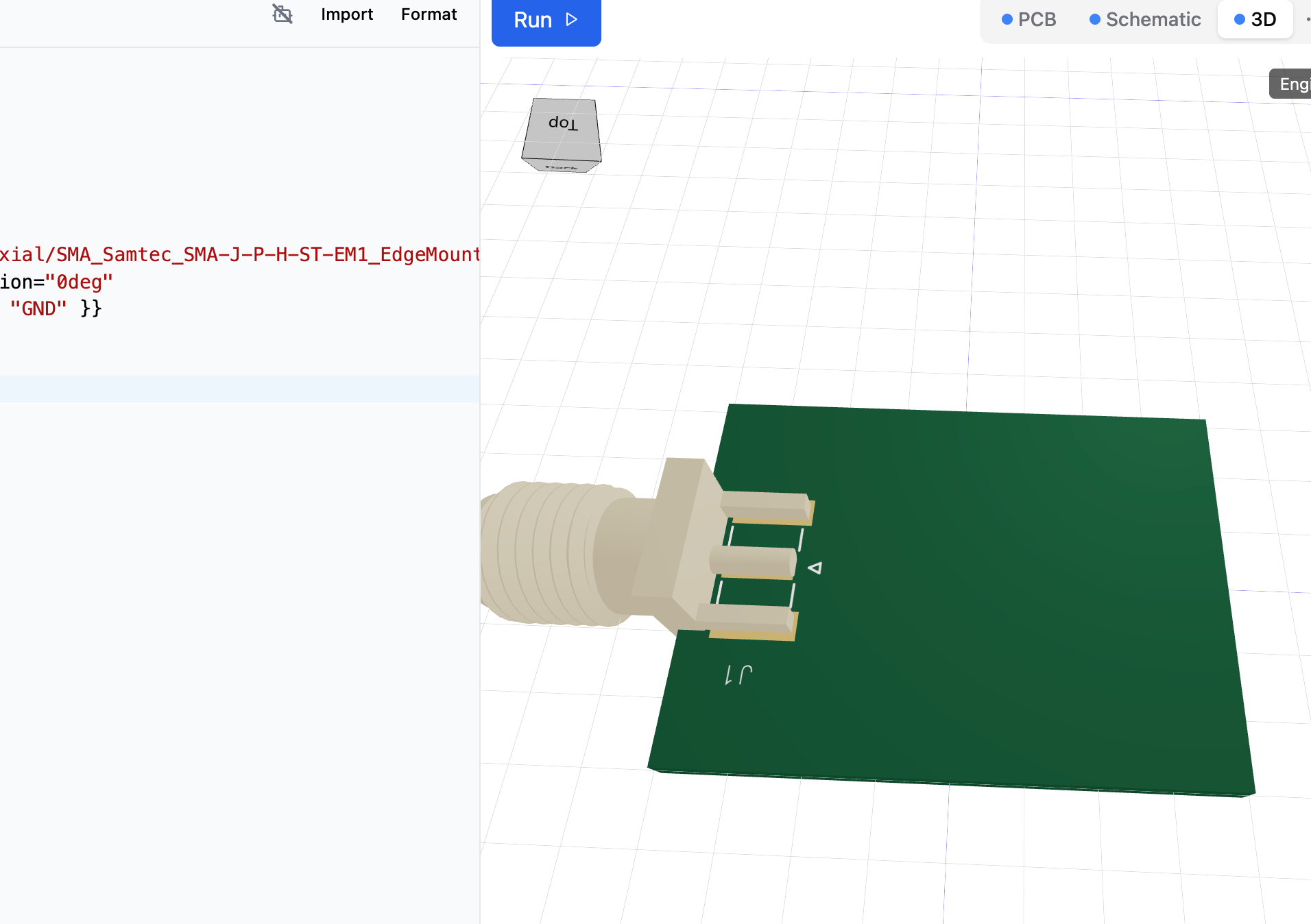
Hello! How i can rotate pins under SMA connector? It's my code
export default () => (
<board width="24mm" height="18mm">
<net name="RF" />
<net name="GND" />

<chip
name="J1"
footprint="kicad:Connector_Coaxial/SMA_Samtec_SMA-J-P-H-ST-EM1_EdgeMount"
pcbX="9mm" pcbY="0mm" pcbRotation="0deg"
pinLabels={{ pin1: "RF", pin2: "GND" }}
connections={{ RF: "net.RF", GND: "net.GND" }}
/>
</board>
)
export default () => (
<board width="24mm" height="18mm">
<net name="RF" />
<net name="GND" />

<chip
name="J1"
footprint="kicad:Connector_Coaxial/SMA_Samtec_SMA-J-P-H-ST-EM1_EdgeMount"
pcbX="9mm" pcbY="0mm" pcbRotation="0deg"
pinLabels={{ pin1: "RF", pin2: "GND" }}
connections={{ RF: "net.RF", GND: "net.GND" }}
/>
</board>
)
No description
19 Replies
Seve
Seve2mo ago
Cc @Techmannih hi @pashok this is a bug we’re looking into, we will fix it today
Linear
Linear2mo ago
Issue TSC-100 created.
pashok
pashokOP2mo ago
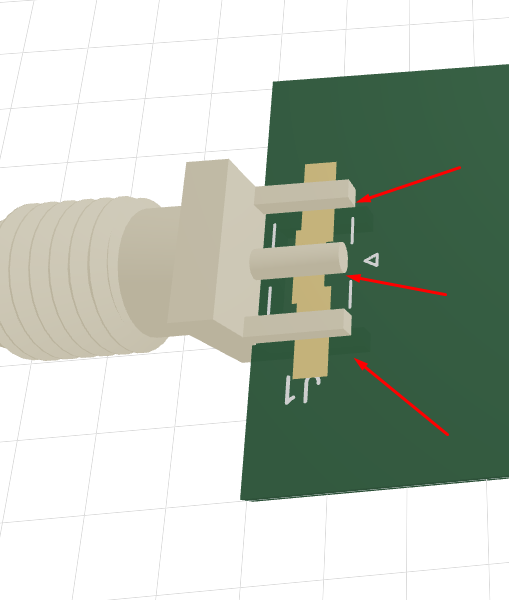
Can you let us know here when the bug will be fixed? I have another question: how should the pins be positioned under the lower legs of the SMA connector? It would be great to add the ability to change the position of these pins!
Rishabh
Rishabh2mo ago
Taking a look at this
Rishabh
Rishabh2mo ago
If you are importing the kicad footprint then, iirc we don't support a way to position them. Otherwise you can define the custom position of the footprint pads https://docs.tscircuit.com/footprints/footprint-elements-vs-footprint-strings
Footprint Elements vs Strings | tscircuit docs
Compare using footprint elements and footprinter strings when defining components
pashok
pashokOP2mo ago
Can you show me example with my code?
Rishabh
Rishabh2mo ago
https://docs.tscircuit.com/footprints/smtpad Look at this example, this is how you should define the smtpads dimesion and position
<smtpad /> | tscircuit docs
The <smtpad /> element is used to represent a surface mount pad.
Rishabh
Rishabh2mo ago
@pashok I have sent a patch up to tscircuit.com. Let me know if that fixed it or if you are seeing some issues
pashok
pashokOP2mo ago
I tried in editor and it's bug again
No description
Rishabh
Rishabh2mo ago
So, this is a different issue not a pad rotation bug. The cad model should be vertical right? Hmm.. I see what you mean now. The pads should have been horizontal inline with the pins
pashok
pashokOP2mo ago
export default () => (
<board width="24mm" height="18mm">
<net name="RF" />
<net name="GND" />

<chip
name="J1"
footprint="kicad:Connector_Coaxial/SMA_Samtec_SMA-J-P-H-ST-EM1_EdgeMount"
pcbX="9mm" pcbY="0mm" pcbRotation="0deg"
pinLabels={{ pin1: "RF", pin2: "GND" }}
/>
</board>
)
export default () => (
<board width="24mm" height="18mm">
<net name="RF" />
<net name="GND" />

<chip
name="J1"
footprint="kicad:Connector_Coaxial/SMA_Samtec_SMA-J-P-H-ST-EM1_EdgeMount"
pcbX="9mm" pcbY="0mm" pcbRotation="0deg"
pinLabels={{ pin1: "RF", pin2: "GND" }}
/>
</board>
)
It's my code, you can try it
Rishabh
Rishabh2mo ago
Seems to be fixed now
No description
pashok
pashokOP2mo ago
How i can get list of errors?
No description
pashok
pashokOP2mo ago
I always must click on arrow to get next error, it's very awkward 😤
Seve
Seve2mo ago
We can probably make this better by showing an expandable list view instead of arrows
Linear
Linear2mo ago
Issue TSC-101 created.
TSC-101 - expandable list view for errors in runframe
Status
Backlog
Assignee
Ayush Jhawar
tscircuit
Seve
Seve2mo ago
Cc @AyushJ , design reference is chrome error console
pashok
pashokOP2mo ago
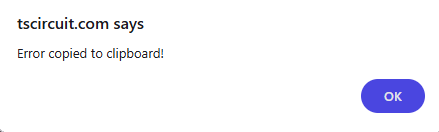
And remove this alert() if possible and make a normal tooltip pop-up, that would be really cool!
No description

Did you find this page helpful?