Macos new corne wrong layout
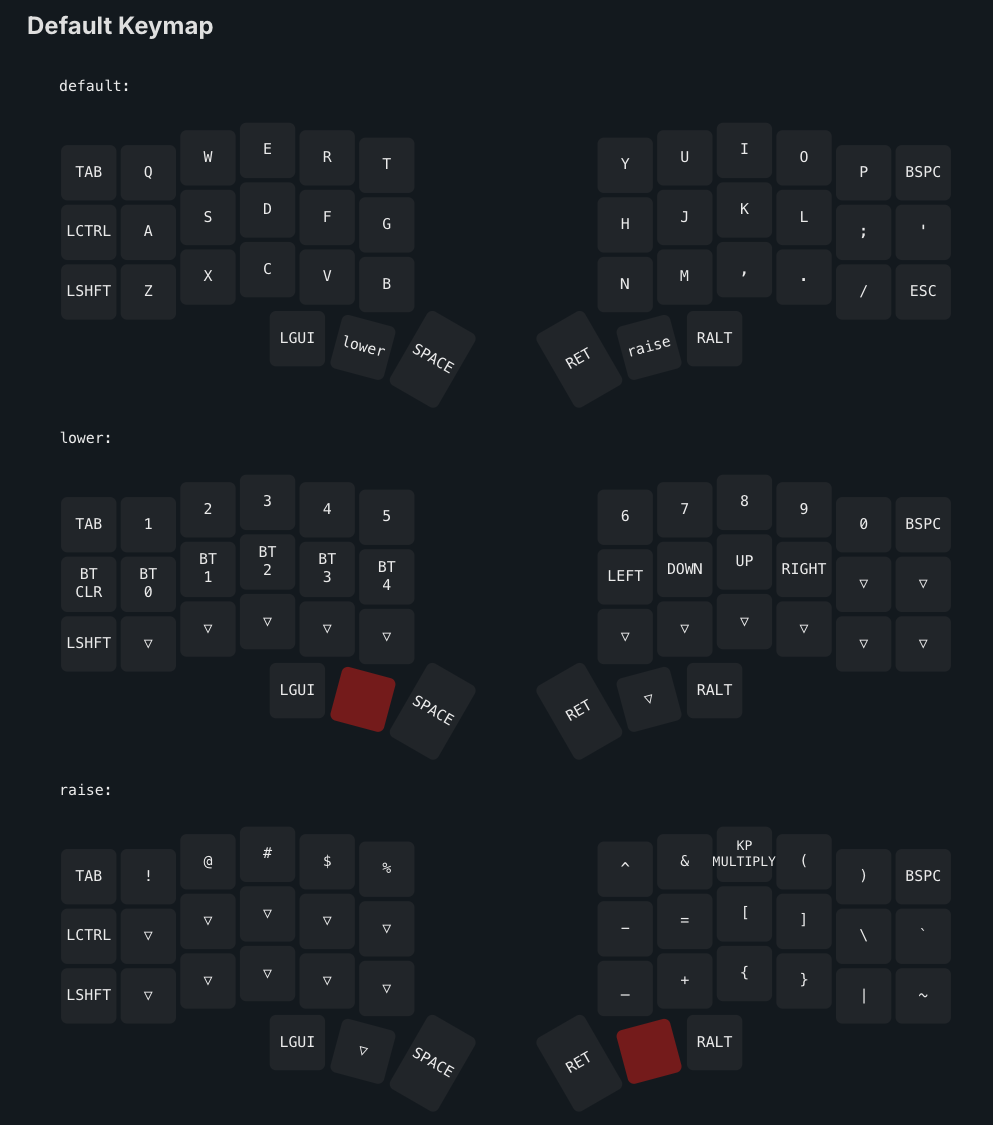
I just put together my corne and paired it with my mac--is my right big thumb button (it looks like it's supposed to be a spacebar) supposed to be hitting enter?
Is there some step to properly set the layout within macos so it doesn't override the firmware (I used the default firmware)
4 Replies
Short answer: nothing in macOS is overriding your layout. The keymap comes from the firmware. On our default Corne layout the right 1.5U thumb is mapped to Enter, so what you’re seeing is expected.
If you want that key to be Space instead, you can change it quickly without reflashing by using ZMK Studio:
- Install the native ZMK Studio app from the latest release: https://github.com/zmkfirmware/zmk-studio/releases
- Turn on and connect the LEFT half (only the left pairs to your computer).
- Open ZMK Studio, connect to your Corne, go to Layer 0, click the right 1.5U thumb key, set it to Space, then Save/Apply.
You can see our default keymap image on the firmware page here: https://docs.typeractive.xyz/build-guides/corne-wireless/firmware
If you prefer, you can also rebuild/flash firmware with your own keymap later, but ZMK Studio is the fastest way to tweak this.
Want me to send a quick step-by-step with screenshots or a UF2 that has Space on that key? Just reply here or tag me and I’ll help.
GitHub
Releases · zmkfirmware/zmk-studio
Contribute to zmkfirmware/zmk-studio development by creating an account on GitHub.
Firmware | Typeractive.xyz Documentation
If you're not familiar, ZMK is a wireless-focused firmware, and it powers our Corne Wireless.
there is an app called karabiner elements that will allow you to change your keyboard layout. this wont affect your keyboard firmware since the app runs in your OS layer
although, I believe the default firmware support zmk studio so you can also change the keyboard layout within the firmware without flashing a new one.
the default firmware uses the right thumb as enter