Enter key doesn't work, and diode seems to be broken?
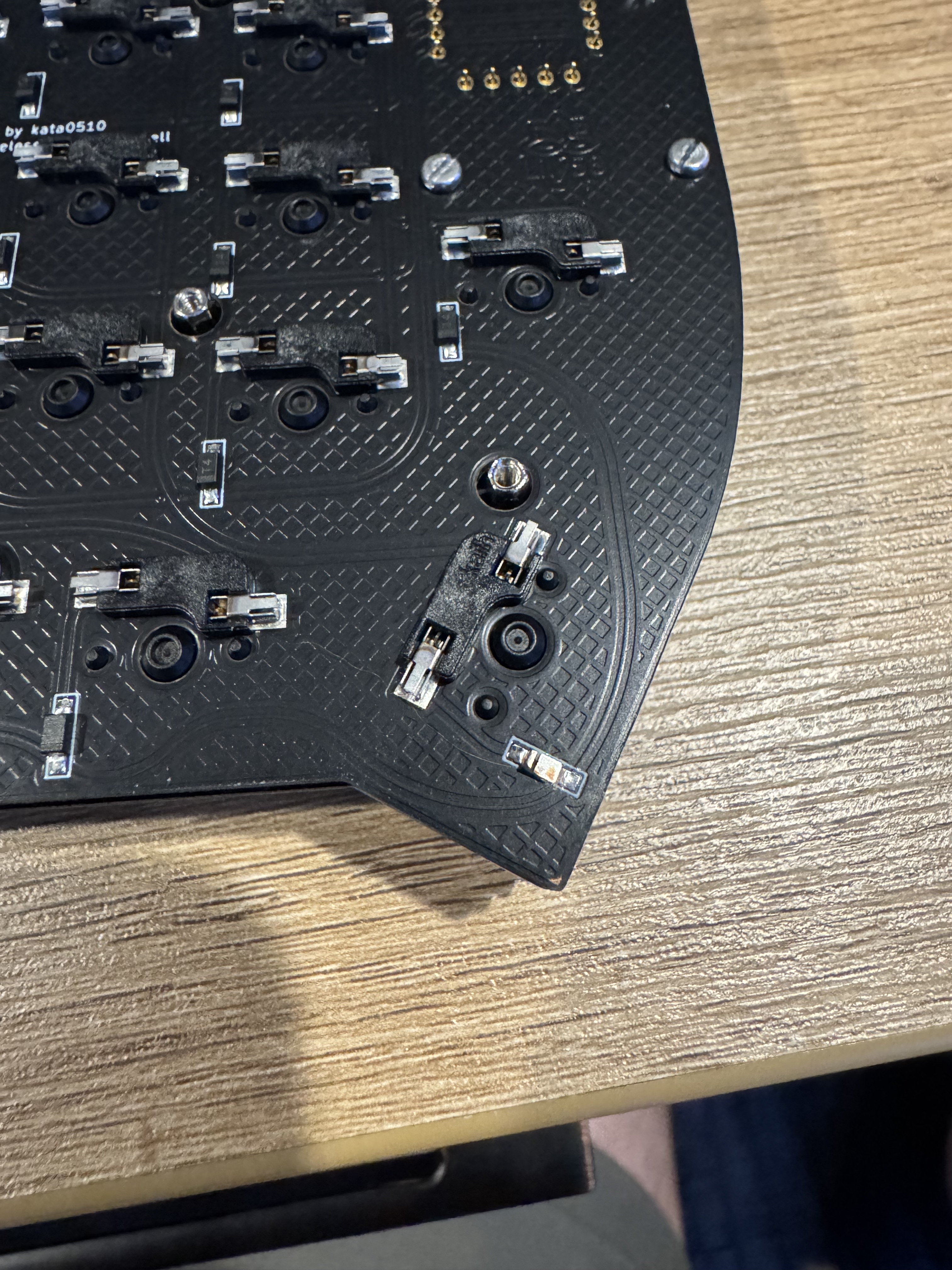
My enter key suddenly stopped working on my lily58. I noticed on the bottom of the PCB, there appears to be a broken diode? Is this the cause? Do i need to replace this by re-soldering a new one, and if so, where can I get one?
1 Reply
Short answer: yes—if the small 2‑pad component by the Enter switch (the per‑key diode) is cracked or lifted, that key will stop working.
Before replacing it, run the quick checks from our guide:
- Swap in a known‑good switch at Enter, and test the Enter switch in another spot to rule out the switch.
- Inspect the hotswap socket: make sure the gold contacts are springy and touching the pins; gently bend them outward if needed; add a touch of solder to the socket’s side pads if they look dry.
- Reflow the diode: with the board powered off, heat each end of the diode to re‑seat it. Make sure its orientation matches neighboring diodes.
If the diode is physically broken/missing, it’ll need replacement. We can help with the correct part or a spare—email hello@typeractive.xyz with a clear photo of the area and your order info.
Step‑by‑step: see Single Key Not Working: https://docs.typeractive.xyz/troubleshooting/single-key-not-working
If you want me to confirm it’s the diode, reply here with a close-up photo of the Enter position (front and back) and I’ll take a look. Tag me if I miss your reply.
Single Key Not Working | Typeractive.xyz Documentation
Fix a single key not working on your keyboard.