Popup in Screenshot

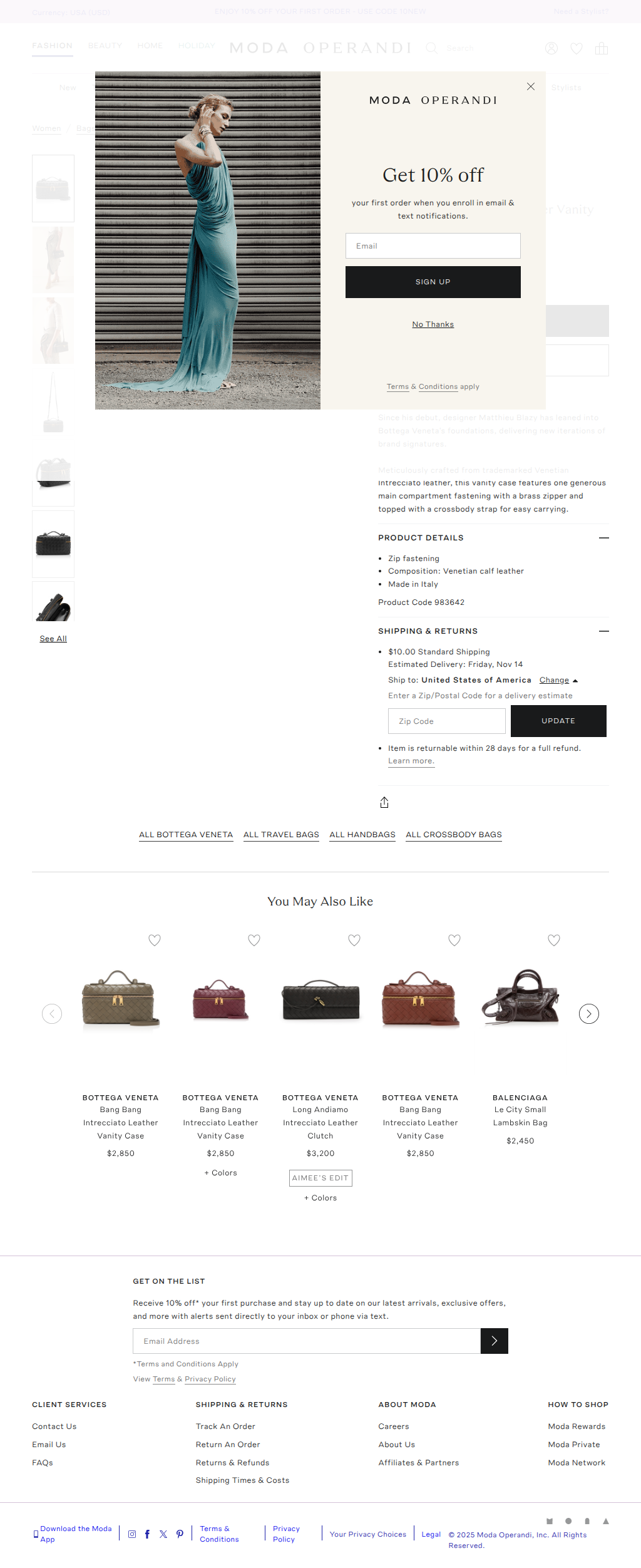
Hi! I’m currently using the FireCrawl node in n8n, and it works great overall. However, I’ve noticed that when scraping some URLs, the extracted data is fine but the screenshots often include pop-ups (like cookie banners or subscription modals). Is there any way to remove or block pop-ups before taking the screenshot? Thanks in advance.
No description
6 Replies
Gaurav Chadha
Gaurav Chadha4w ago
You can use the excludeTags parameter to remove specific CSS selectors.
donddaeng
donddaengOP4w ago
Thanks. Micah.stairs But I added the tag in the blockElements (or removeElements) configuration, but the popup still shows up in the final screenshot. What should I change to make FireCrawl remove this overlay before taking the screenshot?
No description
No description
Gaurav Chadha
Gaurav Chadha4w ago
Oh you need to use the correct syntax for CSS selectors: https://www.w3schools.com/cssref/css\_selectors.php
donddaeng
donddaengOP4w ago
Thanks again for all your help I’m testing various CSS selectors to remove the email signup popup, but it’s still appearing in the screenshot. Here are the selectors I tried in excludeTags: - div.Overlay.EmailSignup - .EmailSignup - .Overlay - .Overlay.EmailSignup However, none of them worked. This is the simplified curl request I’m using: curl --request POST \ --url https://api.firecrawl.dev/v2/scrape \ --header 'Content-Type: application/json' \ --data '{ "url": "https://www.modaoperandi.com/women/p/bottega-veneta/bang-bang-intr-15-light-suede-cachemire/680234", "onlyMainContent": false, "excludeTags": [ "div.Overlay.EmailSignup" ], "maxAge": 172800000, "parsers": [ "pdf" ], "formats": [ "screenshot" ] }' The popup still appears in the final screenshot. Is there something I’m missing? Any help would be appreciated!
Moda Operandi
Bang Bang Intrecciato Leather Vanity Case By Bottega Veneta | Moda ...
Shop the Gold Bang Bang Intrecciato Leather Vanity Case by Bottega Veneta and more new designer fashion on Moda Operandi.
Gaurav Chadha
Gaurav Chadha4w ago
Looking at your screenshot, it seems the CSS selector is called ".EmailSignup__wrapper". Can you try that?

Did you find this page helpful?