App install failed after upgrading to latest ggt version
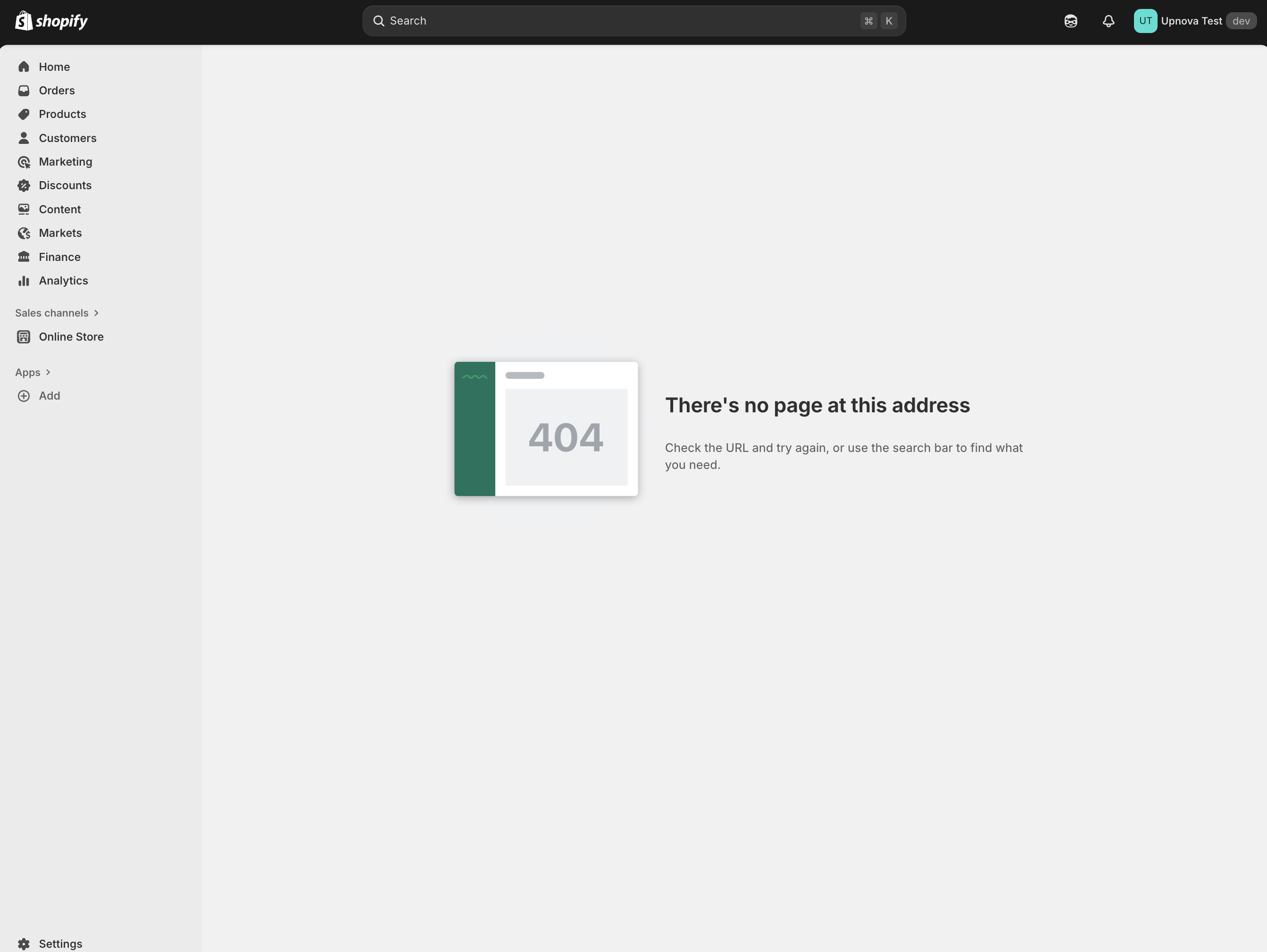
I upgraded gadget, & app bridge to the latest version. Everything inside the app is fine but new customers are not able to install the app. The screenshot is what happened
58 Replies
app: upez
also I'm not sure if it's related to GadgetProvider or not
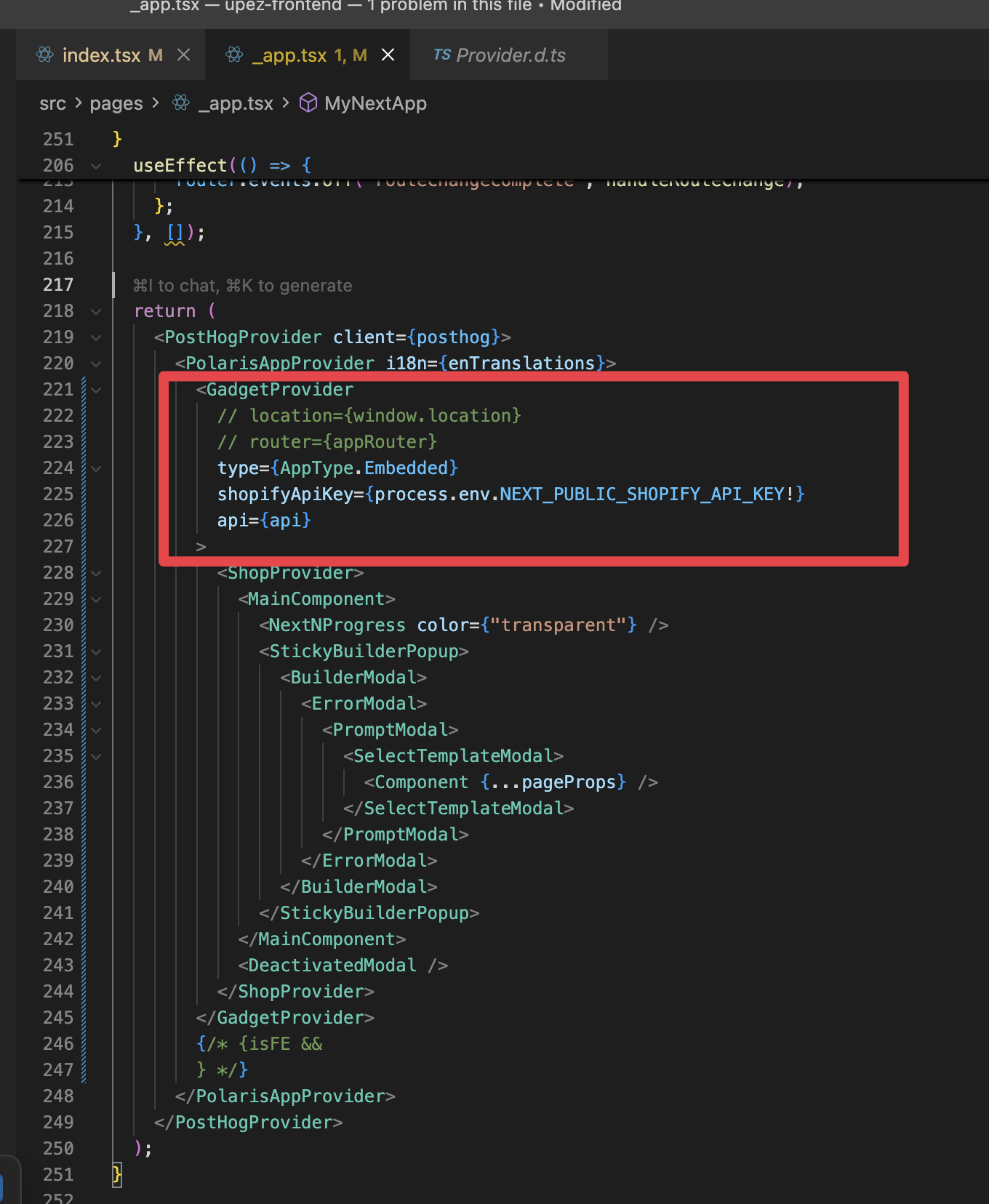
it's used to use the
router prop, but not in the latest versioni start seeing this error without definining
location prop: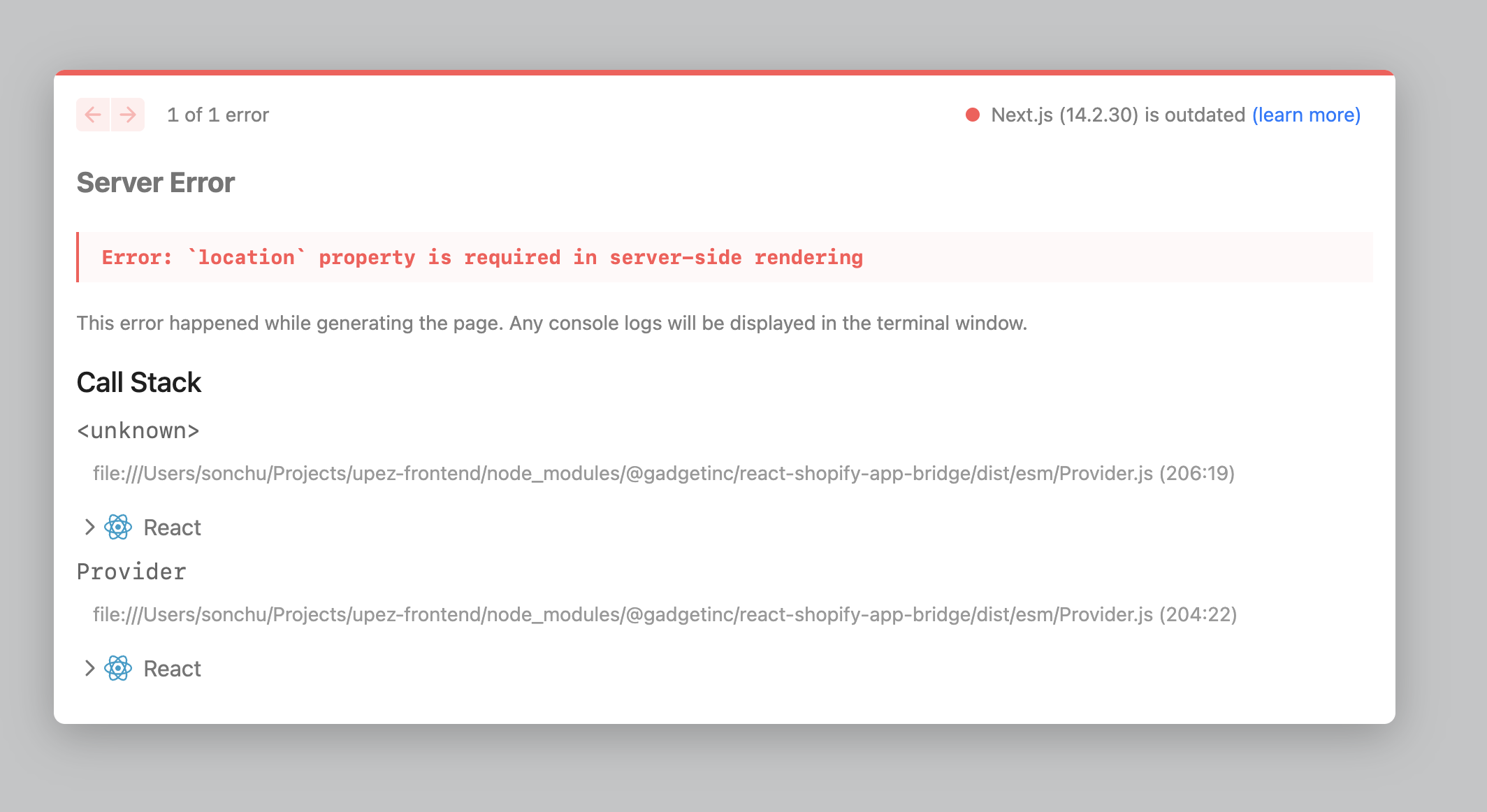
but passing window.location will fail server side rendering
I'm using vercel nextjs
doing this still doesn't help
I'm seeing a number of errors in your backend logs.
-
GGT_BACKEND_PROCESS_CRASH: Cannot write headers after they are sent to the client
This usually means that you have routes that aren't awaiting and/or returning reply statements. For example, line 32 of api/routes/discounts/GET.ts
- GGT_INVALID_ACTION_INPUT: Can't run action since there are multiple shopifyDiscountCustomerGetsProduct records found with product=9324349161768, discount=1533919658280
This is the error that we discussed earlier in the week. Did you already make the changes that we discussed (deleting and resyncing data)?
- GGT_INVALID_QUERY_INPUT: in/notIn filters require a non-empty array
This is a simple one to fix. Anywhere that you see a in or notin filter, make sure that you don't make the request if the length the of the filter array is 0.
- Not an error but an observation. You have a lot of requests being fired without a concurrency limit in your shopifyShop.create action. I would recommend using p-map (@^4.0.0) instead of a Promise.all.
I don't see anything directly tied to installation. Did you perhaps run the Shopify CLI and accidentally change the URLs of the application?
This error is unrelated to the installation issues. This would only show up once you load the frontendi don't remember running Shopify CLI
how do i check these?
If you go to the dev dashboard and look at the release of your application, it'll tell you the urls and scopes that you have configured.
Question, where is your app toml?
my app toml is in another repo
Learn more about configuring your app at https://shopify.dev/docs/apps/tools/cli/configuration
client_id = "8e58da2542382fa086f296e324f871b1"
name = "Upnova (Demo)"
application_url = "https://dev.upez-dev.com/"
embedded = true
handle = "upez-dev"
[webhooks]
api_version = "2025-04"
[auth]
redirect_urls = [
"https://upez--development.gadget.app/api/connections/auth/shopify/callback"
]
[app_proxy]
url = "https://dev.upez-dev.com/api"
subpath = "upez"
prefix = "apps"
[pos]
embedded = false
Thats the development toml. Do you have a production toml?
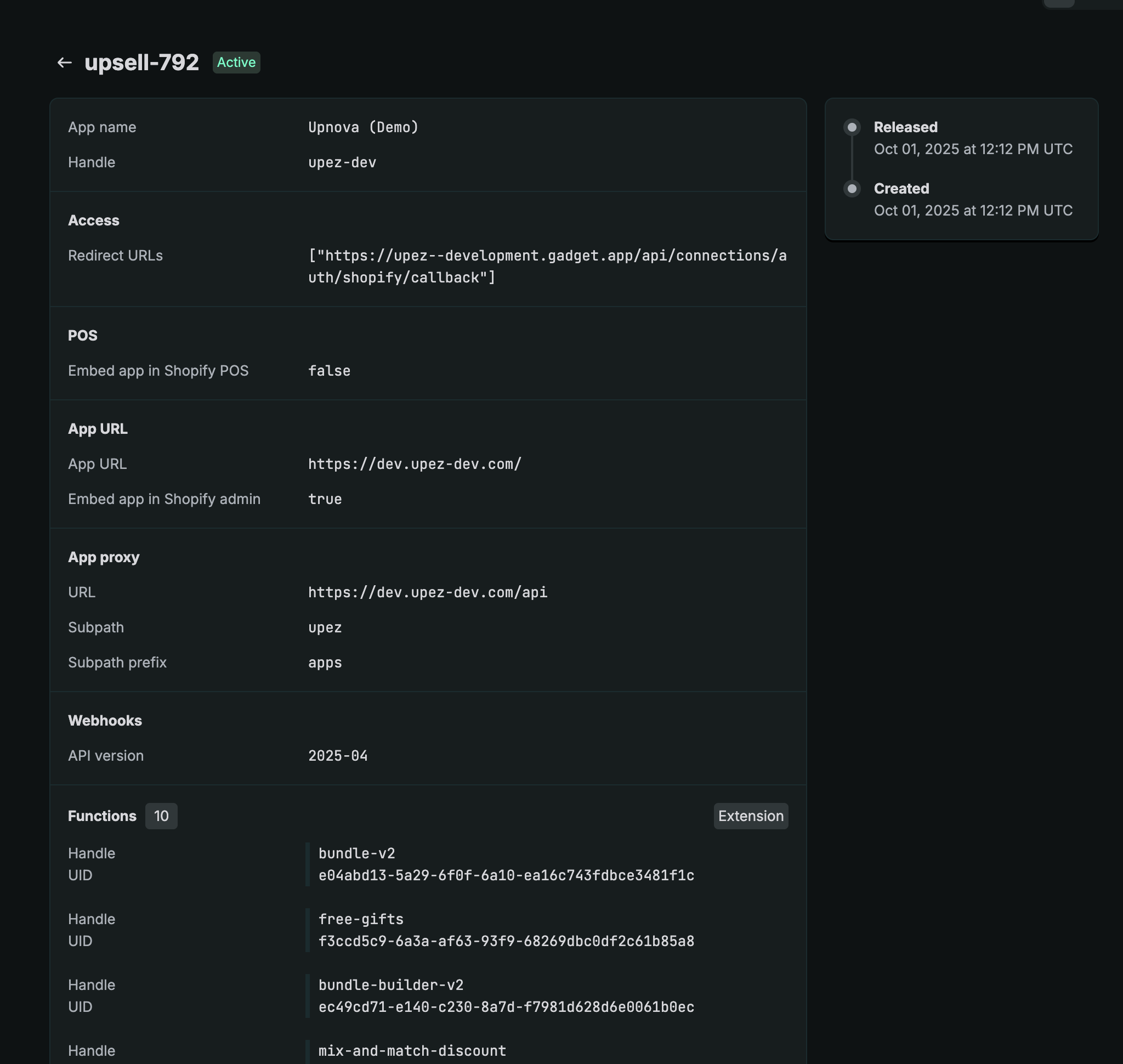
development install also doesn't work
looks find here
production looks fine too
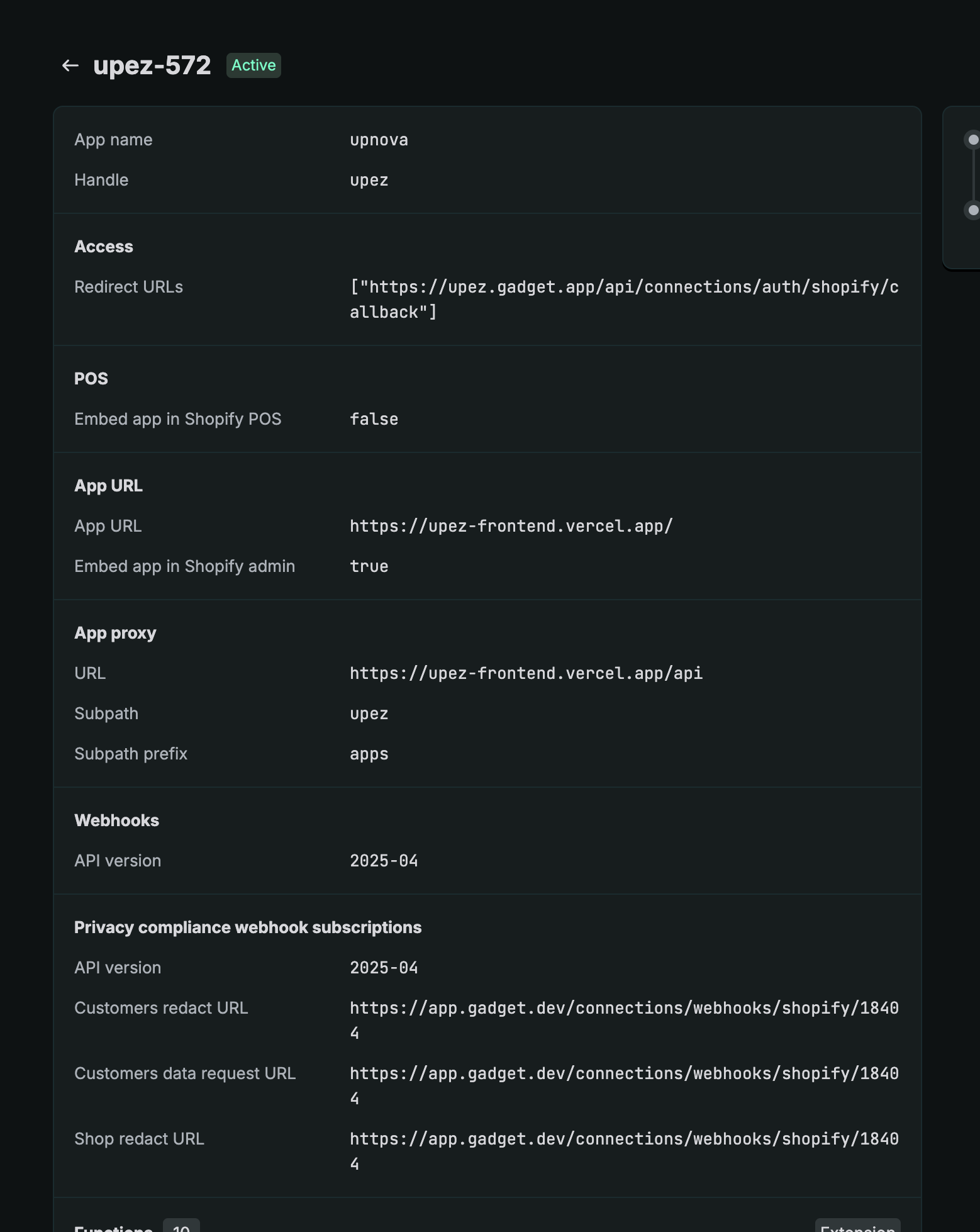
Ok, so you aren't using Shopify managed installs but you also aren't using the install-or-render route from the Gadget managed auth. I'm not sure why it wasn't an issue before but it seems to be causing issues here
Let me think of a way forward
this starts to be an issue when i upgrade the npm packages
@gadgetinc/react...
and the same day i upgraded gadget version to the latest one
The frontend code isn't being hit here so that wouldn't be the issue
i saw that after choosing the store to install
the browser first load: https://dev.upez-dev.com/?hmac=f421446eae9119ddbc8161831ec42403b1a118192f7e79ae7b1b2b38f950804b&host=YWRtaW4uc2hvcGlmeS5jb20vc3RvcmUvdXBub3ZhLXRlc3QtNw&shop=upnova-test-7.myshopify.com×tamp=1763131180
then it redirects to https://admin.shopify.com/store/upnova-test-7/apps/8e58da2542382fa086f296e324f871b1/?hmac=f421446eae9119ddbc8161831ec42403b1a118192f7e79ae7b1b2b38f950804b×tamp=1763131180
Can you share a larger image of the first image shared in the thread (404 page). Or simply the URL (with all query params) so that we can see what might be going on here?
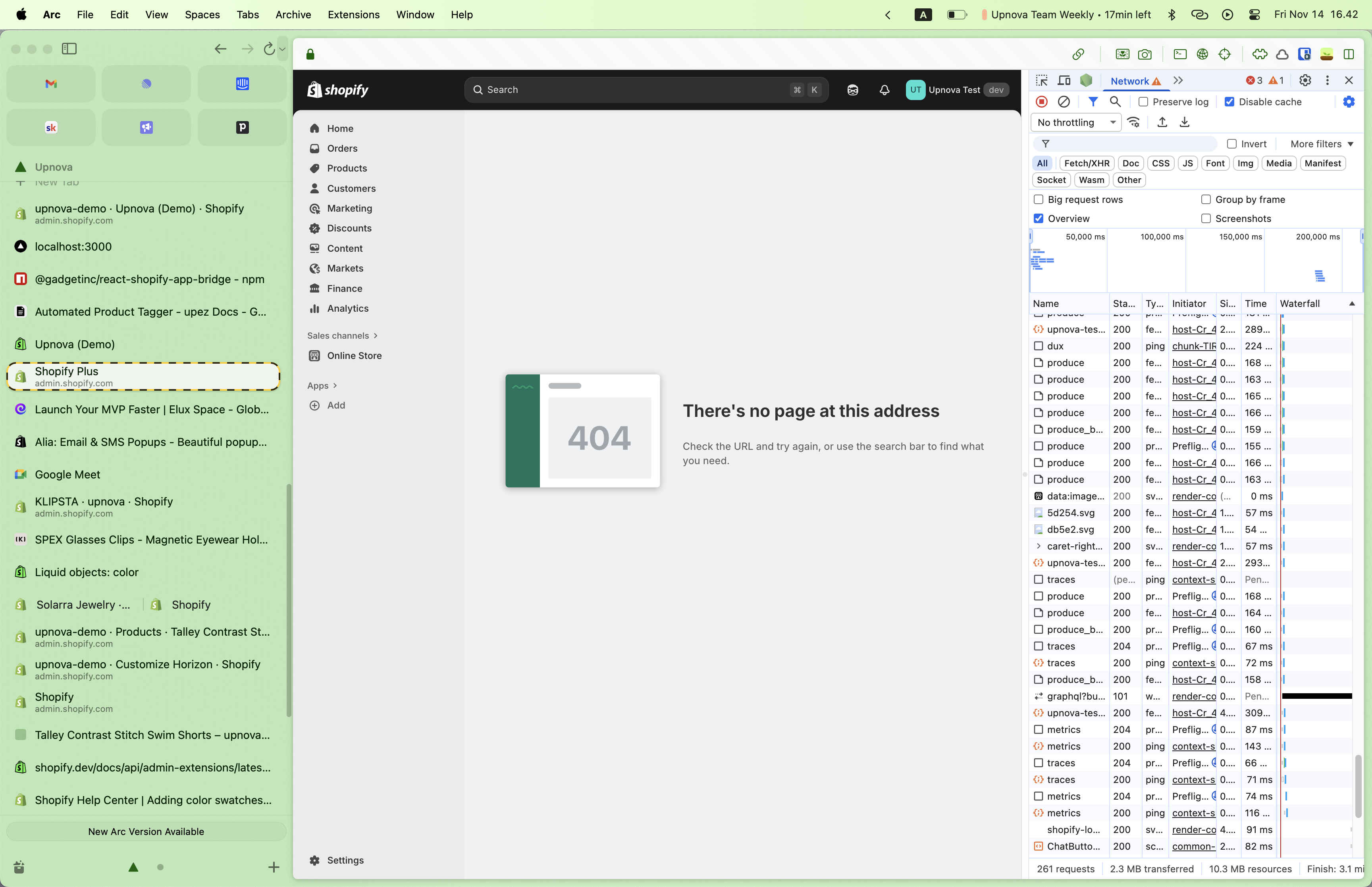
Mind also running another installation so that I can see the logs in real time? What environment are you working on?
doing it now
i'm use development env
ok
just did an installation
Ok so you're getting a 400 when making a request to the callback
here's the loom
what call back is that?
/api/connections/auth/shopify/callback
That's the callback URL that we provide you. The issue seems to be that there's no code query param in the request
I wonder what could have changed
Are you manually calling that URL?
no
i searched my files in all repos
no occurance of calling that route
how's that url is called? it should come from shopify when an user install right?
I don't see it being called from the browser either (with preserve log mode)
Sorry, still trying to figure out whats going on here
thank you so much
i'm on it as well
i tried
use_legacy_install_flow = false
but still doesn't help
Did you deploy the change to your development app?
yes
So, it seems that you're not actually hitting the installation flow correctly since you're being redirected immediately to the 404/callback URL. This is what I'm gathering from the loom
Mind uninstalling, deleting the shop record and trying again?
ok
trying that
actually
store
upnova-test-7 doesn't even exist in gadget db development env yet
i actuallyl have never tried installing the dev app to this store
only installed production app
could it be something to do with app-bridge?
the new version?Well, now that I think of it. It could possibly. What version were you on before?
And do you mind trying to see if downgrading back to it fixes the issue
i tried downgrade gadget version to 1.4.0
doesn't help
I don't think that this is a framework version issue anymore. Lets switch gears to looking at the app bridge package
so yeah, make sense to try the old app bridge
doing it now
that works
T_T
so what do we do now?
Ok, thats going to be a doozy. I would first start by deploying a downgrade to production
Then we need to see which package version caused the issue
what package do you think is the culprit?
Shopify app bridge react
Sorry this one:
@gadgetinc/react-shopify-app-bridgedoes @gadgetinc/react-shopify-app-bridge also rely on @shopify/app-bridge-react?
Which version are you currently on?
yes. Some versions are intertwined
Let me see which one
so the working versions:
"@gadgetinc/react": "^0.21.3",
"@gadgetinc/react-shopify-app-bridge": "^0.13.2",
"@shopify/app": "^3.23.0",
"@shopify/app-bridge": "^3.7.3",
"@shopify/app-bridge-react": "^3.7.3",
"@shopify/app-bridge-utils": "^3.5.1",
Ok thats an older version. As long as you're over version .14 you don't really need to make changes to the shopify app bridge package
Oh
the NOT working version:
"@gadget-client/upez": "^1.22576.0-development.26991",
"@gadgetinc/react": "^0.23.2",
"@gadgetinc/react-shopify-app-bridge": "^0.20.2",
"@shopify/app": "^3.23.0",
"@shopify/app-bridge": "^3.7.10",
"@shopify/app-bridge-react": "^4.2.7",
"@shopify/app-bridge-utils": "^3.5.1",
When you upgraded the react-shopify-app-bridge package, did you also move
@shopify/app-bridge up above v4?
I see
This might actually be the issue. @shopify/app-bridge-react was deprecated in favour of @shopify/app-bridge over v4o0
really
what do you think i should do?
Wait on moment. Just gotta double check that
Sorry, other way around. So that's not the issue
The culprit must be
@gadgetinc/react-shopify-app-bridge
I think that we should put the Shopify package to the latest version and then go to @gadgetinc/react-shopify-app-bridge version 0.14.2 and see if the issue is thereok, on it
They we should take jumps between versions to see which one contains the bug. That way I can narrow down the code change that's causing this
that breaks
404
Ok, thats interesting
Let me talk to the team
a bunch of FE errors happens too
Are those the same as the ones that you shared above?
"@gadget-client/upez": "^1.22576.0-development.26991",
"@gadgetinc/react": "^0.23.2",
"@gadgetinc/react-shopify-app-bridge": "^0.14.2",
"@shopify/app": "^3.23.0",
"@shopify/app-bridge": "^3.7.10",
"@shopify/app-bridge-react": "^4.2.7",
"@shopify/app-bridge-utils": "^3.5.1",
that's the current packages
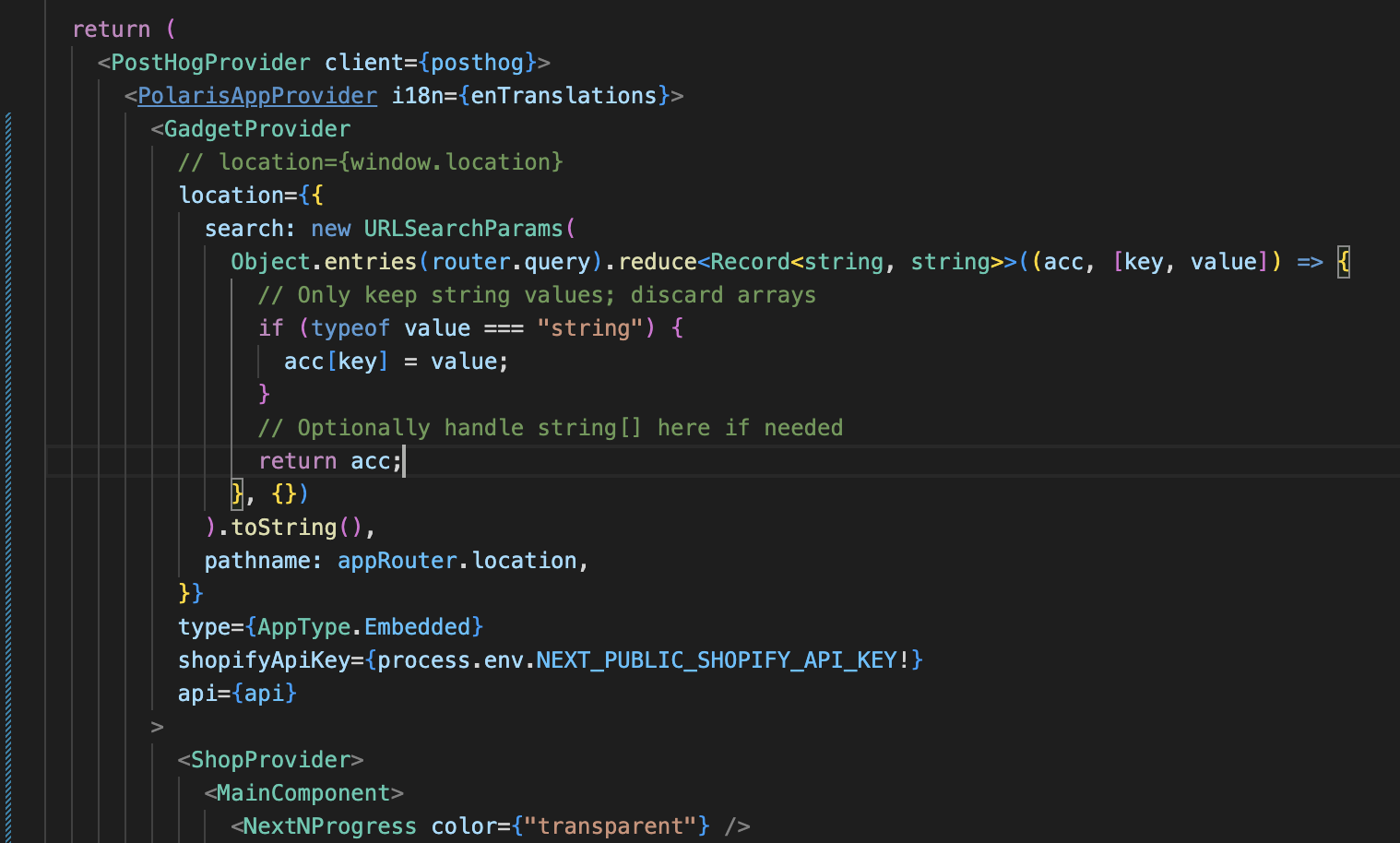
that's the FE error