Keys on P1.15 Column on corne wireless presses for the whole row
Hey my corne early had the entire column not working. after looking through troubleshooting it seems like the solder is all good and I cleaned up the board a bit for debris and then unseated and reseated the nice!nano. That seems to have gotten the keys to work again but they are now pressing for the whole row
11 Replies
When a whole row fires from one column, it almost always means there’s still a short or bad joint on that column/row line, even if the keys “came back to life” after reseating.
Here’s how to narrow it down:
1. Confirm it’s not firmware
- Flash our stock Corne firmware for your variant:
https://docs.typeractive.xyz/build-guides/corne-wireless/firmware
- Test that column again. If it still triggers a whole row, it’s hardware. 2. Identify the exact pin/line - On the Corne pinout diagram here:
https://docs.typeractive.xyz/build-guides/corne-wireless/troubleshooting
find which row/column uses P1.15 so you know what traces/diodes to inspect. 3. Inspect & reflow P1.15 and neighbors - Check the P1.15 pin on the nice!nano and the matching pad on the PCB (both sides if you used sockets). - Look for: - Solder bridges to adjacent pins - Tiny whiskers of solder or debris - Reflow that pin and its two neighbors with a bit of flux and a small amount of fresh solder. 4. Check for shorts on that row - Follow the trace from that column to the diodes for the affected row. - Make sure none of the diodes in that row are bridged to each other or to nearby pads, and that their orientation matches the others. - If you have a multimeter, in continuity mode check: - P1.15 ↔ adjacent nice!nano pins (should not beep) - P1.15 ↔ the row pin that seems to trigger (should not beep when no key is pressed). If you can, send a clear photo of the nice!nano pin area and the affected row/column area and I can help you spot issues.
Reply to this message or tag me if you want to go step‑by‑step or share what you find.
https://docs.typeractive.xyz/build-guides/corne-wireless/firmware
- Test that column again. If it still triggers a whole row, it’s hardware. 2. Identify the exact pin/line - On the Corne pinout diagram here:
https://docs.typeractive.xyz/build-guides/corne-wireless/troubleshooting
find which row/column uses P1.15 so you know what traces/diodes to inspect. 3. Inspect & reflow P1.15 and neighbors - Check the P1.15 pin on the nice!nano and the matching pad on the PCB (both sides if you used sockets). - Look for: - Solder bridges to adjacent pins - Tiny whiskers of solder or debris - Reflow that pin and its two neighbors with a bit of flux and a small amount of fresh solder. 4. Check for shorts on that row - Follow the trace from that column to the diodes for the affected row. - Make sure none of the diodes in that row are bridged to each other or to nearby pads, and that their orientation matches the others. - If you have a multimeter, in continuity mode check: - P1.15 ↔ adjacent nice!nano pins (should not beep) - P1.15 ↔ the row pin that seems to trigger (should not beep when no key is pressed). If you can, send a clear photo of the nice!nano pin area and the affected row/column area and I can help you spot issues.
Reply to this message or tag me if you want to go step‑by‑step or share what you find.
Firmware | Typeractive.xyz Documentation
If you're not familiar, ZMK is a wireless-focused firmware, and it powers our Corne Wireless.
Troubleshooting & Pinouts | Typeractive.xyz Documentation
If you're running into issues with your keyboard, check out our Troubleshooting page for common issues and solutions. If you're still having trouble, please reach out to use on Discord!
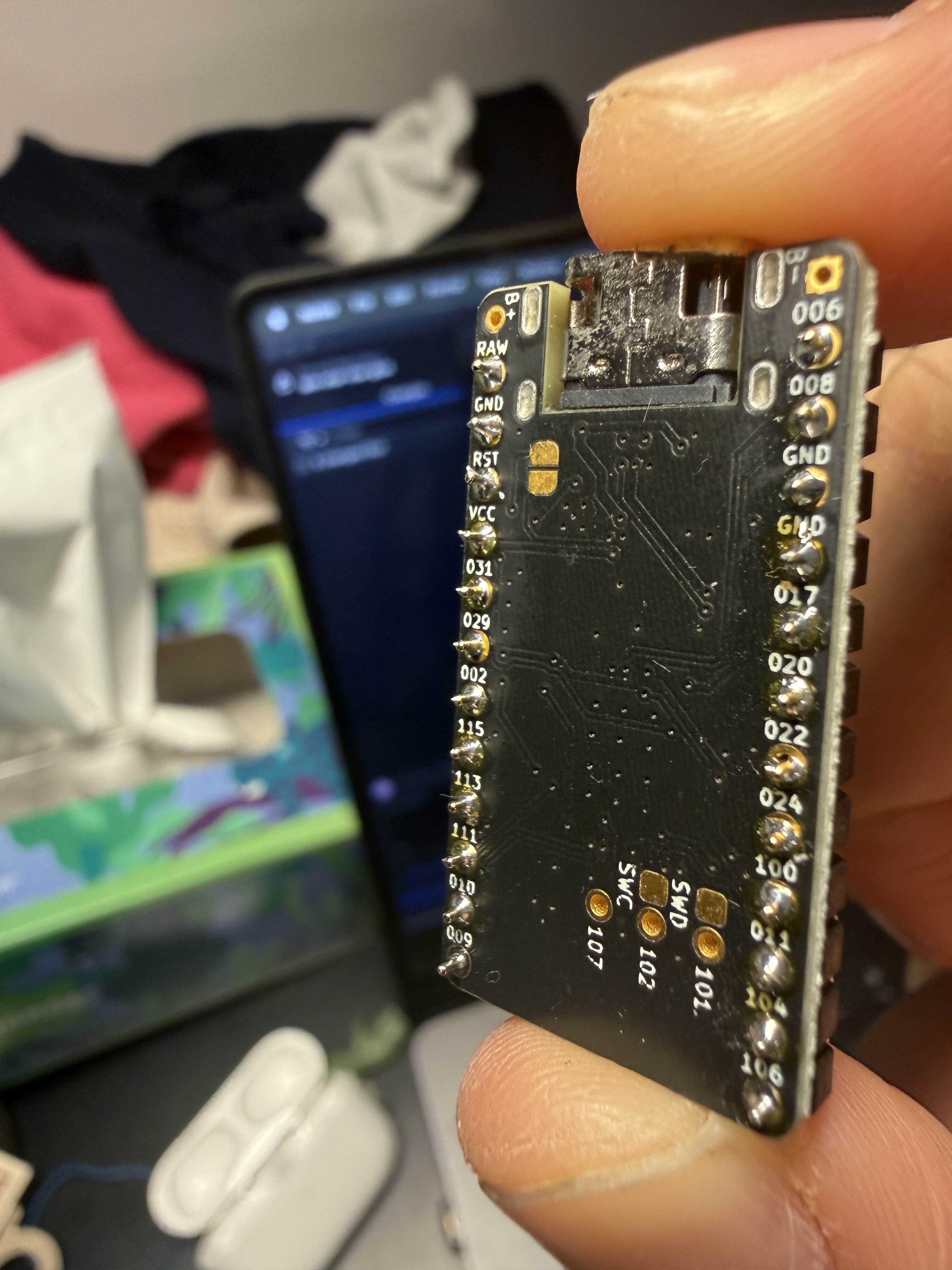
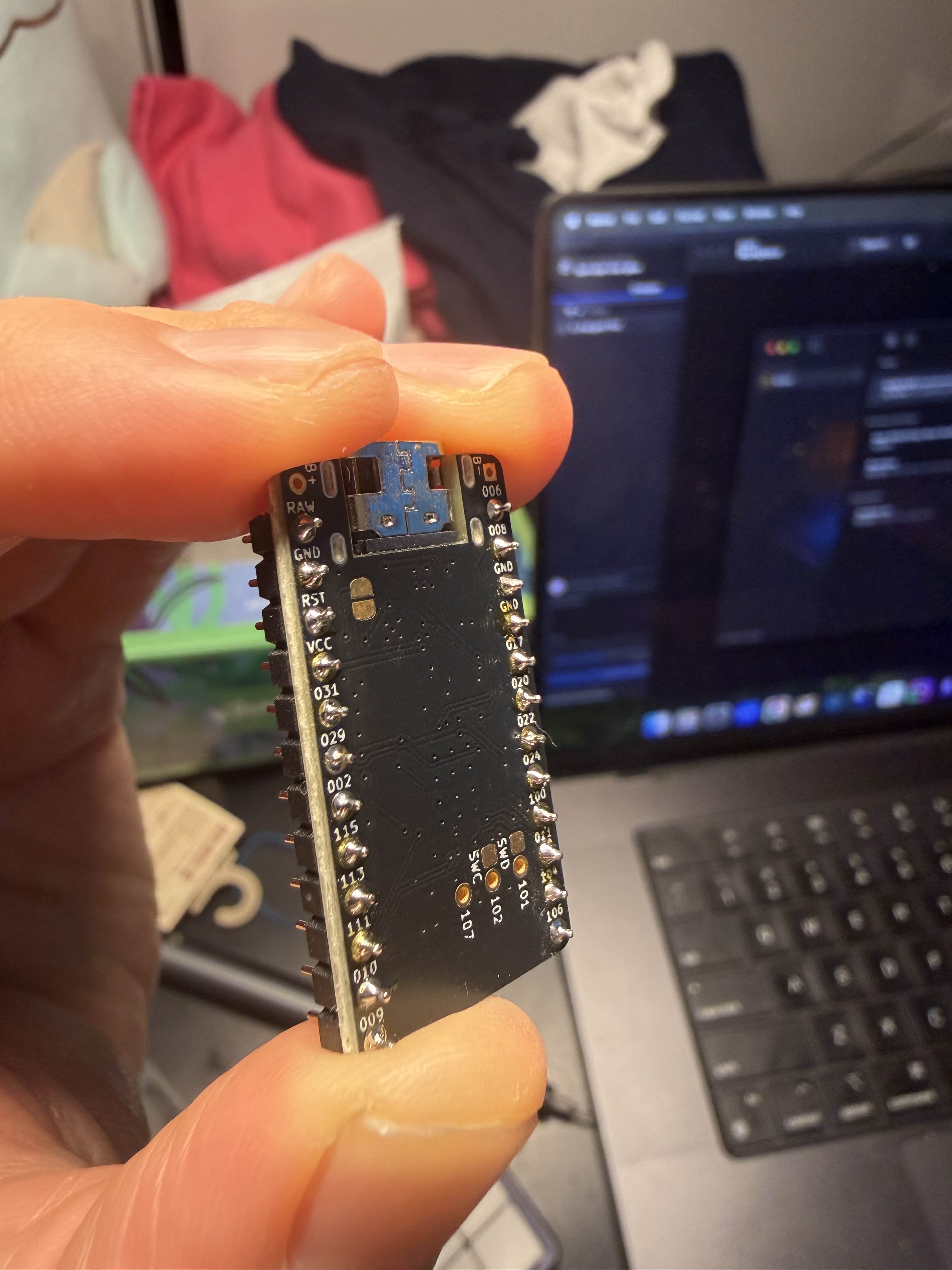
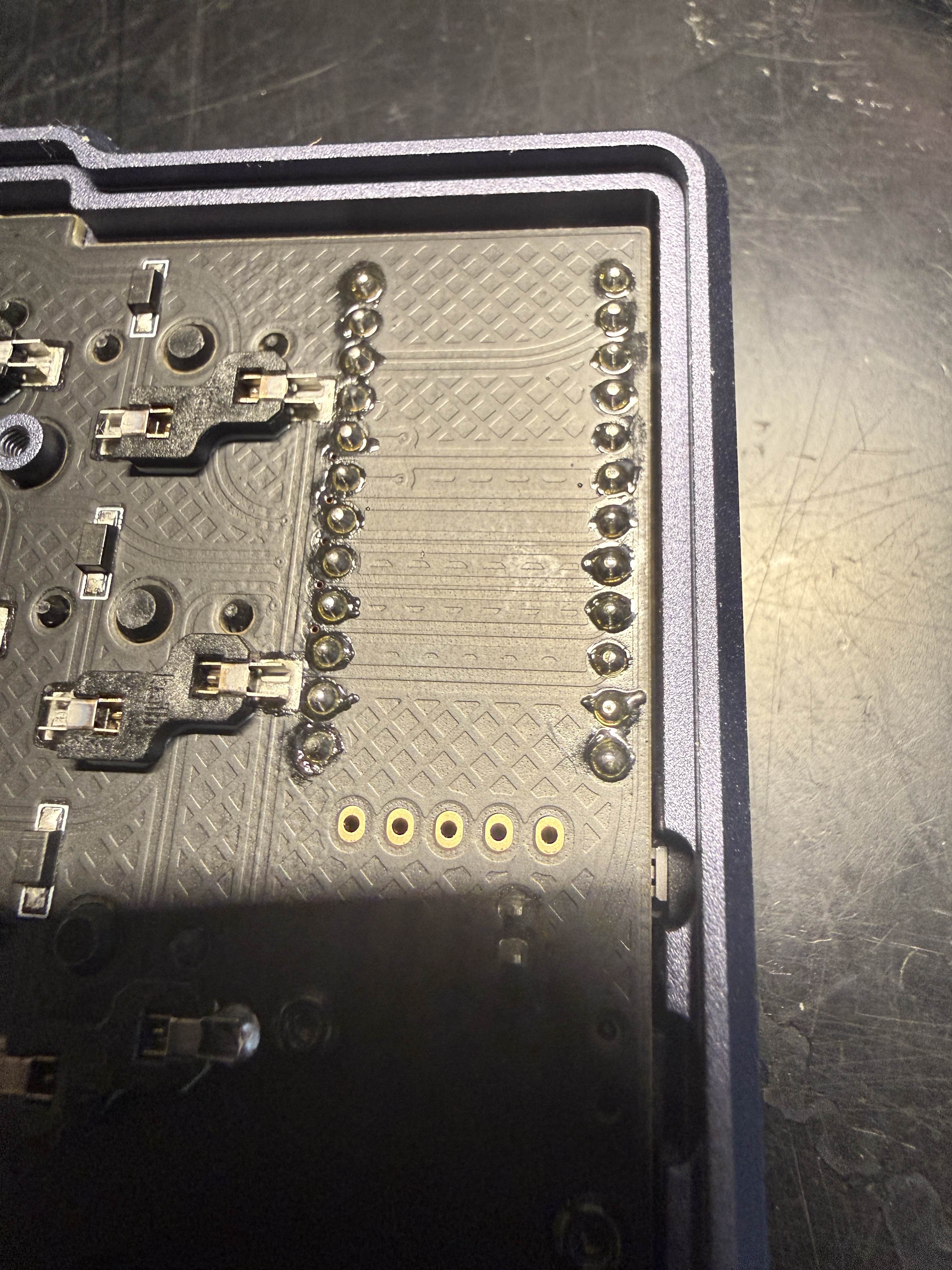
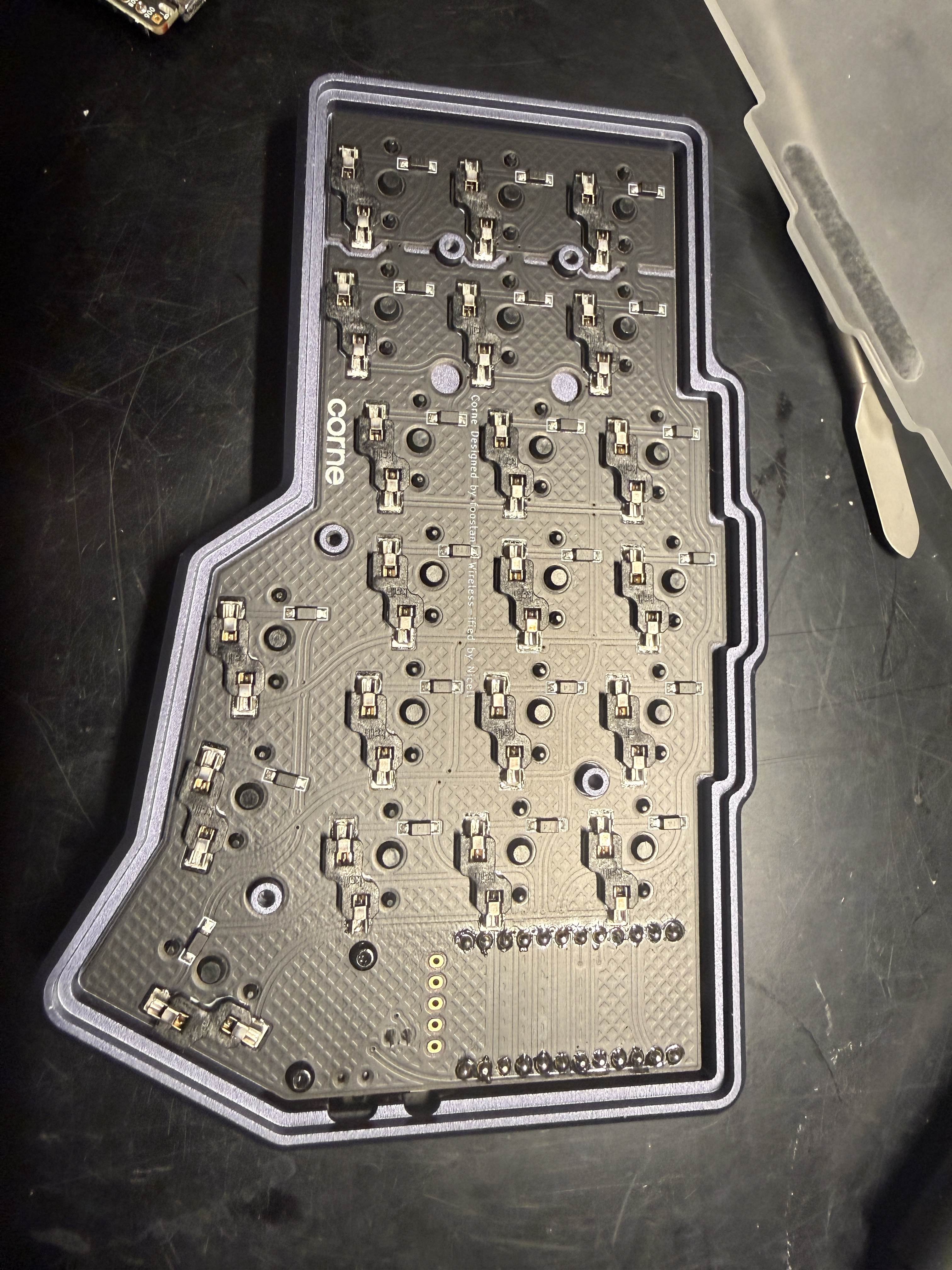
@TyperAI
Got you tagged, thanks.
Since the behavior changed (dead column → now “whole row fires”), that strongly points to a partial short or borderline solder issue that moved when you reseated the nice!nano.
To move forward I’ll need a bit more info:
1. Clarify the behavior
- When you press one key in that problem column, do all keys in one row output, or does it feel like multiple keys in the same column fire?
- Does this happen on both layers (e.g. base and symbols), or only on one layer?
2. Which keys exactly?
- Tell me which physical keys are affected (e.g. “left hand, index column, home row + top row + bottom row”), or mark them on a photo.
3. Firmware check
- Did you already try flashing the stock firmware from here?
https://docs.typeractive.xyz/build-guides/corne-wireless/firmware
- If yes and the issue persists, we can confidently treat it as hardware only. 4. Photos - Please send clear close-up photos of: - The nice!nano area on that half (both sides if possible). - The diodes and hotswap sockets for the affected column/row. - I’ll look for bridges, cold joints, or damaged diodes. If you have a multimeter, I can walk you through a quick continuity test using the Corne pinout here:
https://docs.typeractive.xyz/build-guides/corne-wireless/troubleshooting Reply to this message or tag me with answers/photos and I’ll help you track it down step by step.
https://docs.typeractive.xyz/build-guides/corne-wireless/firmware
- If yes and the issue persists, we can confidently treat it as hardware only. 4. Photos - Please send clear close-up photos of: - The nice!nano area on that half (both sides if possible). - The diodes and hotswap sockets for the affected column/row. - I’ll look for bridges, cold joints, or damaged diodes. If you have a multimeter, I can walk you through a quick continuity test using the Corne pinout here:
https://docs.typeractive.xyz/build-guides/corne-wireless/troubleshooting Reply to this message or tag me with answers/photos and I’ll help you track it down step by step.
Firmware | Typeractive.xyz Documentation
If you're not familiar, ZMK is a wireless-focused firmware, and it powers our Corne Wireless.
Troubleshooting & Pinouts | Typeractive.xyz Documentation
If you're running into issues with your keyboard, check out our Troubleshooting page for common issues and solutions. If you're still having trouble, please reach out to use on Discord!
Right hand, column 3, top row + home row + bottom row
Each one of those keys outputs the keys for the entire row
Only happens in 1 layer but one of the keys outputs the whole row plus a character resting from the symbol layer
@TyperAI
Since it only happens on one layer and one key even adds a symbol‑layer character, this is almost certainly a firmware/keymap issue, not hardware. A matrix short would affect all layers.
Let’s try to isolate it:
1. Check with stock firmware
- Flash both halves with the default Corne firmware for your version (5 vs 6 column, with/without nice!view):
https://docs.typeractive.xyz/build-guides/corne-wireless/firmware
- After flashing, test those 3 keys again on the base layer. - Result: - If they behave normally: your hardware is fine; the issue is in your custom keymap or ZMK Studio config. - If they’re still typing whole rows: tell me and we’ll dig deeper, but that would be very unusual. 2. If you’re using ZMK Studio or a custom repo - Open ZMK Studio or your
Reply to this message or tag me and I’ll keep troubleshooting with you.
https://docs.typeractive.xyz/build-guides/corne-wireless/firmware
- After flashing, test those 3 keys again on the base layer. - Result: - If they behave normally: your hardware is fine; the issue is in your custom keymap or ZMK Studio config. - If they’re still typing whole rows: tell me and we’ll dig deeper, but that would be very unusual. 2. If you’re using ZMK Studio or a custom repo - Open ZMK Studio or your
corne.keymap and look at the layer where the problem appears.
- Check the three keys on right hand, column 3 (top/home/bottom):
- Make sure they’re bound to single keycodes (e.g. K, I, etc.), not:
- Macros
- Combos
- Sticky keys or layer‑tap behaviors that might output multiple keys.
3. Symbol‑layer extra char
- That one extra symbol key strongly points to that physical switch being mapped to a layer‑tap or macro that triggers both base + symbol actions.
If you can paste your keymap for that layer (or screenshots from ZMK Studio) I can call out exactly what to change.Reply to this message or tag me and I’ll keep troubleshooting with you.
Firmware | Typeractive.xyz Documentation
If you're not familiar, ZMK is a wireless-focused firmware, and it powers our Corne Wireless.
Actually it also happens on my symbol layer
@TyperAI
If it happens on multiple layers, that points back to hardware: one matrix line is likely shorted so pressing one switch pulls a whole row low.
Since it was first a dead column and now “whole row fires,” that fits a marginal joint/short that changed when you reseated the nice!nano.
Here’s how to attack it:
1. (Optional sanity check)
If you haven’t yet, flash the stock firmware for your Corne variant:
https://docs.typeractive.xyz/build-guides/corne-wireless/firmware
If the issue is still there, it’s definitely hardware. 2. Pull the 3 problem switches
- Remove those three right‑hand, column‑3 switches.
- Inspect the pins for bends.
- Look very closely at the hotswap sockets and nearby diodes on both sides: any solder blobs or tiny bridges between pads? 3. Clean and reflow that area
- Clean around those three sockets/diodes with isopropyl and a brush/Q‑tip.
- Lightly reflow both sides of each socket and each diode for those keys. 4. Check the matrix pin on the nice!nano
- Use the pinout image here to find which nice!nano pin that column uses:
https://docs.typeractive.xyz/build-guides/corne-wireless/troubleshooting
- Reflow that pin and its neighbors on the nano header/socket. Make sure no solder is touching adjacent pins. 5. If you have a multimeter
- Follow the steps in:
https://docs.typeractive.xyz/troubleshooting/rows-columns-not-working
- With power off, check that the column pin is not shorted to any row pins. If you can, send clear close‑up pics of:
- The right‑half nice!nano pins, and
- Front/back of those three switch positions.
Reply to this message or tag me and I’ll help you inspect and decide the next step.
If you haven’t yet, flash the stock firmware for your Corne variant:
https://docs.typeractive.xyz/build-guides/corne-wireless/firmware
If the issue is still there, it’s definitely hardware. 2. Pull the 3 problem switches
- Remove those three right‑hand, column‑3 switches.
- Inspect the pins for bends.
- Look very closely at the hotswap sockets and nearby diodes on both sides: any solder blobs or tiny bridges between pads? 3. Clean and reflow that area
- Clean around those three sockets/diodes with isopropyl and a brush/Q‑tip.
- Lightly reflow both sides of each socket and each diode for those keys. 4. Check the matrix pin on the nice!nano
- Use the pinout image here to find which nice!nano pin that column uses:
https://docs.typeractive.xyz/build-guides/corne-wireless/troubleshooting
- Reflow that pin and its neighbors on the nano header/socket. Make sure no solder is touching adjacent pins. 5. If you have a multimeter
- Follow the steps in:
https://docs.typeractive.xyz/troubleshooting/rows-columns-not-working
- With power off, check that the column pin is not shorted to any row pins. If you can, send clear close‑up pics of:
- The right‑half nice!nano pins, and
- Front/back of those three switch positions.
Reply to this message or tag me and I’ll help you inspect and decide the next step.
Firmware | Typeractive.xyz Documentation
If you're not familiar, ZMK is a wireless-focused firmware, and it powers our Corne Wireless.
Troubleshooting & Pinouts | Typeractive.xyz Documentation
If you're running into issues with your keyboard, check out our Troubleshooting page for common issues and solutions. If you're still having trouble, please reach out to use on Discord!
Row(s) or Column(s) Not Working | Typeractive.xyz Documentation
Fix row(s) or column(s) not working on your keyboard.
1. Reflashed my firmware and seems to be the same
2. Reseated the switches and the pins look good
Below are photos of the nice nano
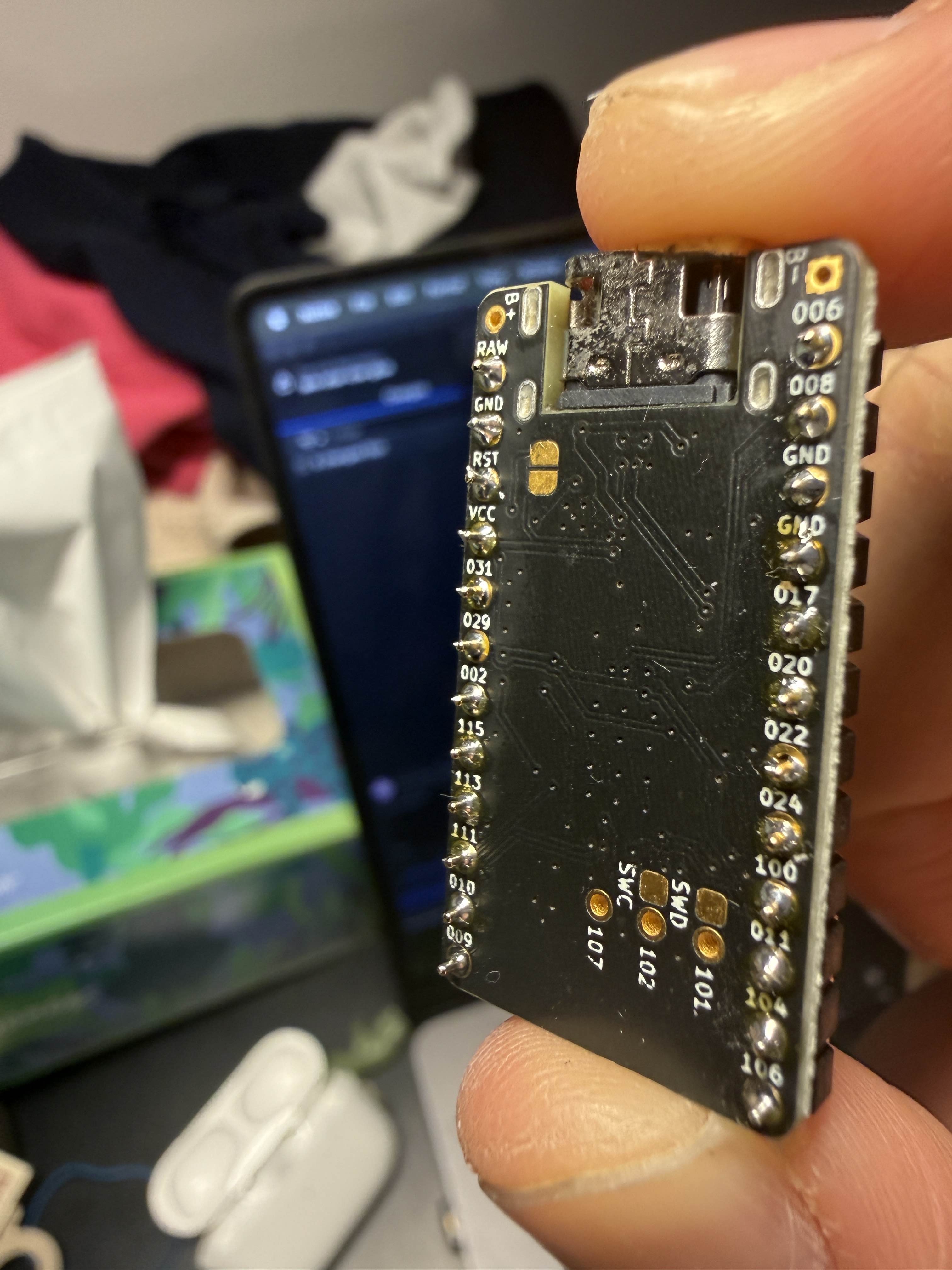
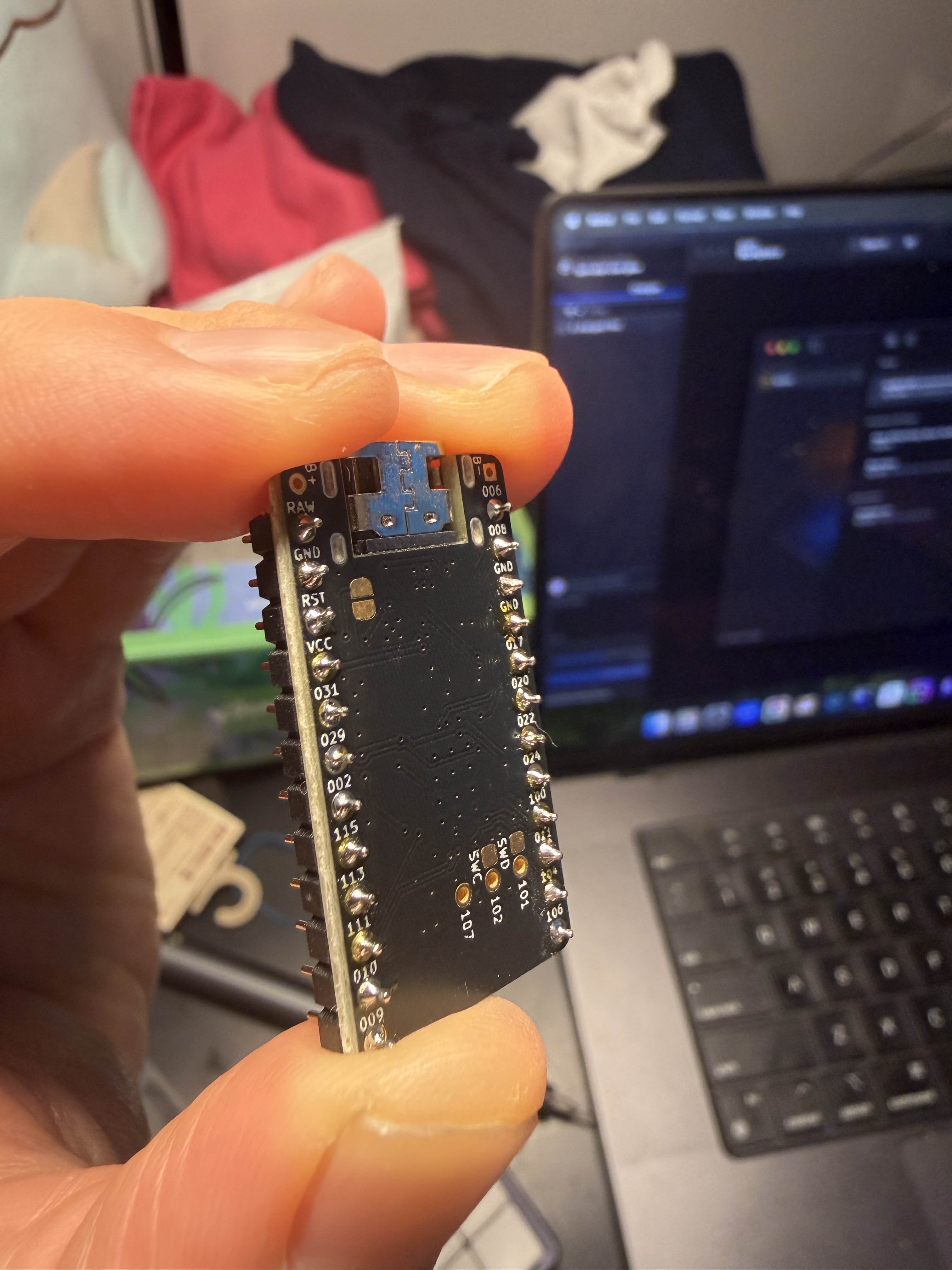
@TyperAI
Thanks for the details, that helps narrow it down.
Since:
- It happens on multiple layers, and
- Reflashing didn’t change anything, and
- It’s only those 3 keys in that column,
we’re almost certainly dealing with a hardware short on that column’s matrix line (or its row line) around those 3 keys or the matching nice!nano pin.
Here’s what I’d try next:
1. Use the Corne pinout
- Open: https://docs.typeractive.xyz/build-guides/corne-wireless/troubleshooting
- In the pinout image, find “Right, column 3” and note which nice!nano pin it uses (e.g. “P0.xx”). 2. Target that nice!nano pin - On your right half, find that same pin on the nice!nano header. - Carefully: - Add flux. - Reflow that pin and the two neighbors. - Make sure there’s NO tiny bridge between it and adjacent pins. 3. Target the matching pad on the PCB - On the PCB under the nano, reflow the solder joint that goes to that same column pin. - Clean the area with isopropyl after. 4. Inspect the 3 switches’ sockets/diodes - Front and back of those 3 positions: - No solder connecting socket pads together? - Diodes straight, oriented same as neighbors, no cracked packages, no bridged pads. 5. If you have a multimeter - Follow: https://docs.typeractive.xyz/troubleshooting/rows-columns-not-working
- With power off (and ideally the nano removed), confirm that the column’s pad is not shorted to any other pins/rows. The photos you mentioned didn’t show up on my side; can you re‑upload close‑ups of: - The nice!nano header area around that specific pin, and
- Front/back of those 3 switch spots? Reply to this message or tag me and I’ll walk through what I can see in the pics.
- In the pinout image, find “Right, column 3” and note which nice!nano pin it uses (e.g. “P0.xx”). 2. Target that nice!nano pin - On your right half, find that same pin on the nice!nano header. - Carefully: - Add flux. - Reflow that pin and the two neighbors. - Make sure there’s NO tiny bridge between it and adjacent pins. 3. Target the matching pad on the PCB - On the PCB under the nano, reflow the solder joint that goes to that same column pin. - Clean the area with isopropyl after. 4. Inspect the 3 switches’ sockets/diodes - Front and back of those 3 positions: - No solder connecting socket pads together? - Diodes straight, oriented same as neighbors, no cracked packages, no bridged pads. 5. If you have a multimeter - Follow: https://docs.typeractive.xyz/troubleshooting/rows-columns-not-working
- With power off (and ideally the nano removed), confirm that the column’s pad is not shorted to any other pins/rows. The photos you mentioned didn’t show up on my side; can you re‑upload close‑ups of: - The nice!nano header area around that specific pin, and
- Front/back of those 3 switch spots? Reply to this message or tag me and I’ll walk through what I can see in the pics.
Troubleshooting & Pinouts | Typeractive.xyz Documentation
If you're running into issues with your keyboard, check out our Troubleshooting page for common issues and solutions. If you're still having trouble, please reach out to use on Discord!
Row(s) or Column(s) Not Working | Typeractive.xyz Documentation
Fix row(s) or column(s) not working on your keyboard.