M
Mastraโ€ข3w ago
Yannick

Authorize Mastra cloud user for using the agent

Hi, I have setup Mastra auth by extending MastraAuthProvider, so now Mastra cloud can not access my Mastra agents. What's the best way to authorize Mastra cloud user?
config.server!.auth = new FrontofficeMastraJwtAuth({
protected: ['/api/*'],
public: process.env.MASTRA_DEV === 'true' ? [/^\/(?!api)/] : [],
});
config.server!.auth = new FrontofficeMastraJwtAuth({
protected: ['/api/*'],
public: process.env.MASTRA_DEV === 'true' ? [/^\/(?!api)/] : [],
});
10 Replies
Mastra Triager
Mastra Triagerโ€ข3w ago
๐Ÿ“ Created GitHub issue: https://github.com/mastra-ai/mastra/issues/10397 ๐Ÿ” If you're experiencing an error, please provide a minimal reproducible example whenever possible to help us resolve it quickly. ๐Ÿ™ Thank you for helping us improve Mastra!
Abhi Aiyer
Abhi Aiyerโ€ข3w ago
Hi @Yannick can you show me your FrontofficeMastraJwtAuth ? In Cloud we do inject a studio token so that cloud wont be locked out!
Yannick
YannickOPโ€ข3w ago
Hi @Abhi Aiyer Sure, here it is:
import {
MastraAuthProvider,
MastraAuthProviderOptions,
} from '@mastra/core/server';
import { createRemoteJWKSet, JWTPayload, jwtVerify } from 'jose';

export type FrontOfficeJwtPayload = JWTPayload & {
email: string;
aglae?: {
siteId: string | null;
};
};

export class FrontofficeMastraJwtAuth extends MastraAuthProvider<FrontOfficeJwtPayload> {
private readonly JWKS = createRemoteJWKSet(new URL(process.env.JWKS_URL!));

constructor(options: MastraAuthProviderOptions<FrontOfficeJwtPayload>) {
super({ name: 'jwt-frontoffice', ...options });
}

async authenticateToken(token: string): Promise<FrontOfficeJwtPayload> {
const { payload } = await jwtVerify<FrontOfficeJwtPayload>(
token,
this.JWKS,
);
return payload;
}

async authorizeUser(user: FrontOfficeJwtPayload) {
return isAglaeUser(user);
}
}

function isAglaeUser(user: FrontOfficeJwtPayload) {
return user?.aglae?.siteId !== null;
}
import {
MastraAuthProvider,
MastraAuthProviderOptions,
} from '@mastra/core/server';
import { createRemoteJWKSet, JWTPayload, jwtVerify } from 'jose';

export type FrontOfficeJwtPayload = JWTPayload & {
email: string;
aglae?: {
siteId: string | null;
};
};

export class FrontofficeMastraJwtAuth extends MastraAuthProvider<FrontOfficeJwtPayload> {
private readonly JWKS = createRemoteJWKSet(new URL(process.env.JWKS_URL!));

constructor(options: MastraAuthProviderOptions<FrontOfficeJwtPayload>) {
super({ name: 'jwt-frontoffice', ...options });
}

async authenticateToken(token: string): Promise<FrontOfficeJwtPayload> {
const { payload } = await jwtVerify<FrontOfficeJwtPayload>(
token,
this.JWKS,
);
return payload;
}

async authorizeUser(user: FrontOfficeJwtPayload) {
return isAglaeUser(user);
}
}

function isAglaeUser(user: FrontOfficeJwtPayload) {
return user?.aglae?.siteId !== null;
}
I guess I need to authorize Mastra cloud too. How can I reference the studio token?
rph
rphโ€ข3w ago
Hi @Yannick mastra cloud should automatically authenticate the injected studio token Can you please share your cloud project slug so we can trace the auth request?
Yannick
YannickOPโ€ข3w ago
Hi @rph my cloud project slug is future-quiet-autumn Note: I was not able to set the correct Mastra API URL as path ยด/ยด is protected. I have set path โ€˜/apiโ€™ which is public. I had the error Unable to reach Mastra instance. Status: 401 in the UI form
rph
rphโ€ข2w ago
Hey @Yannick ! Thanks for sharing the project slug and details. We have a PR in progress to add SimpleAuth to core (#10490: https://github.com/mastra-ai/mastra/pull/10490), but didn't want to leave you hanging until that lands. In the meantime, here's a workaround โ€” you can wrap your existing JWT auth with a simple token fallback:
import type { HonoRequest } from 'hono';

export class SimpleMastraAuth extends MastraAuthProvider<{ email: string }> {
constructor(private readonly jwtAuth: FrontofficeMastraJwtAuth) {
super({ name: 'simple-auth', ...jwtAuth });
}

async authenticateToken(token: string, request: HonoRequest): Promise<{ email: string } | null> {
const simpleToken = request.header('Authorization')?.replace('Bearer ', '') ?? '';

// Check for simple token first
if (process.env.SIMPLE_AUTH_TOKEN && simpleToken === process.env.SIMPLE_AUTH_TOKEN) {
return { email: process.env.SIMPLE_AUTH_EMAIL ?? 'cloud-studio' };
}

// Fall back to your JWT auth
return this.jwtAuth.authenticateToken(token, request);
}

async authorizeUser(user: { email: string }) {
if (user.email === process.env.SIMPLE_AUTH_EMAIL) {
return true;
}
return this.jwtAuth.authorizeUser(user as FrontOfficeJwtPayload);
}
}
import type { HonoRequest } from 'hono';

export class SimpleMastraAuth extends MastraAuthProvider<{ email: string }> {
constructor(private readonly jwtAuth: FrontofficeMastraJwtAuth) {
super({ name: 'simple-auth', ...jwtAuth });
}

async authenticateToken(token: string, request: HonoRequest): Promise<{ email: string } | null> {
const simpleToken = request.header('Authorization')?.replace('Bearer ', '') ?? '';

// Check for simple token first
if (process.env.SIMPLE_AUTH_TOKEN && simpleToken === process.env.SIMPLE_AUTH_TOKEN) {
return { email: process.env.SIMPLE_AUTH_EMAIL ?? 'cloud-studio' };
}

// Fall back to your JWT auth
return this.jwtAuth.authenticateToken(token, request);
}

async authorizeUser(user: { email: string }) {
if (user.email === process.env.SIMPLE_AUTH_EMAIL) {
return true;
}
return this.jwtAuth.authorizeUser(user as FrontOfficeJwtPayload);
}
}
Then update your config:
experimental_auth: new SimpleMastraAuth(new FrontofficeMastraJwtAuth({
protected: ['/api/*'],
public: process.env.MASTRA_DEV === 'true' ? [/^\/(?!api)/] : [],
}))
experimental_auth: new SimpleMastraAuth(new FrontofficeMastraJwtAuth({
protected: ['/api/*'],
public: process.env.MASTRA_DEV === 'true' ? [/^\/(?!api)/] : [],
}))
Set these env vars on your deployed instance:
SIMPLE_AUTH_TOKEN=your-simple-auth-token
SIMPLE_AUTH_EMAIL=cloud-studio@yourcompany.com
SIMPLE_AUTH_TOKEN=your-simple-auth-token
SIMPLE_AUTH_EMAIL=cloud-studio@yourcompany.com
Then in Cloud Studio, when connecting your instance, add the Authorization header with your token value (see attached screenshot). Once the PR lands you won't need the wrapper class anymore. Let us know if you hit any snags!
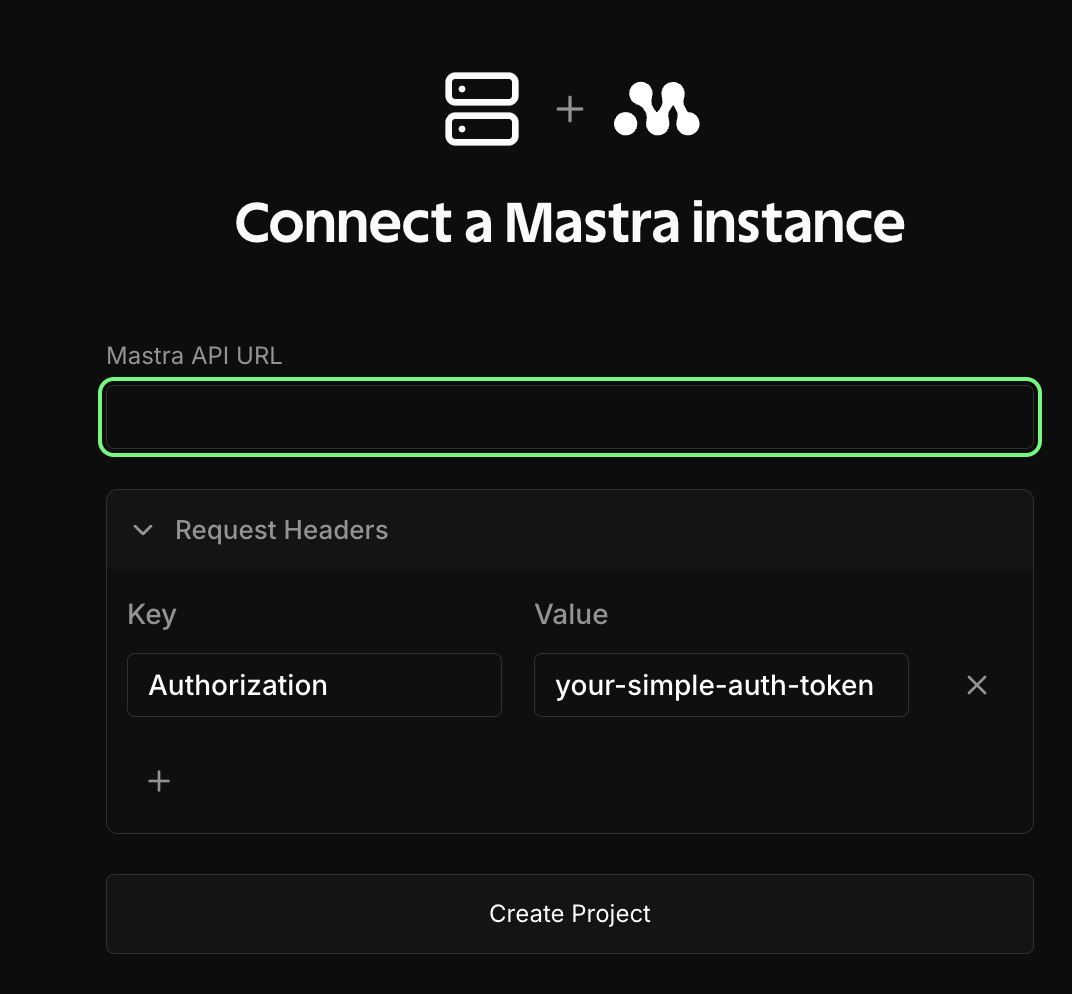
No description
Yannick
YannickOPโ€ข2w ago
Perfect Iโ€™ll give it a try! Thanks ๐Ÿ™
_roamin_
_roamin_โ€ข7d ago
Hey @Yannick ! Just wondering if you had the chance to try the workaround Ryan shared? Let us know how it goes ๐Ÿ˜‰
Yannick
YannickOPโ€ข6d ago
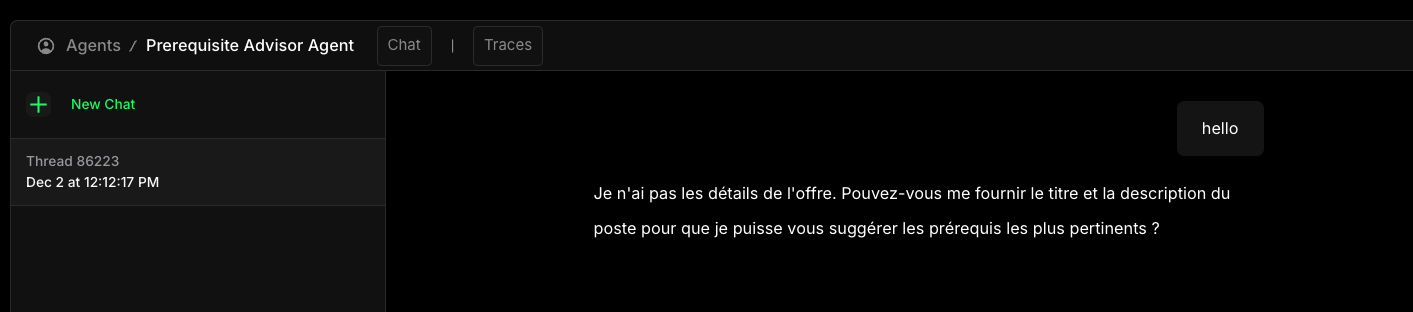
Thank you everything is working well with Mastra Cloud now ๐Ÿ˜‰
No description
_roamin_
_roamin_โ€ข6d ago
Awesome! Thanks for checking and getting back to us!

Did you find this page helpful?