Disable Resizing Widgets based on Window Size
Is there a way to prevent Homarr from resizing content in relation to the window size?
To be clear, I know that I can use responsive layouts to change the number of columns based on screen size but I'm not talking about that. I mean that whether I'm using LayoutSmall (3 columns), LayoutMedium (6 columns) or LayoutLarge (9 columns) that each grid block will always be 200x200px (or whatever...).
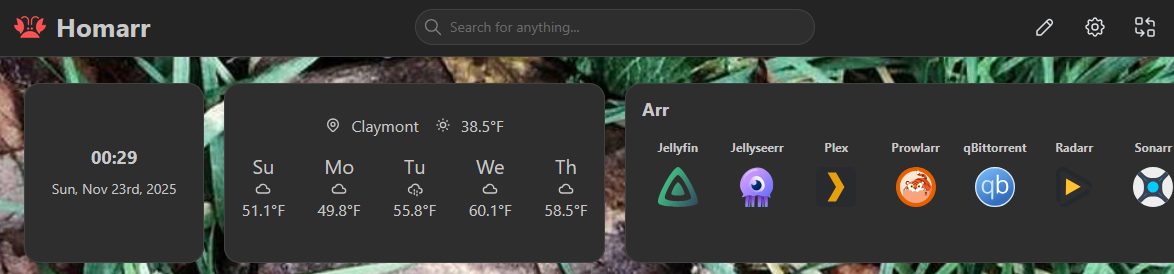
I've attached pics of the same layout at different window sizes. I have removed my responsive layouts to make it more obvious what's happening. This is going smaller but going larger also gets weird REAL quick.
Thanks!
To be clear, I know that I can use responsive layouts to change the number of columns based on screen size but I'm not talking about that. I mean that whether I'm using LayoutSmall (3 columns), LayoutMedium (6 columns) or LayoutLarge (9 columns) that each grid block will always be 200x200px (or whatever...).
I've attached pics of the same layout at different window sizes. I have removed my responsive layouts to make it more obvious what's happening. This is going smaller but going larger also gets weird REAL quick.
Thanks!