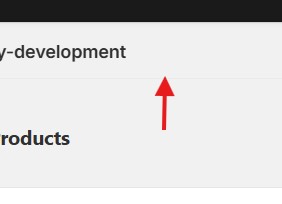
a TitleBar-like control displayed at the top
It appears that there is a TitleBar-like control displayed at the top of my application page. How can I hide it, or is there an API available to modify it?
I'm using React, And what information should I provide?
9 Replies
Hello,
There's nothing that you can do about that. Its part of the Shopify UI. If you look at the elements of the page, its loaded above your app's iFrame

yes I know that
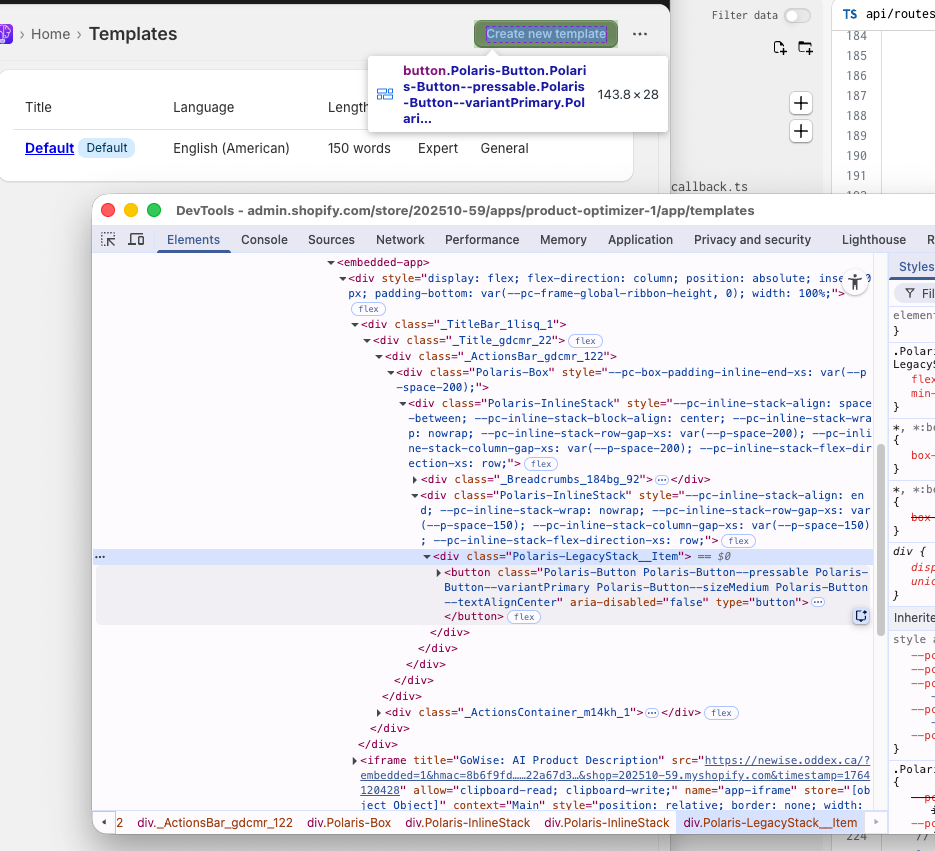
But some other app,can set a button on the title bar,like this.
So I would like to know if there is an API that can be used for setting up
https://shopify.dev/docs/api/app-bridge-library/react-components/modal-component
Modal with max variant
Shopify
Modal Component
The Modal API allows you to display an overlay that prevents interaction with the rest of the app until dismissed.
It is used by customizing your Modal content with the
Modal component and then opening it with the shopify.modal.show('modal-id') API.It's not Modal.
I seem to have found the answer:
Using Web Components
Wrapping <s-button>inside <s-page>, after which Shopify appears to perform a special process that places the three buttons in the TitleBar outside the iframe.
Meanwhile, there is another issue: Within Gadget's internal Preview environment, it appears to be incompatible with Web Components and cannot display the <s-button>element. @Chocci_Milk
Code example:
<s-page heading="Home Page">
<s-button slot="primary-action" onClick={() => shopify.toast.show('Save')}>Save</s-button>
<s-button slot="secondary-actions" onClick={() => shopify.toast.show('Close')}>Close</s-button>
<s-button slot="secondary-actions" onClick={() => shopify.toast.show('Cancel')}>Cancel</s-button>
<Page>
<Layout>
<Layout.Section>
<Card>
<BlockStack gap="200" inlineAlign="center">
<img src="https://assets.gadget.dev/assets/icon.svg" style={{ width: '72px', height: '72px' }} />
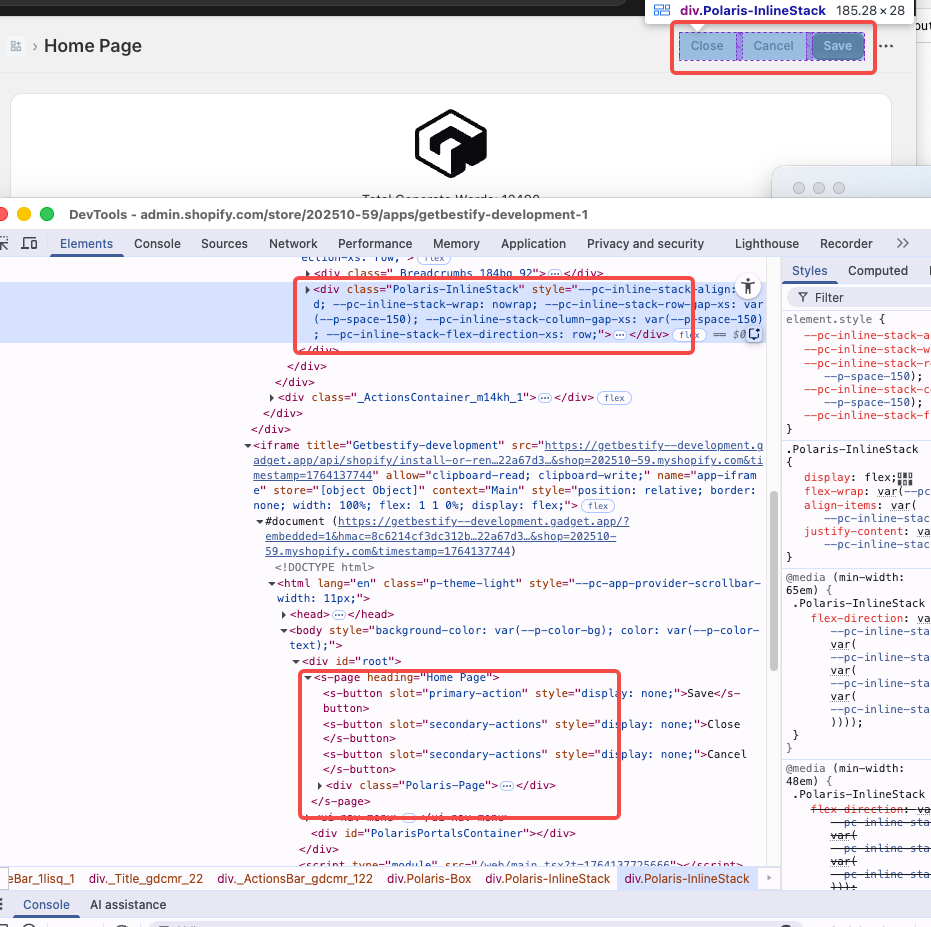
here is screenshot
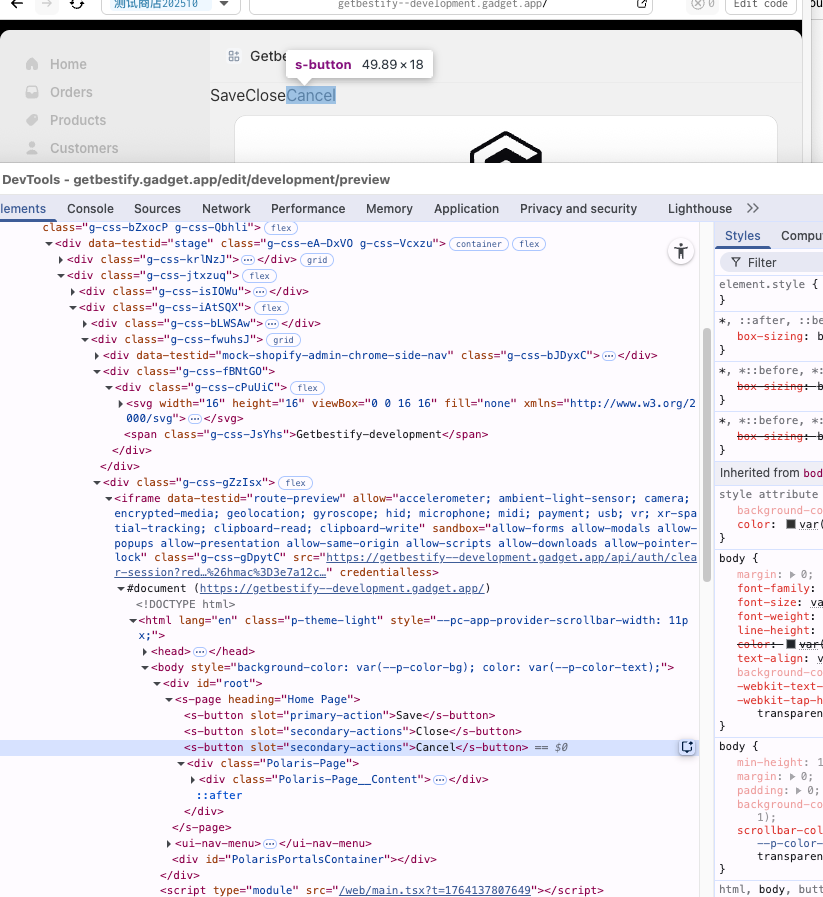
Wrapping <s-button>inside <s-page>, after which Shopify appears to perform a special process that places the three buttons in the TitleBar outside the iframe.There's no special process the
slot parameter in the s-button determines where's it placed. You can put it in the header using primary-action and secondary-actions, depending on the intent of the button
I misunderstood what you were asking earlierCould you please share a link to the docs for the components that you're using? The preview shouldn't work differently than the app in the embedded view as its an iFrame and simply loads your app in that view. Its simply a faked/mocked Shopify embedded view.
In other words, I'd like to test this out myself before making a ticket internally
Sure, here is doc link:
https://shopify.dev/docs/api/app-home/app-bridge-web-components/title-bar
I'm definitely able to reproduce this. However I think that your specific issue was what taksh wrote, you need to set
slot attributes for the buttons to be put in the titlebar.
Going to talk to the team/make a ticket internally