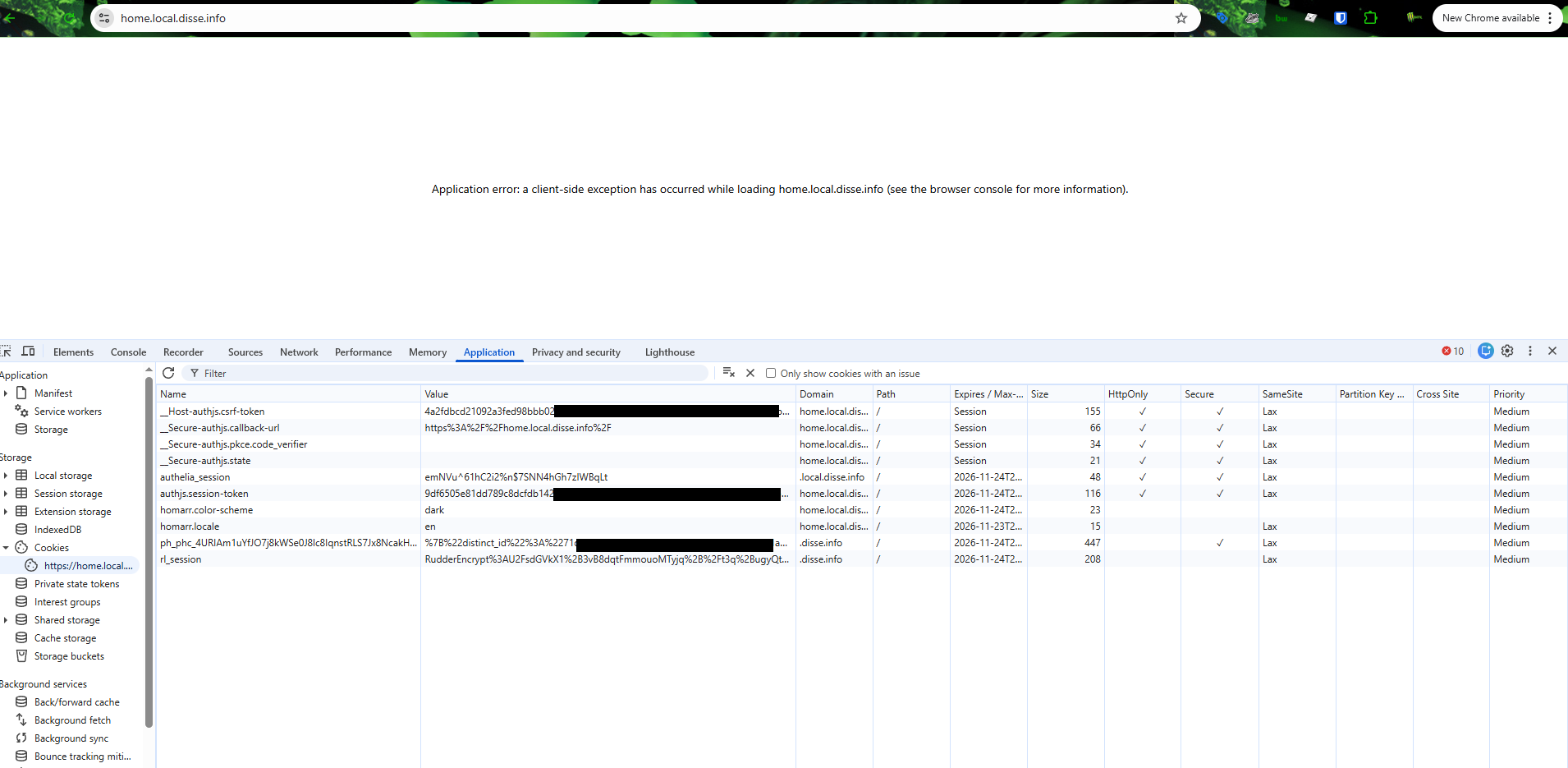
application error: a client-side Exception... Cookie related
🐛Bug👥Authentication
I have setup Homer with nginx and authelia infront of it.
Somehow it works without problems but after a sort time i get the Application error page with many page errors that it has problems loading resources. as seen in the video, I have tryed to allow these but it just gets more and more.
Here is the strange part
its hosted on home.local.disse.info
but when i remove the disse.info cookie fully the problem is resolved for some time.
and in more detail when i remove the rl_session cookie the problem seem to be resolved. I have allready setup rules that word-press can only create cookies for disse.info/* yet the problems keep coming back.
Any one got any suggestions?
Also if i go to one of the dashboard via the /dashboard link
instead of the / home dashboard is seems to also load the page without any problems.
Homarr Version 1.44.0
Operating System: Debian 13
https://community-scripts.github.io/ProxmoxVE/scripts?id=homarr
Configurations: used the authelia documentation: https://homarr.dev/docs/advanced/single-sign-on/
OIDC_CLIENT_ID=Homarr #OIDC client ID
OIDC_CLIENT_SECRET=secretsecretsecret #OIDC client secret
OIDC_SLUG=homarr #Application slug in Authentik
AUTH_DOMAIN=auth.local.disse.info #Authentik FQDN
ADMIN_GROUP=homarr-admins #Authentik group for Homarr admins
HOMARR_FQDN=home.local.disse.info #Homarr FQDN
SECRET_ENCRYPTION_KEY=encryptencryptencrypt #Homarr encryption key
AUTH_OIDC_AUTO_LOGIN=true
AUTH_OIDC_ISSUER=https://auth.local.disse.info
AUTH_OIDC_GROUPS_ATTRIBUTE=groups
AUTH_OIDC_FORCE_USERINFO=true
AUTH_SESSION_EXPIRY_TIME=365d
Somehow it works without problems but after a sort time i get the Application error page with many page errors that it has problems loading resources. as seen in the video, I have tryed to allow these but it just gets more and more.
Here is the strange part
its hosted on home.local.disse.info
but when i remove the disse.info cookie fully the problem is resolved for some time.
and in more detail when i remove the rl_session cookie the problem seem to be resolved. I have allready setup rules that word-press can only create cookies for disse.info/* yet the problems keep coming back.
Any one got any suggestions?
Also if i go to one of the dashboard via the /dashboard link
instead of the / home dashboard is seems to also load the page without any problems.
Homarr Version 1.44.0
Operating System: Debian 13
https://community-scripts.github.io/ProxmoxVE/scripts?id=homarr
Configurations: used the authelia documentation: https://homarr.dev/docs/advanced/single-sign-on/
OIDC_CLIENT_ID=Homarr #OIDC client ID
OIDC_CLIENT_SECRET=secretsecretsecret #OIDC client secret
OIDC_SLUG=homarr #Application slug in Authentik
AUTH_DOMAIN=auth.local.disse.info #Authentik FQDN
ADMIN_GROUP=homarr-admins #Authentik group for Homarr admins
HOMARR_FQDN=home.local.disse.info #Homarr FQDN
SECRET_ENCRYPTION_KEY=encryptencryptencrypt #Homarr encryption key
AUTH_OIDC_AUTO_LOGIN=true
AUTH_OIDC_ISSUER=https://auth.local.disse.info
AUTH_OIDC_GROUPS_ATTRIBUTE=groups
AUTH_OIDC_FORCE_USERINFO=true
AUTH_SESSION_EXPIRY_TIME=365d