
Adding new Arma Reforger server.
RCON-RelatedSolved
Hello
I am currently tring to add 4x Arma Reforger servers to BM RCON.
I had it working a few months ago, but I left, someone else came in, and broke it.
I have reset the boxes and installed all the apportion software and I am using Pterodactyl panel to control the servers.
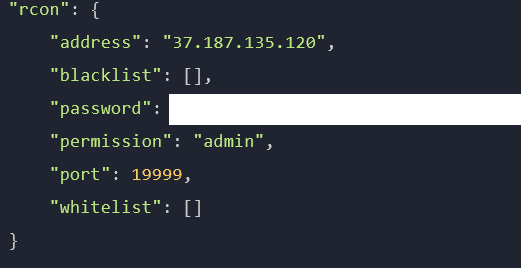
I have the port "19999" assigned in the allocation tab of the server. I also have that port allowed through our server providers fire wall as 19999/UDP and I am allowing it through via "ufw allow 19999/udp"
When I try and connect the RCON I get the below error, even though I am pretty sure I have everything set correctly. Any help would be appreciated.
I am currently tring to add 4x Arma Reforger servers to BM RCON.
I had it working a few months ago, but I left, someone else came in, and broke it.
I have reset the boxes and installed all the apportion software and I am using Pterodactyl panel to control the servers.
I have the port "19999" assigned in the allocation tab of the server. I also have that port allowed through our server providers fire wall as 19999/UDP and I am allowing it through via "ufw allow 19999/udp"
When I try and connect the RCON I get the below error, even though I am pretty sure I have everything set correctly. Any help would be appreciated.


Solution
Fixed it, I had to delete the Allication of the port in the Pterodactyl panel and then reassign it. No idea why that worked, but hey!
