How to run java jar file through Distrobox [Solution bypasses distrobox]
question
Hi, I saw an earlier Q&A which said to use distrobox for jar files but it didn't say how to. I am trying to run NASA's Gprojector program https://www.giss.nasa.gov/tools/gprojector/ through distrobox, its a java program that the documentation says to run by double-clicking the jar file or by using a .sh script they provide. So, I made a distrobox container(?) with fedora 42 and installed a java 25 rpm file in it, both of those using the distroshelf program. I get the impression I'm supposed to export the program from distrobox but all the examples I've seen are exporting programs installed by a package manager in the command line, not a random executable that was downloaded. I've tried pathing to where I put the download in my distroshelf terminal and running the script provided in the download but nothing happens.
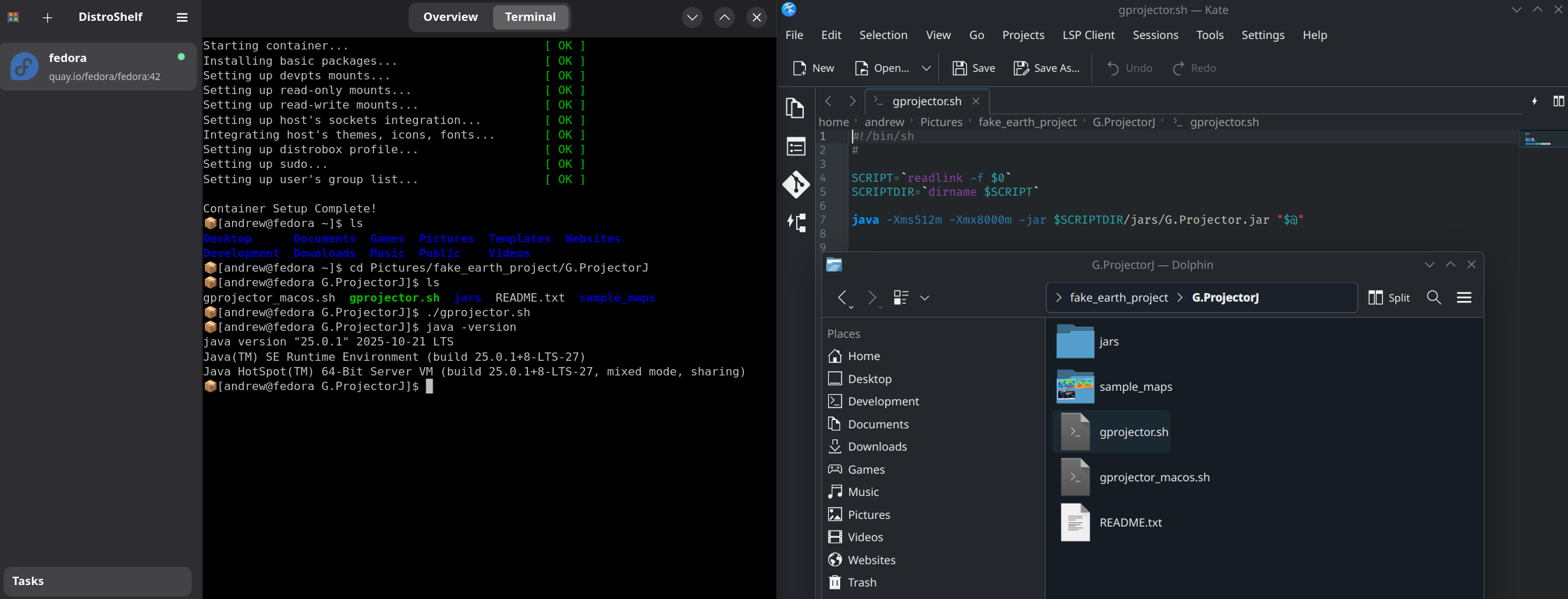
I attached a picture of what i tried in the distroshelf terminal to run the script, and showing that java is installed, as well as what the contents of the script is.
Any guidance would be really appreciated.
I attached a picture of what i tried in the distroshelf terminal to run the script, and showing that java is installed, as well as what the contents of the script is.
Any guidance would be really appreciated.