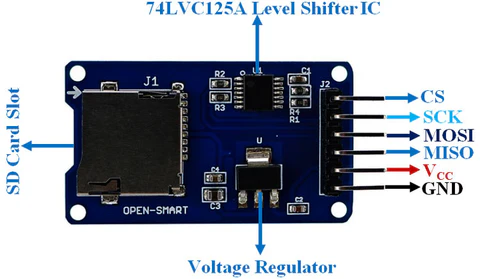
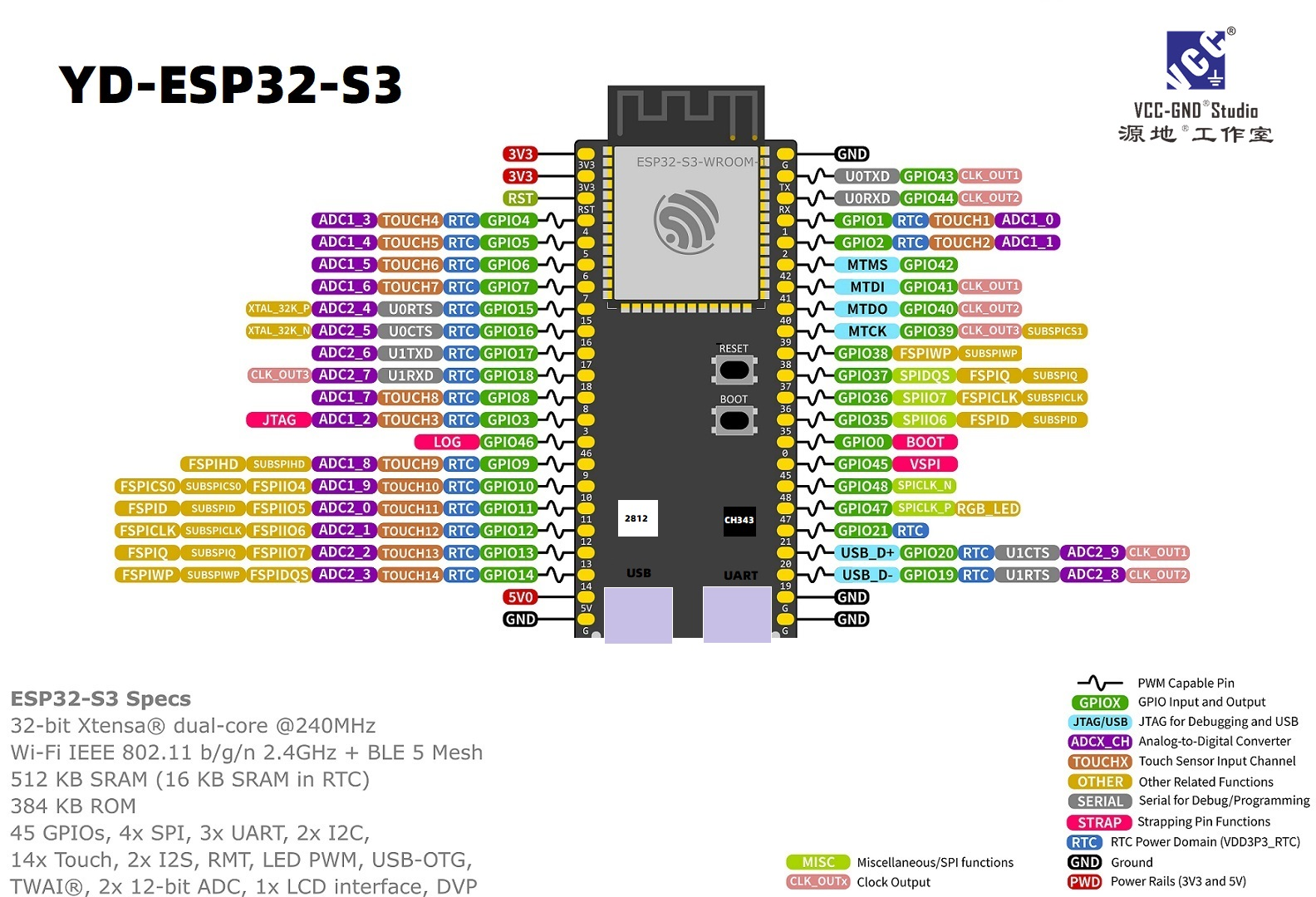
ESP32 S3 N16R8 with MicroSD Card Adapter Module - Initialization failed (help)
Serial Monitor Output:
For some reason I tried everything and search forums and discussions about this problem where it can't initialize with the ESP32 S3 for some reason
What I tried:
- Check the output voltage on my ESP32 S3 on the 3.3V and 5Vin pins
- Format my MicroSD Card to FAT32 32kb allocation
- Tried the QUICK and LONG format option
- Try different MicroSD Cards SandDisk and Other local brands as well
- Try different size 32GB, 16GB, 8GB, and 512mb
- Check the MicroSD Card Module as well (It worked perfectly with my Arduino Uno and Arduino Uno R4 Minima)
I also tried it with RP2040-Zero it did not work with that for some reason
- Checked the wirings and pins
(I am using female to female cables for the connection)
Also tried it with a bread board
Code:
For some reason I tried everything and search forums and discussions about this problem where it can't initialize with the ESP32 S3 for some reason
What I tried:
- Check the output voltage on my ESP32 S3 on the 3.3V and 5Vin pins
- Format my MicroSD Card to FAT32 32kb allocation
- Tried the QUICK and LONG format option
- Try different MicroSD Cards SandDisk and Other local brands as well
- Try different size 32GB, 16GB, 8GB, and 512mb
- Check the MicroSD Card Module as well (It worked perfectly with my Arduino Uno and Arduino Uno R4 Minima)
I also tried it with RP2040-Zero it did not work with that for some reason
- Checked the wirings and pins
(I am using female to female cables for the connection)
Also tried it with a bread board
Code: