Railway: Multi-Workspace + Server URL Issues
Recently found Twenty and deployed using the Railway template which worked perfectly, really impressed with the product too.
I wanted to test out multi-workspace which would be necessary for the project I would include it in and I am having difficulty connecting to backend once I enable multi-workspace. I will try to lay out all the info:
What works:
Railway Single Workspace
Railway-provided domain
Custom domain
When I first attempted multi workspace, I tried:
Subdomain with wildcard set to go to the root domain:
With wildcard subdomains Railway uses 2 cname records, examples:
Initially I was not even getting to the "Can't connect to backend" page and noticed that Railway was automatically setting the
I tried changing the
I also tried having a nested wildcard subdomain, example:
Then also hardcoded the server URL to
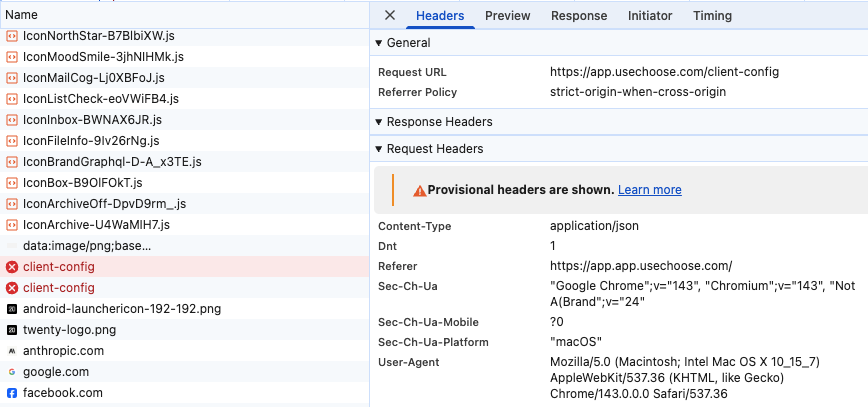
Running out of chars so attached browser errors. Thanks in advance!
I wanted to test out multi-workspace which would be necessary for the project I would include it in and I am having difficulty connecting to backend once I enable multi-workspace. I will try to lay out all the info:
What works:
Railway Single Workspace
Railway-provided domain
Custom domain
When I first attempted multi workspace, I tried:
DEFAULT_SUBDOMAIN=appSubdomain with wildcard set to go to the root domain:
*.mydomain.comWith wildcard subdomains Railway uses 2 cname records, examples:
Initially I was not even getting to the "Can't connect to backend" page and noticed that Railway was automatically setting the
SERVER_URLhttps://*.mydomain.comI tried changing the
SERVER_URLhttps://app.mydomain.comhttps://app.app.mydomain.comI also tried having a nested wildcard subdomain, example:
Then also hardcoded the server URL to
https://app.mydomain.comRunning out of chars so attached browser errors. Thanks in advance!