
Account recovery
✅Answered
I am unable to access my PUBG Mobile account, which was linked only to my X (formerly Twitter) account. Recently, I uninstalled and reinstalled PUBG Mobile on my iPad, having temporarily blocked local network access and tracking for other purposes. When I tried to log in via X, I immediately received the “Suspicious login prevented” message, even before entering my username. I verified that I am still logged into X and can log into X in Safari normally, but logging in through PUBG Mobile continues to fail. I cleared Safari data, restarted my iPad, and retried multiple times, but the same error persists. I also attempted to revoke PUBG access from X and generate a new OAuth token, but the login still fails. I am currently unable to add an email to my X account because X is enforcing a 48-hour security restriction on account changes due to recent activity. I have tried multiple networks, including Wi-Fi and mobile hotspots, and ensured that DNS, Private Relay, and tracking prevention are disabled, but the login still fails. My PUBG account is not linked to any other login method, and I have never created a guest account. I want to regain access to my original account without losing any progress, UID, in-game items, or skins. Please advise how I can safely restore access to my account.
Solution
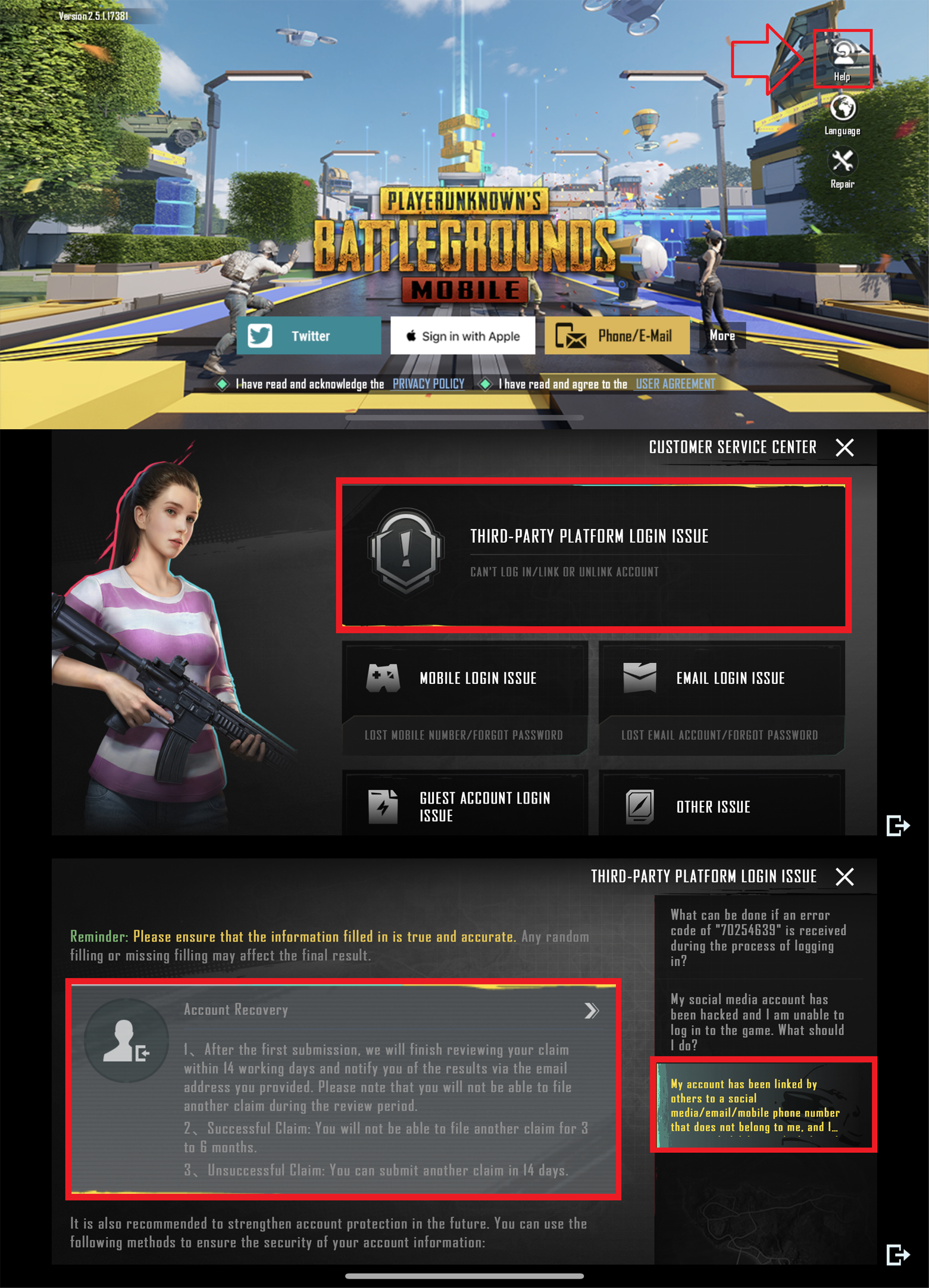
Please submit a claim in-game if you wish to recover your account.
You can reach out to the customer service via in-game or by sending an email to service@pubgmobile.com if you need help, or for any questions.
You can reach out to the customer service via in-game or by sending an email to service@pubgmobile.com if you need help, or for any questions.

Was this page helpful?
