React realtime
Hi
I am currently making a CO2 sensor as part of a group in uni and I am on the software. I have built an api using express to allow the firmware team to send the data to decimal values from sensors to my table, and have hosted the api so that they have an endpoint to hit. (the endpoint they are hitting: https://breathe-e3q1bdaku-breathe.vercel.app/api/data)
The posting is working just find, but on the front end (react) I need to read the most recent CO2 and VOC values. Currently I am simply getting all the data in the table every second by calling a get method I wrote in the API. However, I now realise that this is a very bad way of doing things as when I tried to write a mailer (which is meant to send an email alert when the reading values get too high) I am sending an email every second for as long as the value is too high. This has lead me to look into use the realtime functionality with supabase to overcome the issue.
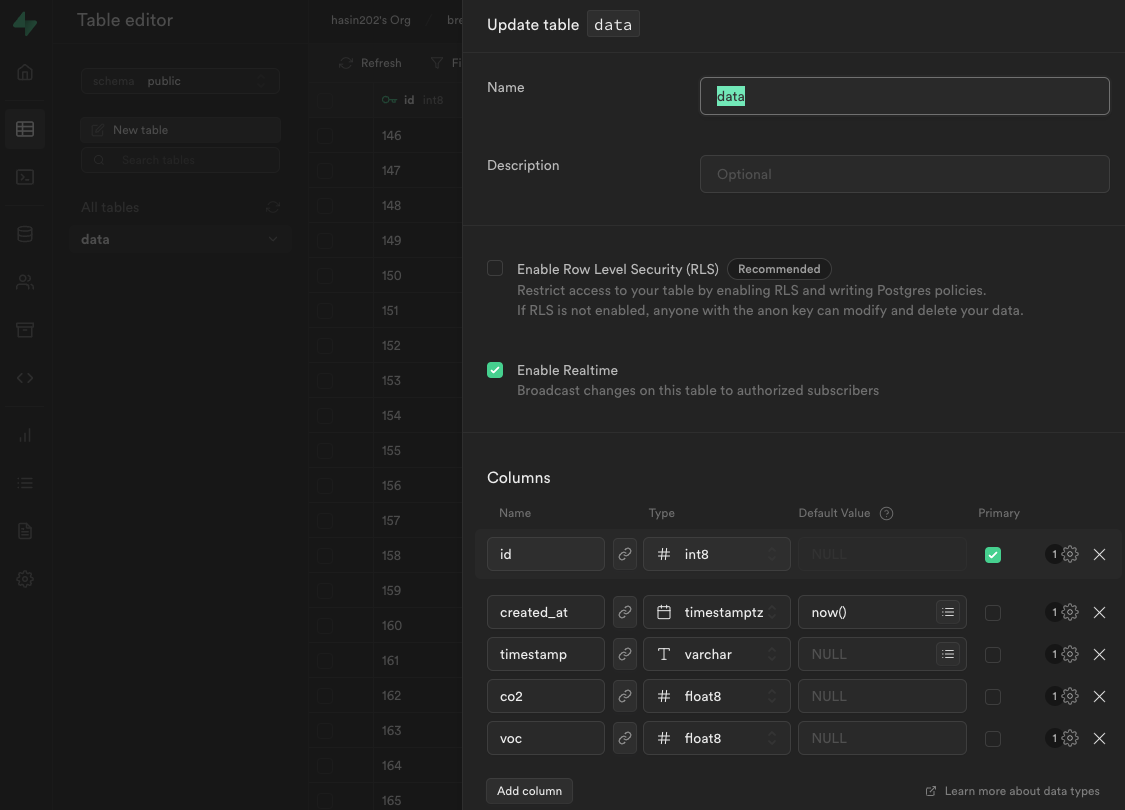
From online resources I am understanding that to use realtime, I need to actually access my table on my front end, so I have created a client to access on my react app as well. I have made a supabase.js file which is inside my src folder containing this code https://github.com/CO2Sesnsor/breathe-front-end/blob/main/src/supabase.js
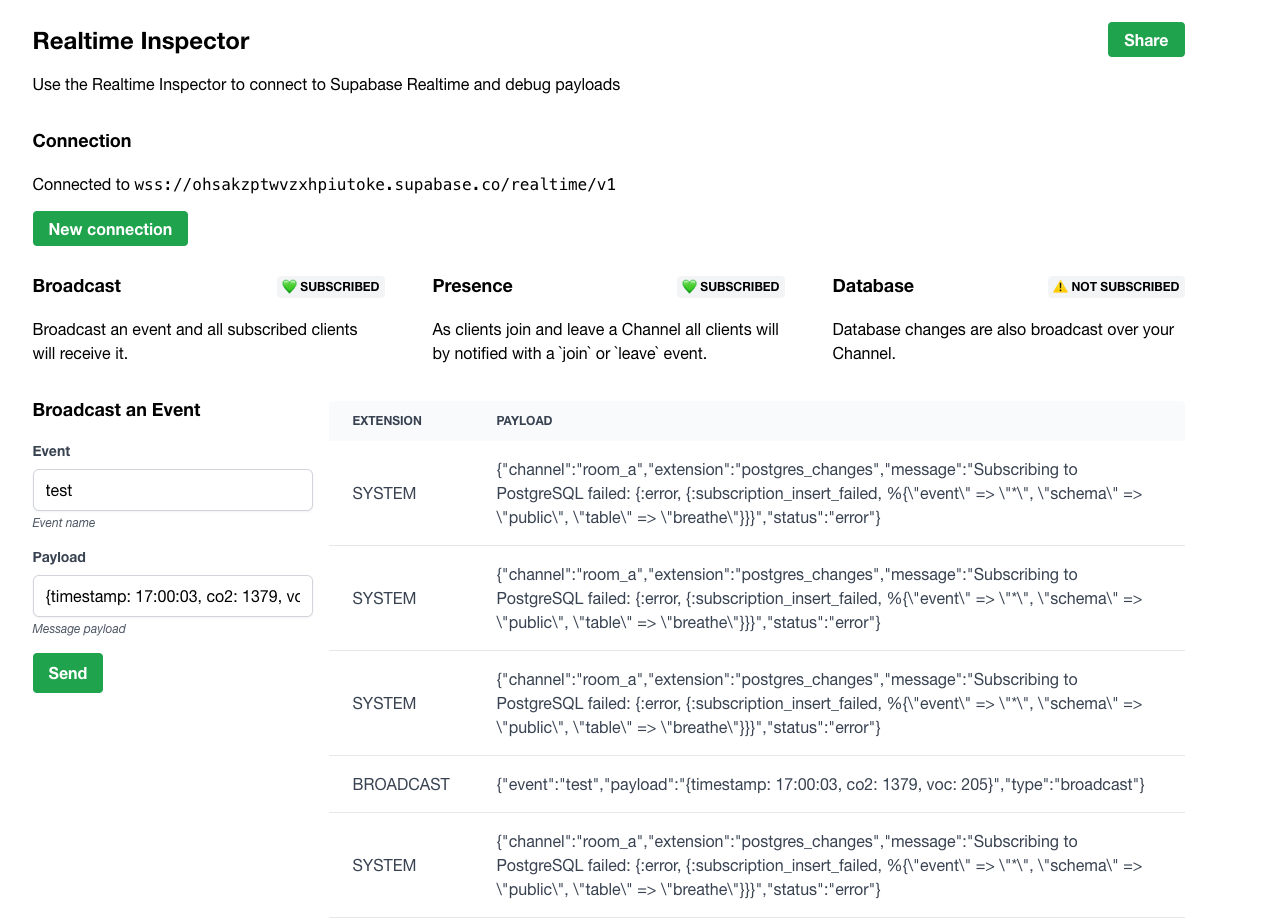
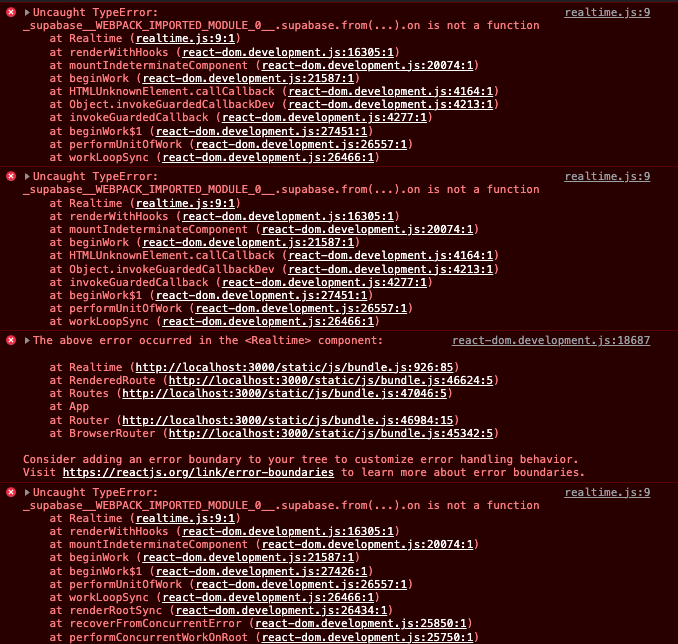
I have also made another component for testing realtime called realtime.js (code: https://github.com/CO2Sesnsor/breathe-front-end/tree/main/src/components/realtime.js). Inside the file this is my code to try and read the table values as it is updated. When running the code locally on the /realtime route I am getting the errors in the attached image. From what I have read on other forums this seems like it is most likely to do with the version of supabase I am using. But I can't seem to find any way to fix it
Any help is greatly appreciated
PS. This is my first time touching backend so its also likely Im just doing this wrong, in that case could someone please guide me on how to use realtime with react and express
I am currently making a CO2 sensor as part of a group in uni and I am on the software. I have built an api using express to allow the firmware team to send the data to decimal values from sensors to my table, and have hosted the api so that they have an endpoint to hit. (the endpoint they are hitting: https://breathe-e3q1bdaku-breathe.vercel.app/api/data)
The posting is working just find, but on the front end (react) I need to read the most recent CO2 and VOC values. Currently I am simply getting all the data in the table every second by calling a get method I wrote in the API. However, I now realise that this is a very bad way of doing things as when I tried to write a mailer (which is meant to send an email alert when the reading values get too high) I am sending an email every second for as long as the value is too high. This has lead me to look into use the realtime functionality with supabase to overcome the issue.
From online resources I am understanding that to use realtime, I need to actually access my table on my front end, so I have created a client to access on my react app as well. I have made a supabase.js file which is inside my src folder containing this code https://github.com/CO2Sesnsor/breathe-front-end/blob/main/src/supabase.js
I have also made another component for testing realtime called realtime.js (code: https://github.com/CO2Sesnsor/breathe-front-end/tree/main/src/components/realtime.js). Inside the file this is my code to try and read the table values as it is updated. When running the code locally on the /realtime route I am getting the errors in the attached image. From what I have read on other forums this seems like it is most likely to do with the version of supabase I am using. But I can't seem to find any way to fix it
Any help is greatly appreciated
PS. This is my first time touching backend so its also likely Im just doing this wrong, in that case could someone please guide me on how to use realtime with react and express
GitHub
Contribute to CO2Sesnsor/breathe-front-end development by creating an account on GitHub.