HGL
HGLspotty-amber
Frostpunk artifacts
Installed Frostpunk with Lutris earlier, and things worked well. Until my whole system kinda softlocked and became largely unresponsive, while the game locked up, but with music still playing. Had to force-quit with Ctrl-Alt-F1 and htop. Somebody tipped me off about Heroic, so I've now installed that and Frostpunk via Heroic. However, I don't see a way to change the path in game settings so that it will launch the actual game (via Heroic) instead of the installer again. How do I do that?
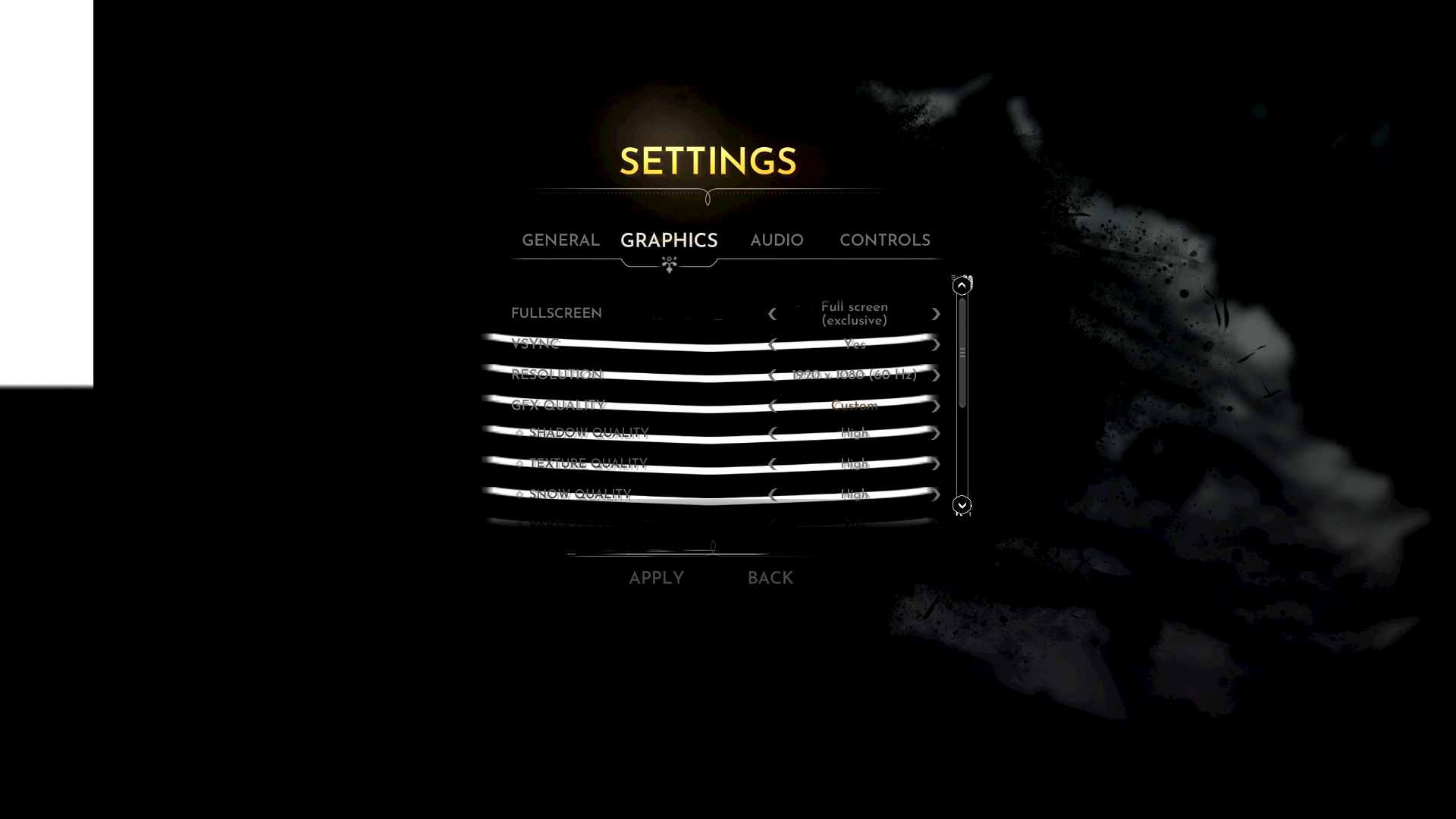
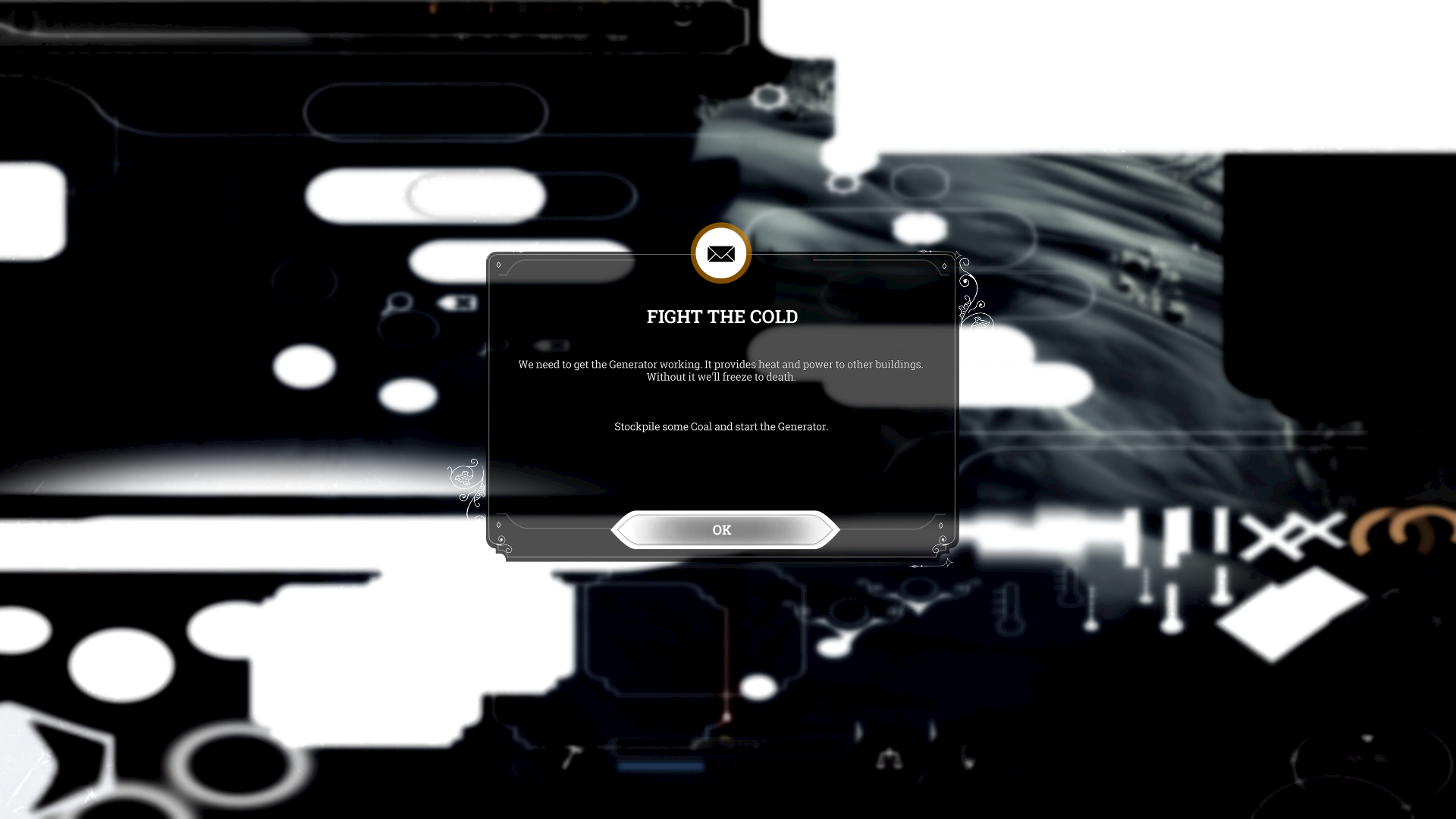
Thankfully a shortcut was placed on the desktop, and launching the game with that works, although the screen blinks and is a bit strange at first. But it does launch. In-game, there are graphical artifacts already in the main menu, text is hard to read. It's too dark and effects seem to be missing. Same when I started a save. Graphical artifacts (white bands for example), especially on UI elements. Things are too dark, so maybe lighting effects are missing too. Something is clearly amiss, because it looked proper when I used Lutris.
Any idea how I fix this? Or alternatively how I might get the game to not lock-up while playing it via Lutris?
Right now the log just has stuff from when I last tried to launch it there, which went to the installer again. But after initial install, I launched it with the "Launch" button after the GOG installer was done, and then it had 1000+ lines in the log. But those are gone now. Probably not very useful. The last launch was via the shortcut, but I guess the log doesn't 'connect' to that instance.
I am on Linux Mint 21, and have the required minimum specs. The game requires 4GB RAM and 660GTX. I have 16GB RAM and 770GTX.
Have attached two screenshots of some of the artifacts/weirdness, plus the (not-very-useful) log. I just don't see a way to change the path to Frostpunk.exe instead of the installer.
Hope somebody can help
Thankfully a shortcut was placed on the desktop, and launching the game with that works, although the screen blinks and is a bit strange at first. But it does launch. In-game, there are graphical artifacts already in the main menu, text is hard to read. It's too dark and effects seem to be missing. Same when I started a save. Graphical artifacts (white bands for example), especially on UI elements. Things are too dark, so maybe lighting effects are missing too. Something is clearly amiss, because it looked proper when I used Lutris.
Any idea how I fix this? Or alternatively how I might get the game to not lock-up while playing it via Lutris?
Right now the log just has stuff from when I last tried to launch it there, which went to the installer again. But after initial install, I launched it with the "Launch" button after the GOG installer was done, and then it had 1000+ lines in the log. But those are gone now. Probably not very useful. The last launch was via the shortcut, but I guess the log doesn't 'connect' to that instance.
I am on Linux Mint 21, and have the required minimum specs. The game requires 4GB RAM and 660GTX. I have 16GB RAM and 770GTX.
Have attached two screenshots of some of the artifacts/weirdness, plus the (not-very-useful) log. I just don't see a way to change the path to Frostpunk.exe instead of the installer.
Hope somebody can help