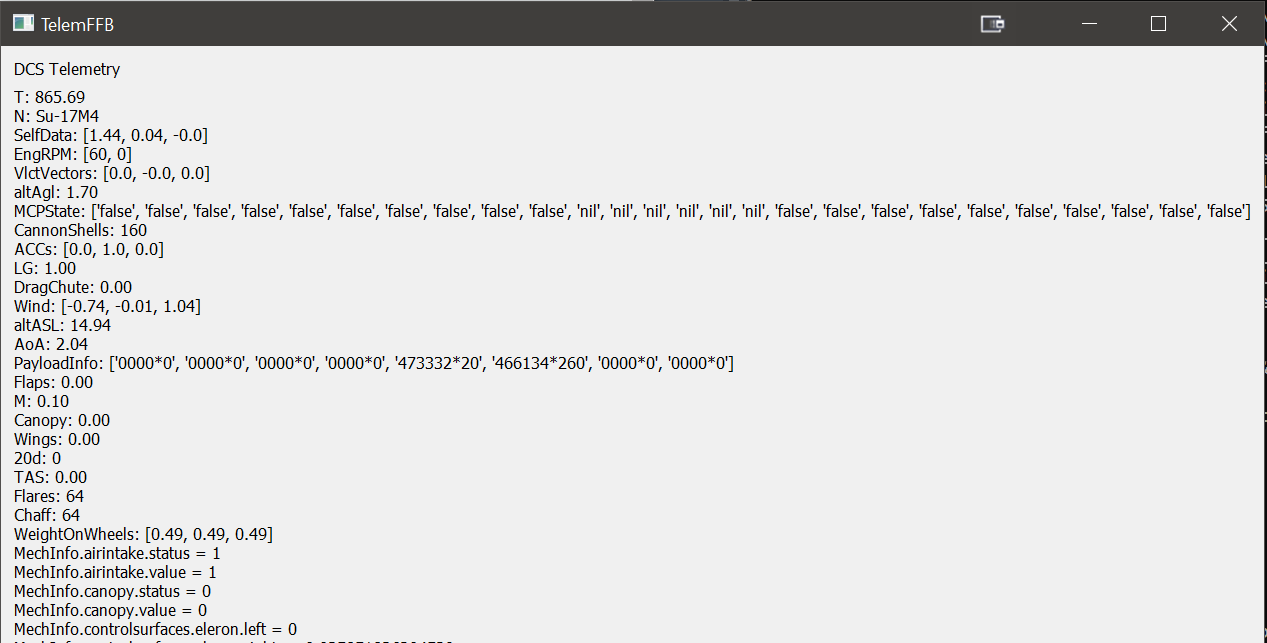
I'm trying to get a handle on some of the telemetry data DCS is sending out. Some aircraft are different than others. So I downloaded and executed Walmis' wonderful VPForce-TelemFFB github. I installed it and got it to run.
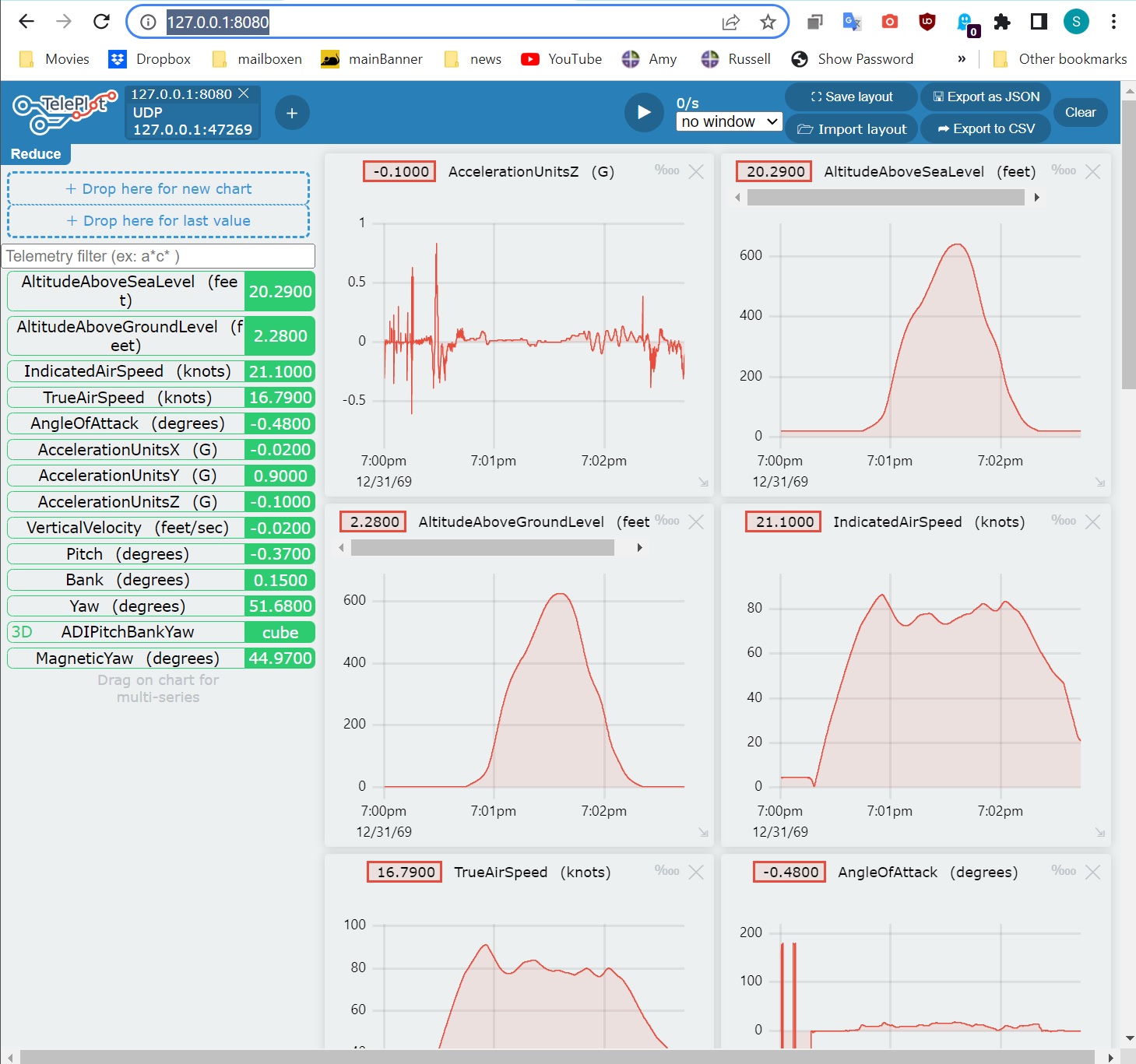
echo "myData:1234" | ncat -u -w5 127.0.0.1 47269 actually results in a chart on a browser window opened to 127.0.0.1:8080 (This is the port that the teleplot server uses.)
Hey m8 good news is that the RHINO will work out of the box so to say with IL2, IL2 has FFB effects implemented very well including trim moves the stick. What specifically do you need help with m8?
Yes it is realistic that the stick has to be more forward when flying faster in aircraft with traditional controls and vice versa when you slow down the stick has to be further aft to maintain level flight. It is simulated like it is to give you a realistic amount of throw to each direction. Short available movement forwards and a lot of movement backwards. What probably isn’t entirely realistic is that the “neutral” position where the axis lines cross at the controls indicator (LCtrl + enter) the stick is tilted so much forward. Quite likely in the real aircraft that position is such that the grip would be pointing straight up. To fix that you’d need to tilt the Rhino base backwards when flying A10 or if that is not possible then I think you could shorten the Rhino’s forward throw with the VPForce configurator’s end stops function.
Well, I did a quick test and frankly didn’t understand how to use the end stops function. Instead I changed my Ymin calibration point to about halfway of the available forward pitch motion and that made the A10 fly straight and level with the stick pretty much centered.
they endstop function is to limit the length of throw on each axis & even further the + & - of each axis can be adjusted. Basically if you set the end stop to 50% you will have only 50% of the length of throw of the stick, so set it at 30% & you only have 30% throw.
2) add this line to your export.lua local telePORTlfs=require('lfs');dofile(telePORTlfs.writedir()..'Scripts/TelePORT.lua') 3) put the attached file below, TelePORT.lua, into your scripts folder 4)run teleplot 5) open a browser to http://127.0.0.1:8080/ 6) run DCS, get in a jet and look at your browser
Ridiculously-simple telemetry viewer. Plots charts in browser from any apps (bash, C++, and more!) - GitHub - nesnes/teleplot: Ridiculously-simple telemetry viewer. Plots charts in browser from any...
You can get a graph of any of the variables in the green boxes in the left column simply by dragging that box up to the slot in the top left which is titles 'Drop here for new chart'. Then a new red chart (like the ones on the right side) shows up.