Hello everyone. I am Dr. Furkan Gözükara. PhD Computer Engineer. SECourses is a dedicated YouTube channel for the following topics : Tech, AI, News, Science, Robotics, Singularity, ComfyUI, SwarmUI, ML, Artificial Intelligence, Humanoid Robots, Wan 2.2, FLUX, Krea, Qwen Image, VLMs, Stable Diffusion
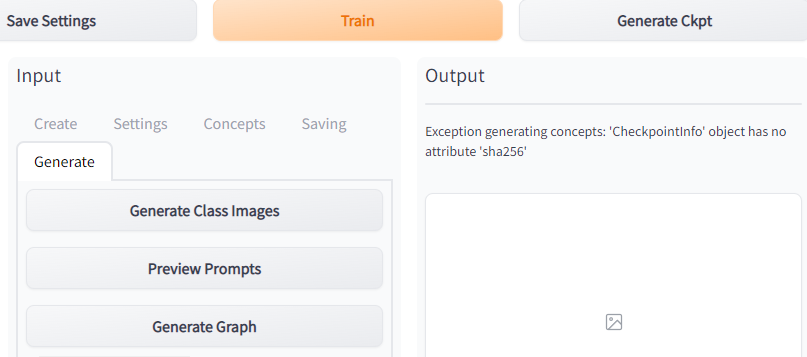
Is there a fault with the latest Dreambooth software version? Running with the same parameters and the same material, the latest software version does not train the correct results.
With 70 images of the same type, personal wizard or object/style wizard neither could be trained.after entering the promp\t are irrelevant pictures, while before 30 pictures can get good results.
After I kept testing, I found that it was the version of xformers that was the problem. I had updated the version of xformers before and now I had to roll back the version to get it to work properly.
Our Discord : https://bit.ly/CodeInNetDiscord. Lecture 1/14 of Advanced/Intermediate C# Programming. If I have been of assistance to you and you would like to show your support for my work, please consider becoming a patron on https://www.patreon.com/SECourses
Join Discord For Help : https://bit.ly/CodeInNetDiscord. Lecture 1/17 of ASP.NET Core MVC with C# Programming Full Course. If I have been of assistance to you and you would like to show your support for my work, please consider becoming a patron on https://www.patreon.com/SECourses
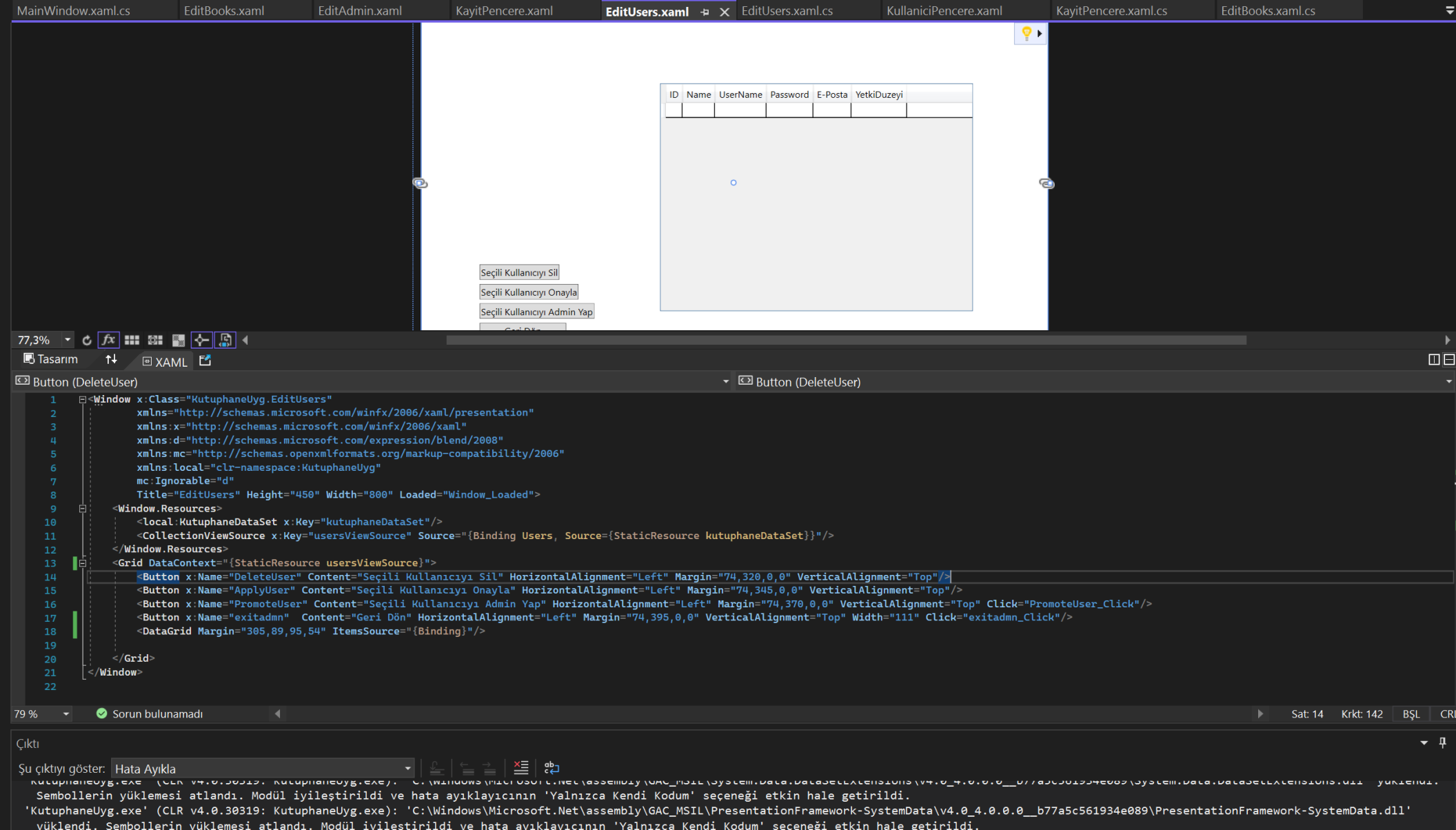
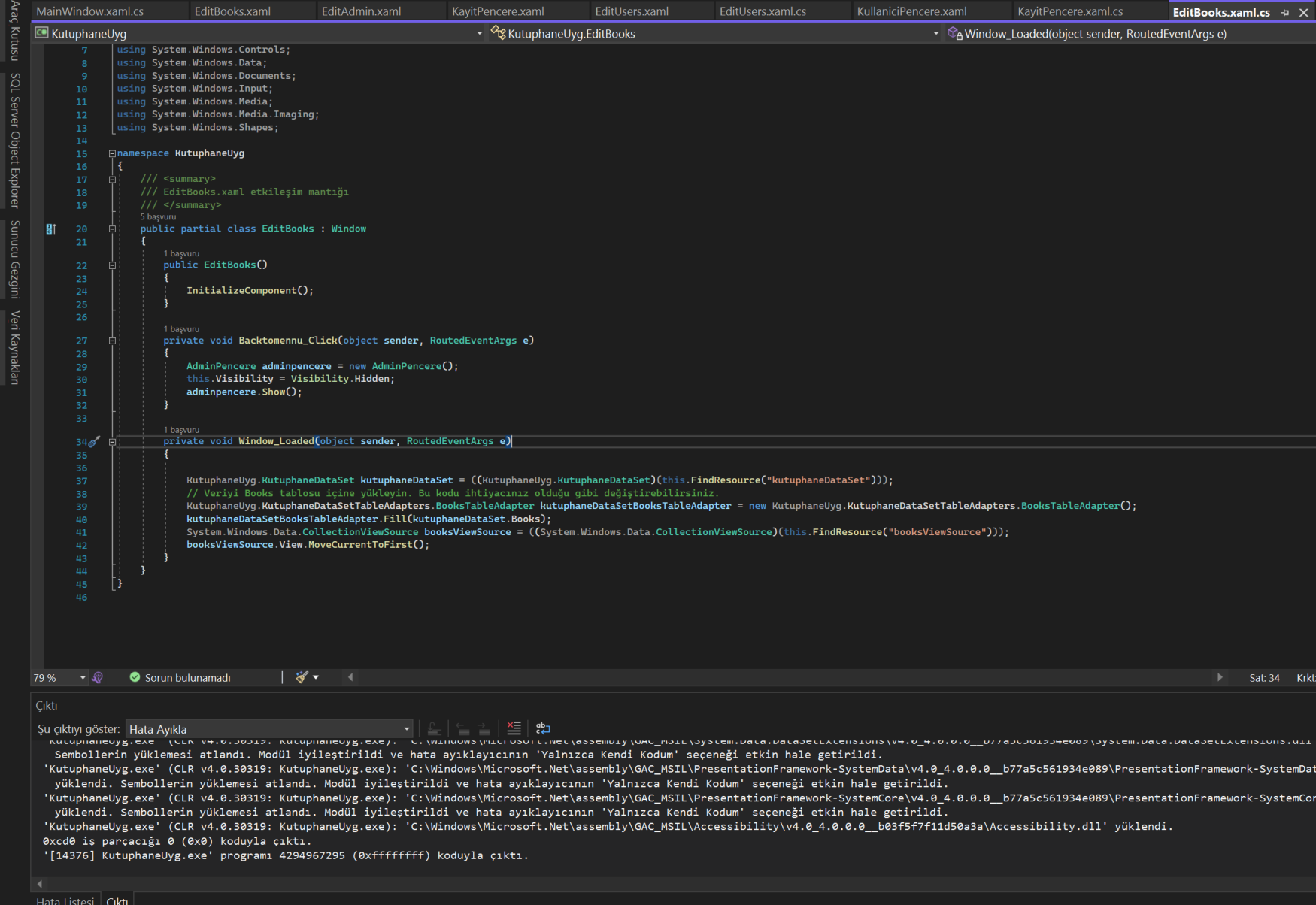
Merhabalar, c# konusunda yardım edebilecekler varsa bakmasını rica ediyorum, Kütüphane uygulamasına başladım DataGrid'e DataSource 'dan veri aktarmaya çalıştığımda dün verilerle birlikte geliyordu window loaded kısmına kendiliğinden kod yazmıştı onun sayesinde gözüküyordu şu an gözükmüyor eklediğimde de kod tekrardan oluşmuyor.
private void DataGrid_MouseLeftButtonUp(object sender, MouseButtonEventArgs e) { // tıklanan hücrenin satır ve sütun indekslerini alın int columnIndex = myDataGrid.CurrentCell.Column.DisplayIndex; int rowIndex = myDataGrid.Items.IndexOf(myDataGrid.CurrentItem);
// burada tıklanan hücrenin içeriğini değiştirin ya da başka bir işlem yapın // ...
// tıklamayı işleyip işlemediğinizi kontrol etmek için bir mesaj kutusu görüntüleyin MessageBox.Show(string.Format("Tıklanan hücre: satır {0}, sütun {1}", rowIndex, columnIndex)); }