Media Library / Glide only loading JPEGs
Hey there,
So I had a Laravel/Twill app running successfully on a subdomain with no issue.
Today I needed to move it to the main domain to go live. This is a CPanel shared host server btw.
So I moved everything over to a root folder named
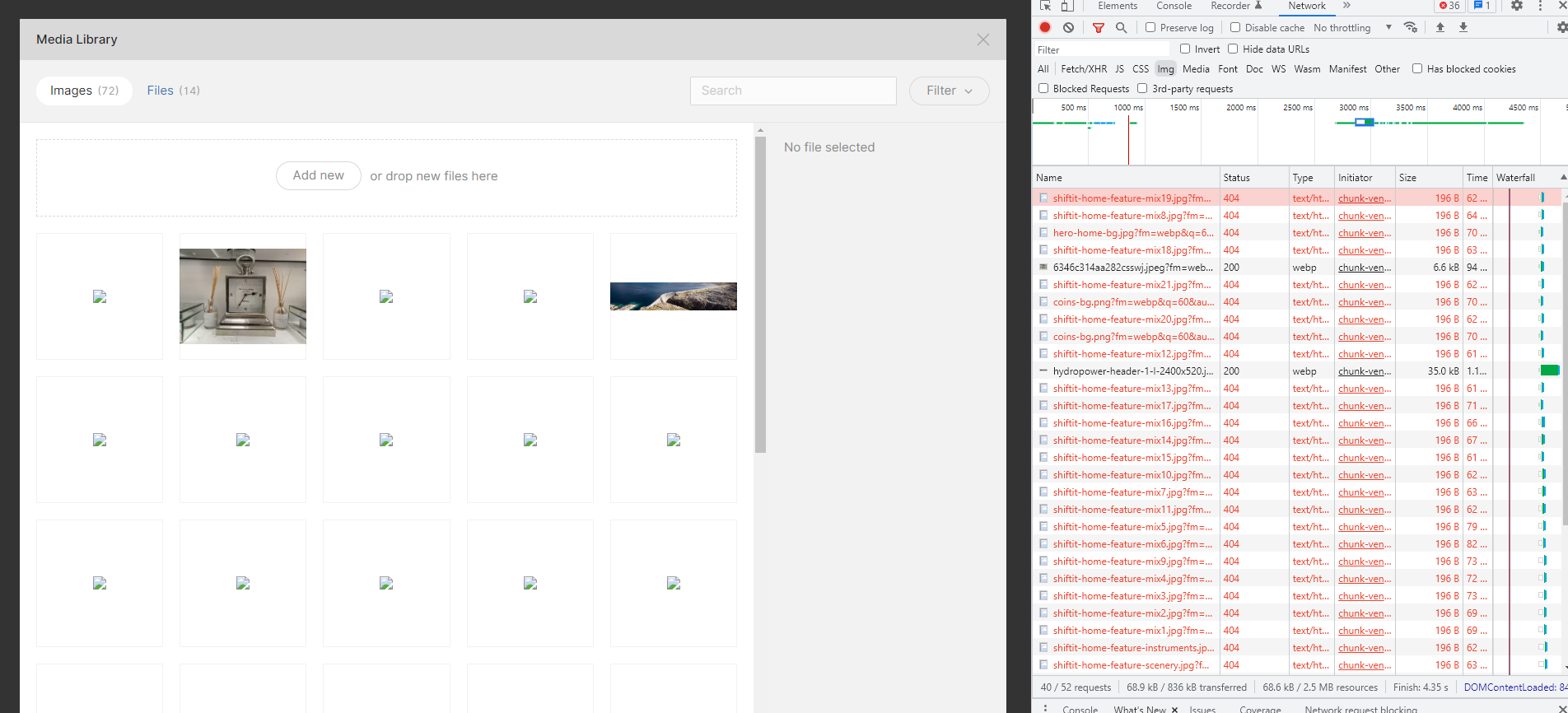
After configuring everything to address the new paths, the site loads, but not the images coming from the Twill CMS. Well, not all of them.
On looking at the Media Library in the CMS,
What was working previously on the sub-domain, is that it seems that only image files as a
JPEG Example:
https://shiftit.no/img/c8a9d6bf-0a49-4e16-9618-a42a250f02ef/6346c314aa282csswj.jpeg?fm=webp&q=60&auto=compress%2Cformat&fit=min&dpr=1&h=256
JPG Example: 404 error
https://shiftit.no/img/60dabc39-b70d-432b-a7ee-43af0aaa966f/shiftit-home-feature-mix21.jpg?fm=webp&q=60&auto=compress%2Cformat&fit=min&dpr=1&h=256
I am absolutely baffled, I double checked I wasn't doing any extension filtering in the Glide/Twill settings, everything is pretty much default, out of the box settings.
I've delete the Glide Cache etc, I am at a loss.
Any help would be greatly appreciated !
So I had a Laravel/Twill app running successfully on a subdomain with no issue.
Today I needed to move it to the main domain to go live. This is a CPanel shared host server btw.
So I moved everything over to a root folder named
laravel-corepublic_htmlAfter configuring everything to address the new paths, the site loads, but not the images coming from the Twill CMS. Well, not all of them.
On looking at the Media Library in the CMS,
What was working previously on the sub-domain, is that it seems that only image files as a
JPEG/img/jpegJPEGsJPEG Example:
https://shiftit.no/img/c8a9d6bf-0a49-4e16-9618-a42a250f02ef/6346c314aa282csswj.jpeg?fm=webp&q=60&auto=compress%2Cformat&fit=min&dpr=1&h=256
JPG Example: 404 error
https://shiftit.no/img/60dabc39-b70d-432b-a7ee-43af0aaa966f/shiftit-home-feature-mix21.jpg?fm=webp&q=60&auto=compress%2Cformat&fit=min&dpr=1&h=256
I am absolutely baffled, I double checked I wasn't doing any extension filtering in the Glide/Twill settings, everything is pretty much default, out of the box settings.
I've delete the Glide Cache etc, I am at a loss.
Any help would be greatly appreciated !