
 F
Fi got it from colab not the github tutorial
Fi can't get cudnn to work on runpod
Fit is much faster with gpu?

 F
FGitHub
Regardless if you guys have pulled the model for any which reason, it's probably best to verify the hashes below so that people don't download anything malicious? Below is the version I dis...
Flet me do test
Fgpu : Processing time: 21.62 seconds
F-- max core was 1 : Processing time: 138.24 seconds
 F
Fyeah xD
Fouch xD
Fand without max cores ?
Fcan you try please? on runpod i don't limit cores
Fye this guys are not pro
Fi can try max core but afraid of blue screen :d let me test
Fi use max cores and no blue screen, it just makes my pc slow XD
Fmax core really problematic i had to terminate
Fwill try with 8
 Z
ZWhat version of ffmeg you guys using?
 F
Fffmpeg version 6.0-full_build-www.gyan.dev Copyright (c) 2000-2023 the FFmpeg developers
Ftried to termiante process and got blue screen
Fmy commit id i think not supporting multi threading actually :d
Zoh god, i'm using pips version 1.4
Zsystem version is 4.4
Fi will make a wild training test tonight
F1024 pixel over 100 images to teach a person
Fdoing a very special training first time
 Z
Zdoing kohya?
Fno sd web ui extension
Fkohya inferior :d
Zwatttt
Zyou talking about auto1111? or something else
Fauto1111 dreambooth
Zah ok
Zwhat video should i be watching now to train in dreambooth?
 A
AYouTubeSECourses
RunPod: https://bit.ly/RunPodIO. Discord : https://bit.ly/SECoursesDiscord. Web UI DreamBooth got epic update and we tested all new features to find the best settings (10). If I have been of assistance to you and you would like to show your support for my work, please consider becoming a patron on  https://www.patreon.com/SECourses
Playlist of...
https://www.patreon.com/SECoursesPlaylist of...
ZYou da man
Fdamn, sorry xD
ATorch version 2 actually works with Dreambooth on Linux
 R
R@Dr. Furkan Gözükara Hi, I have followed your tutorial "Easiest Way to Install & Run Stable Diffusion Web UI on PC by Using Open Source Automatic Installer" The web UI boots up, but when i try to generate an image, i get the error: safetensor_rust.SafetensorError: Error while deserializing header: MetadataIncimpleteBuffer
RCan you please help?
 R
R@Dr. Furkan Gözükara the new Adobe Firefly is truly remarkable. These are some example I made using my own photos and AI extended background.
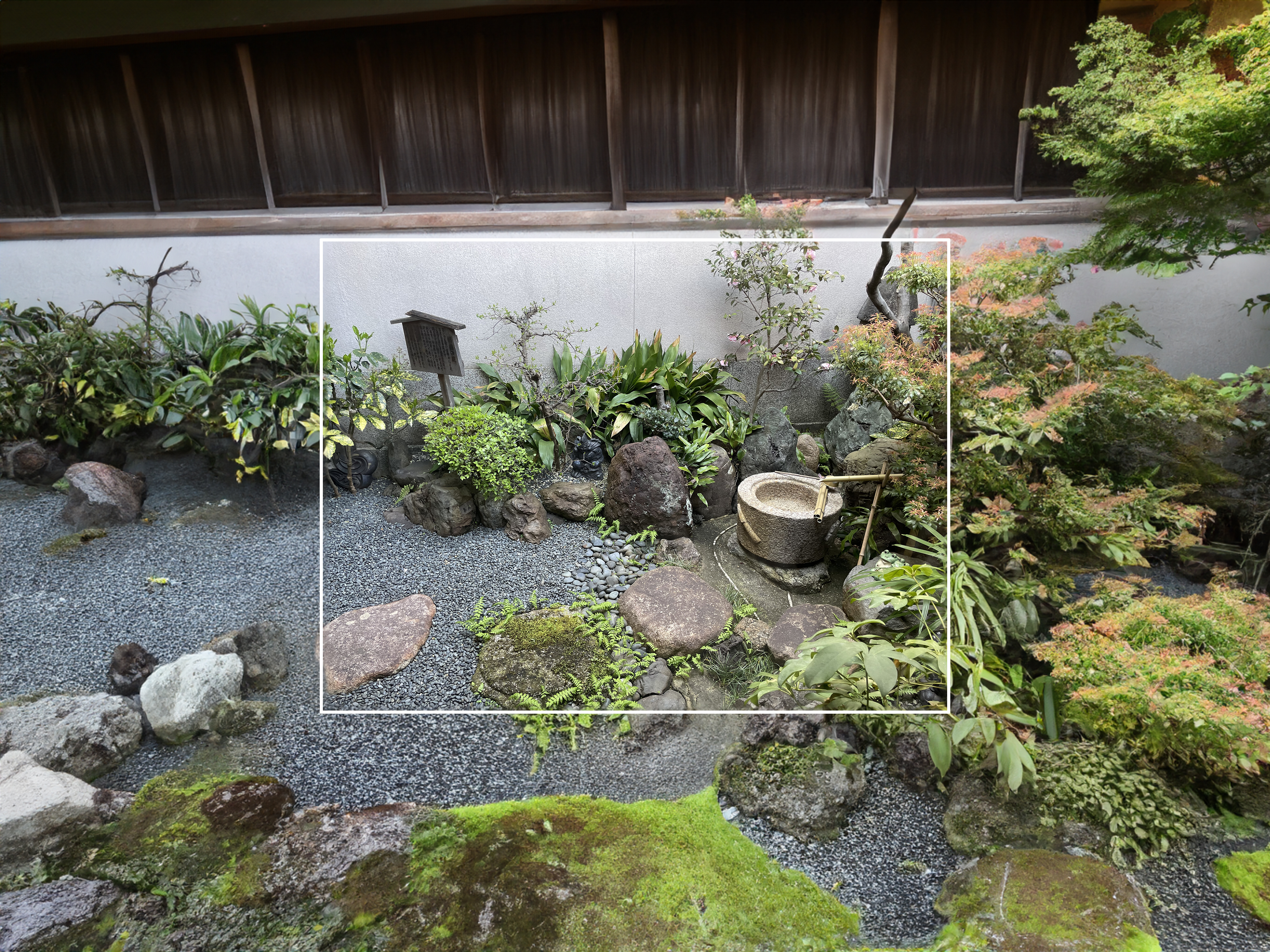

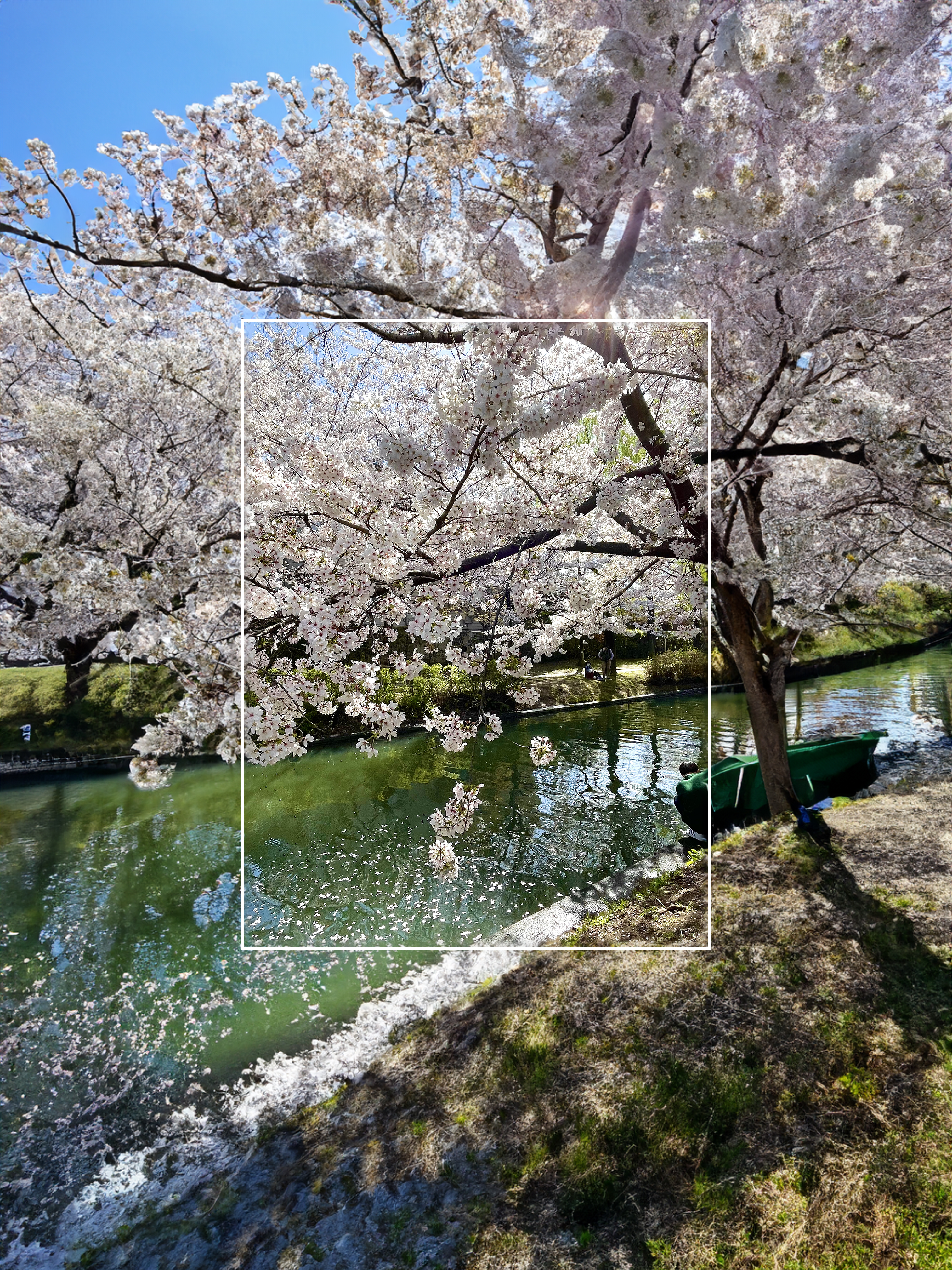
 R
Rit even keeps the visual style if you use a concept art
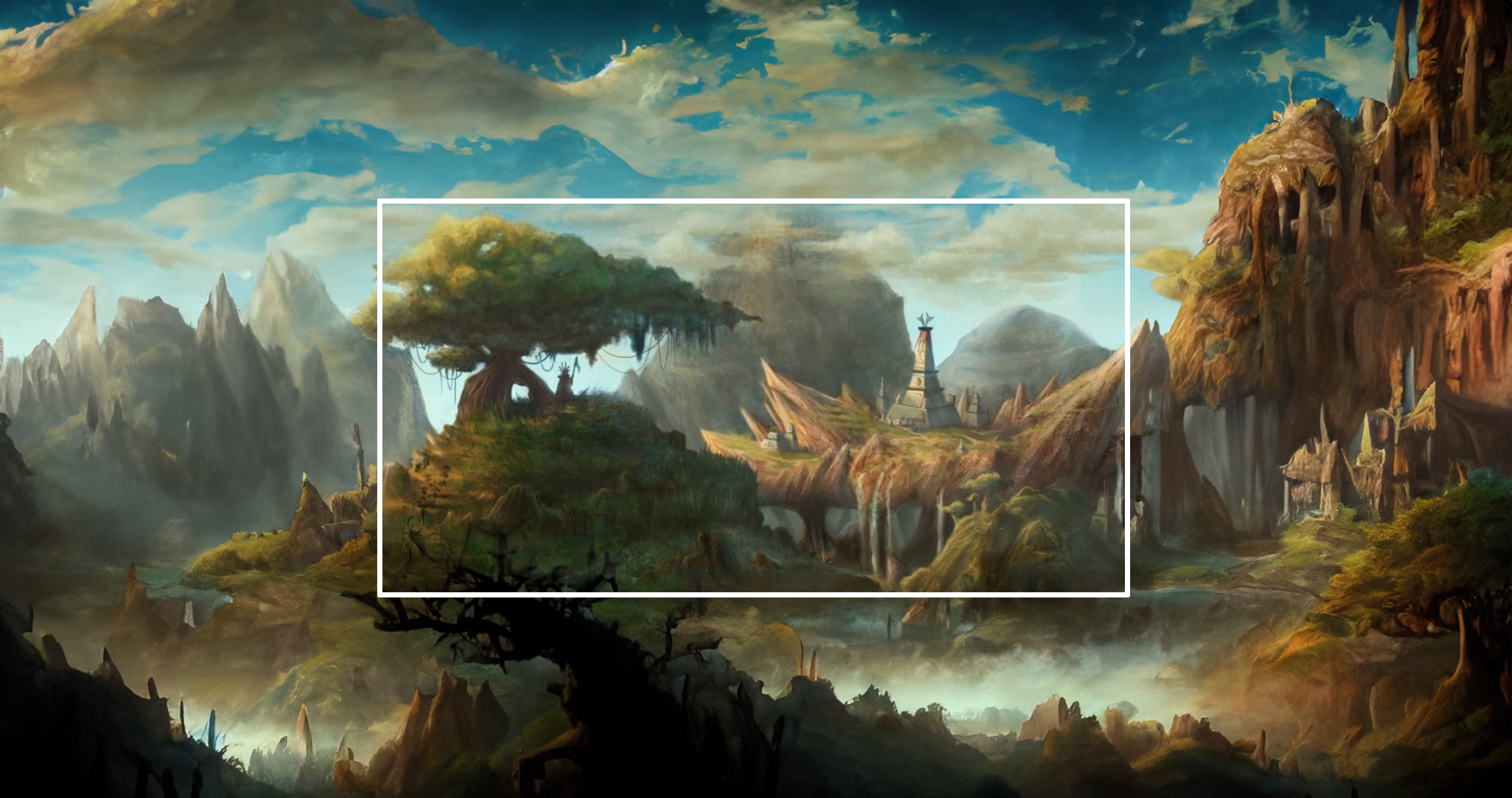 R
RI can use it to remove the text from these Magic cards and generate the hidden part

 R
RIt's really impressive how it keeps the consistency with the rest of the image.
 R
RHey! Thanks for the tutorial on running Kohya on Runpod. I'm getting the ModuleNotFoundError: No module named 'tkinter' error. When I follow the further instructions i get these errors:
ERROR: pip's dependency resolver does not currently take into account all the packages that are installed. This behaviour is the source of the following dependency conflicts.
clean-fid 0.1.29 requires requests==2.25.1, but you have requests 2.28.2 which is incompatible.
open-clip-torch 2.7.0 requires protobuf==3.20.0, but you have protobuf 3.19.6 which is incompatible.
tb-nightly 2.14.0a20230511 requires google-auth-oauthlib<1.1,>=0.5, but you have google-auth-oauthlib 0.4.6 which is incompatible.
tb-nightly 2.14.0a20230511 requires tensorboard-data-server<0.8.0,>=0.7.0, but you have tensorboard-data-server 0.6.1 which is incompatible.
ERROR: pip's dependency resolver does not currently take into account all the packages that are installed. This behaviour is the source of the following dependency conflicts.
clean-fid 0.1.29 requires requests==2.25.1, but you have requests 2.28.2 which is incompatible.
open-clip-torch 2.7.0 requires protobuf==3.20.0, but you have protobuf 3.19.6 which is incompatible.
tb-nightly 2.14.0a20230511 requires google-auth-oauthlib<1.1,>=0.5, but you have google-auth-oauthlib 0.4.6 which is incompatible.
tb-nightly 2.14.0a20230511 requires tensorboard-data-server<0.8.0,>=0.7.0, but you have tensorboard-data-server 0.6.1 which is incompatible.
RERROR: Could not find a version that satisfies the requirement torchaudio (from versions: none)
ERROR: No matching distribution found for torchaudio
ERROR: No matching distribution found for torchaudio
RAny idea what I am doing wrong?
 A
AYou can try:
 R
RThanks for getting back! When I run the suggested command I retrieve "python3-tk is already the newest version (3.8.10-0ubuntu1~20.04).
0 upgraded, 0 newly installed, 0 to remove and 46 not upgraded." BUT, when I start the Kohya Gui I dont get any errors any longer. When I click on the local URL i get "Unable to connect" in all browsers. Any further tips?
0 upgraded, 0 newly installed, 0 to remove and 46 not upgraded." BUT, when I start the Kohya Gui I dont get any errors any longer. When I click on the local URL i get "Unable to connect" in all browsers. Any further tips?
AIt runs on port 7861 right? You will need to expose that port, you can either set your pod to have a public IP and expose the port as a TCP port, and then connect on the public IP and public port, because 7861 will be the internal port, or else you can set it as an HTTP port and then use the RunPod proxy to access it, but you will need to create a new pod if you never did that when your pod was created.
AYou need to click this when creating your pod
