Hello everyone. I am Dr. Furkan Gözükara. PhD Computer Engineer. SECourses is a dedicated YouTube channel for the following topics : Tech, AI, News, Science, Robotics, Singularity, ComfyUI, SwarmUI, ML, Artificial Intelligence, Humanoid Robots, Wan 2.2, FLUX, Krea, Qwen Image, VLMs, Stable Diffusion
Is that when you don't have pregenerated classification images? There is a new commit on the Dreambooth dev branch that should fix it if you pull the dev branch. I will test it today.
there is a good guide to follow in order to have dreambooth working under windows? i managed to start it, but gives me warnings about cuda setup (with linux path errors)
Applying optimization: xformers... done. CUDA_SETUP: WARNING! libcudart.so not found in any environmental path. Searching /usr/local/cuda/lib64... CUDA SETUP: WARNING! libcuda.so not found! Do you have a CUDA driver installed? If you are on a cluster, make sure you are on a CUDA machine! CUDA SETUP: Loading binary C:\A1111\stable-diffusion-webui\venv\lib\site-packages\bitsandbytes\libbitsandbytes_cpu.so... CUDA_SETUP: WARNING! libcudart.so not found in any environmental path. Searching /usr/local/cuda/lib64... CUDA SETUP: WARNING! libcuda.so not found! Do you have a CUDA driver installed? If you are on a cluster, make sure you are on a CUDA machine! CUDA SETUP: Loading binary C:\A1111\stable-diffusion-webui\venv\lib\site-packages\bitsandbytes\libbitsandbytes_cpu.so... CUDA SETUP: Problem: The main issue seems to be that the main CUDA library was not detected. CUDA SETUP: Solution 1): Your paths are probably not up-to-date. You can update them via: sudo ldconfig. CUDA SETUP: Solution 2): If you do not have sudo rights, you can do the following: CUDA SETUP: Solution 2a): Find the cuda library via: find / -name libcuda.so 2>/dev/null CUDA SETUP: Solution 2b): Once the library is found add it to the LD_LIBRARY_PATH: export LD_LIBRARY_PATH=$LD_LIBRARY_PATH:FOUND_PATH_FROM_2a CUDA SETUP: Solution 2c): For a permanent solution add the export from 2b into your .bashrc file, located at ~/.bashrc Running on local URL: http://127.0.0.1:7860
Just try 11.8 and not 12.1, 12.1 has alpha features which tend to cause issues and I don't think the bitsandbytes Python module which provides the 8bit Adam optimizer supports it without compiling the module from source.
yes I want it to generate class images because I dont have any. DrFurkan said dev is working for him so maybe its just a matter of updating it for the template somehow?
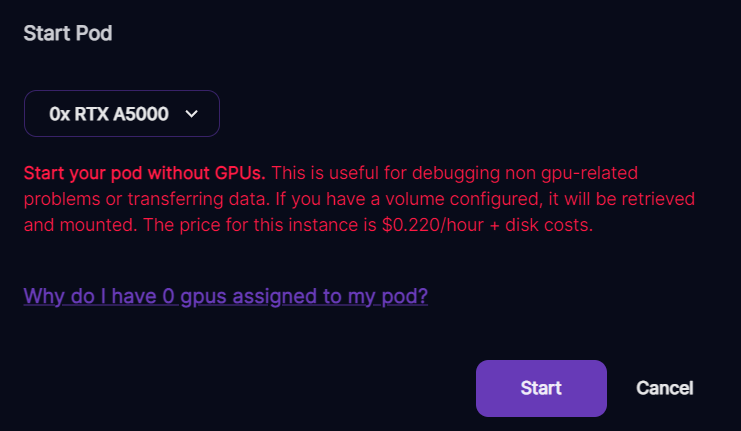
Depends whether you are able to wait or not, you can try waiting, otherwise transfer your data to another pod if you don't want to wait, because you have no idea how long you will have to wait for a GPU to become available.