Hello everyone. I am Dr. Furkan Gözükara. PhD Computer Engineer. SECourses is a dedicated YouTube channel for the following topics : Tech, AI, News, Science, Robotics, Singularity, ComfyUI, SwarmUI, ML, Artificial Intelligence, Humanoid Robots, Wan 2.2, FLUX, Krea, Qwen Image, VLMs, Stable Diffusion
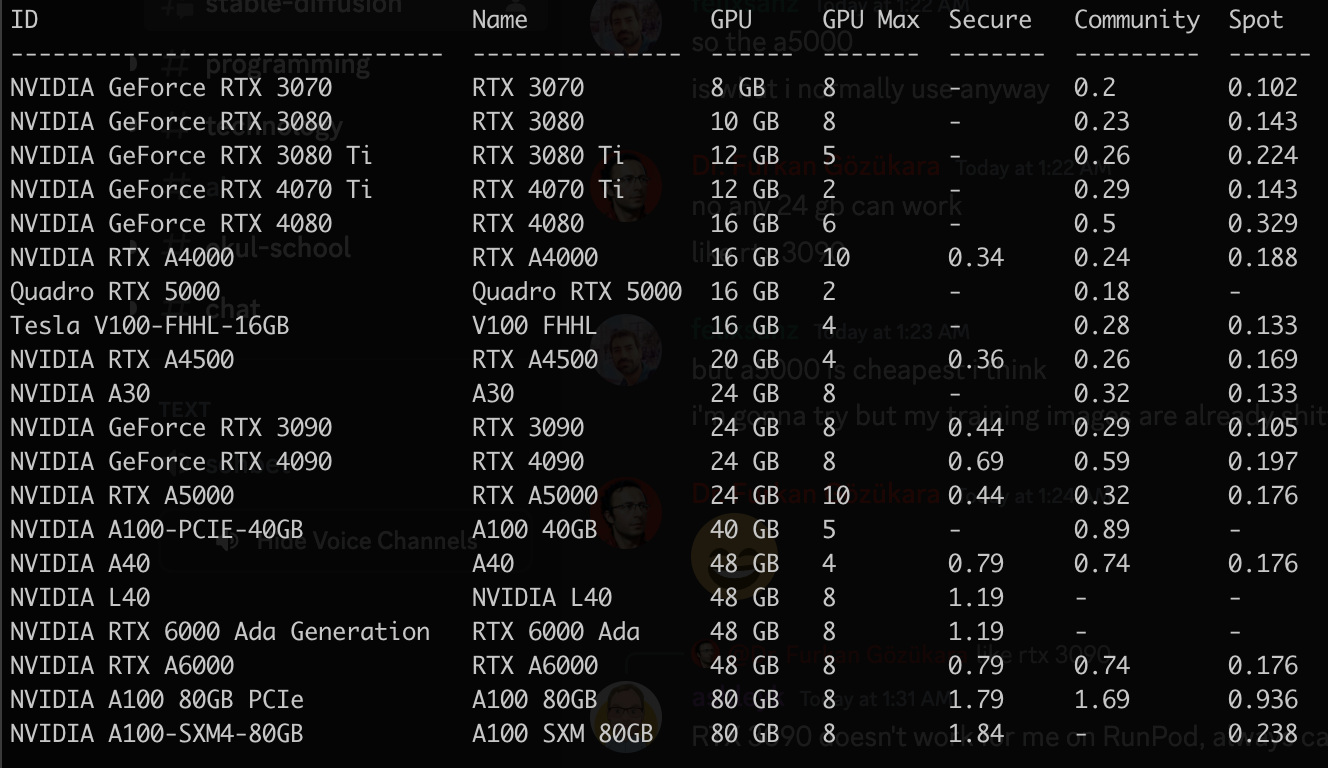
Yes, thats why they say they are going to get rid of the current spot pricing structure because it costs more in energy than what they are charging for spot. They said they might keep it but make it a fixed rate and not have the bidding system anymore.
It might have been training incorrectly but still giving better results, I think current runpod kohya actually trains correctly but something with runpod changed and fixed the issue with training and made it train as it should
@Dr. Furkan Gözükara what are your thoughts on train styling settings? Is it still the same settings as your youtube video? Lion optimizer with step ratio 0.5 and decay of 0.1?
Anyone know why I am suddenly getting this error in Kohya_ss? It was working fine earlier:
self.tk = _tkinter.create(screenName, baseName, className, interactive, wantobjects, useTk, sync, use)
_tkinter.TclError: no display name and no $DISPLAY environment variable
self.tk = _tkinter.create(screenName, baseName, className, interactive, wantobjects, useTk, sync, use)
_tkinter.TclError: no display name and no $DISPLAY environment variable
How to install famous Kohya SS LoRA GUI on RunPod IO pods and do training on cloud seamlessly as in your PC. Then use Automatic1111 Web UI to generate images with your trained LoRA files. Everything is explained step by step and amazing resource GitHub file is provided with necessary commands. If you want to use Kohya's Stable Diffusion trainers...
@Dr. Furkan Gözükara whenever I start training, it starts from 0 epoch, is there any way I can resume training. like a neural network in which you train the machine and it gets better day by day
"Showing viewers how to use apps, websites, or other information technology to gain unauthorized access to audio content, audiovisual content, full video games, software, or streaming services that normally require payment." appealed i hope they approve my appeal i wonder it was result of people reported or automated or manual
I once posted a joke on Facebook and Facebook suspended my account because someone who didn't have a sense of humour reported it, so I no longer have Facebook, and I am banned from Twitter as well
hi boss, after the upgraded webui on runpod, i did re-downgrade torch to 1.13.1 and all other things as you told us on your video, and every thing goes well. but after i finished my lora training on dreambooth and tring to test it on webui, this hapened : "RuntimeError: Couldn't load custom C++ ops. This can happen if your PyTorch and torchvision versions are incompatible, or if you had errors while compiling torchvision from source. For further information on the compatible versions, check https://github.com/pytorch/vision#installation for the compatibility matrix. Please check your PyTorch version with torch.version and your torchvision version with torchvision.version and verify if they are compatible, and if not please reinstall torchvision so that it matches your PyTorch install." i tried to upgrade torch to the newest vision but the system tell me the vision already exist. what should i do
Weights & Biases (https://wandb.ai/) is pretty cool for tracking your training experiments with things like Kohya_ss and EveryDream2trainer. I don't think Dreambooth supports it yet.
WandB is a central dashboard to keep track of your hyperparameters, system metrics, and predictions so you can compare models live, and share your findings.
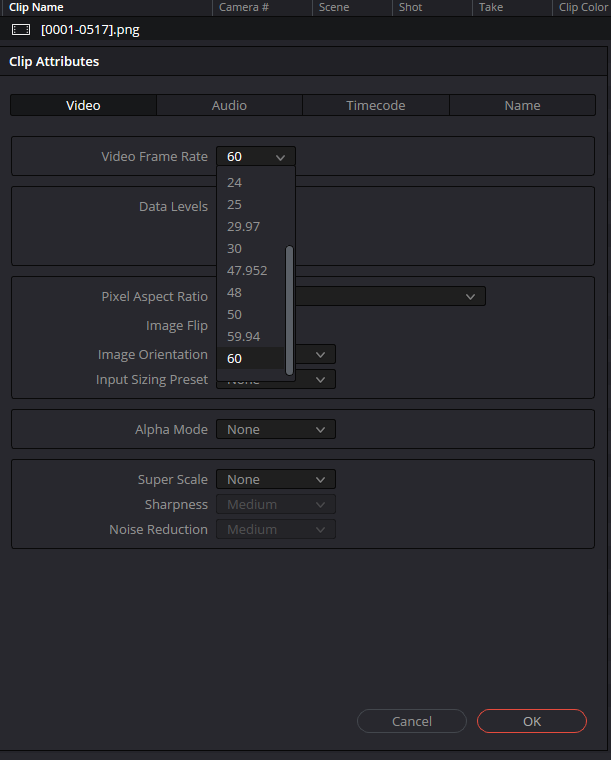
Side note you can write click the imported frames, click on clip attributes and edit to original video fps.... Might help someone at some point. Or is that what the answer was in the tutorial lol
self.tk = _tkinter.create(screenName, baseName, className, interactive, wantobjects, useTk, sync, use)_tkinter.TclError: no display name and no $DISPLAY environment variable