
So git clone <URL> is how you clone the repo locally on your computer
So git clone <URL> is how you clone the repo locally on your computer
 MMM
MMMgit pull is all you need to pull down the latest merged in changes on whatever branch you have checked out H
H AHA
AHAgit clonegit pullA AM
AM.git folder. It will appear after you clone but that's not where you git pull from. Once you have the repo pulled down, you can run git commands from the root of the directory FM
FM FA
FAohwx womanH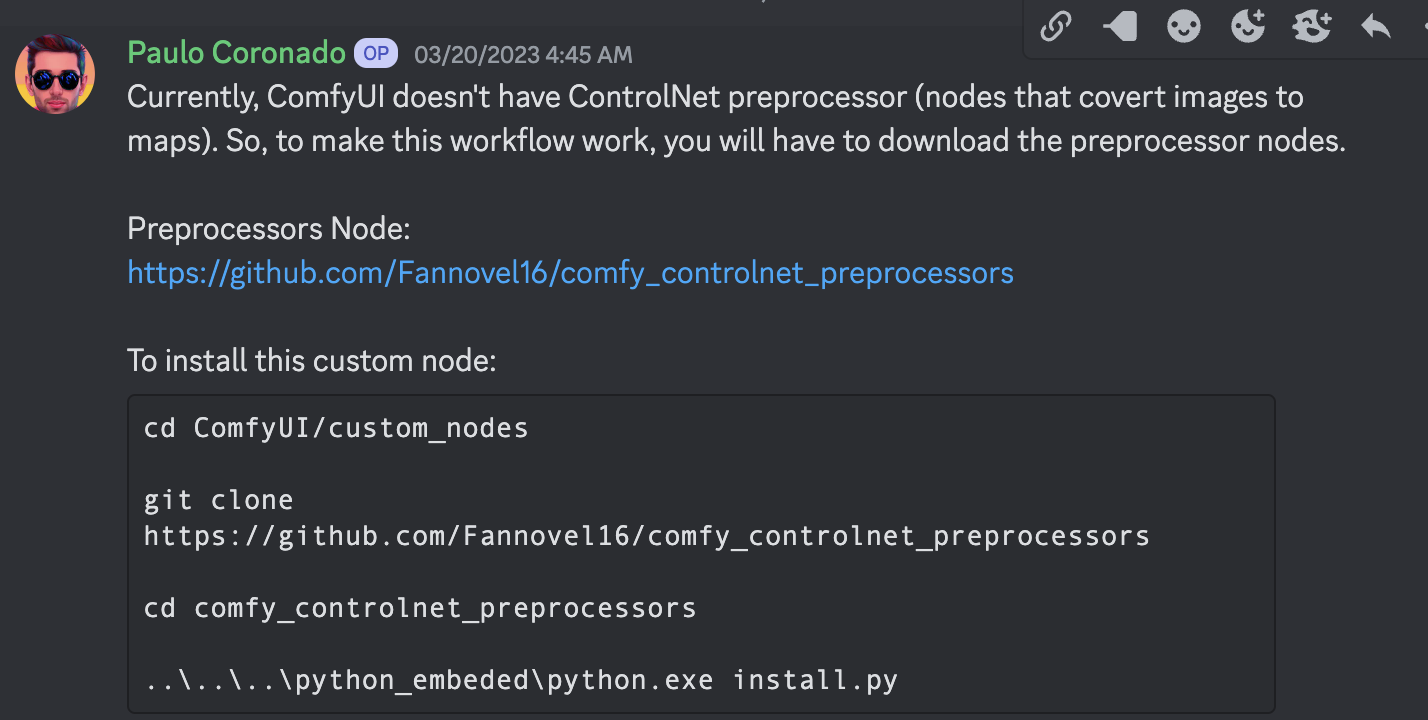 HFH
HFH SAFFSM
extension access disabled because of command line flags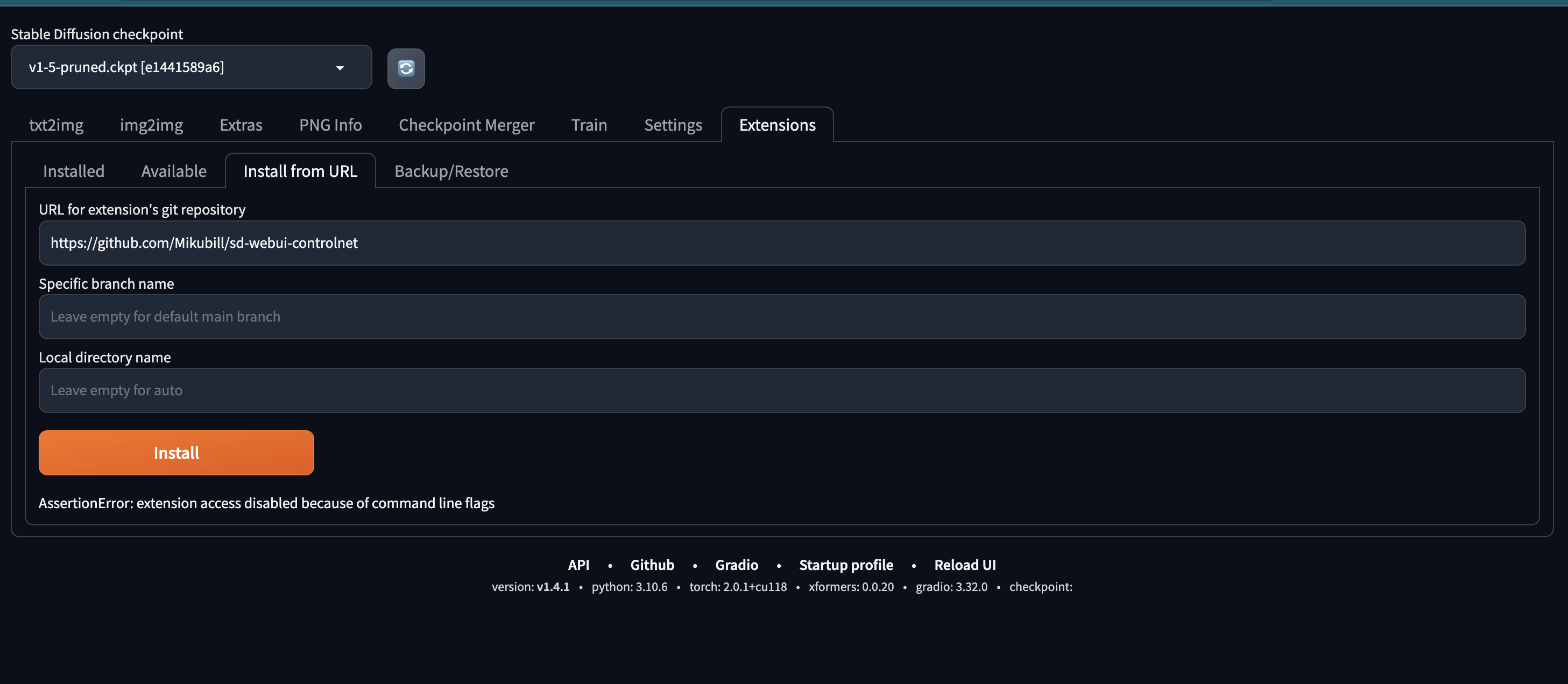 M
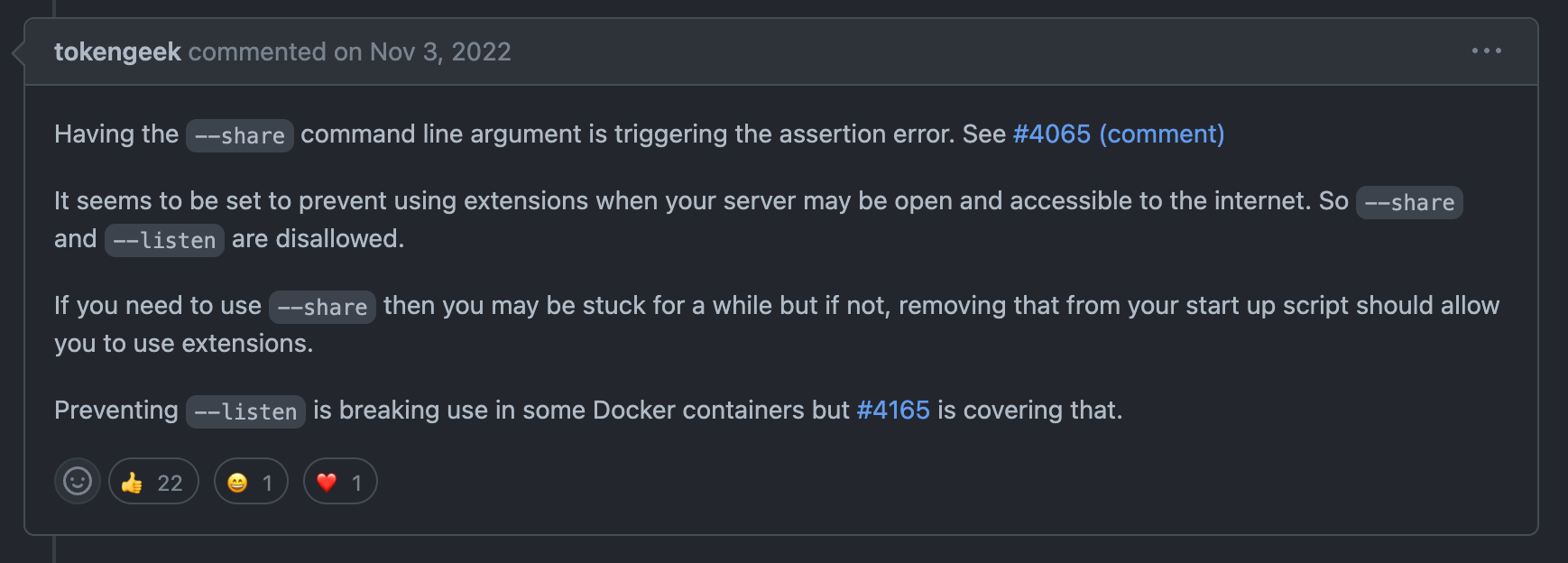
M--share is killing me 
 M
M--share to run the webUI interface from runpods terminalM--ngrokM A
A O
O





 O
O T
T

 TMM
TMM
 M
MEuler a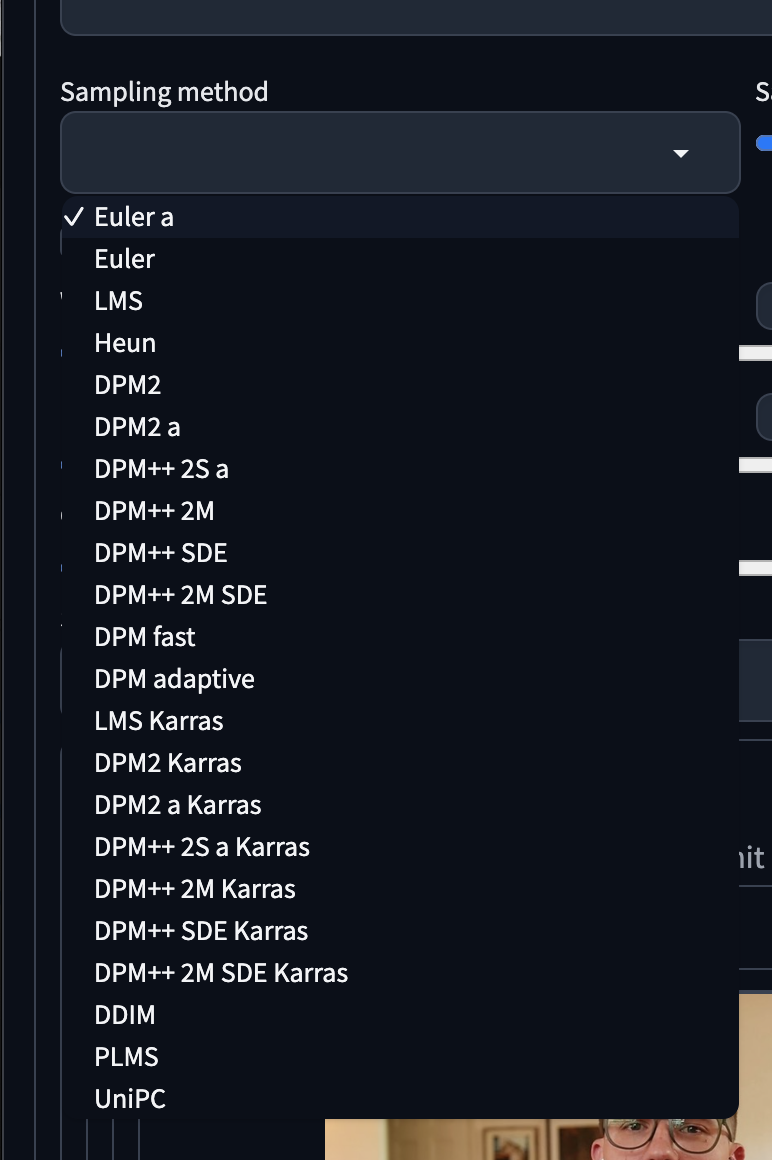 FFF
FFF FTFFFTF
 S
S

 F
Fgit pullgit pullgit pull.gitgitohwx womanextension access disabled because of command line flags--share--share--ngrokEuler a


