Hello everyone. I am Dr. Furkan Gözükara. PhD Computer Engineer. SECourses is a dedicated YouTube channel for the following topics : Tech, AI, News, Science, Robotics, Singularity, ComfyUI, SwarmUI, ML, Artificial Intelligence, Humanoid Robots, Wan 2.2, FLUX, Krea, Qwen Image, VLMs, Stable Diffusion
Yes, I'm running a 4090 at the moment. I'm just wondering which version of Dreambooth I should use in terms of the ones listed here https://github.com/d8ahazard/sd_dreambooth_extension/tags, because it seems like the version I got from the "extensions" tab is just not working properly, or I have something set very wrong & nothing is fixing it for some reason. I mentioned before, when I first watched your original Tutorial on training LoRA through Dreambooth, my Dreambooth looked the same as yours & everything was decent enough, but then my SD broke when I was trying to get TensorRT working the first time, so I had to reinstall it from scratch, and since then, my Dreambooth looks very different from the one in the tutorial, so I'm not sure if I'm missing a setting, have something wrong, or what the issue is. I've tried training the same face off as many as 60 & as few as 25 images, with quite a few different settings ranges (I've literally tried to train this face 10 times now lol), and it keeps coming up as barely any different than if I put the person's name in with no LoRA loaded, in terms of how they look, on a given Checkpoint.
depending on how hot you're getting, and what GPU we're talking about, it should be fine. I cranked my 4090 at one point when rendering batches of 4x4, and it was actually getting warm enough to thermally throttle the clocks slightly, but that was with a +150 core or so offset, with the voltage maxed & the power slider maxed, and that's on an air cooled card in a well ventilated case, the GPU Hotspot in HWInfo was showing 87.6C it was kinda warm in here since it's winter, but yeah. If you're not overclocking and you have a well ventilated case, I would say don't worry about it. You can also try Undervolting, because rendering in SD uses VRAM more than the Core, so undervolting/downclocking your core a bit will actually save a lot of heat by lowering your power draw. I've been running my 4090 @ 2600MHz core with 900mV & the difference in render time between that & stock is less than 3 seconds on a 16-image batch - but that runs literally 10C cooler on the core & draws ~120W less power while rendering. Quoted the wrong post but that was in reference to you asking about liquid cooling your GPU.
for time being will train new image batch with lora. Last time there were too many repeating images which made lora inherit certain aspect of dress/color into it and was making output with repative features of the images
When caching taking over 30 minutes it time outs. I wonder if this is Kohya related The message is from Kaggle notebook caching latents. checking cache validity... 100%|████████████████████████████...
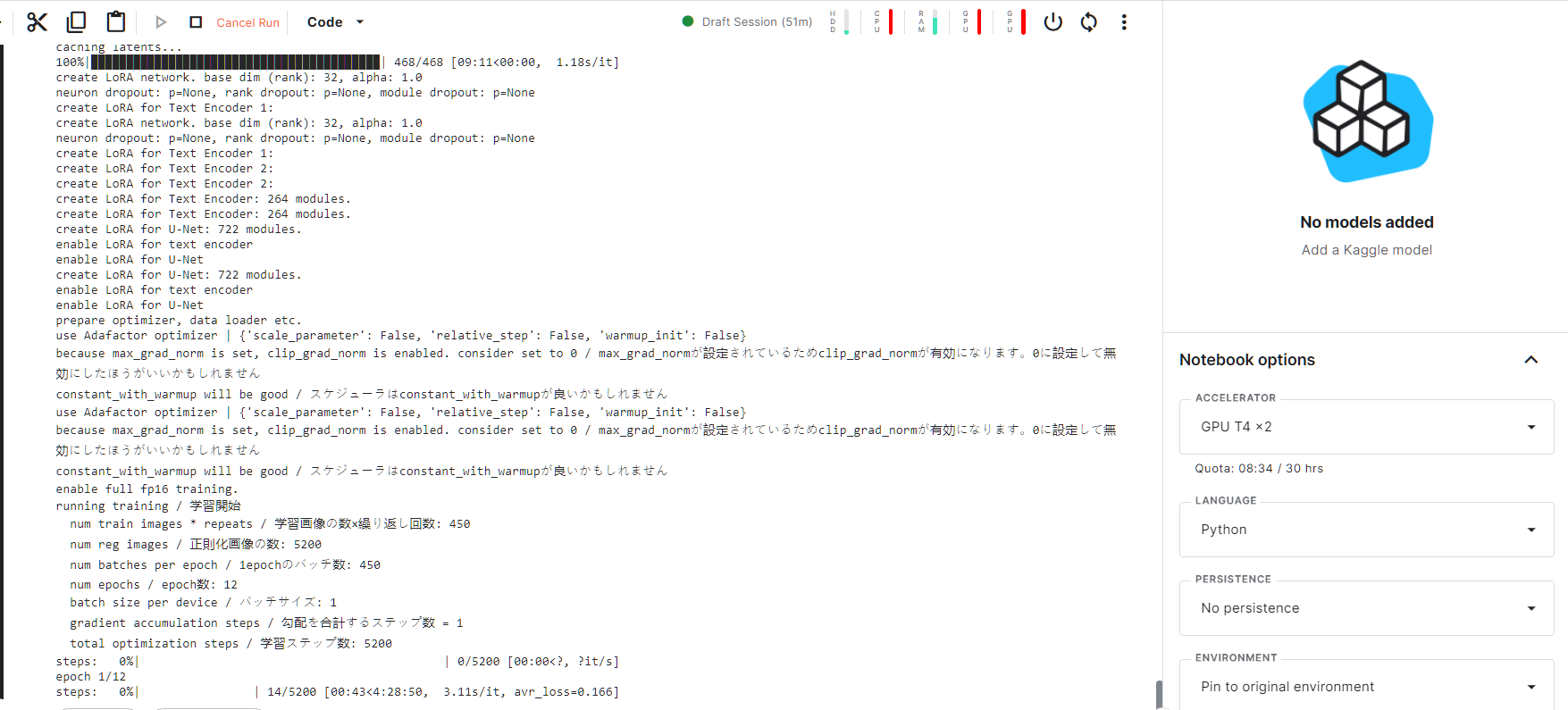
My lora training just started .. roughly 4.5 hours. @Dr. Furkan Gözükara The old guide seems to be limiting with ram availability , but i think it can be slightly updated since kaggle has increased the ram. I didnt add -lowram argument
Also since kaggle gives 20Gb , for lora training , do we need to stop and deleted the regul folder once its gets copied into results ? this step can be skipped , so that we dont mess with the lora training setting ?
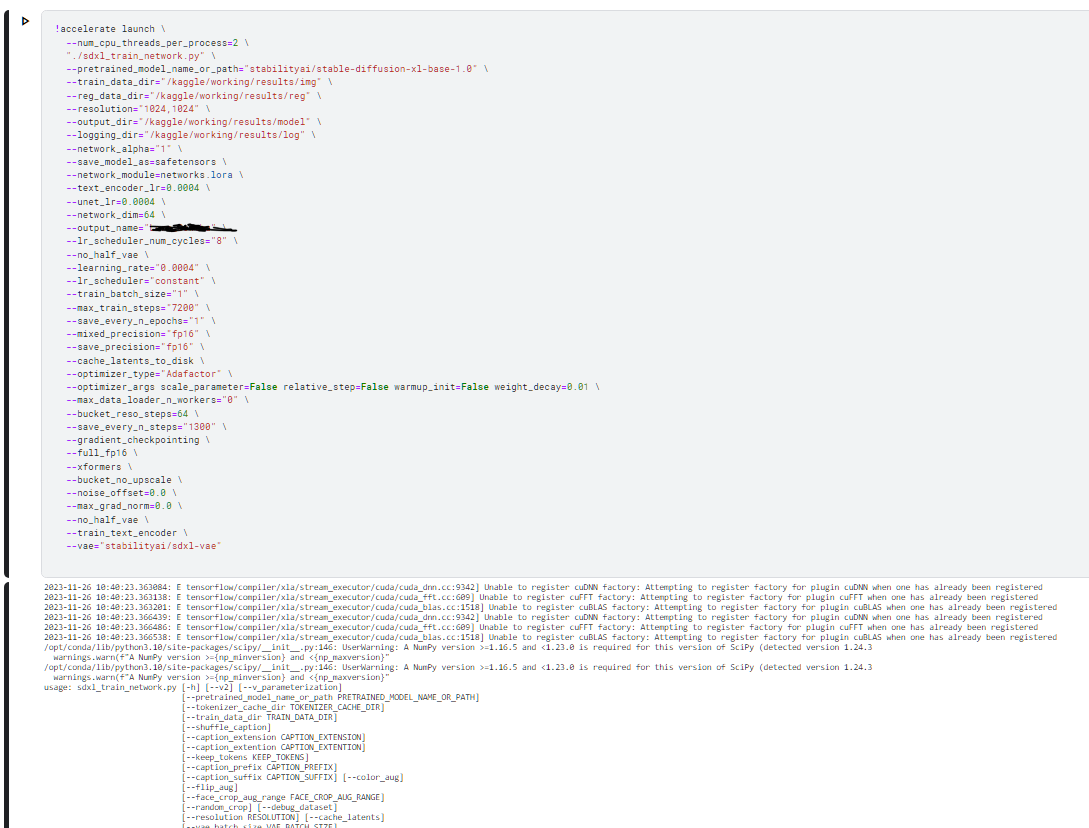
2023-11-26 10:40:23.363084: E tensorflow/compiler/xla/stream_executor/cuda/cuda_dnn.cc:9342] Unable to register cuDNN factory: Attempting to register factory for plugin cuDNN when one has already been registered 2023-11-26 10:40:23.363138: E tensorflow/compiler/xla/stream_executor/cuda/cuda_fft.cc:609] Unable to register cuFFT factory: Attempting to register factory for plugin cuFFT when one has already been registered 2023-11-26 10:40:23.363201: E tensorflow/compiler/xla/stream_executor/cuda/cuda_blas.cc:1518] Unable to register cuBLAS factory: Attempting to register factory for plugin cuBLAS when one has already been registered 2023-11-26 10:40:23.366439: E tensorflow/compiler/xla/stream_executor/cuda/cuda_dnn.cc:9342] Unable to register cuDNN factory: Attempting to register factory for plugin cuDNN when one has already been registered 2023-11-26 10:40:23.366486: E tensorflow/compiler/xla/stream_executor/cuda/cuda_fft.cc:609] Unable to register cuFFT factory: Attempting to register factory for plugin cuFFT when one has already been registered 2023-11-26 10:40:23.366538: E tensorflow/compiler/xla/stream_executor/cuda/cuda_blas.cc:1518] Unable to register cuBLAS factory: Attempting to register factory for plugin cuBLAS when one has already been registered /opt/conda/lib/python3.10/site-packages/scipy/init.py:146: UserWarning: A NumPy version >=1.16.5 and <1.23.0 is required for this version of SciPy (detected version 1.24.3 warnings.warn(f"A NumPy version >={np_minversion} and <{np_maxversion}" /opt/conda/lib/python3.10/site-packages/scipy/init.py:146: UserWarning: A NumPy version >=1.16.5 and <1.23.0 is required for this version of SciPy (detected version 1.24.3 warnings.warn(f"A NumPy version >={np_minversion} and <{np_maxversion}" usage: sdxl_train_network.py [-h] [--v2] [--v_parameterization] [--pretrained_model_name_or_path PRETRAINED_MODEL_NAME_OR_PATH]
ok hitting "start training" within koayaa_gui seems to work. When we copy the code - stop the code- remove the folder - paster the code - start the code from kaggle ,doesnt seems to work
Hello, guys, Now I'm looking for someone who is experienced in .Net. (US, UK prefered, Fluent English Level, European or American). Please DM if anybody is interested in.
got stuck at point and had to restart.. Have to reinstall fully ? Is there a way to retain all the files/setups ? before i come to hit the train button ,gpu time of 1 hour is lost..
Now i think why dreambooth training could have failed.. I think hitting train within the koyaa GUI works better on kaggle , rather than executing the same code from notebook. After the lora gets created , tomorrow will try once more to train on dreambooth.