Hello everyone. I am Dr. Furkan Gözükara. PhD Computer Engineer. SECourses is a dedicated YouTube channel for the following topics : Tech, AI, News, Science, Robotics, Singularity, ComfyUI, SwarmUI, ML, Artificial Intelligence, Humanoid Robots, Wan 2.2, FLUX, Krea, Qwen Image, VLMs, Stable Diffusion
I see, if I have a private model on huggingface, whats the best way to import it to kaggle if I want to reference it in the kohya GUI? do I need to upload it as a dataset in Kaggle? is there a way to get the notebook to use huggingface API to download it to kaggle directly? I want to train my private model from huggingface not the default one
if you want to use it often it makes sense to upload it as a dataset in kaggle, as you don't need to redownload it all the time. I can't recall if I'm right, but I think used kaggle datasets are also not using storage from the kaggle disk.
hm ok, I think to upload locally it requires 2 steps, upload to kaggle working directory and then a seperate step to add it to dataset. I just noticed dataset has an option to upload via URL so seemed a more direct route
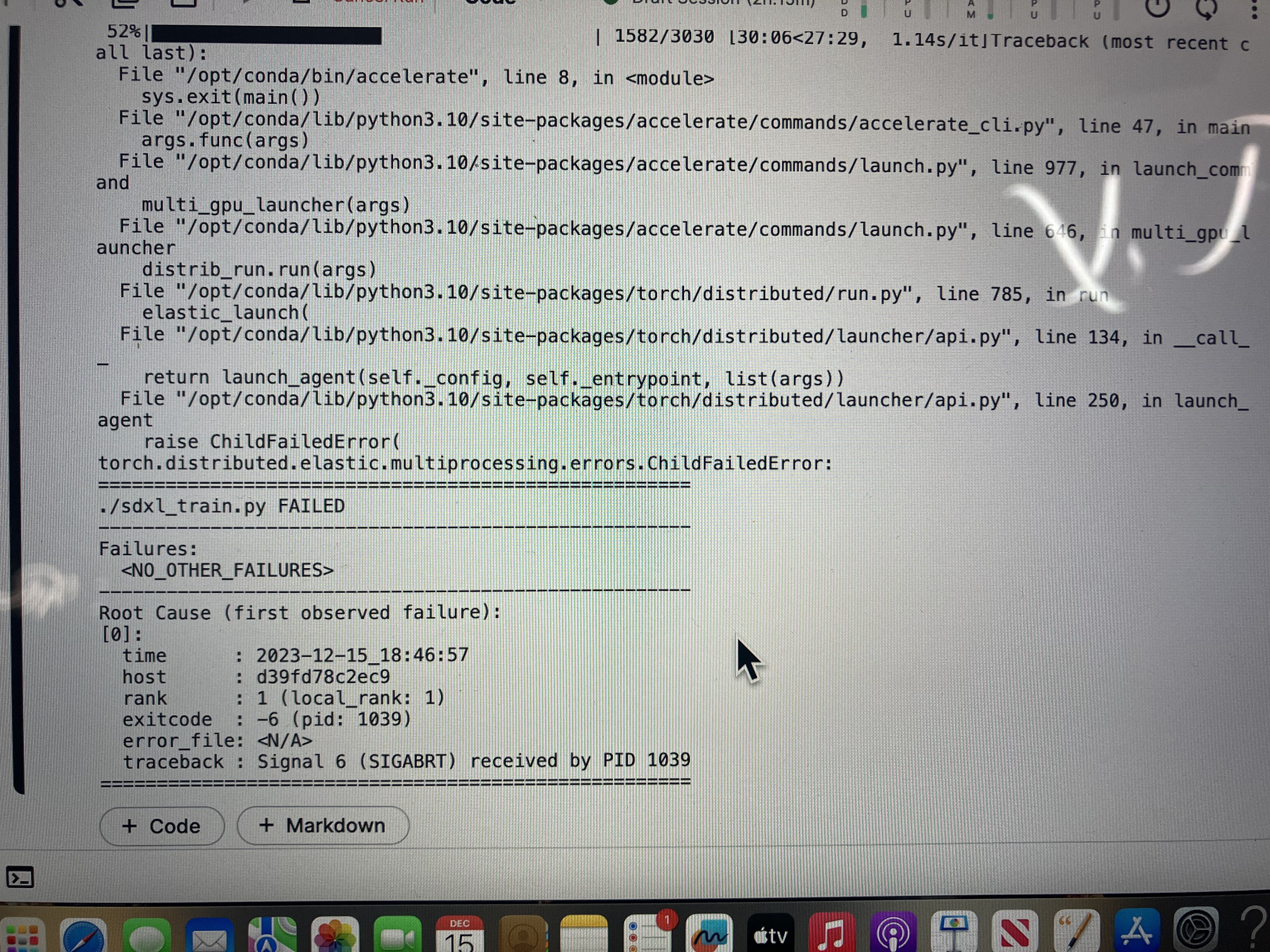
I seem to be getting an error I think uploading a pre-existing model with the /kaggle/working/Kaggle_SDXL_DreamBooth_Best.json file... is that file supposed to be loaded for my pretrained models too? (all my models were trained using this json file and the kaggle tutorial). I have attatched the error where /kaggle/input/testretrain is the uploaded safetensors file.... anyone have any idea?
Our Discord : https://discord.gg/HbqgGaZVmr. This is the video where you will learn how to use Google Colab for Stable Diffusion. If I have been of assistance to you and you would like to show your support for my work, please consider becoming a patron on https://www.patreon.com/SECourses
Playlist of Stable Diffusion Tutorials, #Automatic1111...