The very first thing I do is create a character `Jill the girl with short ginger hair and pale skin
The very first thing I do is create a character
When I have a prompt that does what I'm aiming for I extend it
I then run gens until I have several good starters. ( having a sheet generated is crucial for coherence)
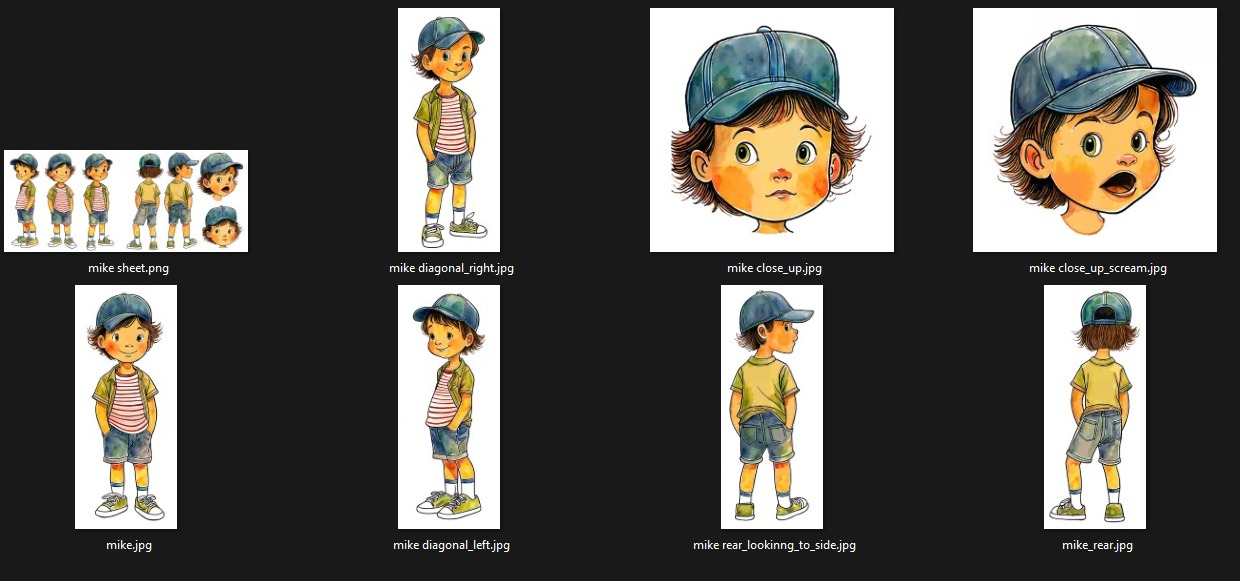
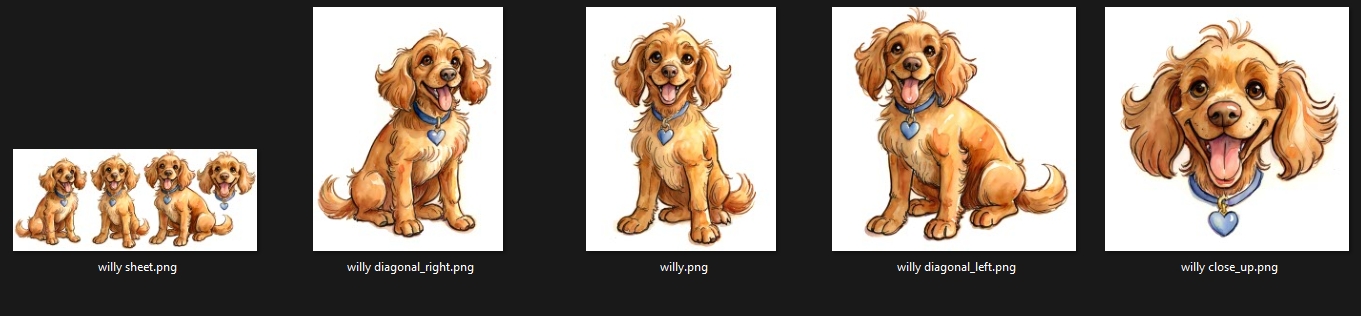
You can then inpaint single poses and iterate until you have a decent turnaround and 2 - 3 faces.
side , diagonal, front , rear (all preferably from both sides)
smile, frown, scream, looking away...
All images then need to be fixed for perfection (photoshop and maybe inpainting or generate in Photoshop)
Now we create a new character sheet per hand and run that through img2img until we get some good coherence.
Now we upscale.
Upscale and highres fix the sheet,
slice the sheet and regenerate each pose, expression separately. (be careful to not loose coherence. loopbacks can help but I usually do each iteration by hand)
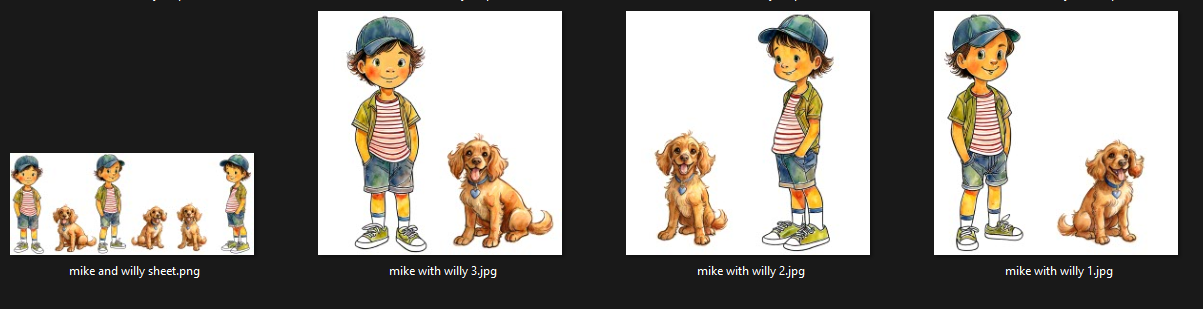
Finally, we have a dataset of 8 - 15 poses/expressions. All with exact same clothing, all on white background, (background removal is crucial at this point)
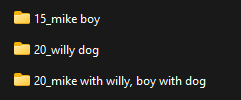
Good, we have a dataset: See screenshot with folder names. that's it, no captions, I just used the folder names on the first run, Keep it simple Stupid
I also added the character sheets to my dataset, to allow me to create better sheets with the first LoRA.
Then we move to version2. which is basically a rinse and repeat but with a lot better datasets, more poses, running, jumping, hand positions, but we still use white background on all images.
Get as much info in there as you can provide in best quality.
We still follow the rule: better less images than worse images
That's really the gist of it. No magic involved.
Jill the girl with short ginger hair and pale skin, a joyful character wearing a yellow sundress and black mary Janes in 1216x832When I have a prompt that does what I'm aiming for I extend it
Jill the girl with short ginger hair and pale skin, a joyful character wearing a yellow sundress and black mary Janes, consistent (character sheet, multiple views, various expressions, character turnaround:1.2) in 640x1536I then run gens until I have several good starters. ( having a sheet generated is crucial for coherence)
You can then inpaint single poses and iterate until you have a decent turnaround and 2 - 3 faces.
side , diagonal, front , rear (all preferably from both sides)
smile, frown, scream, looking away...
All images then need to be fixed for perfection (photoshop and maybe inpainting or generate in Photoshop)
Now we create a new character sheet per hand and run that through img2img until we get some good coherence.
Now we upscale.
Upscale and highres fix the sheet,
slice the sheet and regenerate each pose, expression separately. (be careful to not loose coherence. loopbacks can help but I usually do each iteration by hand)
Finally, we have a dataset of 8 - 15 poses/expressions. All with exact same clothing, all on white background, (background removal is crucial at this point)
Good, we have a dataset: See screenshot with folder names. that's it, no captions, I just used the folder names on the first run, Keep it simple Stupid
I also added the character sheets to my dataset, to allow me to create better sheets with the first LoRA.
Then we move to version2. which is basically a rinse and repeat but with a lot better datasets, more poses, running, jumping, hand positions, but we still use white background on all images.
Get as much info in there as you can provide in best quality.
We still follow the rule: better less images than worse images
That's really the gist of it. No magic involved.