
 S
Sr u using the one click installer?
 H
H@Dr. Furkan Gözükara i try install with on click version 13 for win , then run , i got error : Traceback (most recent call last):
File "X:\03_General\huy\supir\SUPIR\gradio_demo.py", line 5, in <module>
from gradio_imageslider import ImageSlider
File "C:\Users\AZPC\AppData\Local\Programs\Python\Python310\lib\site-packages\gradio_imageslider__init__.py", line 1, in <module>
from .imageslider import ImageSlider
File "C:\Users\AZPC\AppData\Local\Programs\Python\Python310\lib\site-packages\gradio_imageslider\imageslider.py", line 16, in <module>
from gradio.events import Events
ImportError: cannot import name 'Events' from 'gradio.events' (C:\Users\AZPC\AppData\Local\Programs\Python\Python310\lib\site-packages\gradio\events.py)
Press any key to continue . . .
File "X:\03_General\huy\supir\SUPIR\gradio_demo.py", line 5, in <module>
from gradio_imageslider import ImageSlider
File "C:\Users\AZPC\AppData\Local\Programs\Python\Python310\lib\site-packages\gradio_imageslider__init__.py", line 1, in <module>
from .imageslider import ImageSlider
File "C:\Users\AZPC\AppData\Local\Programs\Python\Python310\lib\site-packages\gradio_imageslider\imageslider.py", line 16, in <module>
from gradio.events import Events
ImportError: cannot import name 'Events' from 'gradio.events' (C:\Users\AZPC\AppData\Local\Programs\Python\Python310\lib\site-packages\gradio\events.py)
Press any key to continue . . .

 R
Ryup on runpod
Rworks fine on my windows
Rweird tho about pandas. Wouldnt expect any modules failing to install

 Ꮪ
Ꮪyea ive worked with the presets, just wondering if theres any better parameters for photoreal XL
 G
GHello friends, how are you? I hope so. Would anyone know if it is possible to install Stable Diffusion on a 1TB external hard drive?
 R
RSure. The most important parameter is your dataset. The quality of your images, their consistency, they inherent content are the most impactful parameter. Other than that seems like adamw8bit, LR 1-e4, batch size1, dim 128alpha64, 20-30 images.. I mean this is all pretty standard for realistic. Just run it. You need to see it for yourself for that effect of understanding the model learning to take in you.
RAnyway it’s not that different from the presets
R80% of the result comes from refining your own system of putting together your data
 A
ADid anyone else get Supir to work on a 3060 ? I've been trying all day but it only handles 512x512 pics.. as soon as I try to upscale 1024x1024 it breaks.
A@Dr. Furkan Gözükara I'm on version 10.. should I remove that and get ur latest I see there is a version 11 on ur site now.. was something broken in 10 ?
 G
GCan it be used with SDXL lighting models for higher speed?
R
 A
AIm trying to upscale a bunch of different images and its just not that great so far
AWhat settings do you guys use
A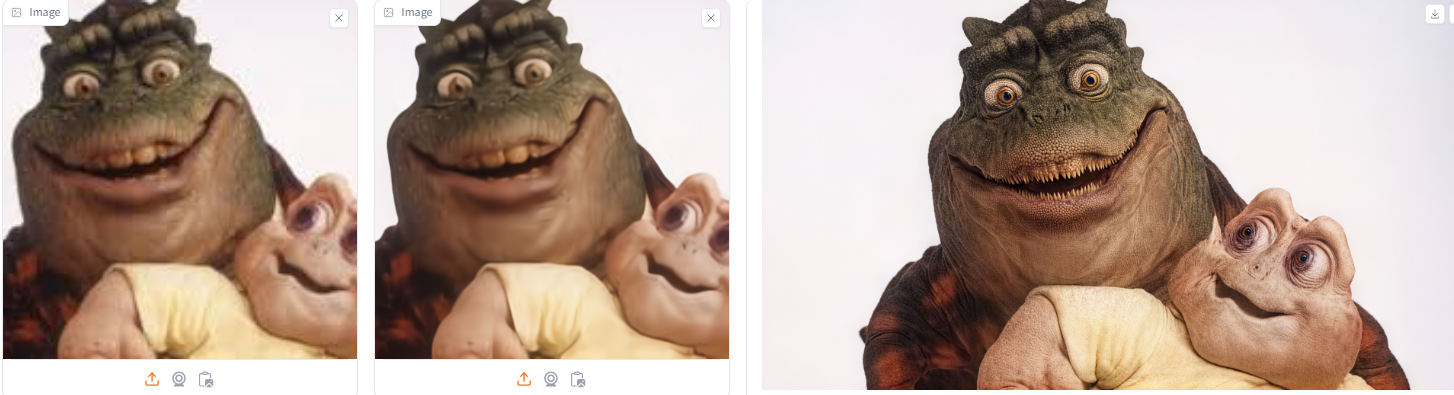
![Dazzastrous [4090]](https://cdn.discordapp.com/avatars/871389071686135838/c4a5f4d81d9eeb18d856295d692e2c07.webp?size=40) D
Dnot the mammy
 T
TProblem with instalation SUPIR: ERROR: Could not install packages due to an OSError: HTTPSConnectionPool(host='huggingface.co', port=443): Max retries exceeded with url: /MonsterMMORPG/SECourses/resolve/main/triton-2.1.0-cp310-cp310-win_amd64.whl (Caused by ResponseError('too many 503 error responses'))
RHuggingface is down
Toh ok
Tand another error: c:\Supir\SUPIR>python gradio_demo.py
Traceback (most recent call last):
File "c:\Supir\SUPIR\gradio_demo.py", line 5, in <module>
from gradio_imageslider import ImageSlider
ModuleNotFoundError: No module named 'gradio_imageslider'
Traceback (most recent call last):
File "c:\Supir\SUPIR\gradio_demo.py", line 5, in <module>
from gradio_imageslider import ImageSlider
ModuleNotFoundError: No module named 'gradio_imageslider'
Tc:\Supir\SUPIR>python gradio_demo.py
Traceback (most recent call last):
File "c:\Supir\SUPIR\gradio_demo.py", line 5, in <module>
from gradio_imageslider import ImageSlider
File "C:\Users\alek\AppData\Local\Programs\Python\Python310\lib\site-packages\gradio_imageslider__init__.py", line 1, in <module>
from .imageslider import ImageSlider
File "C:\Users\alek\AppData\Local\Programs\Python\Python310\lib\site-packages\gradio_imageslider\imageslider.py", line 15, in <module>
from gradio.components.base import Component
ModuleNotFoundError: No module named 'gradio.components.base'; 'gradio.components' is not a package
c:\Supir\SUPIR>
Traceback (most recent call last):
File "c:\Supir\SUPIR\gradio_demo.py", line 5, in <module>
from gradio_imageslider import ImageSlider
File "C:\Users\alek\AppData\Local\Programs\Python\Python310\lib\site-packages\gradio_imageslider__init__.py", line 1, in <module>
from .imageslider import ImageSlider
File "C:\Users\alek\AppData\Local\Programs\Python\Python310\lib\site-packages\gradio_imageslider\imageslider.py", line 15, in <module>
from gradio.components.base import Component
ModuleNotFoundError: No module named 'gradio.components.base'; 'gradio.components' is not a package
c:\Supir\SUPIR>
 A
AYeah, unless Furkan decides he wants to host the repositories somewhere else you’ll have to source those manually
 F
Ftrying to do a kohya dreamboth XL training but its attempting to pull SDXL vae from huggingface but its down for maintanance so getting an error
 S
SYes, presently, the Hugging Face servers are experiencing downtime, Unfortunately, there isn't much to be done except to await the servers' restoration.
F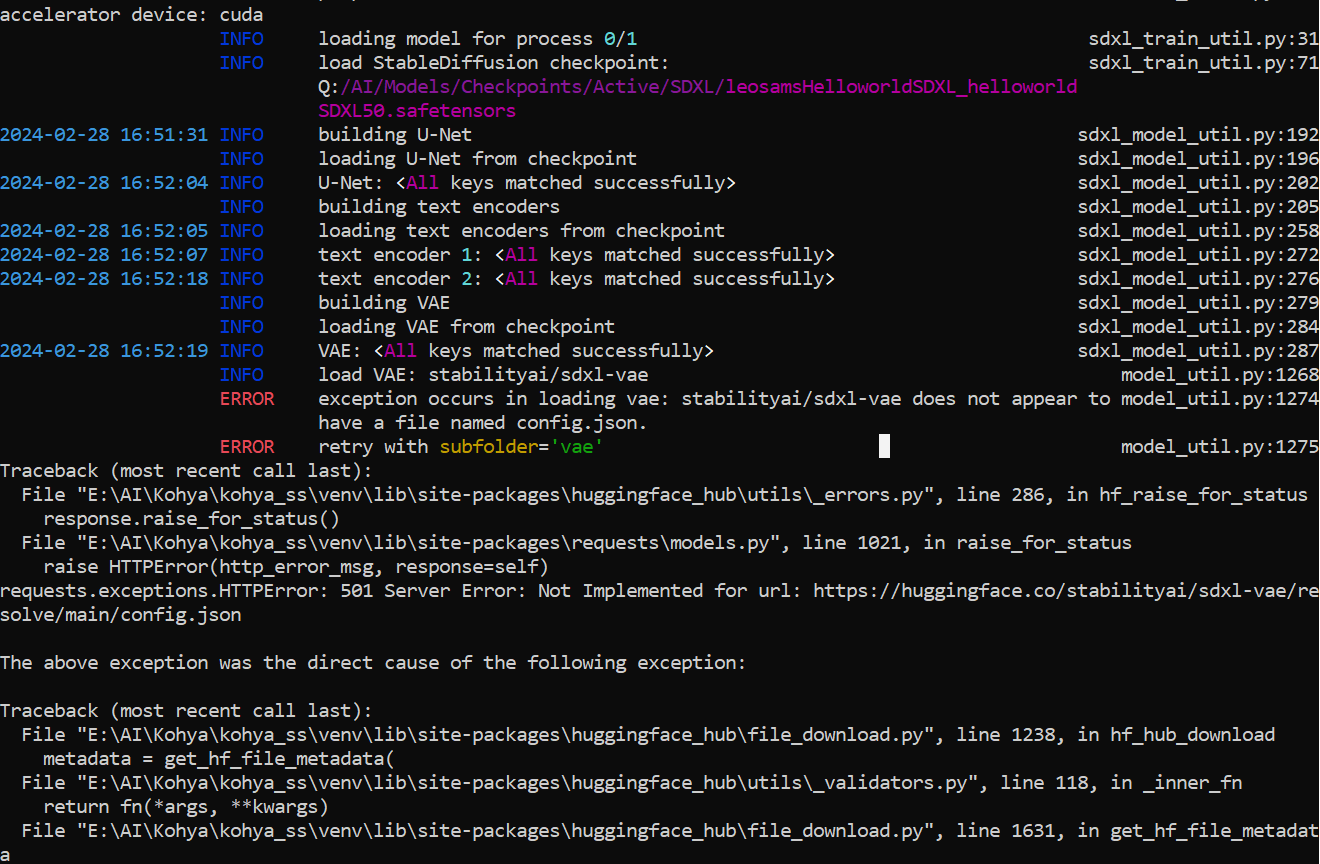 F
Fis there a way around this, for dummies

 J
JYou must wait. When https://huggingface.co/ the website loads and is back online- then all of the scripts that he’s made that use it can function again. Right now the hugging face site is down. So the script is going to the site to get resources that it cannot find. To put simply- the store is closed, come back when it’s open again
Fbut its trying to pull resources i have locally 
JDo you see where it says 501 server error? That’s not usually a local issue. If someone has another suggestion I could be mistaken. To me looks like at some point your script is trying to access something from huggingface and it’s not accessible at this time. Try again when huggingface.co is back online and it may work. Or you could copy all of the error into Chatgpt and ask what’s the error stem from.
J-but anything that’s huggingface related is going to be unworkable while the site is down
Fmy understanding is that its trying to pull VAE info from hugginface because it doesnt see it locally but i have those files i just don't know where this shit is supposed to go for it to be seen
JThen fix the code to point it to your local files or wait until huggingface is back online. Should do the trick.
 F
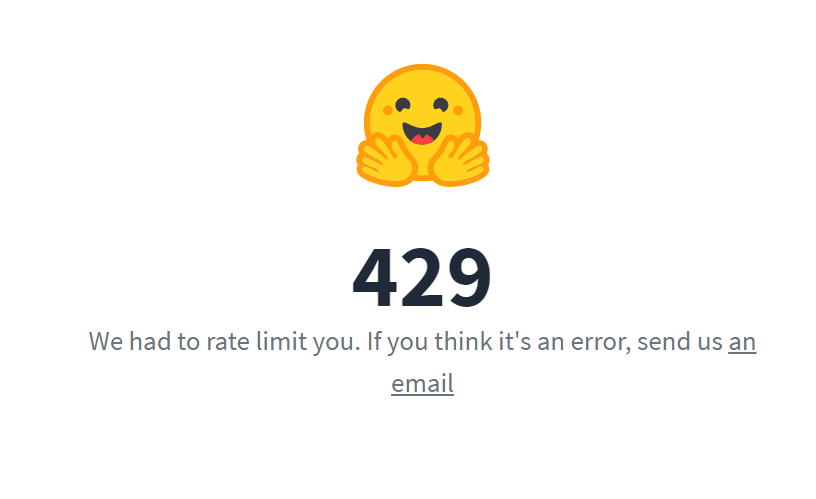
FHugging Face (where we store models) is in maintenance mode
Fkik
 F
Flol
 A
Aid like to note something regarding supir. If you want to upscale an image that already has decent quality, do not use Stage 1! Stage one is there to smooth out extremely low res images so the upscaling process can re-add details. But if you do this on decent quality images, you rather lose details instead of gaining the best quality output. Ive tested this with a few images and the output was always better to not use stage one on already good images. You can just upload your own image instead of using stage 1.
Fwow this is super important tips
Fi am going to add to the post
Dah that makes sense, i wondered why there was an option to upload. and yes Ive also noticed the smoothing out of heavily pixaled low res images on stage 1  nice one Death...never thought id be typing that
nice one Death...never thought id be typing thatAyep and if you do that on good images you smooth out details like jewelry or hand poses and SD likes to do some whacky stuff there
Athats where you see these errors happening
Abut you always need to do this case by case, if the image is too pixelated, it will not gain good quality without stage 1
Dyeh kinda like wiping the slate clean so sd has to work harder to recreate the details
Aexactly
Aim kinda wondering how much it will improve with SD3 in the future
Ai really have high hopes
DI just had a go at the latest Ideogram I am impressed with the text and prompt following