My projects fab library isn't updating
My projects fab library isn't updating for some reason. I added a new fab material to my project and it doesn't show up in dash's browser even after restarting the project.

3 Replies
Hello,
The Fab assets you see are not the assets in the project as the Dash-fab integration wants to provide an experience closer to what the old bridge plugin had, where the library is a library of assets for every unreal project not related to what you have or not have in the current project.
Once you download an asset from Epic's Fab, we copy it's data inside the Dash library, in order to allow you have it accessible in every project.
"Fab UE Cache Path", is where Fab plugin downloads the engine independent data, and "Fab Library Path" where Dash keeps it's data to make it available in every unreal version.
The assets inside the projects might have been added without Dash running.
Also when you import Fab assets from Dash they go inside Polygonflow/FabAssets to avoid clashing with Epic native imports.
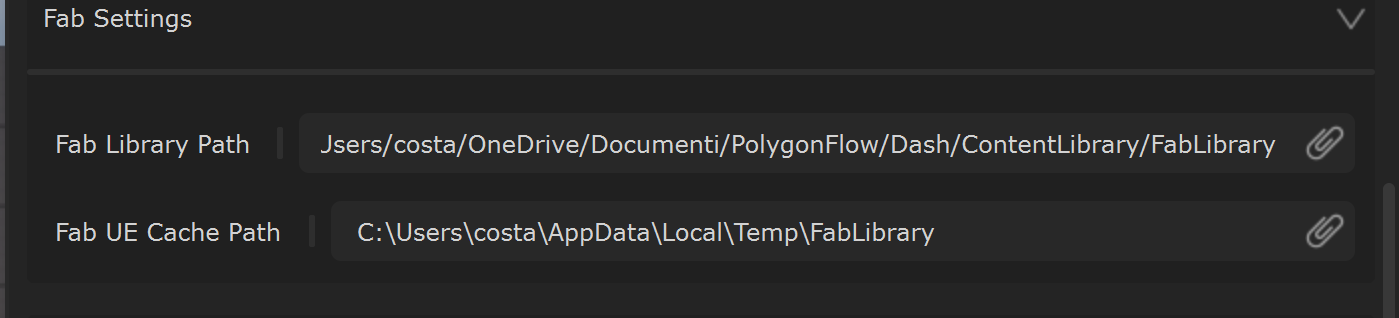
Thanks. Yes, i was aware of all of this.
"The assets inside the projects might have been added without Dash running." - This was probably the issue.
The sync starts, and stays alive, only whith the library open. If you have the asset in the project, and want to make it available in Dash (and therfore to every UE project without redownloading it) you can right click on it, open in fab and re-download it. Since the Fab cache is probably missing it, it will be re-downlaoded, and it will trigger Dash to acquire it.