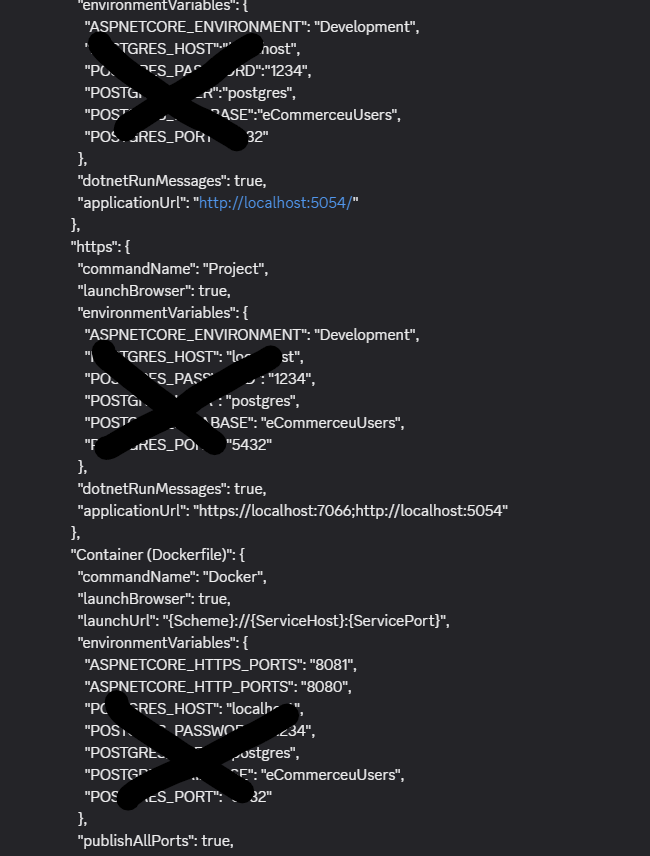
When I try to run my .NET project, the browser doesn't open, and I receive a warning in the console.
this is my launch setting. i am not able to figure out
{
"profiles": {
"http": {
"commandName": "Project",
"launchBrowser": true,
"environmentVariables": {
"ASPNETCORE_ENVIRONMENT": "Development",
"POSTGRES_HOST":"localhost",
"POSTGRES_PASSWORD":"1234",
"POSTGRES_USER":"postgres",
"POSTGRES_DATABASE":"eCommerceuUsers",
"POSTGRES_PORT":"5432"
},
"dotnetRunMessages": true,
"applicationUrl": "http://localhost:5054"
},
"https": {
"commandName": "Project",
"launchBrowser": true,
"environmentVariables": {
"ASPNETCORE_ENVIRONMENT": "Development",
"POSTGRES_HOST": "localhost",
"POSTGRES_PASSWORD": "1234",
"POSTGRES_USER": "postgres",
"POSTGRES_DATABASE": "eCommerceuUsers",
"POSTGRES_PORT": "5432"
},
"dotnetRunMessages": true,
"applicationUrl": "https://localhost:7066;http://localhost:5054"
},
"Container (Dockerfile)": {
"commandName": "Docker",
"launchBrowser": true,
"launchUrl": "{Scheme}://{ServiceHost}:{ServicePort}",
"environmentVariables": {
"ASPNETCORE_HTTPS_PORTS": "8081",
"ASPNETCORE_HTTP_PORTS": "8080",
"POSTGRES_HOST": "localhost",
"POSTGRES_PASSWORD": "1234",
"POSTGRES_USER": "postgres",
"POSTGRES_DATABASE": "eCommerceuUsers",
"POSTGRES_PORT": "5432"
},
"publishAllPorts": true,
"useSSL": true
}
},
"$schema": "https://json.schemastore.org/launchsettings.json"
}
{
"profiles": {
"http": {
"commandName": "Project",
"launchBrowser": true,
"environmentVariables": {
"ASPNETCORE_ENVIRONMENT": "Development",
"POSTGRES_HOST":"localhost",
"POSTGRES_PASSWORD":"1234",
"POSTGRES_USER":"postgres",
"POSTGRES_DATABASE":"eCommerceuUsers",
"POSTGRES_PORT":"5432"
},
"dotnetRunMessages": true,
"applicationUrl": "http://localhost:5054"
},
"https": {
"commandName": "Project",
"launchBrowser": true,
"environmentVariables": {
"ASPNETCORE_ENVIRONMENT": "Development",
"POSTGRES_HOST": "localhost",
"POSTGRES_PASSWORD": "1234",
"POSTGRES_USER": "postgres",
"POSTGRES_DATABASE": "eCommerceuUsers",
"POSTGRES_PORT": "5432"
},
"dotnetRunMessages": true,
"applicationUrl": "https://localhost:7066;http://localhost:5054"
},
"Container (Dockerfile)": {
"commandName": "Docker",
"launchBrowser": true,
"launchUrl": "{Scheme}://{ServiceHost}:{ServicePort}",
"environmentVariables": {
"ASPNETCORE_HTTPS_PORTS": "8081",
"ASPNETCORE_HTTP_PORTS": "8080",
"POSTGRES_HOST": "localhost",
"POSTGRES_PASSWORD": "1234",
"POSTGRES_USER": "postgres",
"POSTGRES_DATABASE": "eCommerceuUsers",
"POSTGRES_PORT": "5432"
},
"publishAllPorts": true,
"useSSL": true
}
},
"$schema": "https://json.schemastore.org/launchsettings.json"
}