Workaround for missing "Preferred Display" option on Steam.
question
On WIndows, Steam has a "Preferred DIsplay" option for Big Picture which makes a different display the "primary" one when launching Big Picture. This setting is missing from Steam on Bazzite.
My desktop is on my office and is connected to a TV on the living room that I'd like to use as the primary whenever I'm using Big Picture. As of now, the only way to make this work is launching Big Picture, then Windows+Shift+[Arrow Key] to move it to the right display.
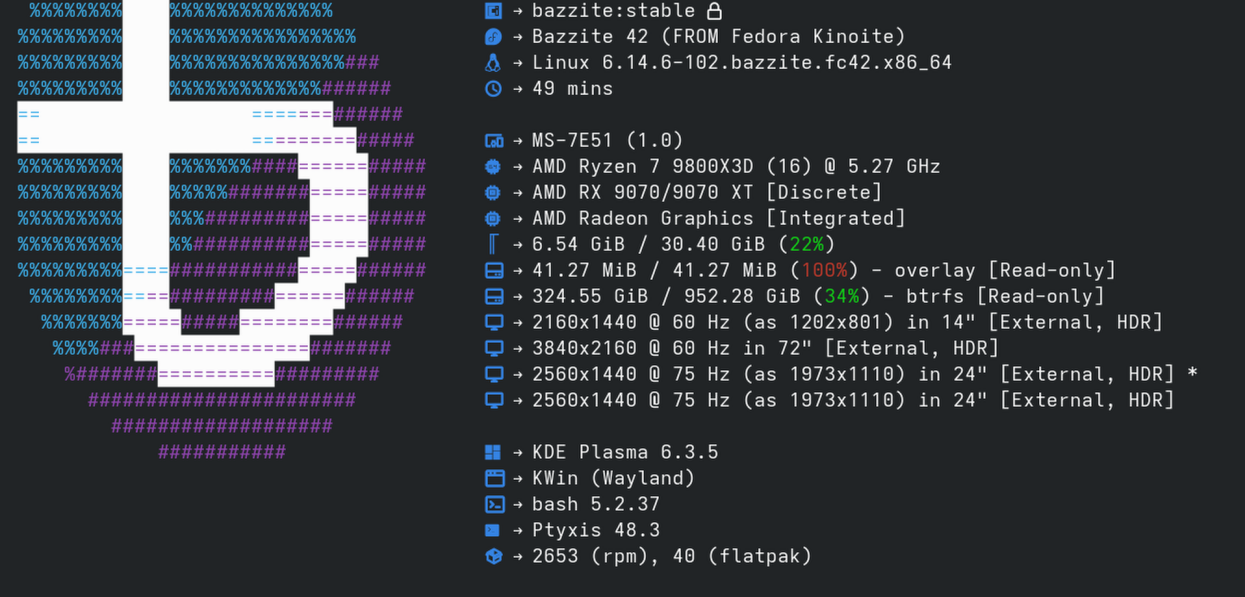
Is there any way to change the primary display automatically when Big Picture launches so it launches on the TV. I'm using the Desktop version of Bazzite, attached are my specs. Thanks in advance for any help!
My desktop is on my office and is connected to a TV on the living room that I'd like to use as the primary whenever I'm using Big Picture. As of now, the only way to make this work is launching Big Picture, then Windows+Shift+[Arrow Key] to move it to the right display.
Is there any way to change the primary display automatically when Big Picture launches so it launches on the TV. I'm using the Desktop version of Bazzite, attached are my specs. Thanks in advance for any help!