
Table Header Borders & Sticky Behavior Not Working Properly on Refresh/Resize in Chrome (Windows)
Hi everyone,
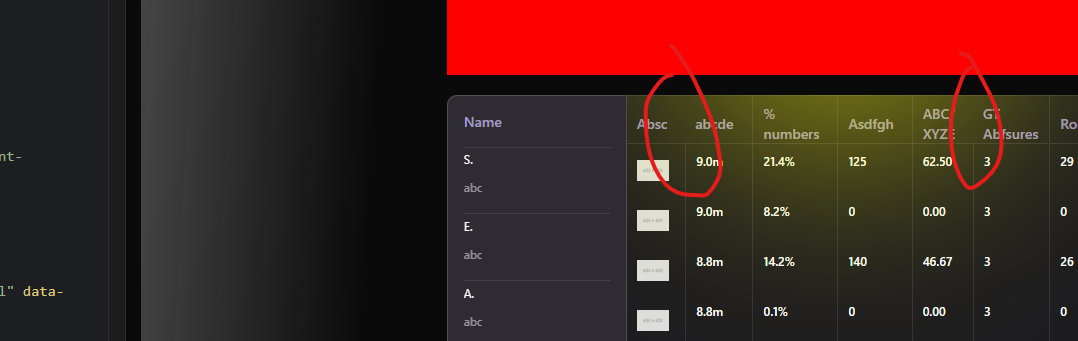
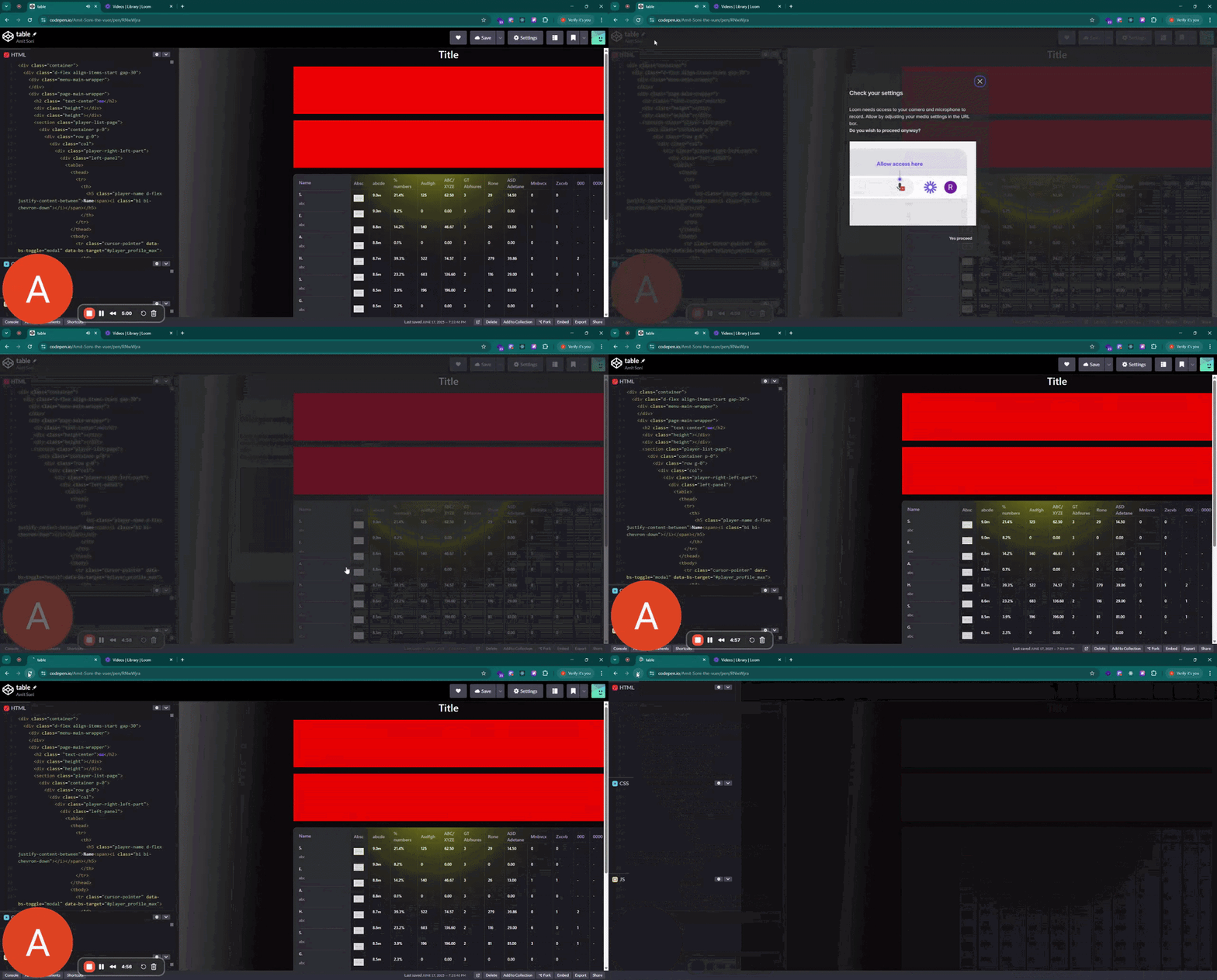
I'm running into an issue where the borders and sticky behavior of table headers are not working as expected in Chrome on Windows, especially when the page is refreshed or the window is resized (like during responsiveness testing in DevTools).
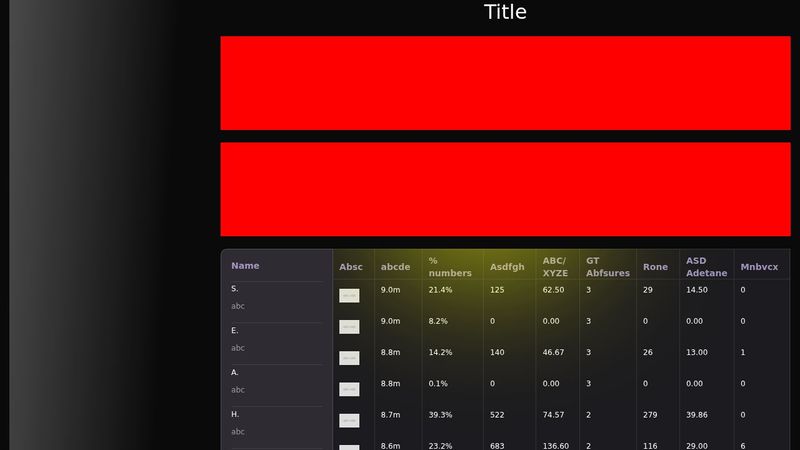
I've attached a video and screenshot showing the issue.
Video - https://www.loom.com/share/d5f0926c4e1f4e9b95a1e117981b079b?sid=62187e15-f803-4b70-beb0-a46b6ebf0a8e
Codepen Link - https://codepen.io/Amit-Soni-the-vuer/pen/RNwWjra
What I’ve Tried:
Converted the table into a <div>-based layout – but this caused two new issues:
The headers didn’t align correctly with the content.
The sticky behavior was lost, so headers no longer stayed fixed during scroll.
Used ::before and ::after pseudo-elements on the table and headers – no effect.
Increased z-index of the headers – still didn’t fix the border rendering.
Despite these attempts, the problem persists only in Chrome on Windows.
Expected Behavior:
The header borders should always render correctly.
The sticky positioning of headers should remain functional, even after switching layouts or resizing the browser.
If anyone has suggestions, best practices, or workarounds (especially browser-specific fixes), I’d greatly appreciate the help!
Thanks in advance!
I'm running into an issue where the borders and sticky behavior of table headers are not working as expected in Chrome on Windows, especially when the page is refreshed or the window is resized (like during responsiveness testing in DevTools).
I've attached a video and screenshot showing the issue.
Video - https://www.loom.com/share/d5f0926c4e1f4e9b95a1e117981b079b?sid=62187e15-f803-4b70-beb0-a46b6ebf0a8e
Codepen Link - https://codepen.io/Amit-Soni-the-vuer/pen/RNwWjra
What I’ve Tried:
Converted the table into a <div>-based layout – but this caused two new issues:
The headers didn’t align correctly with the content.
The sticky behavior was lost, so headers no longer stayed fixed during scroll.
Used ::before and ::after pseudo-elements on the table and headers – no effect.
Increased z-index of the headers – still didn’t fix the border rendering.
Despite these attempts, the problem persists only in Chrome on Windows.
Expected Behavior:
The header borders should always render correctly.
The sticky positioning of headers should remain functional, even after switching layouts or resizing the browser.
If anyone has suggestions, best practices, or workarounds (especially browser-specific fixes), I’d greatly appreciate the help!
Thanks in advance!

A friendly place for developers to meet other devs, ask questions, get help, and just have a good time 🙂.
36,263Members
Resources
Was this page helpful?
