![Rat Rig Community [Unofficial]](https://cdn.discordapp.com/icons/582187371529764864/08375bea6b5b9088b6d4cfc2b6e25fba.webp?size=48)
Larger layer time causes visible line on external perimeter
 Extrusion
I'm printing what is essentially a rectangular box, with walls that are a lot thinner than the box is wide (~7 mm wall thickness, box is about 70 mm at its widest).
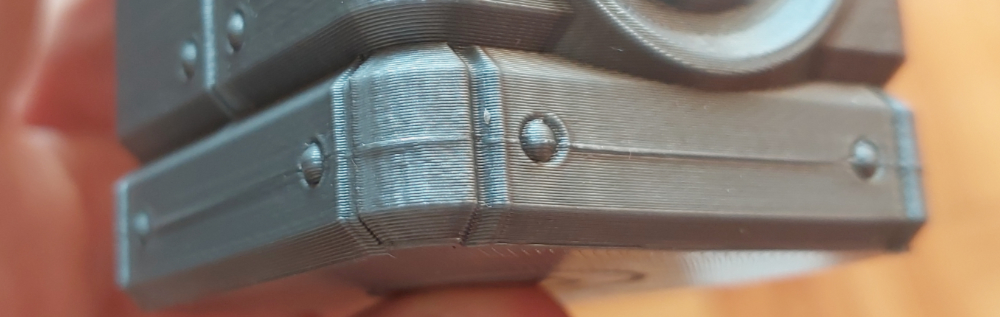
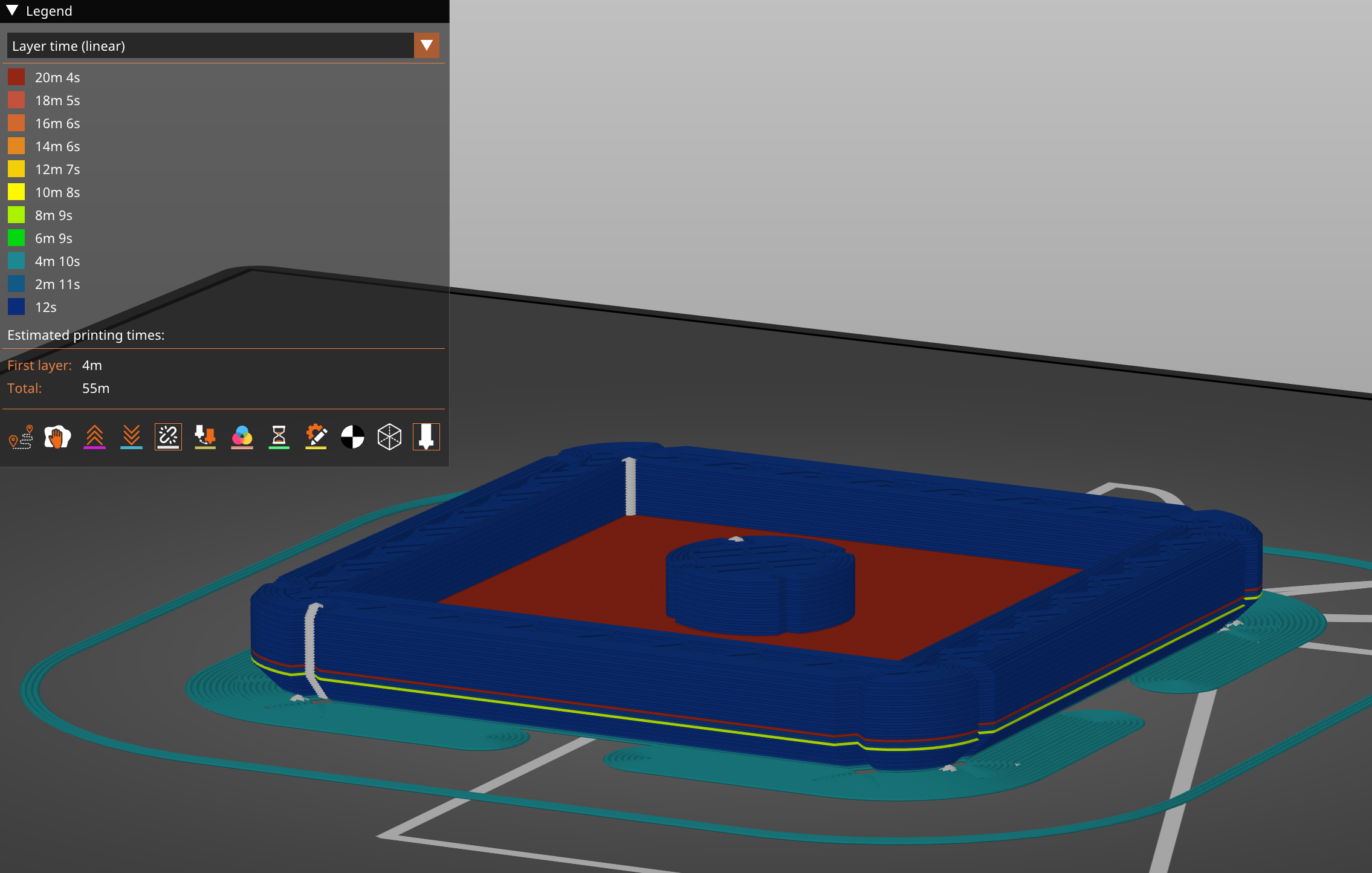
I would like the inside of the box to be nice and smooth so I perform ironing on the inside bottom of the box. This causes the ironing layer to take significantly longer than the surrounding layers (20 minutes vs. a few seconds), and the result seems to be a very visible line on the outer perimeter of the box, where it consistently overextrudes in some places. Turning off the ironing seems to stop the issue.
I know this is a relatively common issue, but I've tried many things and nothing seems to work to get rid of that line. Here are some relevant print settings:
Printer: V-Minion, LGX Lite + Rapido 2 UHF
Nozzle: 0.4
Material: PETG @ 225 oC, also tried 235 oC with similar results
Ironing flow rate: 15%
Spacing between ironing passes: 0.1 mm
External perimeters first: Off
Scarf Seams: Off
Perimeter speed: 200 mm/s
External perimeter speed: 150 mm/s
Infill speed: 250 mm/s
Ironing speed: 15 mm/s
Pressure advance (recently tuned): 0.09
I'd be happy to provide any further info that would help the situation! Fixing this has been driving me up the wall...
I've also attached a photo of the defect, as well as a print time analysis of the part from Prusa Slicer 2.9.2.
I'd be really thankful for for any help you can provide!
Cheers!
I would like the inside of the box to be nice and smooth so I perform ironing on the inside bottom of the box. This causes the ironing layer to take significantly longer than the surrounding layers (20 minutes vs. a few seconds), and the result seems to be a very visible line on the outer perimeter of the box, where it consistently overextrudes in some places. Turning off the ironing seems to stop the issue.
I know this is a relatively common issue, but I've tried many things and nothing seems to work to get rid of that line. Here are some relevant print settings:
Printer: V-Minion, LGX Lite + Rapido 2 UHF
Nozzle: 0.4
Material: PETG @ 225 oC, also tried 235 oC with similar results
Ironing flow rate: 15%
Spacing between ironing passes: 0.1 mm
External perimeters first: Off
Scarf Seams: Off
Perimeter speed: 200 mm/s
External perimeter speed: 150 mm/s
Infill speed: 250 mm/s
Ironing speed: 15 mm/s
Pressure advance (recently tuned): 0.09
I'd be happy to provide any further info that would help the situation! Fixing this has been driving me up the wall...
I've also attached a photo of the defect, as well as a print time analysis of the part from Prusa Slicer 2.9.2.
I'd be really thankful for for any help you can provide!
Cheers!
![Rat Rig Community [Unofficial] banner](https://cdn.discordapp.com/banners/582187371529764864/4ee3e42e227d6aac26f048a3e69d5924.webp?size=480)
The #1 unofficial Rat Rig Community on Discord!
14,034Members
Resources
Similar Threads
Was this page helpful?
![Rat Rig Community [Unofficial]](https://cdn.discordapp.com/icons/582187371529764864/08375bea6b5b9088b6d4cfc2b6e25fba.webp?size=16)