
Won't load to desktop after rebasing from atomic kinoite to bazzite
Hey, been desperately trying to leave Microsoft the last couple of days but been having complications. After trying every OS I managed to get Fedora Atomic Kinoite (42-1.1) to a desktop on my SSD. Bazzite wouldn't work though. Main issue is probably because my hardware:
14900 KF (no internal GPU), 4080TI, 32GB DDR5 ram that i had to unplug one stick for to get the install working. Also when installing Kinoite I had to add acpi=off to my initial install to get it working.
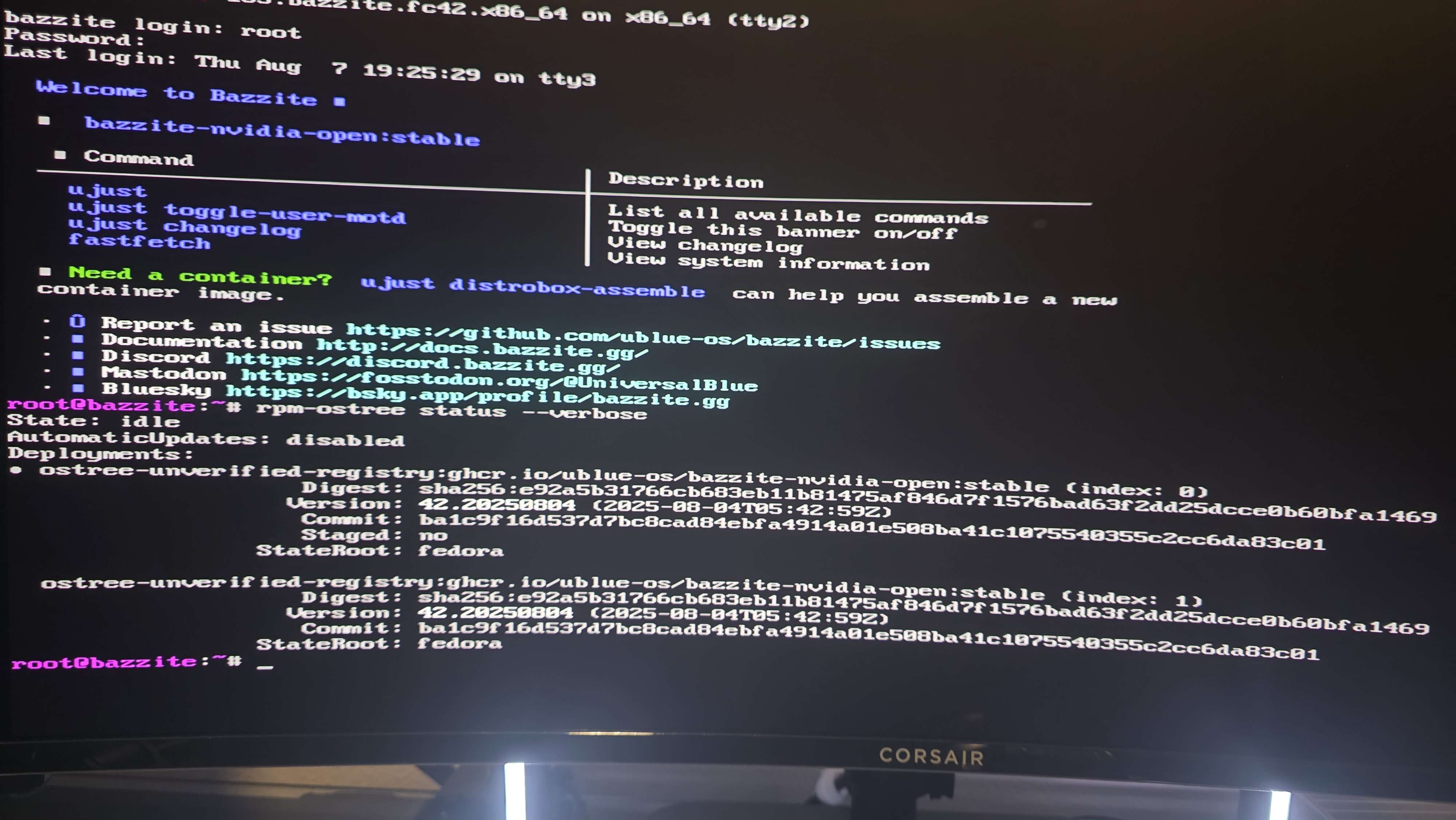
I ran sudo rpm-ostree rebase ostree-unverified-registry:ghcr.io/ublue-os/bazzite-nvidia-open:stable immediately after initial boot of kinoite which seemed to download everything. On reboot it tries to reboot once, fails while initializing (it just shows a blank loading screen so no messages to share) and then reboots where it just shows a flashing line top left.
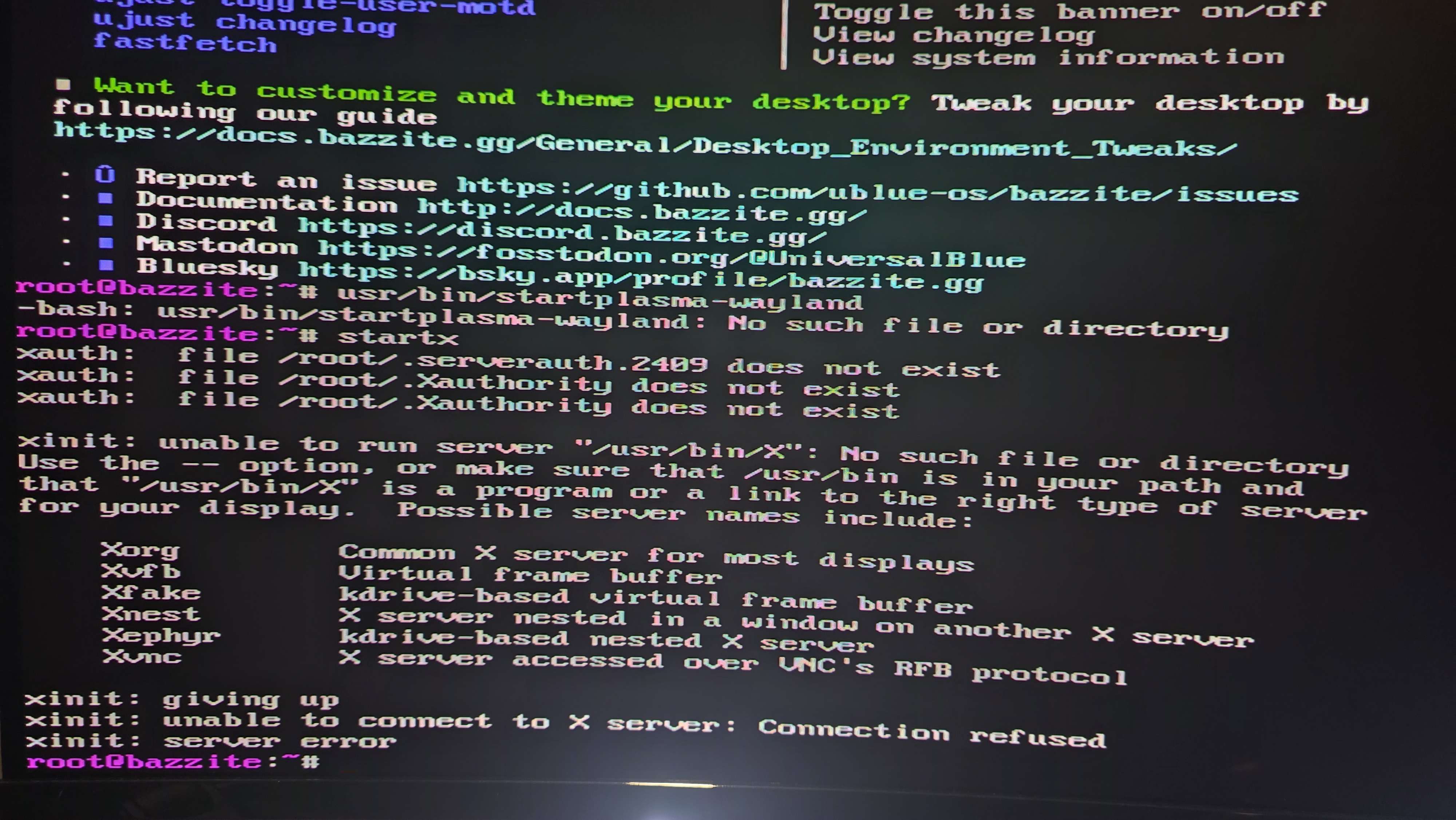
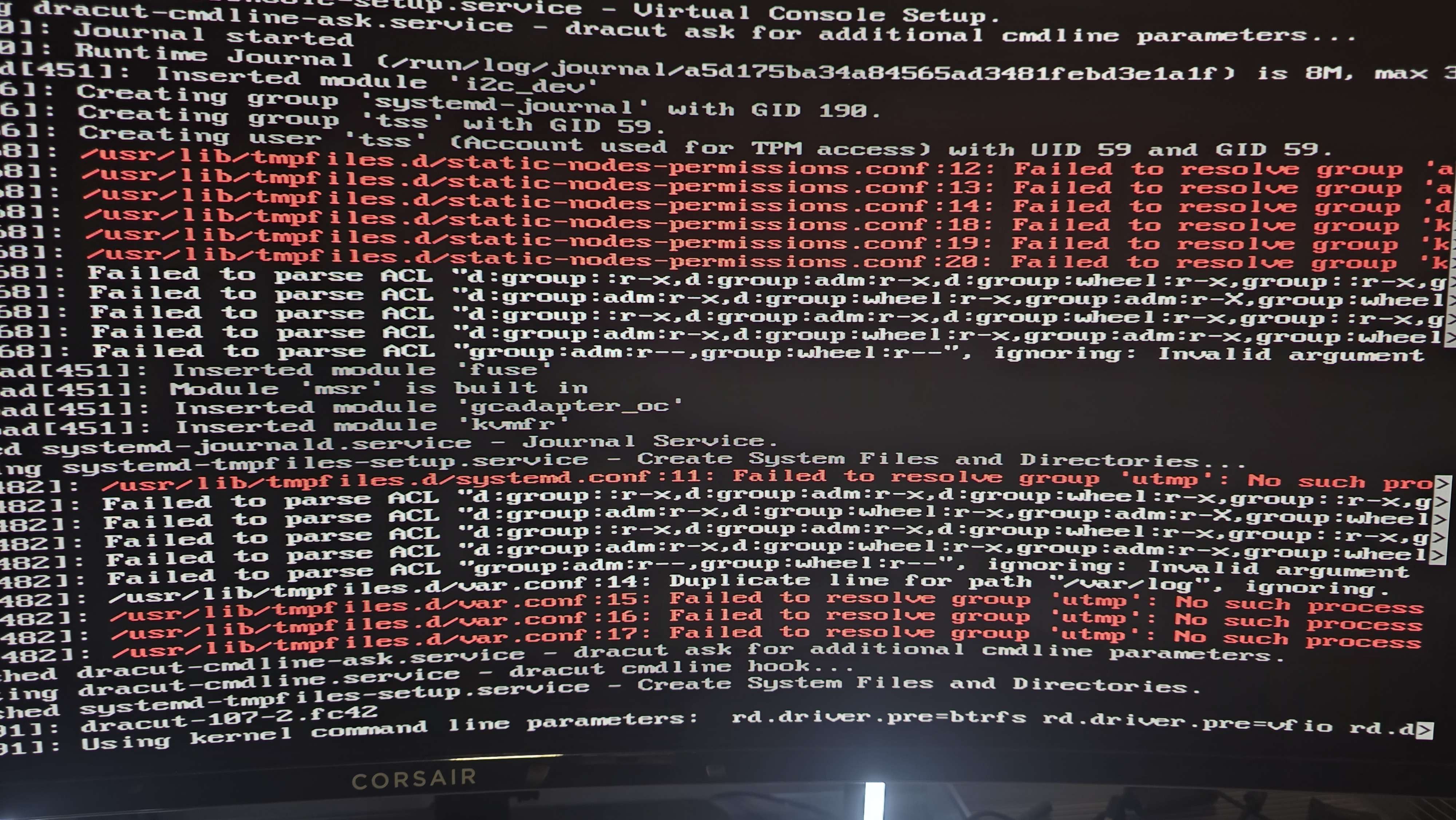
I am able to press alt f3, log into bazzite user in the terminal but can't get past here. I ran sudo systemctl restart sddm which didnt work, I ran startx and it gives me an error I'm unfamiliar with. I also looked at bootup logs and see a few "probe with driver intel-lpss failed with error -22" and further down another chunk of errors and then at the end "Failed to start systemd-remount-fs.service - Remount Root and Kernel File Systems"
If any more info is needed let me know. I am a software engineer but this is a bit out of my skillset.
14900 KF (no internal GPU), 4080TI, 32GB DDR5 ram that i had to unplug one stick for to get the install working. Also when installing Kinoite I had to add acpi=off to my initial install to get it working.
I ran sudo rpm-ostree rebase ostree-unverified-registry:ghcr.io/ublue-os/bazzite-nvidia-open:stable immediately after initial boot of kinoite which seemed to download everything. On reboot it tries to reboot once, fails while initializing (it just shows a blank loading screen so no messages to share) and then reboots where it just shows a flashing line top left.
I am able to press alt f3, log into bazzite user in the terminal but can't get past here. I ran sudo systemctl restart sddm which didnt work, I ran startx and it gives me an error I'm unfamiliar with. I also looked at bootup logs and see a few "probe with driver intel-lpss failed with error -22" and further down another chunk of errors and then at the end "Failed to start systemd-remount-fs.service - Remount Root and Kernel File Systems"
If any more info is needed let me know. I am a software engineer but this is a bit out of my skillset.
Solution
So really annoying but I think I figured out a solution to my problem. In case others have problems getting the installer to start or booting to desktop after installing this is what I did:
Hardware: 14900KF, DDR5 32GB (reduced to 16 for this), 4080 TI
Installer - I added these to the grub loader on the linux line:
acpi=off modprobe.blacklist=nvidia,nvidia_drm,nvidia_modeset,nvidia_uvm
That got me to the installer, at which point I managed to install on my NVME and reboot. When rebooting it would auto kick me to a terminal where i could login to a terminal bazzite (simple desktop experience is what is called) that i couldn't startx from.
At this point I ran sudo rpm-ostree kargs (which SHOULD match your GRUB changed) but it didnt. All my test updates weren't getting through. That's why I noticed things like nvidia still starting despite me blacklisting it.
So to apply the boot commands i needed i had to run these in the bazzite terminal:
sudo rpm-ostree kargs \
--delete='acpi=off' \
--delete='modprobe.blacklist=nvidia,nvidia_drm,nvidia_modeset,nvidia_uvm' \
sudo rpm-ostree kargs --append='nvidia_drm.modeset=1'
So that acpi is back on and can find the nvidia GPU properly and specifically target the GPU flags. Why i had to disable acpi for the installer but NOT the desktop is anyone's guess.
(Unsure if this helped but I removed 1 of my 2 DDR5 ram sticks before troubleshooting. I noticed slightly different behavior so if above doesnt work try that)
Hardware: 14900KF, DDR5 32GB (reduced to 16 for this), 4080 TI
Installer - I added these to the grub loader on the linux line:
acpi=off modprobe.blacklist=nvidia,nvidia_drm,nvidia_modeset,nvidia_uvm
That got me to the installer, at which point I managed to install on my NVME and reboot. When rebooting it would auto kick me to a terminal where i could login to a terminal bazzite (simple desktop experience is what is called) that i couldn't startx from.
At this point I ran sudo rpm-ostree kargs (which SHOULD match your GRUB changed) but it didnt. All my test updates weren't getting through. That's why I noticed things like nvidia still starting despite me blacklisting it.
So to apply the boot commands i needed i had to run these in the bazzite terminal:
sudo rpm-ostree kargs \
--delete='acpi=off' \
--delete='modprobe.blacklist=nvidia,nvidia_drm,nvidia_modeset,nvidia_uvm' \
sudo rpm-ostree kargs --append='nvidia_drm.modeset=1'
So that acpi is back on and can find the nvidia GPU properly and specifically target the GPU flags. Why i had to disable acpi for the installer but NOT the desktop is anyone's guess.
(Unsure if this helped but I removed 1 of my 2 DDR5 ram sticks before troubleshooting. I noticed slightly different behavior so if above doesnt work try that)

