IOS app doesn't show external library photos
I am running Immich on a Synology DS920+ using docker and portainer.
I recently updated to 1.137.3.
The webapp loads correctly and displays all my images from my external libraries and the internal immich library, but iOS app only displays the immich library.
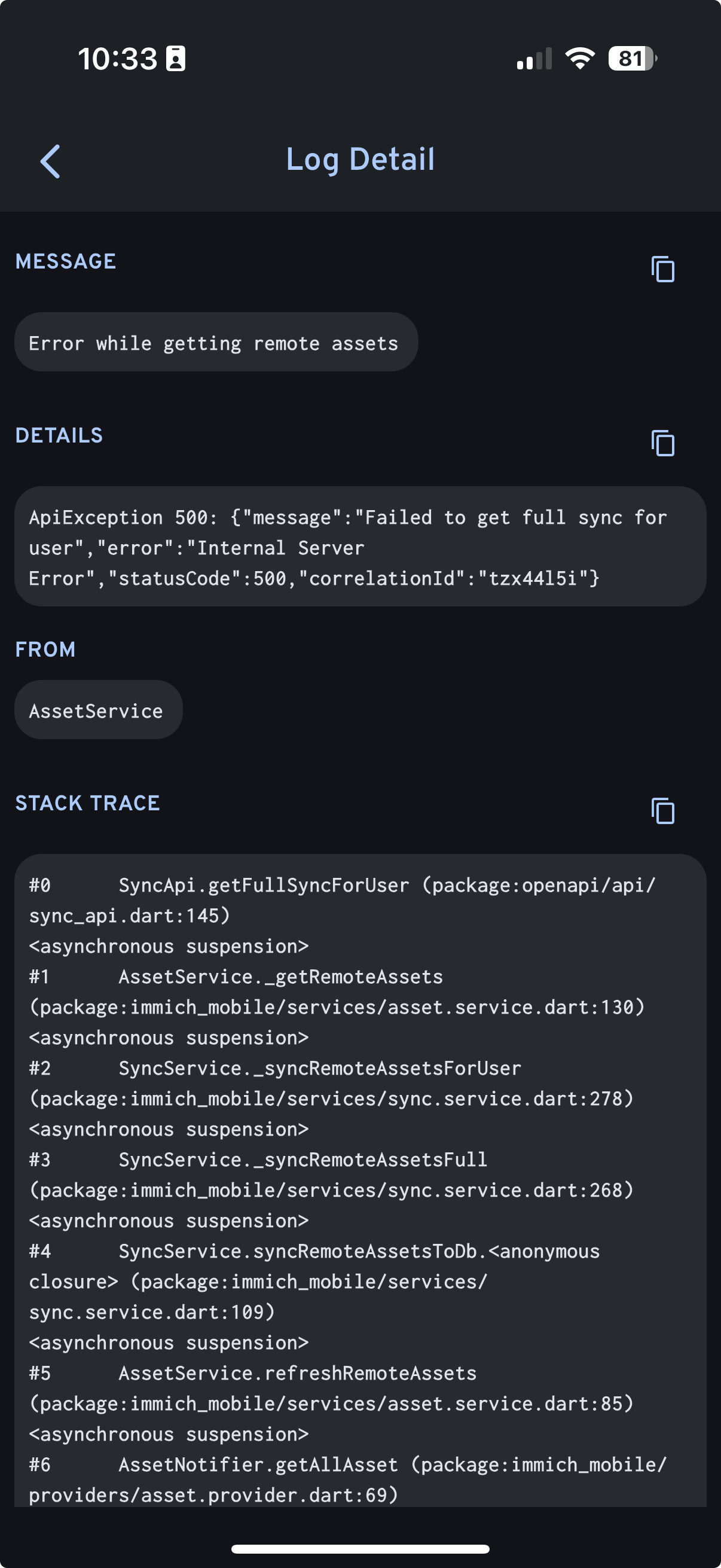
Log from the iOS app is attached.
docker-compose.yml is attached.
Logs attached, also the IMMICH-DB container had this error: ERROR: could not resize shared memory segment "/PostgreSQL.3832519926" to 16777216 bytes: No space left on device
All containers healthy.
9 Replies
:wave: Hey @HotKulle-Aid,
Thanks for reaching out to us. Please carefully read this message and follow the recommended actions. This will help us be more effective in our support effort and leave more time for building Immich :immich:.
References
- Container Logs:
docker compose logs docs
- Container Status: docker ps -a docs
- Reverse Proxy: https://immich.app/docs/administration/reverse-proxy
- Code Formatting https://support.discord.com/hc/en-us/articles/210298617-Markdown-Text-101-Chat-Formatting-Bold-Italic-Underline#h_01GY0DAKGXDEHE263BCAYEGFJA
Checklist
I have...
1. :ballot_box_with_check: verified I'm on the latest release(note that mobile app releases may take some time).
2. :ballot_box_with_check: read applicable release notes.
3. :ballot_box_with_check: reviewed the FAQs for known issues.
4. :ballot_box_with_check: reviewed Github for known issues.
5. :ballot_box_with_check: tried accessing Immich via local ip (without a custom reverse proxy).
6. :ballot_box_with_check: uploaded the relevant information (see below).
7. :ballot_box_with_check: tried an incognito window, disabled extensions, cleared mobile app cache, logged out and back in, different browsers, etc. as applicable
(an item can be marked as "complete" by reacting with the appropriate number)
Information
In order to be able to effectively help you, we need you to provide clear information to show what the problem is. The exact details needed vary per case, but here is a list of things to consider:
- Your docker-compose.yml and .env files.
- Logs from all the containers and their status (see above).
- All the troubleshooting steps you've tried so far.
- Any recent changes you've made to Immich or your system.
- Details about your system (both software/OS and hardware).
- Details about your storage (filesystems, type of disks, output of commands like fdisk -l and df -h).
- The version of the Immich server, mobile app, and other relevant pieces.
- Any other information that you think might be relevant.
Please paste files and logs with proper code formatting, and especially avoid blurry screenshots.
Without the right information we can't work out what the problem is. Help us help you ;)
If this ticket can be closed you can use the /close command, and re-open it later if needed.Can you add
shm_size: 128mb to your db container and see if it addresses the error? You can look at the default docker compose for reference.
Also did an LLM make this compose for you? It's kind of funkyYou can also try switching to the beta timeline
No i typed it out, sorry im not super familiar with discord
I will try these suggestions
Ahh got it. You are running non root. Just thougth the ML container looked funny
is that a problem?
No, just confused me for a moment
Beta timeline seems to be pulling everything in.
Ill the shm_size too. But i really appreciate the quick response. thank you very much.
That shm_size suggessted seemed to fix the memory issue as well. thank you!
