Allow permissions from settings to "Install Unknown Apps" (Refer to bullet point '5.' if Google Chrome doesn't send you there.) "Install Unknown Apps" can be found in the settings search bar.
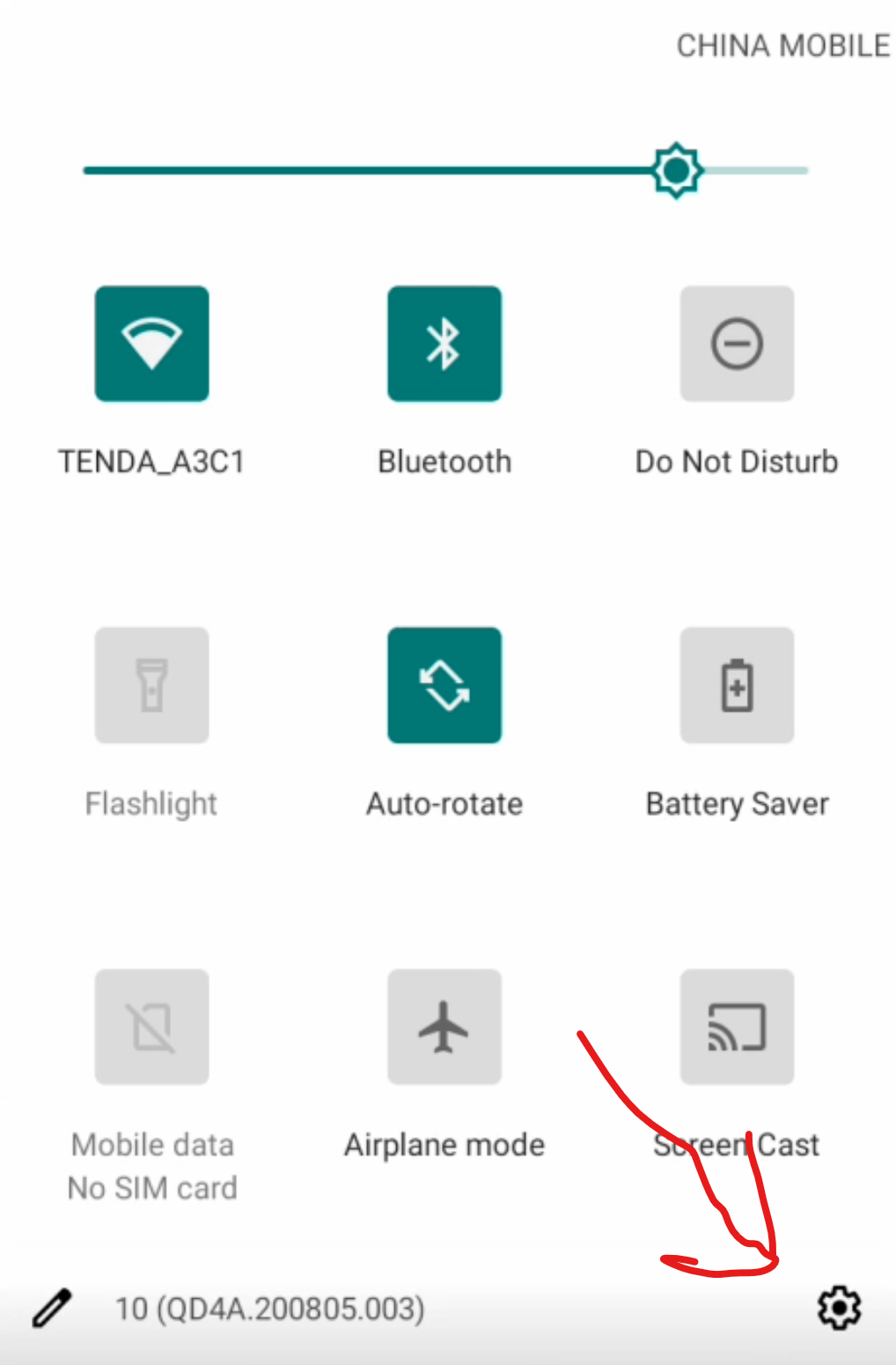
On the top of the screen, drag the menu down (Where the battery and time is). If you don't see the battery or time, you can still pull the menu down. Clicking the square button on the bottom screen or being on an app, can make the battery and time visible.
Scroll down and go to "About Phone". Once there, find "Build Number" and press it 7 times. With developer mode unlocked, you can finally use the GPS Joystick app as intended.
Open Pokemod. Once you sign-in or register, press the "start service" button. Pokemon Go will automatically open once the additional mods are installed.
Bonus Tip: Choose Indonesia UGphone if you're going for cheaper poke coins and tickets on Webstore.
You won't have to activate a VPN when you're on a browser. Though you still have to spoof your location in-game, for cheaper webstore purchases to work.

 P
P T
T W
W U
U S
S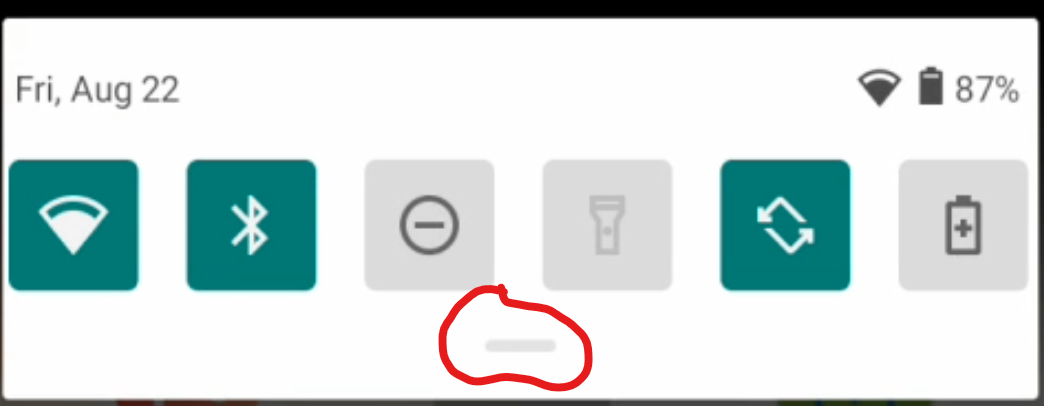
 D
D

