KDE Menu items that run scripts whose filename has spaces are stopping at the first space
I'm having an issue running shell scripts in a terinal window that are launched from the KDE Menu. Specifically if the script name or location has a space in the name.
I've got some backup scripts that I want to launch from the KDE Menu and I want to see their progress as they run.
Here's a test script:
Let me demonstrate it working when the filename does not have spaces, test123.sh.
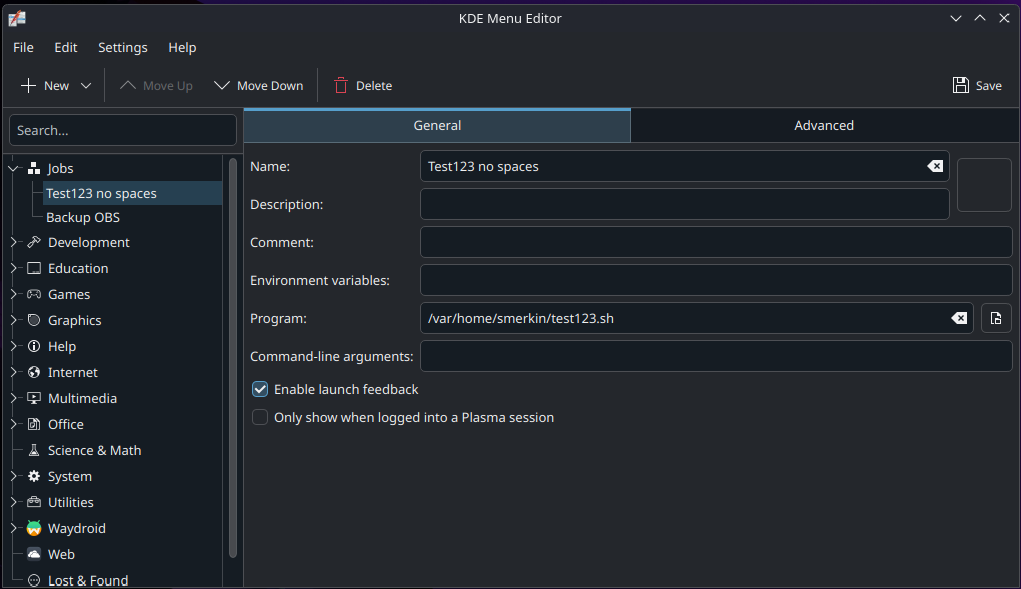
Here's the Item I added in menu editor:
Screenshot_20250913_123319.png
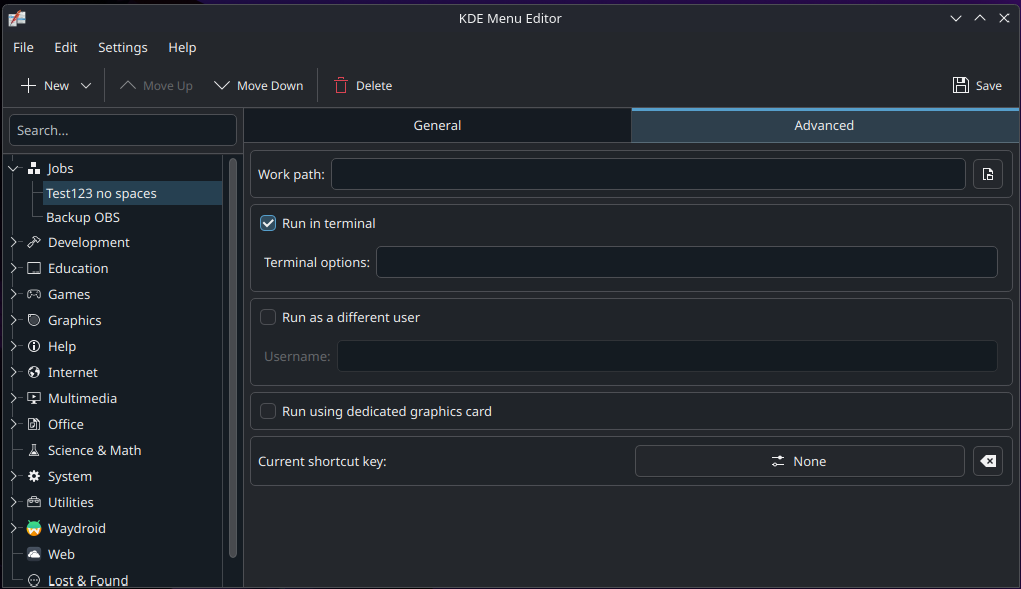
Heres the Advanced tab where I've checked "Run in terminal":
Screenshot_20250913_123409.png
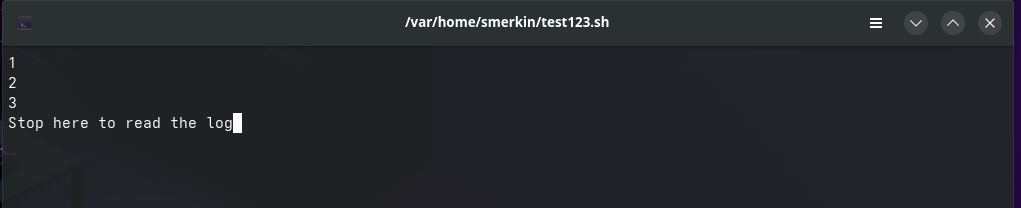
Here's the proof of the script running and working:
Screenshot_20250913_123435.png
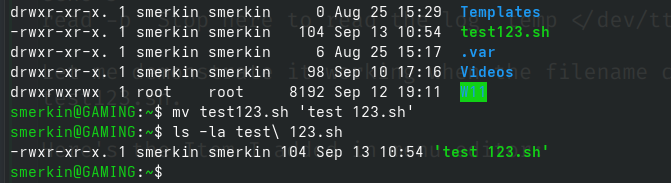
Now I'll rename the script to 'test 123.sh'
Screenshot_20250913_123646.png
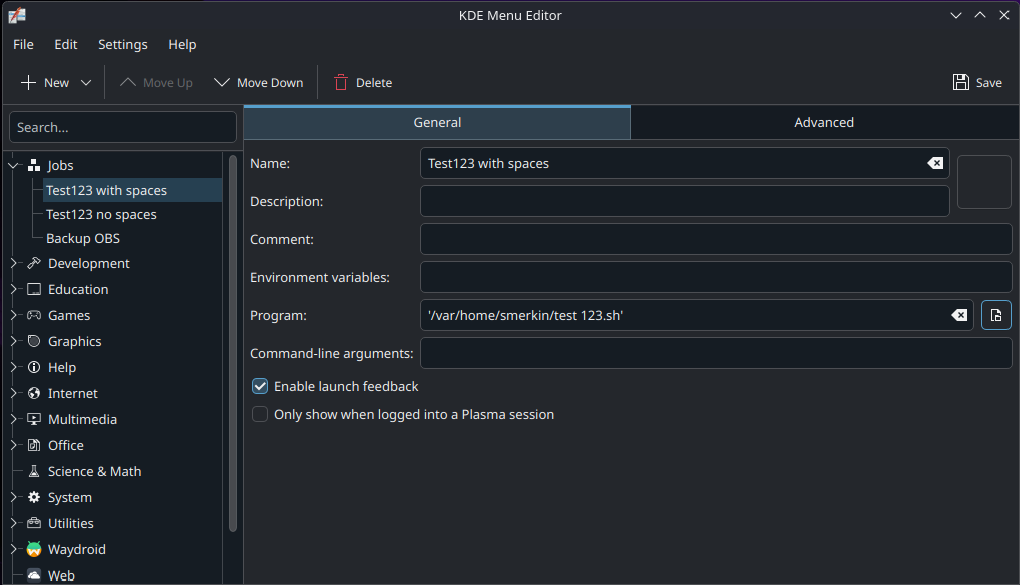
I'll create a new KDE Menu item:
Screenshot_20250913_123733.png
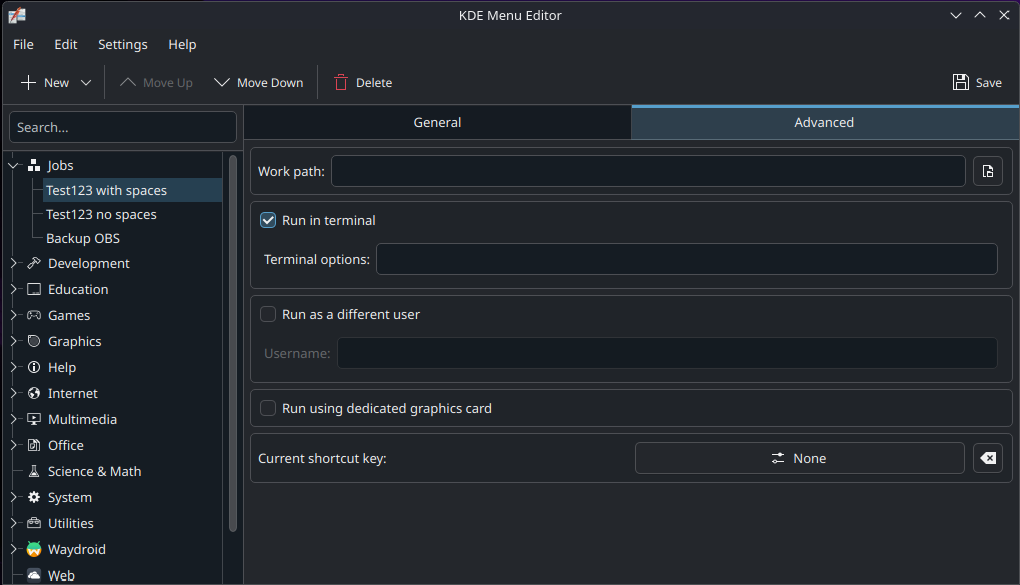
Heres the Advanced tab where I've checked "Run in terminal":
Screenshot_20250913_123753.png
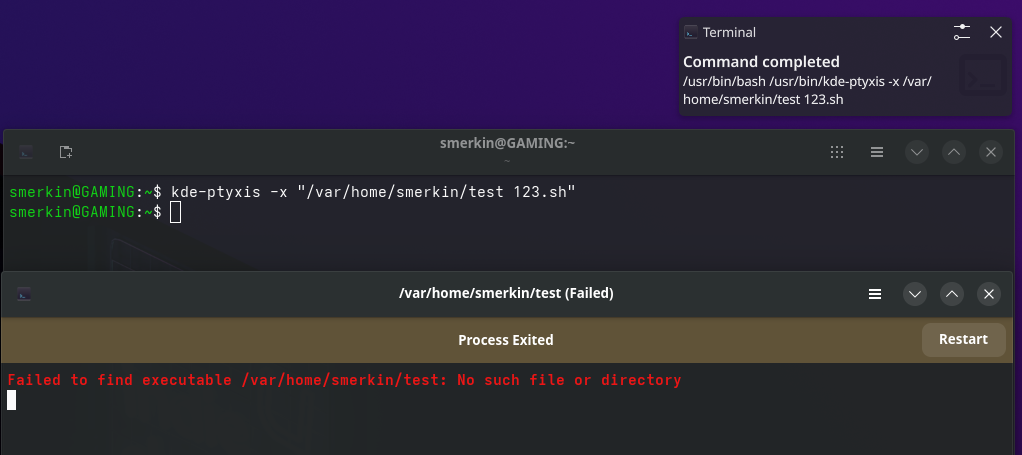
Here is what happens when I run it from the KDE Menu:
Screenshot_20250913_124001.png
I get a failed terminal window where you can see it fails at the first space.
I've done a bit of research trying to get to the bottom of this, its my understanding that kde-ptyxis is the default terminal application for Bazzite, so I've tried the following:
Screenshot_20250913_124504.png
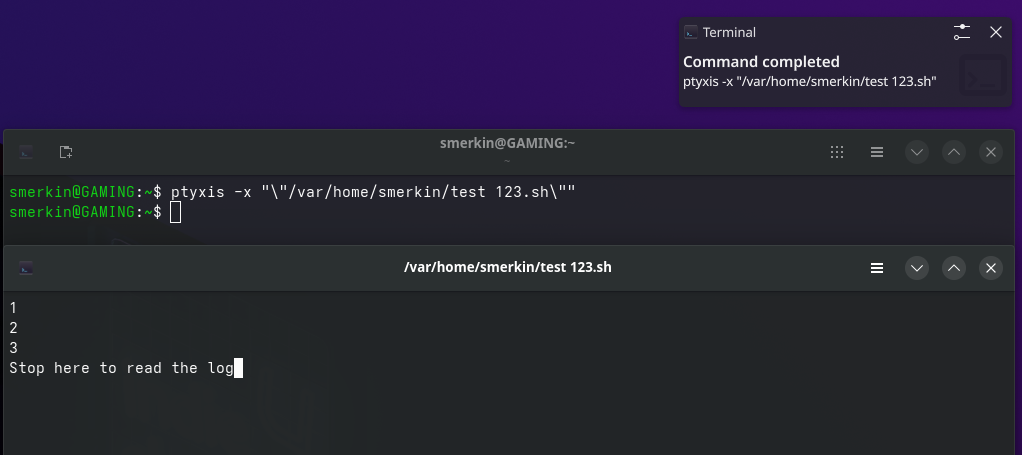
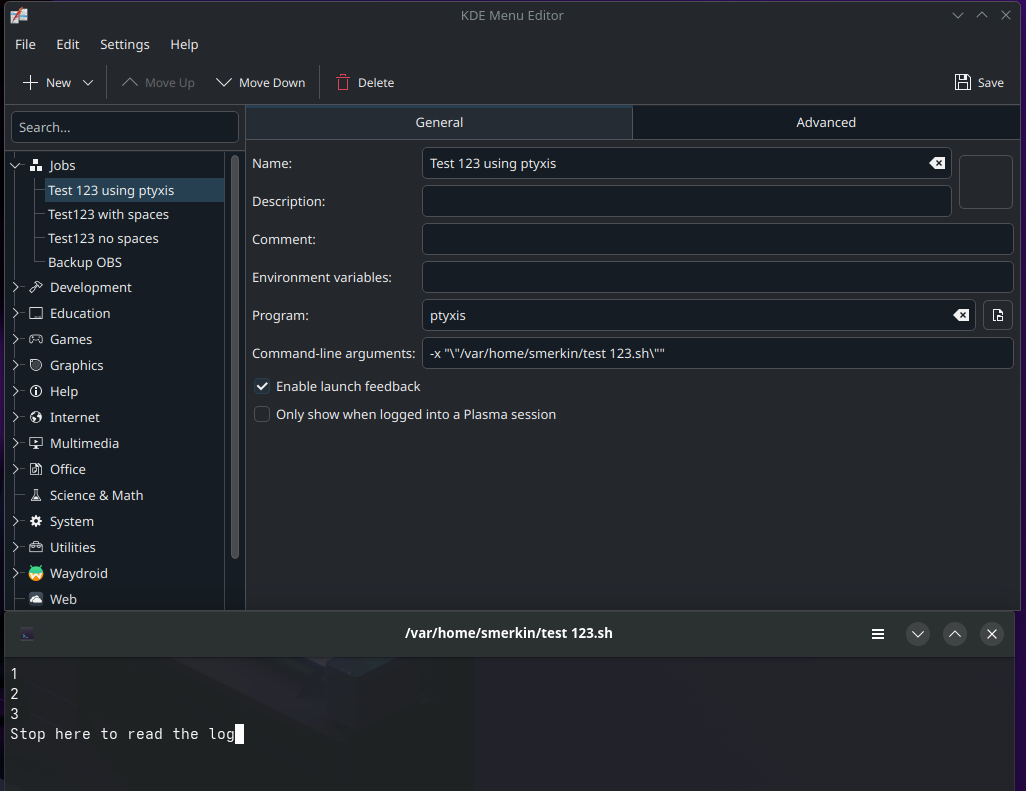
I found if add double quotes and I escape the double quotes and use ptyxis (instead of kde-ptyxis) then it works:
Screenshot_20250913_124833.png
So I was able to use this as a work-around for my menu item (and it doesn't require "Run in terminal checked"):
Screenshot_20250913_130203.png
However when I was looking at the .desktop file, I notice it changed the executable to:
And this is reflected when you close the KDE Menu editor and re-open it.
Of course this also works at the command line.
I can't upload any more screenshots.
My curiosity made me test this again using the single and double quotes in the Program field but I get a error when trying this.
I can't upload any more screenshots.
Anyways, while I have a solution, it does feel like a work-around and not entirely correct behaviour. I did find this post online and the screenshot reflects my same issue while being for a completely separate project. It's on the gnome gitlab for ptyxis Issue #219 nautilus+ptyxis "Run as a Program" fails if path contains spaces.
I am posting all of this here in case someone else has the same issues I did. I had a lot of help initially in the KDE Discuss forums which was a great help but ultimately I think the issue is something related to Fedora, ptyxis and Bazzite, exactly where is beyond my skills.
I've got some backup scripts that I want to launch from the KDE Menu and I want to see their progress as they run.
Here's a test script:
Let me demonstrate it working when the filename does not have spaces, test123.sh.
Here's the Item I added in menu editor:
Screenshot_20250913_123319.png
Heres the Advanced tab where I've checked "Run in terminal":
Screenshot_20250913_123409.png
Here's the proof of the script running and working:
Screenshot_20250913_123435.png
Now I'll rename the script to 'test 123.sh'
Screenshot_20250913_123646.png
I'll create a new KDE Menu item:
Screenshot_20250913_123733.png
Heres the Advanced tab where I've checked "Run in terminal":
Screenshot_20250913_123753.png
Here is what happens when I run it from the KDE Menu:
Screenshot_20250913_124001.png
I get a failed terminal window where you can see it fails at the first space.
I've done a bit of research trying to get to the bottom of this, its my understanding that kde-ptyxis is the default terminal application for Bazzite, so I've tried the following:
Screenshot_20250913_124504.png
I found if add double quotes and I escape the double quotes and use ptyxis (instead of kde-ptyxis) then it works:
Screenshot_20250913_124833.png
So I was able to use this as a work-around for my menu item (and it doesn't require "Run in terminal checked"):
Screenshot_20250913_130203.png
However when I was looking at the .desktop file, I notice it changed the executable to:
-x '"/var/home/smerkin/test 123.sh"'And this is reflected when you close the KDE Menu editor and re-open it.
Of course this also works at the command line.
I can't upload any more screenshots.
My curiosity made me test this again using the single and double quotes in the Program field but I get a error when trying this.
I can't upload any more screenshots.
Anyways, while I have a solution, it does feel like a work-around and not entirely correct behaviour. I did find this post online and the screenshot reflects my same issue while being for a completely separate project. It's on the gnome gitlab for ptyxis Issue #219 nautilus+ptyxis "Run as a Program" fails if path contains spaces.
I am posting all of this here in case someone else has the same issues I did. I had a lot of help initially in the KDE Discuss forums which was a great help but ultimately I think the issue is something related to Fedora, ptyxis and Bazzite, exactly where is beyond my skills.