Take a simple ComfyUI Workflow for WAN 2.2 Animate, you can see the entire system RAM has been exhausted and the Pod is unresponsive. Video resolution was only 720x720 and GPU RAM wasn't an issue in above case. System RAM plays a very significant role when it comes to ComfyUI. ComfyUI keeps a lot of stuff on CPU: model parts get loaded/serialized there before moving to GPU, VAE decode and image IO happen on CPU, plus ComfyUI caches node outputs in RAM. PyTorch also uses pinned host buffers for GPU transfers. All that stacks up and spikes host memory even when GPU looks good. That’s why a worker with more RAM ran fine, but a lower-RAM one died.
Then since the Serverless is costly when compared to Pods, the clients would want to minimize the cost and they can't always go with Pro GPUs. So more offloading will happen in such cases. Since the system RAM allocation is random per worker, the workloads feel like luck — sometimes it fits, sometimes it OOMs.

 C
C F
F J
J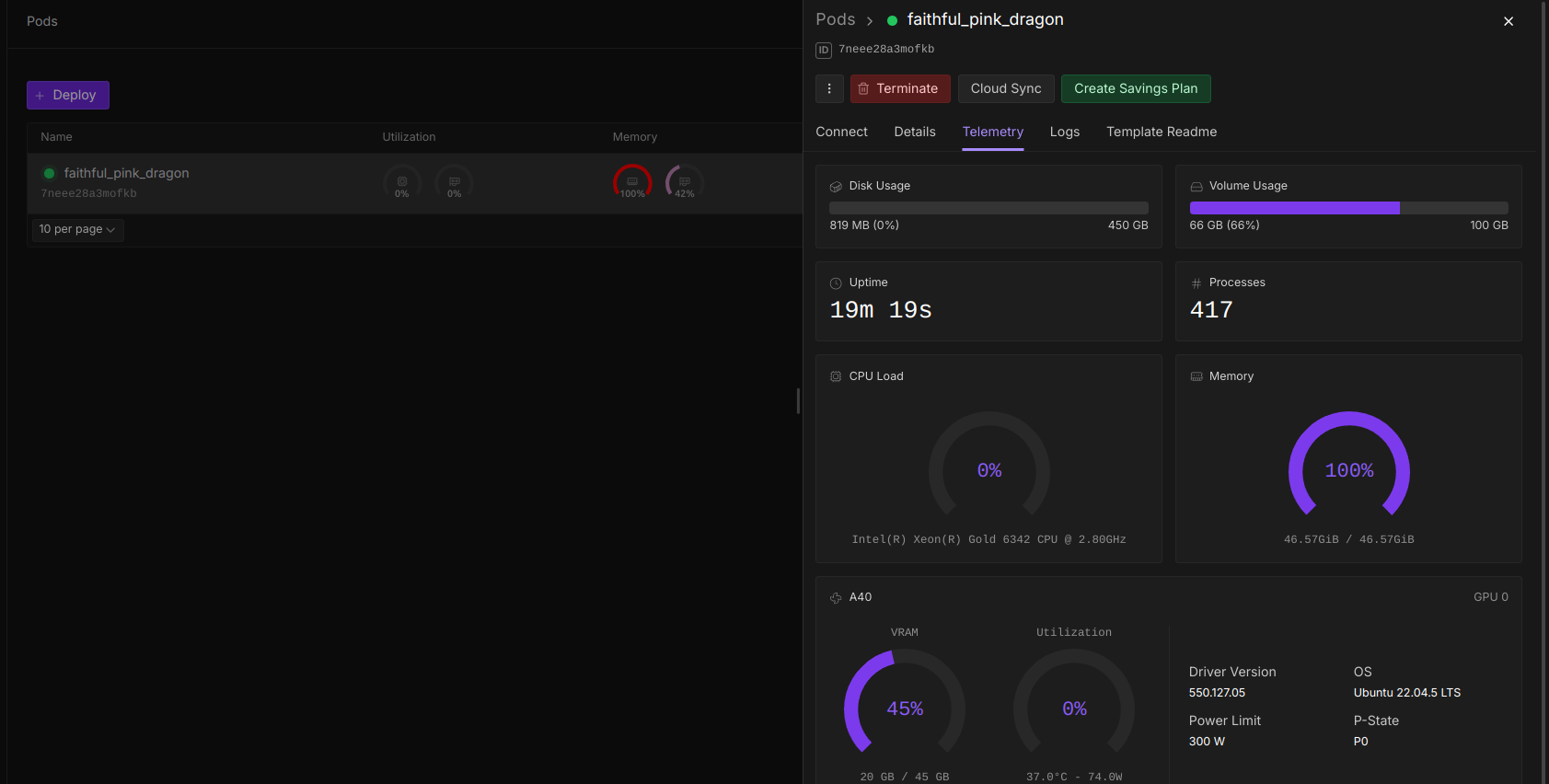
 S
S

