Despite having a subscription, I only
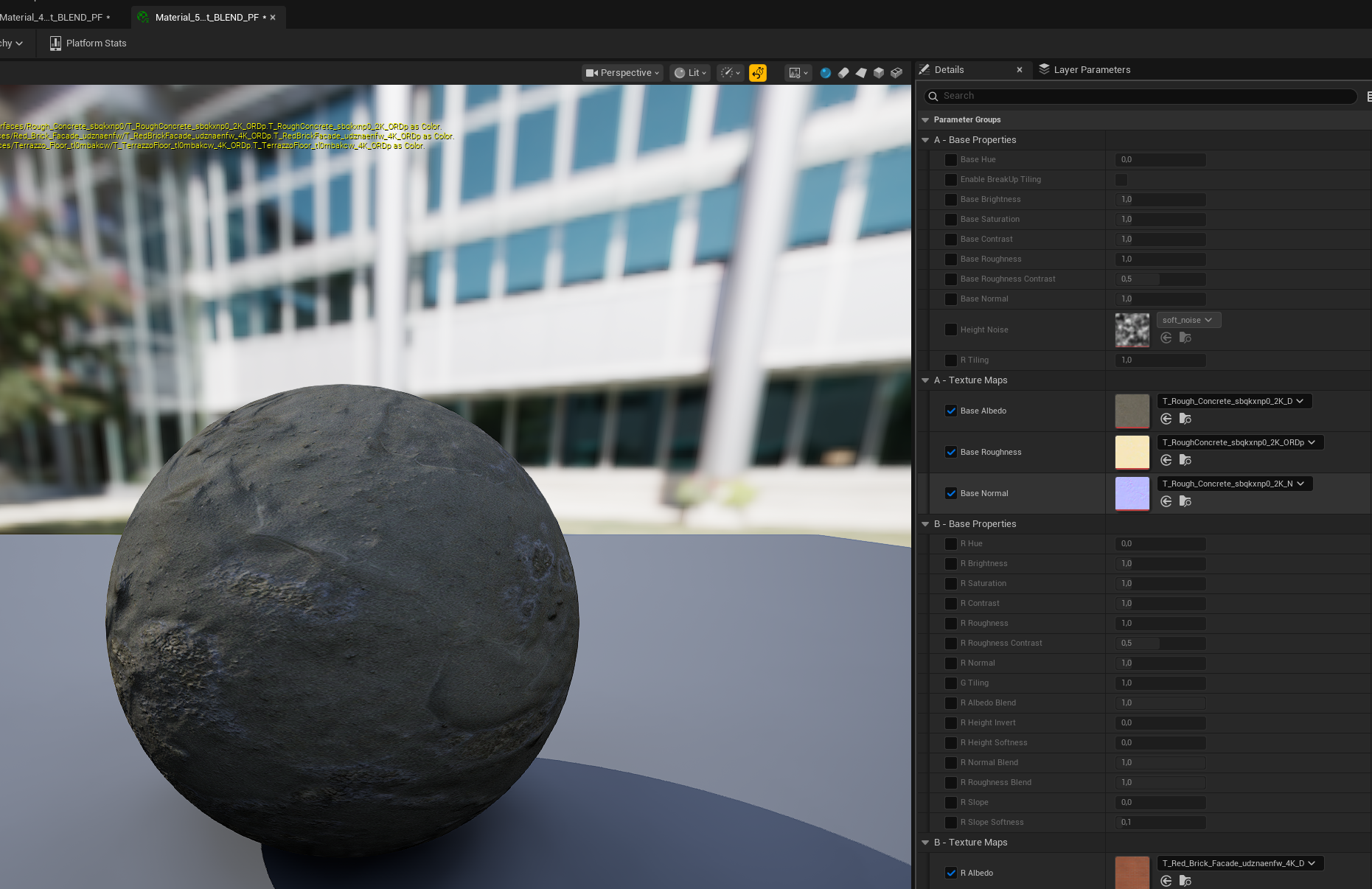
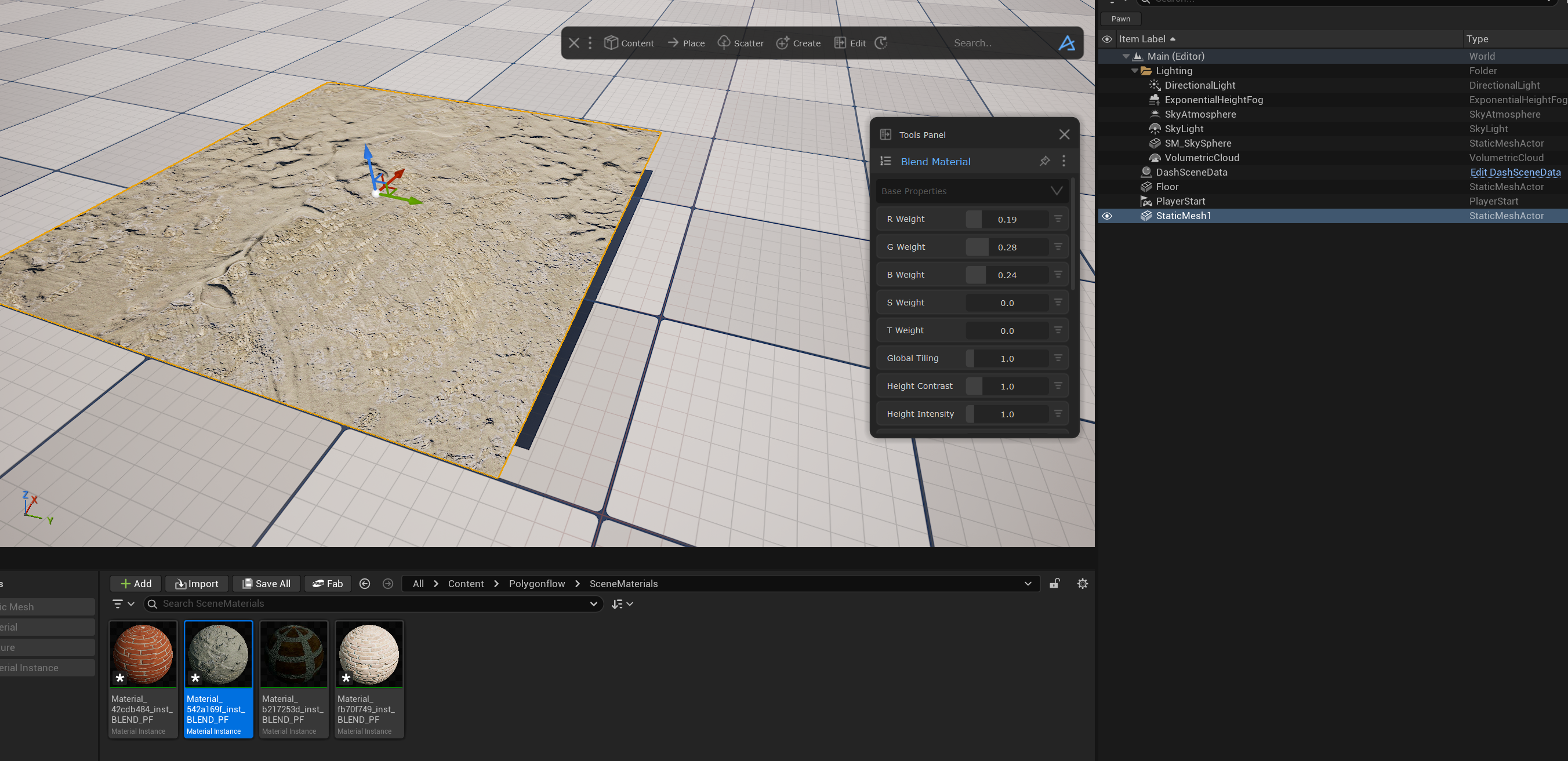
Despite having a subscription, I only work with Dash every few weeks. And every time I do, I get frustrated—hoping to quickly do something with Dash—it ends up taking three times as long. No matter how I do it, I can't manage to follow the simple instructions in the documentation to create a blend material. The material that is created has all the textures, but everything is grayed out. Editing in the Tools Panel has no effect. I'm doing it exactly as shown in the video. The mesh has sufficient vertices. Nanite is on, tessellation is on. UE version 5.6 with Dash 1.95.
33 Replies
Sorry to hear about your bad experience 😞 @Kai_Cinematics
Happy to help with any issues of course. Though it is getting late here, so limited to how much I can help from my phone.
Usually one needs to go above 0.5 on the main blend sliders fyi. But can you record a video showing you adjusting those main sliders and having the output log open so I can see if anything appears?
Nothing works. No matter what I do. I've reinstalled Dash. Nothing.
When I drag a simple material from the Dash browser into the scene as described in the documentation, it is displayed on the mesh but I can't edit it. Even when I drag and drop three tufts of grass using the Ctrl key and Scatter here, the three tufts of grass are displayed on the mesh, but I can't adjust anything. According to your documentation, the Dash toolbar should adapt procedurally to the viewport, but that doesn't work either. The Dash toolbar extends beyond the UE window without changing.
Everything still worked in UE 5.5.4, but nothing works in 5.6.1.
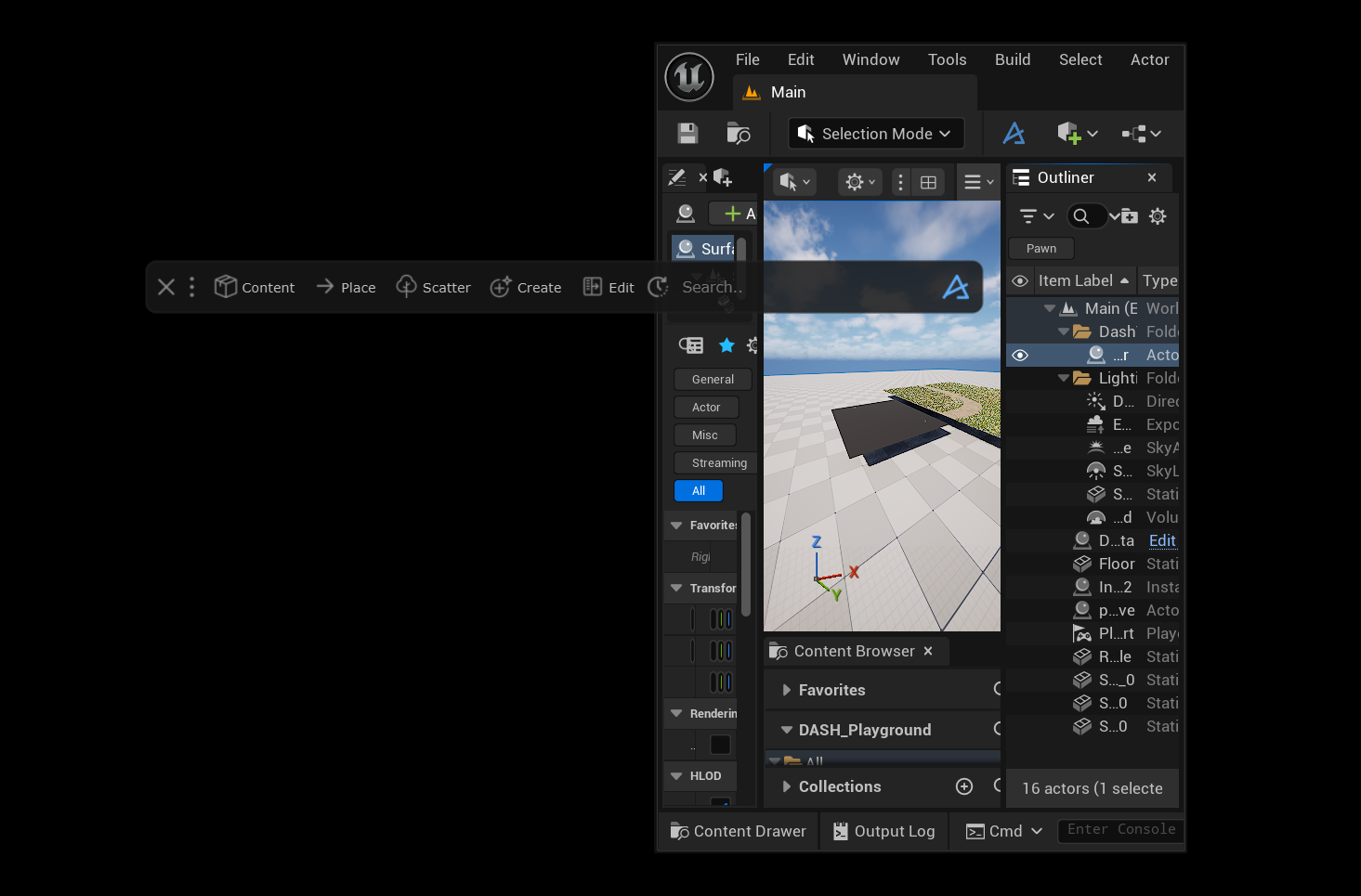
The mesh with the grass in the image was created using foliage mode—the empty mesh plane was created using DASH.
In principle, it's still the same problem as here:https://discord.com/channels/826908885024636989/826909072246308914/1405071092980252814
Hey @Kai_Cinematics
Shall we try and do a call when you can screenshare and I will try and assist you live?
When would you be available for such a call?
I am German and my English skills are very limited to reading and writing. My speaking and comprehension skills are very poor, which is why we would have to put that at the back of the queue.
I can't be the only one with these problems, can I?
Which plug-ins and settings need to be configured for DASH to work properly?
As I said, I am working with version 5.6.1.
With the new Dash version 1.9.2, when I apply the new MeshPattern, the mesh appears and can be changed, but everything is without textures—all meshes are black—something is wrong with the material/textures.
And what about the Quixel/FAB - ORM vs. ORD texture problem in Dash?
Alright I understand no worries. Then we can try sending a few videos between us, me showing how it should work, and then you can record your screen to show what happens when you try.
Will dig into this as soon as I get to the office
You may be among the first to have such many problems, but let's try and dig into each problem systematically.
1. Regarding Blend Material. For this project of yours, can you try this: Close UE. Open the project folder and navigate to Content-Polygonflow and then delete the Materials folder. Then you can re-launch Unreal in this project and try again. And then please try and record a video doing exactly what I do in video 2 so I can see what happens. It is important to increase the R and G weights quite a lot to see a difference.
2. Regarding droppping and adjusting one material. The way to edit it is select the surface, open the tools panel from the Edit button in Dash, then click the menu icon in the top left of the Tools Panel and you will see Material Edit. It's important here that the correct surface is selected once you open Material Edit. See my video when switching between editing two different surfaces/materials. And also it is important that you can only adjust supported materials (dropping materials from the Dash Content Browser, from one of these views/tabs: Fab, Quixel, PolyHaven, AmazonBerkley). Please record a similar video you, so I can see if you are missing some step. And please also have the UE output log open at the bottom as I have.
3. Regarding editing a scatter. It's similar logic as with Material Edit. Once the tools panel is opened from the Edit button. You can simply select an active scatter in the viewport and it auto appears in the tools panel and you can edit it. To edit the other one, select that in the viewport. But, be aware that there exist a pin icon. If a tool is pinned, it will stay in the tools panel, even if you select another scatter. And you can of course also open the tool list from the top left icon in tools panel to view all your active scatters and other tools.
Try recording your screen and do the same as me please.
4. There is a toggle to enable the responsive toolbar from the main Dash menu. But it does not work very well if you make UE very tiny as in your picture. So best to keep unreal to a decent width when using Dash.
5. Regarding the problematic textures on Mesh Pattern presets. Hopefully the delete of the Materials folder you now should have done in step 1, should have helped. But if it has not, can you record a video doing the same as I do here?
6. What do you mean with this "And what about the Quixel/FAB - ORM vs. ORD texture problem in Dash?", can you give some more details?
Hi Daniel. Thank you very much—I'll work through it today or tomorrow and let you know.
The problem with ORM and ORD is that Quixel uses ORD material and FAB not.
To avoid explaining it at length here, here is a short video on the subject
https://www.youtube.com/watch?v=phfAAnSbd-M
Crawford Terrace Studios
YouTube
How to convert FAB ORM to Quixel ORD using the Texture Graph in Unr...
In this tutorial I'll be using Unreal Engine 5.5 to show you how to take a FAB ORM Texture map and replace the Metallic Map with the correct Displacement/Height Map to create an ORD Texture just like we used to get from Quixel Bridge, using the experimental Texture Graph plugin that comes with UE 5.5.
In case you haven't noticed yet, but when y...
Ah, I don't think this is a problema actually, we have handled this when we set up our FAB integration. So there should not be anything for you to think about, you can still drop and use the materials in the same way.
The one difference is when it comes to Displacement on FAB megascans assets. To get that you have to download and drop a material with the High Quality.
If you have downloaded two different qualities, you can select which to drop from the Dash Content Browser. If you don't see the option for all your downloaded qualities, you may need to hold Ctrl and use the mouse wheel to zoom in.
So in my video you can see me use Medium and High quality and see that displacement only works on the one with high quality.
I hope this makes sense.
OK, thank you very much.
I'll take a look at all of that and then let you know.
No problems! I really hope my messages and videos can help you figure things out and get a better experience of Dash.
So, I've now watched and followed all your videos. Nothing worked. Only MeshPattern now has textures after deleting the material folder.
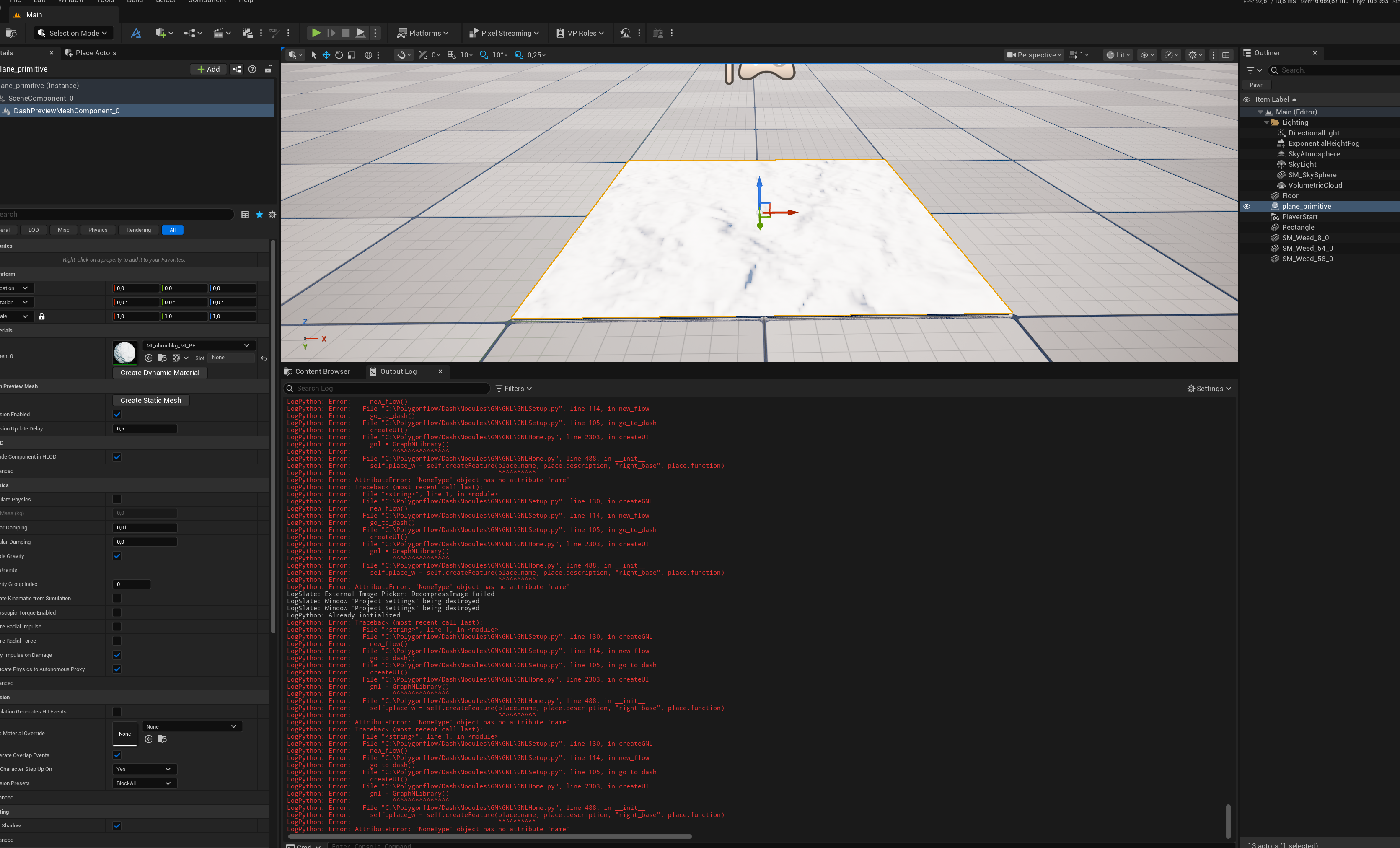
I uninstalled Polygonflow and reinstalled it after restarting. Now I could at least edit one material on a plane and all functions except displacement. Scatter still didn't work. So I closed the document and reopened it—then Dash wouldn't open anymore and a bunch of errors appeared.
I'm going to delete Dash and cancel my subscription. I've been working with computers for 40 years. I have four PCs here that I use every day for graphics work. I use numerous programs/plug-ins, but none of them give me as much trouble as Dash—and this isn't the first time. I don't want to spend my free time searching for and documenting program errors. I expect a program that I purchase or subscribe to (and that is not in the beta phase) to work. I don't want to spend hours creating videos and trying things out.
Most of what I can do with Dash, I can also do with on-board tools. So it's not a must-have for me.
I'm not averse to Dash or you guys. On the contrary—I've highly recommended Dash here in the German UE Discord.
I'll try it again sometime—but right now I don't have the time or inclination to spend hours on it.
Hey @Kai_Cinematics
I 100% understand, and I am truly sorry for the time you spent on trying to sort out your issues.
Thanks for sharing the output log, though, this error is a great clue and something that can help us sort these issues out (if others experience similar problems in the future). My guess is that this one error is linked to all your errors, actually.
If you want help canceling, you can send over your email in a DM.
And thanks for recommending Dash, that means a lot.
So??? What kind of error is it—can it be fixed, or can I fix it?
Is it worth waiting for a bug fix or the next update?
Just sent it to the devs, will get back to you as soon as I can 🙂
@Kai_Cinematics hello 👋🏽 This type of issues hints me that installation was bad in some way. The fastest way we can solve this if I connect to your pc with AnyDesk and check what is wrong. Tell me if that works for you.
Unfortunately, no—there must be another way.
then try this steps
1. Delete
Polygonflow folder in your project. This will make sure Dash copies all latest assets
2. Close unreal.
3. Delete Polygonflow folder in documents. This will make sure clean startup
4. Open unreal and start Dash
If still doesn't work. Please attach log file so we can see what is goning on. You can find log file here - PROJECT_FOLDER\Saved\Logs\PROJECT_NAME.log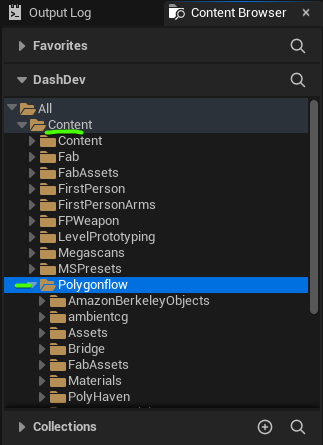
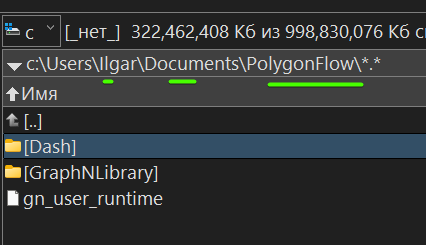
ok, thank you - i will try it later.
Okay—everything is working perfectly again—that's all I want — great — thank you very much for your support.
Great to hear that 👏
If you ever get any more issues, just send over an explanation and a copy of the output log 👍
Since yesterday, it has been impossible to access your website.?!
Hey, thanks for reporting, I have had issues on chrome as well, but no one else in the team so thought it was my PC.
What browser are you using and what happens when you try and access our website?
Left Microsoft Edge, right Safari Mac M2
same on Windows
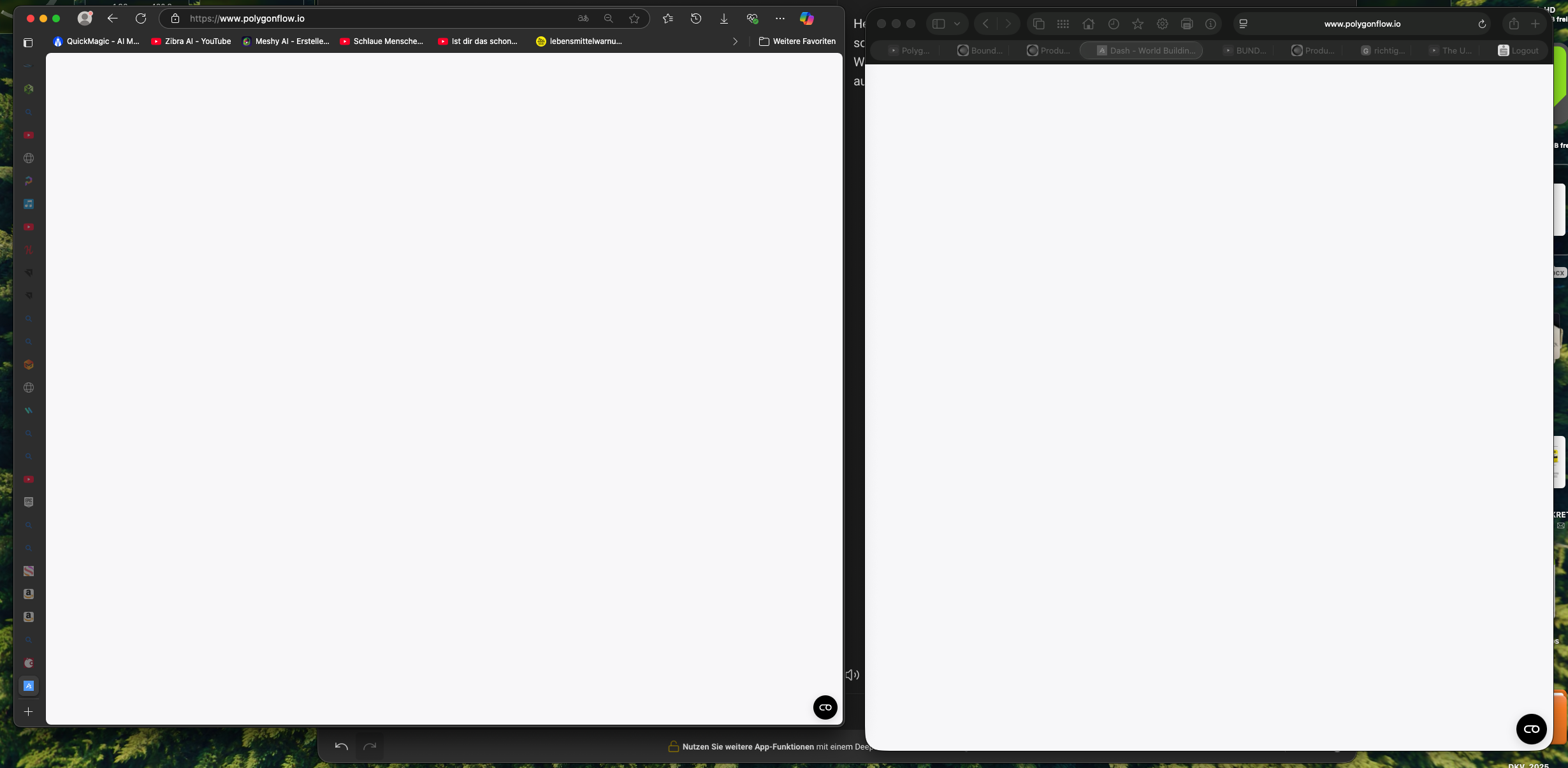
strange, for me it works fine on safari on mac m3, and on chrome inkognito, but not normal chrome
but anyhow, thanks a ton for reporting, will investigate!
It also doesn't work on Windows 10—Chrome, Windows 11 Edge, Chrome, Firefox. Always a white screen.
I'm in Berlin, Germany, and have a 100MB connection.
This message appears in the console
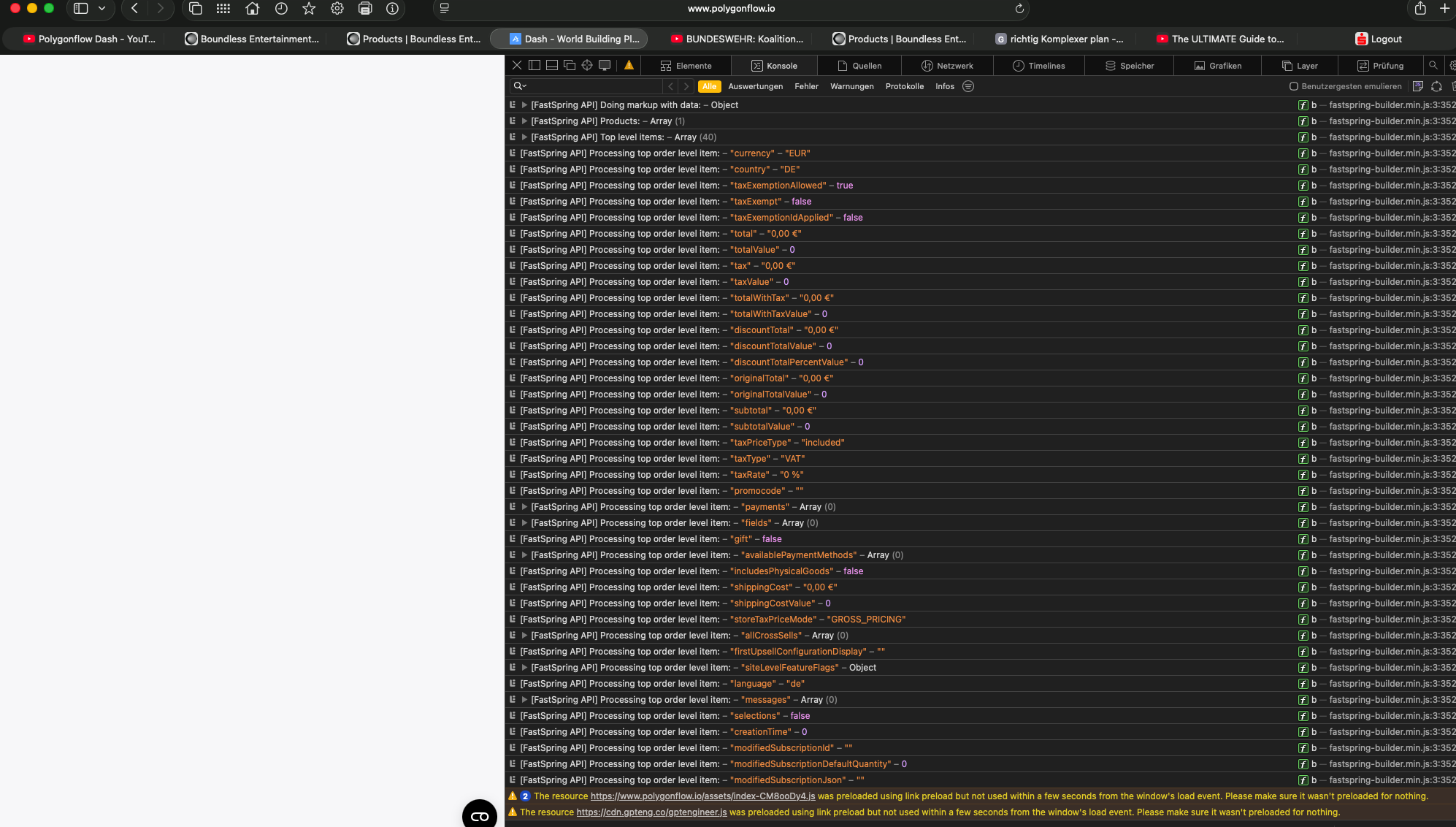
thanks! then the problem is defintely bigger than I was thinking it was
If the “preference cookie” is off, you cannot access the site. That is the error.
It seems so yes! Thnx a bunch again!