cards more fields and save selection ID
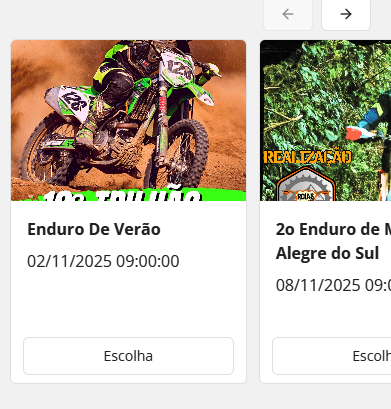
1. How can I place more fields ?
Like starting date for subscription, endind date, city, state, type of event etc..
I have all fields (ops arrays) for this..
I tried to place more BUBBLES into cards but it didn´t accept.
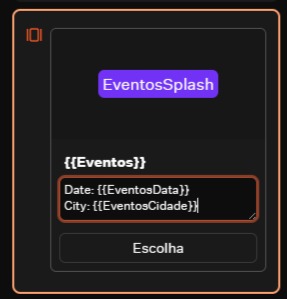
1a. Is there a way to place lables for into card bubbles ?
something like image 2 ?
2. How to identify which event was choosen ?
Can I set a internal ID for buttons ?
Something like
{{Event_IDs}}
6 Replies
That's a good point... Unfortunately it only works if the description is a single variables
so I suggest you add a Set variable block right before that formats your description
does that make sense?
"How to identify which event was choosen ?
Can I set a internal ID for buttons ?"
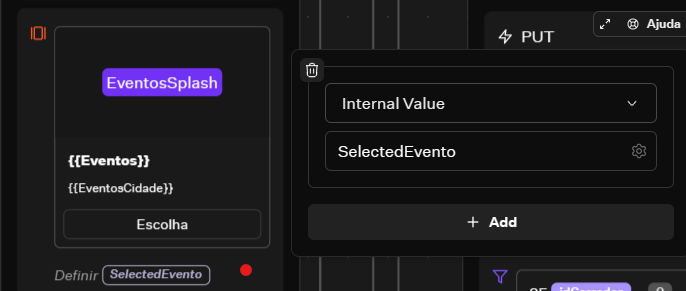
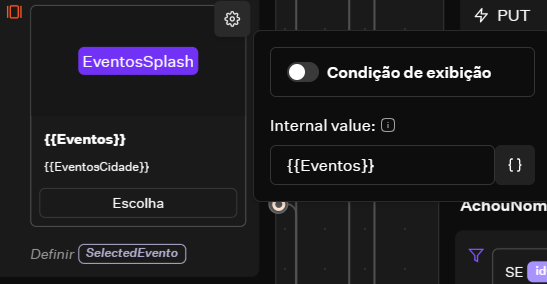
Hover over the top right corner, click the gear icon, and add an internal value. If that was your question...
Yes, but I´ll be more confortable and less time of development if I send it alredy formated from my webhook.
it´s going to be faster less processing and less varibles.
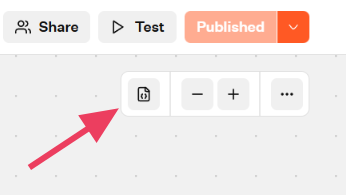
BTW - how to "erase" a variable created, but created wrong, and never used ?
Baptiste.
Merci pour votre atencion
Ex: if you have 3 variables
Eventos["party 1","party 2","party 3"]
Descritions["party 1","party 2","party 3"]
and you have to click outside of the button and the frame you can set a variable (selectedEvento) with event name
After I useed the Block VArible set SelectedEventoID with this CODE
{{EventosIDs}}.at({{Eventos}}.indexOf({{SelectedEvento}}))
i don´t know if it´s the best way - but it works..
I did not find a way to seek a NUMBER ina a ARRAY of strings
if I set the button with EventosIDs ["14","64","57"] the button retuns 64 and not "64" !
hope this helps you !
Best wishes from Holambra - Brasil !
You can open the "variable drawer" and add or delete variables there.
I´ll try it !