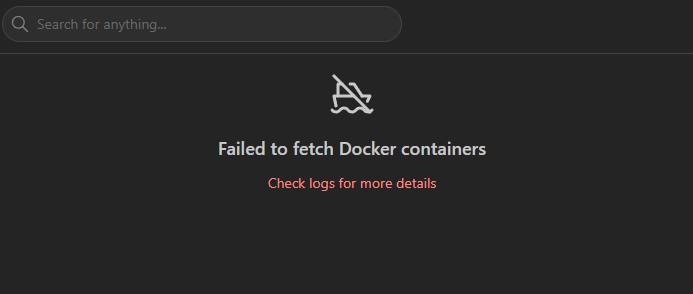
Failed to fetch Docker containers

Hi I'm seeing multiple people having their docker container list and running status on homarr,, I'm getting this error and I'm not sure where to look for the next step. Can someone help me further? I'm running homarr in docker compose on a Synology nas and I already added the docker sock to the volumes The log only shows me this:
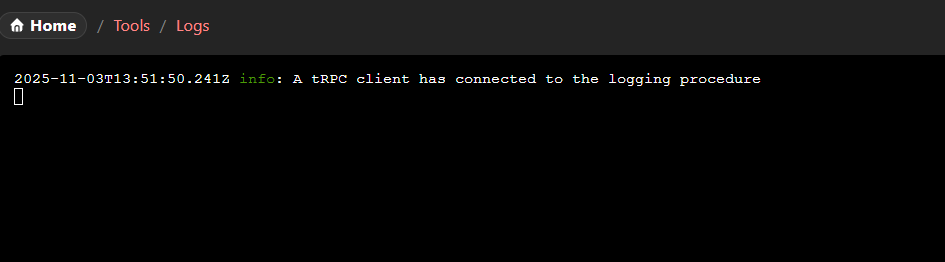
2025-11-03T13:51:50.241Z info: A tRPC client has connected to the logging procedure
No description
No description
No description
Solution:
Running as a different user | Homarr documentation
By default the container is running with user root and group root.
Jump to solution
24 Replies
Cakey Bot
Cakey Bot2mo ago
Thank you for submitting a support request. Depending on the volume of requests, our team should get in contact with you shortly.
⚠️ Please include the following details in your post or we may reject your request without further comment: - Log (See https://homarr.dev/docs/community/faq#how-do-i-open-the-console--log) - Operating system (Unraid, TrueNAS, Ubuntu, ...) - Exact Homarr version (eg. 0.15.0, not latest) - Configuration (eg. docker-compose, screenshot or similar. Use ``your-text`` to format) - Other relevant information (eg. your devices, your browser, ...)
Frequently Asked Questions | Homarr documentation
Can I install Homarr on a Raspberry Pi?
Manicraft1001
Manicraft10012mo ago
!qa required_data
Cakey Bot
Cakey Bot2mo ago
Thank you for your question. Our support team has noted that your request does not meet the minimum required data so we are unable to answer your question. Please provide: - your Homarr logs - your setup configuration (eg. docker compose, docker run, helm chart, screenshot, ...) - A detailed description of your problem or question with additional images where necessary - Your operating system - Version of Homarr (do not say latest! say 0.15.2, ...) Failure to comply with this will result in a permanent closure of your support request.
IIIdefconIII ︻デ═一
Pastebin
LogoHomeprimaryDashboardTemplatesStacksContainersImagesNet - Pasteb...
Pastebin.com is the number one paste tool since 2002. Pastebin is a website where you can store text online for a set period of time.
IIIdefconIII ︻デ═一
the log actually says it cannot acces the docker sock
IIIdefconIII ︻デ═一
the puid and guid is me (admin account) which works with 40 other containers:
No description
Solution
Manicraft1001
Manicraft10012mo ago
Running as a different user | Homarr documentation
By default the container is running with user root and group root.
Manicraft1001
Manicraft10012mo ago
You did not follow document and therefore the permissions are incorrect.
IIIdefconIII ︻デ═一
owh darn thats a fast response lemme check that again can i just chown with my personal PUID and GUID or doe i need 1000 for 100%?
Manicraft1001
Manicraft10012mo ago
Actual ID doesn't matter, container user must have access to the socket
IIIdefconIII ︻デ═一
it should have with my puid and guid
Manicraft1001
Manicraft10012mo ago
Running the container as a non-root user, which is not permitted, is equal to trying to control docker as a guest. It won't work and it isn't a Homarr issue
IIIdefconIII ︻デ═一
the same im using for lets say portainer
IIIdefconIII ︻デ═一
bro, sis, however... i love u. (like u) xD
No description
IIIdefconIII ︻デ═一
I do have a little double thinking, this way I'm letting Homarr running as root users which is, dangerous and I find it strange the PUID an PGUID is used before is an administrator account and does work perfectly in all those containers, even in portainer does uses the /var/dock/sock. isnt running homarr as 0:0 a security issue?
No description
Manicraft1001
Manicraft10012mo ago
Have you read the documentation? It is explained there. Running as root is not recommended but mostly unproblematic in most cases It's up to you whether you want to run as root or not. The default is root because it is simply much easier to run If you don't want to run as root, you need to set permissions correctly
IIIdefconIII ︻デ═一
it working now so im glad, i hope it cant work as a backdoor aka trojan this way haha
No description
Manicraft1001
Manicraft10012mo ago
And no, portainer or other container aren't exempt from this They have the same problem. I don't know how their implementation is in detail but Homarr will actually run as non-root and the entire container will run as non root.
IIIdefconIII ︻デ═一
i wanne thank you and will donate to homarr team this month when i get my payment 🙂
Manicraft1001
Manicraft10012mo ago
There is an alternative where the container is still running as root but the process is not. We decided against this because it's less secure than running fully as non root. I recommend you to have a look at the docker documentation regarding users and the mask. It explains the whole system in more detail
IIIdefconIII ︻デ═一
I will do that later this week, I'm just really glad its working thanks to u. and I have a huge sys error in my personal brain as of that coma and fall accident
Manicraft1001
Manicraft10012mo ago
As a general guideline, consider every app as an attack vector if you're concerned about security. Even adding a web server is a certain risk and there is no guarantee for anything.
IIIdefconIII ︻デ═一
true, true 🙂
Manicraft1001
Manicraft10012mo ago
You're welcome. Can we mark this as resolved then?

Did you find this page helpful?