Forced reboot - white shut down screen and Open Terminal here not working
I'm new to Linux. I use Bazzite KDE.
While decompressing a file (game) I had to restart the PC because somehow it froze itself. Since then, I noticed two issues:
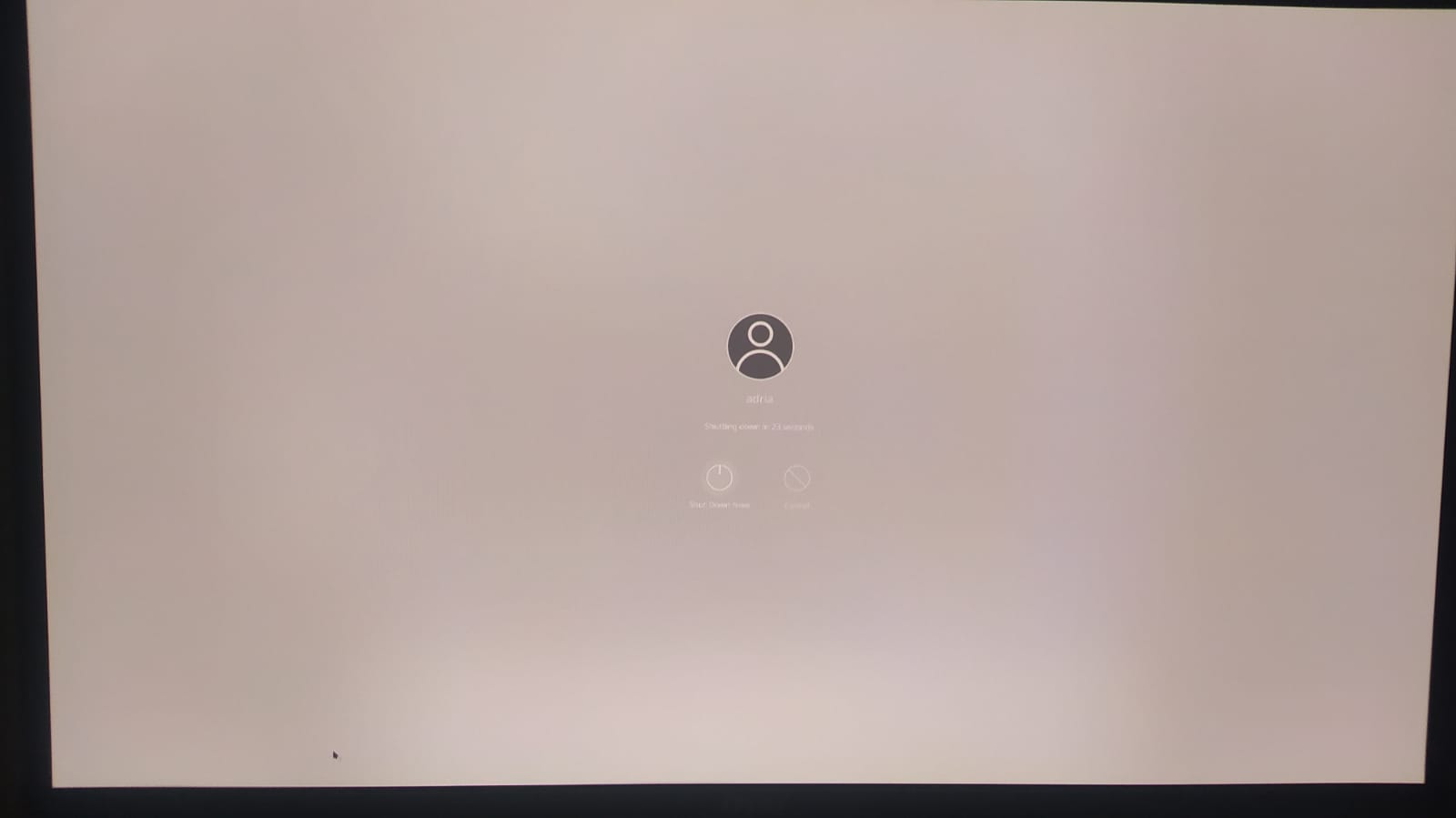
1 - When I click “Shut Down,” the confirmation screen appears white not black. (see image) The letters are burry because the bug (and a little bit because picture quality). This problem doesn't persist for new users (I created another user to check)
2 - “Open Terminal Here” opens the terminal in the home directory (~) instead of the current folder. Changing the default terminal, in Default Applications, fixes it temporarily (?), but the problem returns after a restart (?). Not sure any more, because it seems now it's working again. FIXED Itself?
Any help is appreciated. Thank you.
While decompressing a file (game) I had to restart the PC because somehow it froze itself. Since then, I noticed two issues:
1 - When I click “Shut Down,” the confirmation screen appears white not black. (see image) The letters are burry because the bug (and a little bit because picture quality). This problem doesn't persist for new users (I created another user to check)
2 - “Open Terminal Here” opens the terminal in the home directory (~) instead of the current folder. Changing the default terminal, in Default Applications, fixes it temporarily (?), but the problem returns after a restart (?). Not sure any more, because it seems now it's working again. FIXED Itself?
Any help is appreciated. Thank you.