Emergency mode?
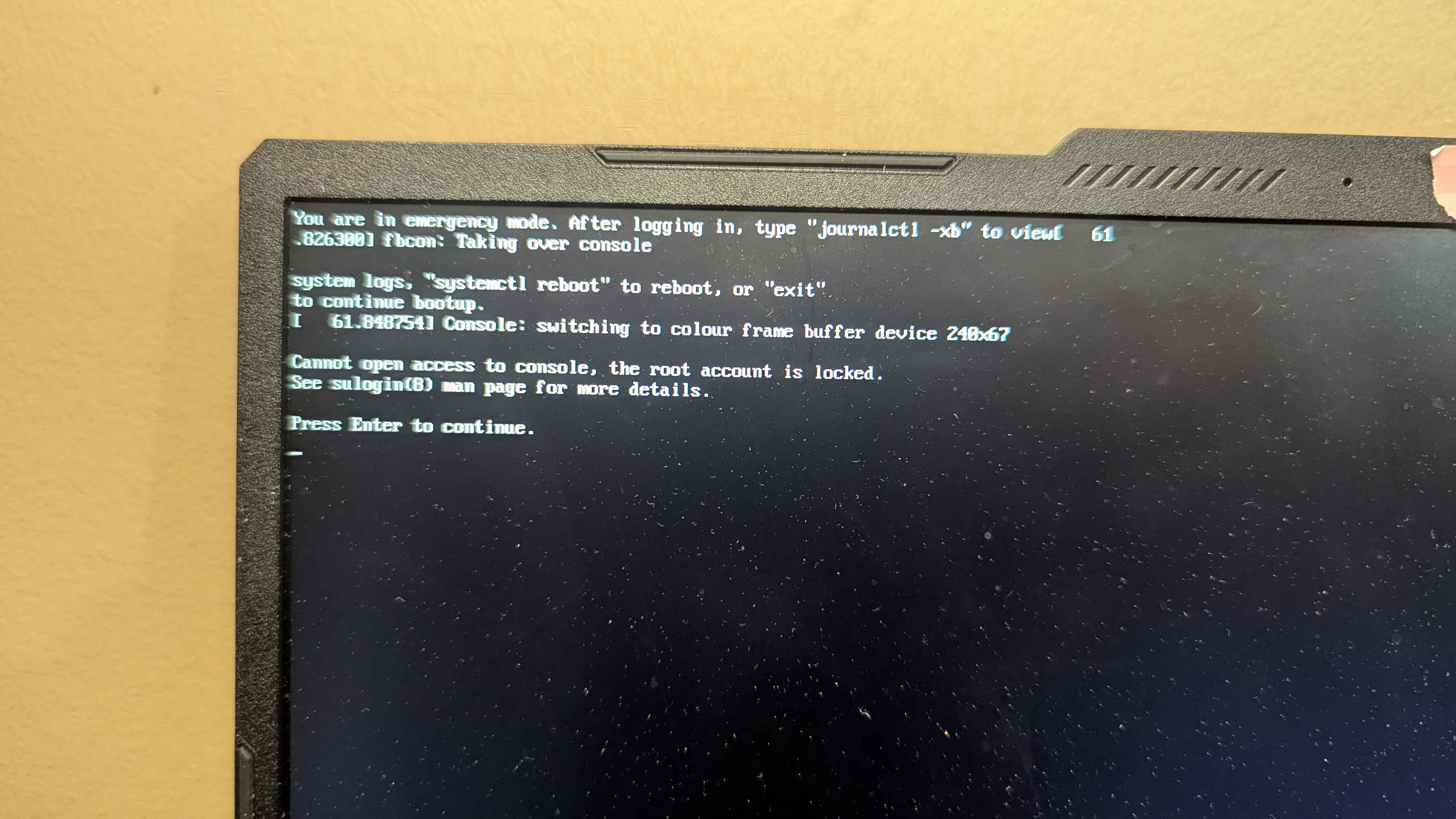
I just installed the latest update for bazzite after a while and now when I open my laptop, I am greeted with the first image.
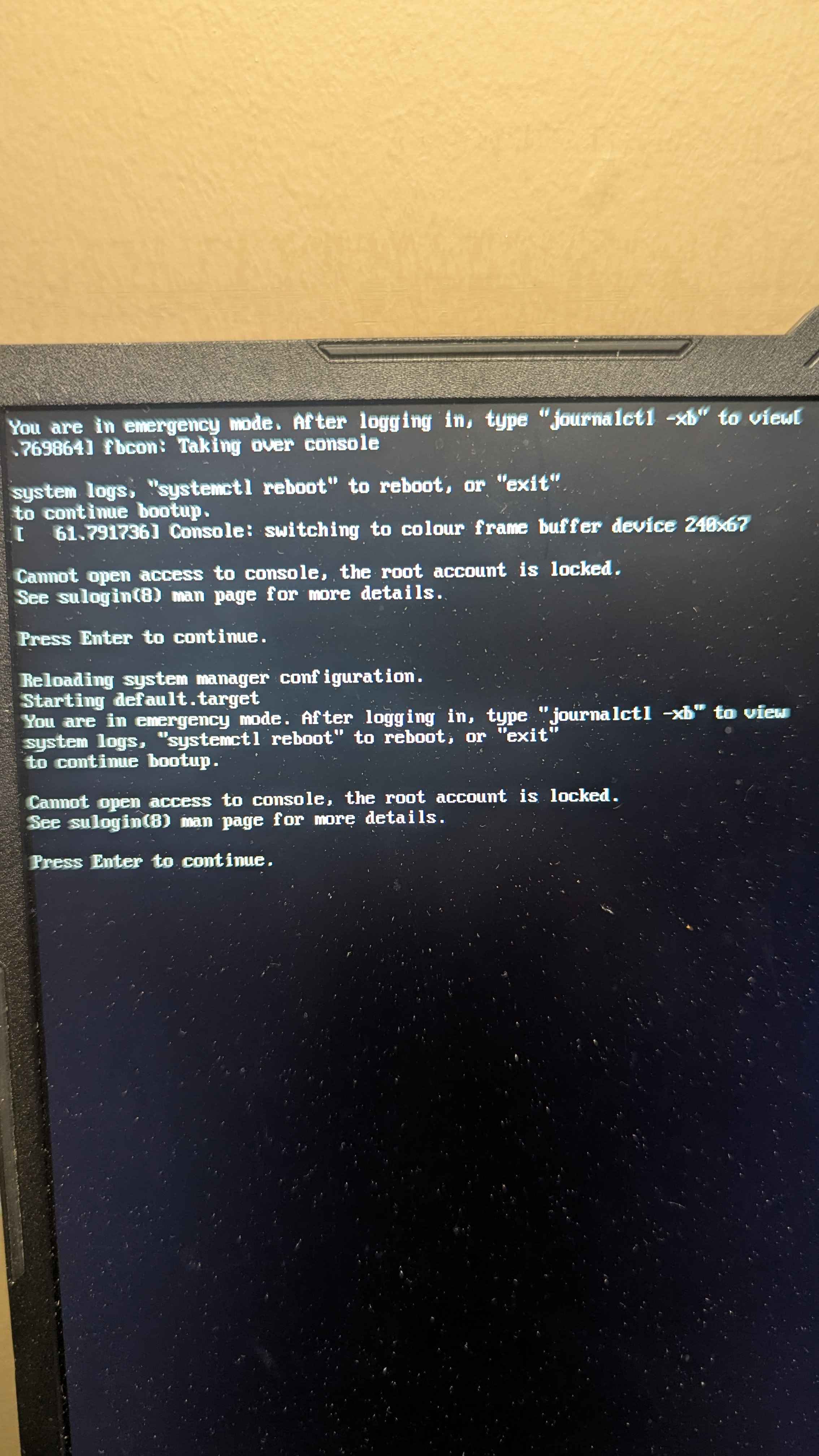
After pressing enter, there is an about one minute wait and then the second image's text appears.
Upon pressing enter again, bazzite opens, but is quite strange
First off, all of the "procedure" explained earlier is inconsistent.
Sometimes it happens on startup, sometimes not.
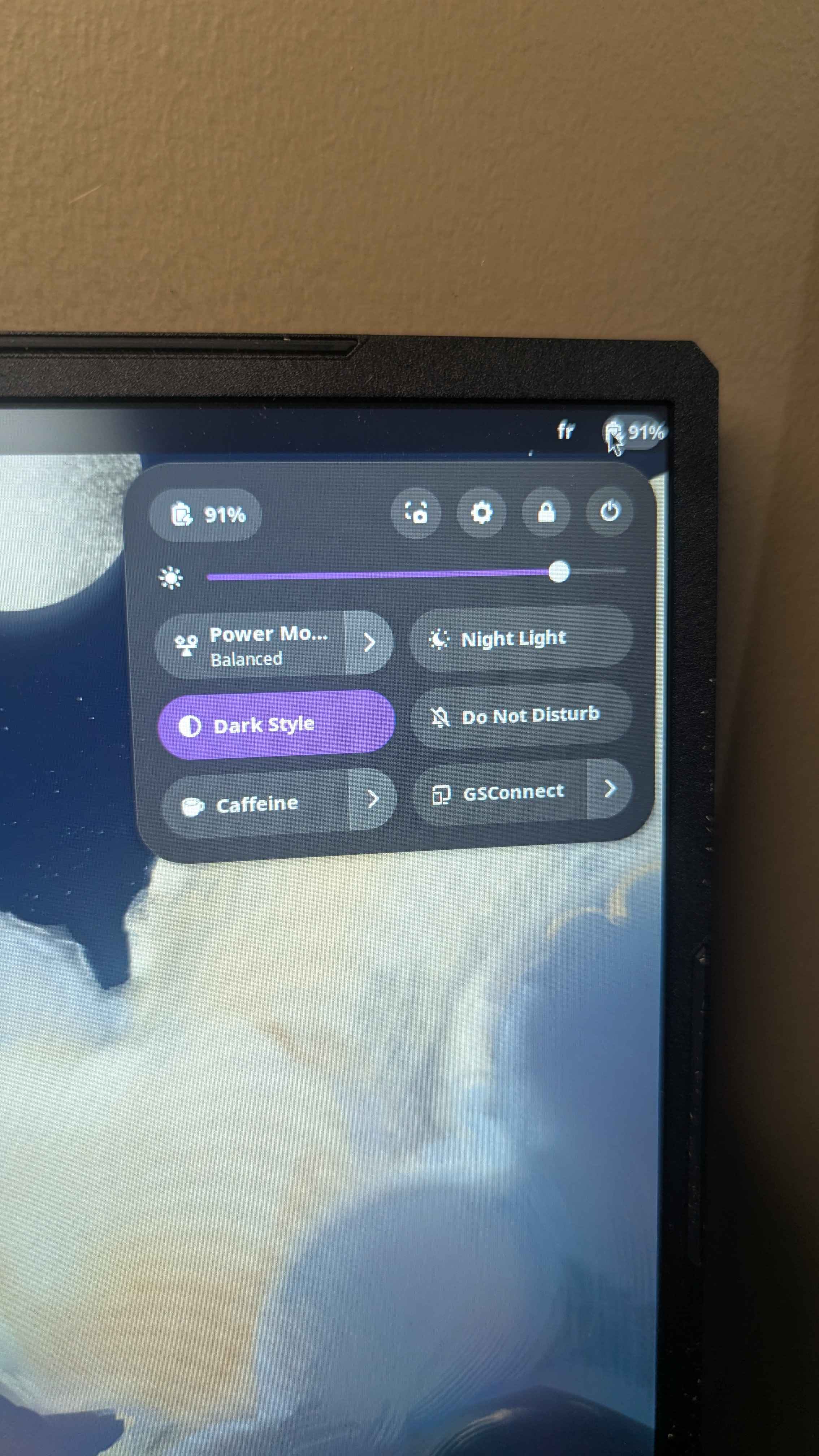
Secondly, I have no way of accessing internet settings at all, it seems.
The place in the top right corner of the screen does not show the option to connect to the internet as usual, as shown in the third image.
Thirdly, Bluetooth does not work at all.
The "reasoning" differs each time I reboot.
Sometimes in the settings it asks to turn it on.
I click on the switch to turn it on, it visually does so for a fraction of a second and then goes back to its original position.
Sometimes it simply says: "No Bluetooth Found Plug in a dongle to use Bluetooth"
When settings don't open on the Bluetooth tab, when I go on it, the settings window stops working and is required to be forced to shut down.
Fourthly, bazzite asks for authentication at very strange moments, such as when I try to power off through the menu. I have to enter my password to do so.
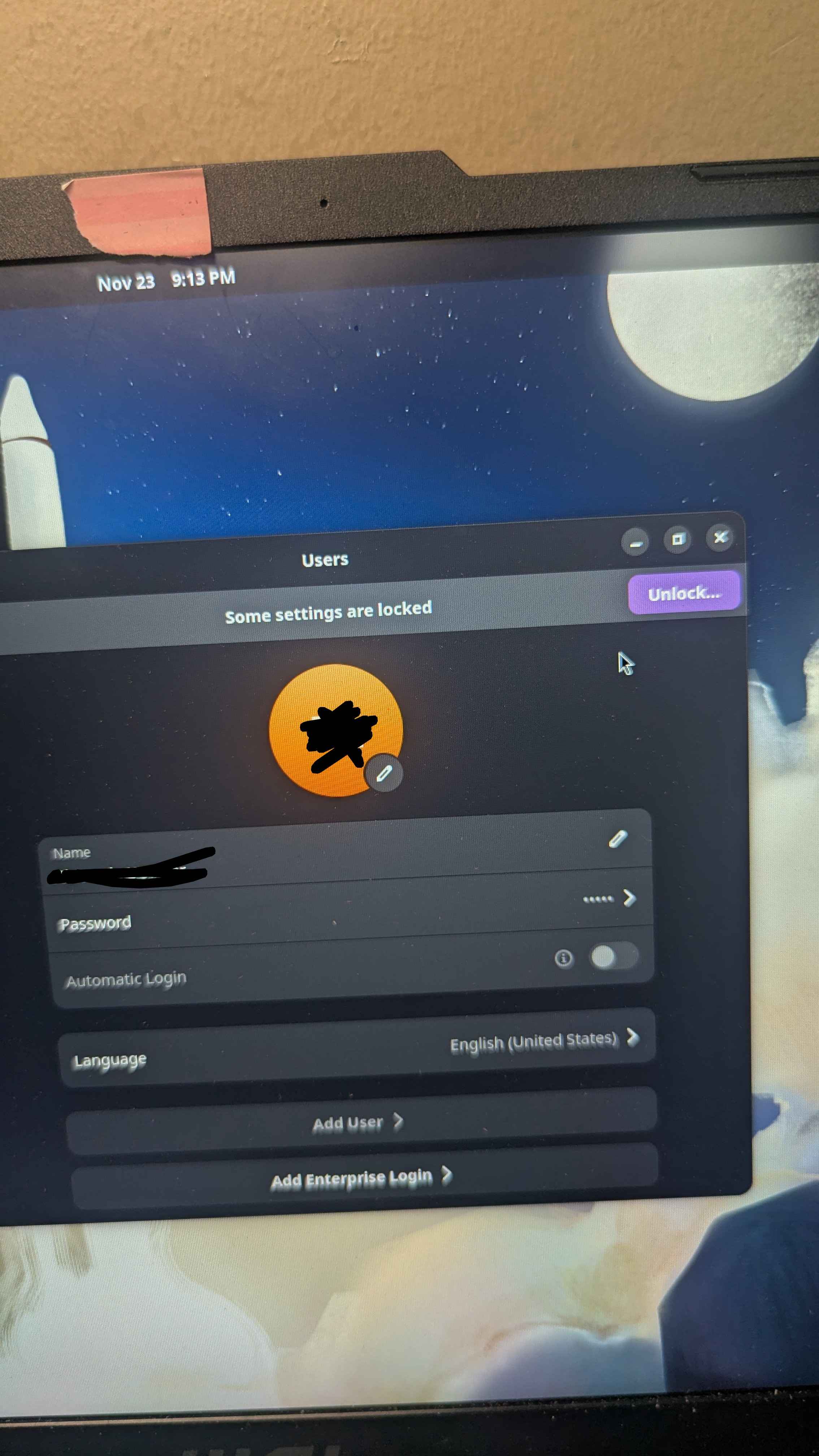
Fifthly, when I go to user settings, there is text saying: "Some settings are locked" next to a button saying: " Unlock..."
The button does nothing.
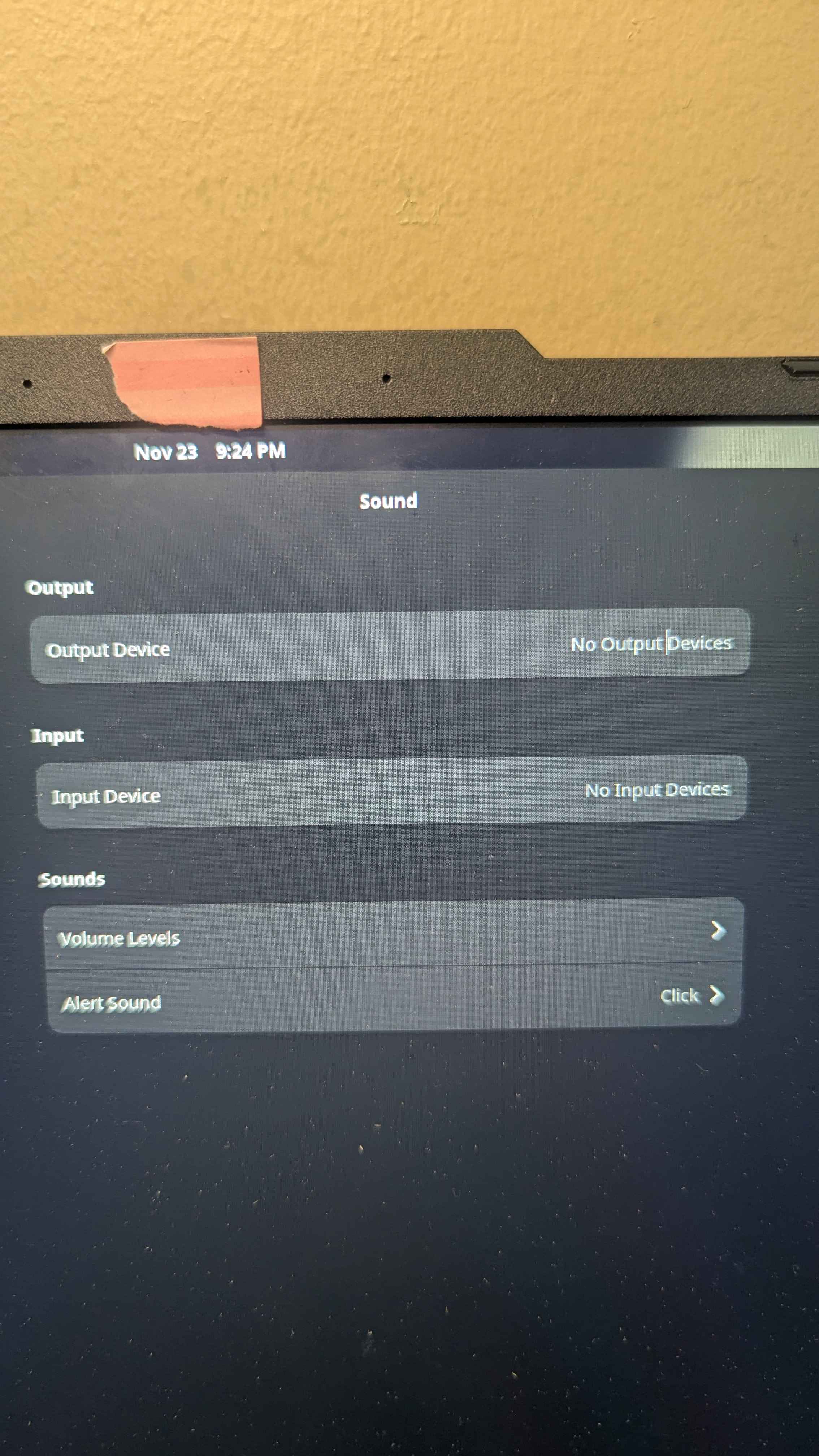
Sixthly, no camera is detected by my computer
I'm using a laptop.
Same for my mic and speakers
Seventhly, everything is egregiously long.
Opening the computer
Opening the settings tab
Running the "journalctl -xb" command was pretty fast tho.
I still have no clue what to do next
Finally, the computer never closes by itself.
It goes into shutdown mode with the bazzite and msi logo and after a while, the loading wheel either stops forever or disappears, leaving the computer in eternal shutdown purgatory until I press the power button for a few seconds to end its misery
After pressing enter, there is an about one minute wait and then the second image's text appears.
Upon pressing enter again, bazzite opens, but is quite strange
First off, all of the "procedure" explained earlier is inconsistent.
Sometimes it happens on startup, sometimes not.
Secondly, I have no way of accessing internet settings at all, it seems.
The place in the top right corner of the screen does not show the option to connect to the internet as usual, as shown in the third image.
Thirdly, Bluetooth does not work at all.
The "reasoning" differs each time I reboot.
Sometimes in the settings it asks to turn it on.
I click on the switch to turn it on, it visually does so for a fraction of a second and then goes back to its original position.
Sometimes it simply says: "No Bluetooth Found Plug in a dongle to use Bluetooth"
When settings don't open on the Bluetooth tab, when I go on it, the settings window stops working and is required to be forced to shut down.
Fourthly, bazzite asks for authentication at very strange moments, such as when I try to power off through the menu. I have to enter my password to do so.
Fifthly, when I go to user settings, there is text saying: "Some settings are locked" next to a button saying: " Unlock..."
The button does nothing.
Sixthly, no camera is detected by my computer
I'm using a laptop.
Same for my mic and speakers
Seventhly, everything is egregiously long.
Opening the computer
Opening the settings tab
Running the "journalctl -xb" command was pretty fast tho.
I still have no clue what to do next
Finally, the computer never closes by itself.
It goes into shutdown mode with the bazzite and msi logo and after a while, the loading wheel either stops forever or disappears, leaving the computer in eternal shutdown purgatory until I press the power button for a few seconds to end its misery