 HGL
HGLopposite-copper
Ubisoft Connect "Unrecoverable Error" (South Park FBW) - Manual Install
🍎macOS
Specs: Mac (Apple Silicon) | Heroic Games Launcher Game: South Park: The Fractured But Whole (Steam Version)
I am aware of the FAQ regarding the "Install Steam" feature being broken/outdated on Apple Silicon. Because of this, I have manually installed the game files (moved from downloading to common). I am bypassing the Steam UI entirely and using "Add Game" to launch SouthPark_TFBW.exe directly.
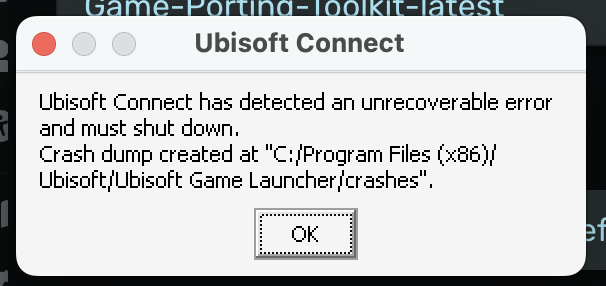
The Issue: The game executable tries to launch Ubisoft Connect (installed in the same prefix), but the launcher crashes immediately with:
"Ubisoft Connect has detected an unrecoverable error and must shut down."
Troubleshooting Attempted:
Dependencies: Installed d3dcompiler_47, corefonts, and vcrun2022 via Winetricks.
Settings: Disabled ESync & MSync. Verified winecfg is set to Windows 10.
Engines: Tested with Game-Porting-Toolkit and Wine-Crossover.
Clean Install: Manually deleted AppData/Local/Ubisoft Game Launcher to reset settings.
I have the game files. I just need the Ubisoft Connect launcher to render without crashing on Apple Silicon so I can verify the license. Is there a specific Winetricks DLL or Engine version required for the current Ubisoft Launcher?
I am aware of the FAQ regarding the "Install Steam" feature being broken/outdated on Apple Silicon. Because of this, I have manually installed the game files (moved from downloading to common). I am bypassing the Steam UI entirely and using "Add Game" to launch SouthPark_TFBW.exe directly.
The Issue: The game executable tries to launch Ubisoft Connect (installed in the same prefix), but the launcher crashes immediately with:
"Ubisoft Connect has detected an unrecoverable error and must shut down."
Troubleshooting Attempted:
Dependencies: Installed d3dcompiler_47, corefonts, and vcrun2022 via Winetricks.
Settings: Disabled ESync & MSync. Verified winecfg is set to Windows 10.
Engines: Tested with Game-Porting-Toolkit and Wine-Crossover.
Clean Install: Manually deleted AppData/Local/Ubisoft Game Launcher to reset settings.
I have the game files. I just need the Ubisoft Connect launcher to render without crashing on Apple Silicon so I can verify the license. Is there a specific Winetricks DLL or Engine version required for the current Ubisoft Launcher?
heroic.log20.27KB

