
Internal SATA HDD not showing up anywhere. Options?
question
Hi everyone,
First-time Bazzite user. I do have some Linux experience from 20-odd years ago, but I would consider myself a new user.
I'm loving Bazzite for my gaming rig, though I ran into the following problem:
There are three hard drives in this rig. Two SSD's and one older SATA HDD. Bazzite detected and reformatted the SSD's just fine (sda & sdb). They are mounted and usable.
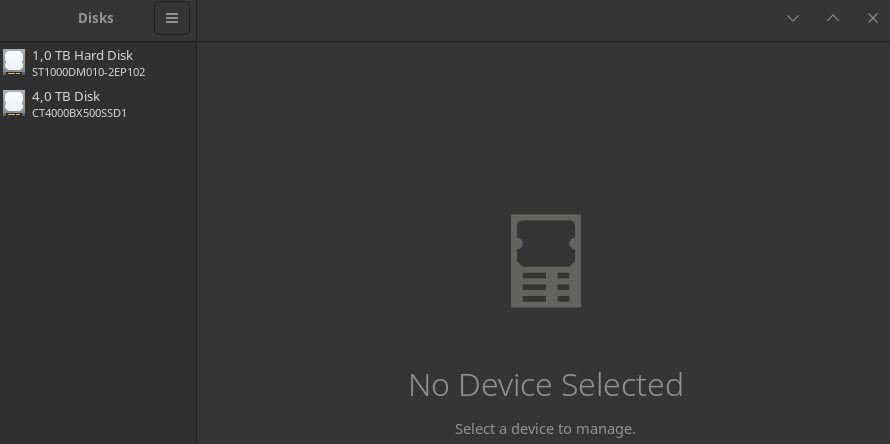
The HDD remains invisible. It does not show up in 'Disks' nor in the terminal using lsblk -af, sudo fdisk -l or sudo dmesg | grep -i "sd|usb|disk" (as far as I can see with the latter)
It was still there and working when removing Windows 10. It did not show up in the Bazzite installer, but at the time I thought this had to do with Bazzite requiring a SSD for installation. I did not physically alter, open or move the rig, so I highly doubt the cable came loose.
I do not wish to format this drive. It is currently NTFS. It contains data that I would very much like to access, if only to copy away from the drive to my local NAS.
What are my options here? I could take the drive out and get a external HDD mount to USB, but would it show up in that case if it doesn't now?
First-time Bazzite user. I do have some Linux experience from 20-odd years ago, but I would consider myself a new user.
I'm loving Bazzite for my gaming rig, though I ran into the following problem:
There are three hard drives in this rig. Two SSD's and one older SATA HDD. Bazzite detected and reformatted the SSD's just fine (sda & sdb). They are mounted and usable.
The HDD remains invisible. It does not show up in 'Disks' nor in the terminal using lsblk -af, sudo fdisk -l or sudo dmesg | grep -i "sd|usb|disk" (as far as I can see with the latter)
It was still there and working when removing Windows 10. It did not show up in the Bazzite installer, but at the time I thought this had to do with Bazzite requiring a SSD for installation. I did not physically alter, open or move the rig, so I highly doubt the cable came loose.
I do not wish to format this drive. It is currently NTFS. It contains data that I would very much like to access, if only to copy away from the drive to my local NAS.
What are my options here? I could take the drive out and get a external HDD mount to USB, but would it show up in that case if it doesn't now?
Solution
it's usually called either VMD, RST, Rapid Storage Tech, Intel Raid. either turn it off or set Storage mode: AHCI

