blendOS

B

blendOS

blendOS is Arch Linux, made immutable, declarative and atomic. https://blendos.co

Join

while trying to install git, i got this error. what do i need to do?

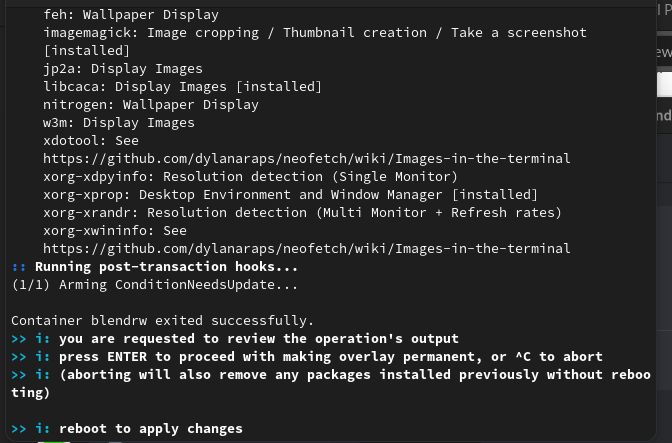
error: failed to commit transaction (conflicting files) gtk2: /etc/gtk-2.0/im-multipress.conf exists in filesystem...

system install error - fakeroot.conf exists

Anytime I run system install, I'm presented with the following error: fakeroot: /etc/ld.so.conf.d/fakeroot.conf exists in filesystem I can rename or remove that file and run the command again and everything works correctly. However, the next time I run system install, the same thing happens. Any ideas?...

Arch error or BlendOS error installing electron packages

I'm trying to install code in the arch container, but when I try to install electron22, one of its dependencies, i get the following error. ```:: File /var/cache/pacman/pkg/electron22-22.3.17-1-x86_64.pkg.tar.zst is corrupted (invalid or corrupted package (PGP signature)). Do you want to delete it? [Y/n] error: failed to commit transaction (invalid or corrupted package) Errors occurred, no packages were upgraded....

Can someone try to reproduce this?

This appears to be a major issue. I've reproduced it on the MATE and XFCE editions. The installation completes and reboots. I have the option of logging in with the account I created during setup. If I attempt to log in as root, it logs in without asking for any password. So the root account is both enabled and the password is blank. I did not try to SSH into it as root, so I can't confirm if that works. Can anyone else try this?...

Is it possible to run snaps? I tried to install snapd inside an Ubuntu container, but it didn't work

Snapd successfully installs inside the Ubuntu 22.04 LTS container, but when I run sudo snap install code --classic I get this response: error: cannot communicate with server: Post "http://localhost/v2/snaps/code": dial unix /run/snapd.socket: connect: no such file or directory It doesn't look like I can install snapd with with system either:...

Can't access containers or install deb or rpm.files

For whatever reason, I can't access containers or install RPM or Deb files. Double clicking on them just brings up a dialog asking me what application I would like to open the file with

steam games only run in proton crash otherwise after loading

So after installing steam i get crashes on valheim a game which runs perfectly fine on debian with no proton. But when booted on blend it only runs until i move then it ctashes with no error report however If i force it to boot with proton it runs. Yes yes just run with proton... but im more concerned with a solution to the underlying issue if it were were hardware why does it work without proton on debian and why on blend does it load everything fine then just crash if not using proton? Is this normal? Is it caused by an update should i roll back and retest? Sorry im very green on arch and arch based systems but figured this would be a great tool to learn with and expand my skill set passed the comforts of using debian. Blend os is more user friendly and extensible but its not my comfort zone so id appreciate any help or a point towards the right direction....

Add support for encryption

One thing that is preventing me from daily driving this distribution is the lack of encryption. While I can probably do manual partitioning and then use a terminal to encrypt things, I believe having out of the box support would be better because it'll be less likely to break with updates. Options: 1. Full disk encryption which requires a password at boot. This would be my preferred option if possible. Documentation: https://wiki.archlinux.org/title/Dm-crypt/Encrypting_an_entire_system 2. Home directory encryption, which allows booting but decrypts on login. May offer more flexibility, be less work to implement? Documentation: https://www.raeder.dev/post/encrypt-home-directory https://wiki.archlinux.org/title/ECryptfs...

Trouble installing software.

I can use neofetch as an example: I have tried to install it several times, and rebooted. But it not "there" before or after the reboot. Using apt installs is fine under ubuntu. I cannot seem to install waydroid using gui either. Not able to launch anything after it says it its installed, but after reboot everytime. Any ideas?
No description

apps can't access browser

Hi, recently I have switched to BlendOS, and I've been trying to set everything up, currently I'm having issues with signing in to a few apps that are in s container due to them attempting to open up the browser, to fix this I've tried to install firefox in said container, but that didn't solve the issue, and neither did installing chromium. Currently I have two solutions that I can think of: - biting the bullet and installing those apps on the host system (probably impossible since they are only available on AUR, so sudo system install won't work in this case, and installing AUR packages on the host is a bad idea anyway) - somehow fixing the problem inside containers...

How do i install blendOS in my old LENOVO G50 series laptop?

So i am new to this world of Arch linux and am trying to install blendOS on my old Lenovo G50 Laptop. It has Legacy Boot and BIOS. Also i had previously ubuntu installed on the same machine without much problems. I have tried GPT and msdos table partition both via gparted. Any suggestions where am i going wrong?

Issues with Zsh/ Oh my Zsh

Hello! ive been having some issues with zsh/oh my zsh - startup, the time between opening a terminal and being able to type is much longer then ive seen before. normally its near instant but on blend it seems to take about a second which is frustrating. - git status is missrendering. normally my zsh theme shows git status on the left if in a git dir but that doesnt render in correctly, only the last couple chars are seen. see screenshot for what its ment to look like and what it looks like now. -when in a git dir it seems to slow down allot, needing to take a second or two between commands...
No description

Installing alacritty

Hello! to install alacritty on linux these commands need to be executed to create the desktop entry: ```bash sudo cp target/release/alacritty /usr/local/bin # or anywhere else in $PATH sudo cp extra/logo/alacritty-term.svg /usr/share/pixmaps/Alacritty.svg sudo desktop-file-install extra/linux/Alacritty.desktop...

Blend os tries to use old username

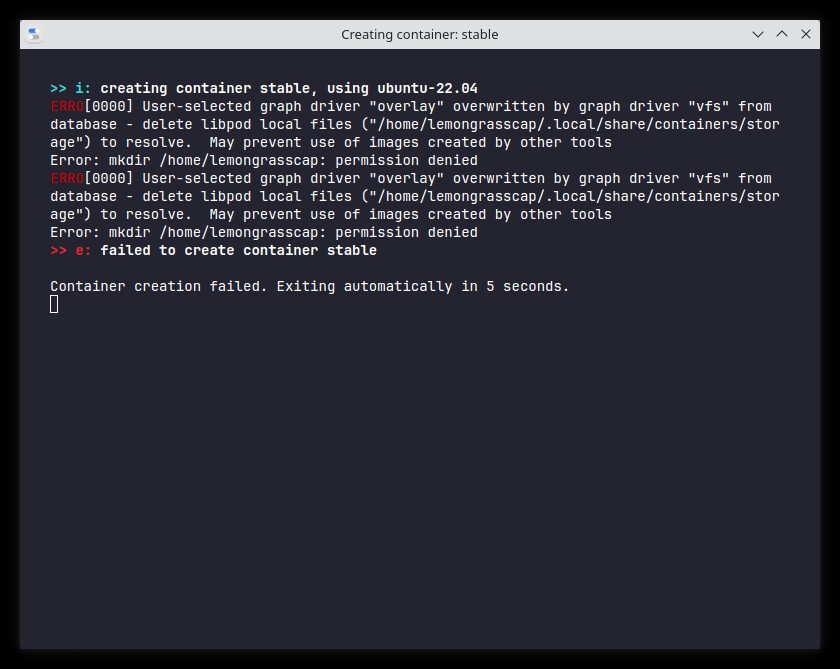
Hello! I previously tried using blend os 2 months or so ago. I always copy over my home folder when distro hopping, and it looks like that when I copied over my home folder back to blend os it overwrote my installed username and when trying to create a new container it tries using my old username, and failing. What folder/path should i remove in order to get this back to normal?
No description

kali linux container permission denied when install tools even when i use sudo ?

kali linux container always git permission denied when install some tools even when i use sudo how i solve this problem ? like this error starting Parrot Pandora's box Pandora is dropping caches /etc/init.d/pandora: line 24: /proc/sys/vm/min_free_kbytes: Permission denied...

New in linux, escaped from Windows!

Hi, I just installed blendos, and I want to install some games, and I would like to be guided step by step, what exactly should I do. Thank you for your understanding! PS: DON'T BE BAD!...

Docker inside a container

Hi guys, newbie here. I am trying to run docker inside an ubuntu container. But I can't start the docker service with systemctl, what is the best practice here? I want to use this ubuntu container with work related stuff. Thanks in advance.

"Could not lock data base:read only file system"

I did a fresh istall on my dell laptop (Vostro 5459) with automatic partition.When it finished,I tried to install some apps with terminal (console) (sudo pacman -Sy ...),and I got this error:"failled to init transaction" and "Could not lock database:read only file system".Can I do something else?(note that I have previously installed debian with no issues)

Android window displays graphic artifacts

Kde, Wayland. When the Android application is launched, the window displays graphic artifacts. Help what to do?

issue in launching android app and bluetooth auto disconnecting

issue in launching android app and bluetooth auto disconnecting after install kali-linux container can any one help me ?