Homarr

H

Homarr

Join the community to ask questions about Homarr and get answers from other members.

Join

Guest Access / Disable authentication

Is it possible to disable auth so that anyone with a URL can access a dashboard? Is it possible to make it so that only a specific dashboard in a Homarr instance is allowed to be shared this way, while others are still behind authentication? Or does it have to be all-or-nothing?...
Solution:

Integrations not updating

Hi, I'm coming from the "old" Homarr which was really good. I've decided to try something new and go with Homarr version 1.0+. I've started without importing anything from my old instance. Everything is now setup but the following integrations are not updating. I have to reload the page to force update the information gathered and it gets stuck, even the availability timer on the Proxmox integration is frozen. - Weather - Proxmox System Status - Jellyseerr request list...
Solution:
Yeah as it says on the website and after creating an lxc it is on port 7575

Proxmox integration not updating to see cpu, ram, vms or lxcs
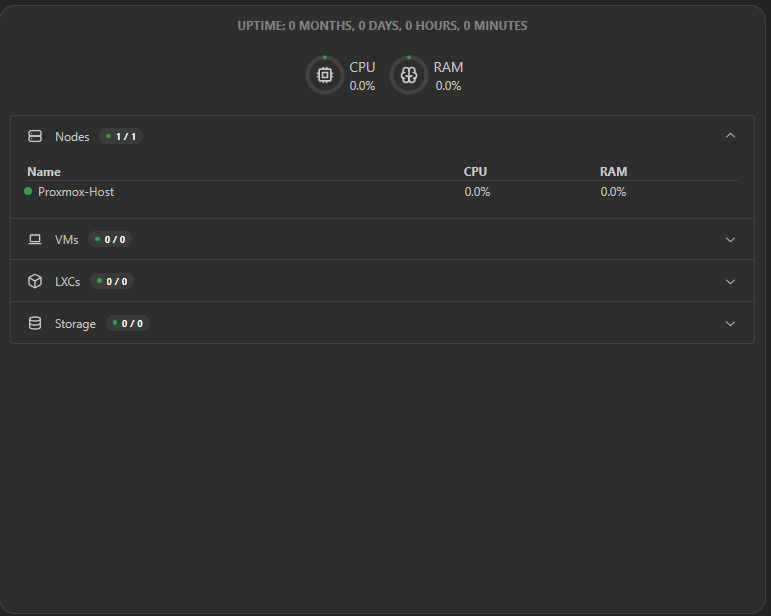
Integratioon worked fully but it does not seem to want to update the RAM, uptime etc. I have checked the permissions I gave and all seems fine. Integration went through fully as well. Any help would be much appreciated
No description

Error 502 - Error 500 - Can't upgrade from 0.15.10 to 1.0.0+

I am new at using things like nginx, jellyfin, docker but i love it. I used ai to resolve the majority of my problems but this, i can't seem to be able to do it. I saw the "upgrade to 1.0.0" and wondered "am i using an old version ?", i tried getting the new one but i kept getting 502 (blank page) or 500 (homarr interface but internal server error page) and since i was going in a loop with the ai, i thought maybe we can't replace humans with it. I need help. Setup : OS : Windows 11 Docker Engine: Docker Desktop...
Solution:
i got it working, i just deleted everything about homarr, used this code in my compose.yml, and didn't use ports, since i just realised i don't need em, and i also deleted it on nginx and redone it from scratch. Code "homarr: container_name: homarr image: ghcr.io/homarr-labs/homarr:latest restart: unless-stopped networks:...

Cannot get SSO working with Authelia

Hi, I am trying to get SSO working with Authelia, but I keep on getting: ``` 2025-07-04T22:57:27.129Z error: State could not be decoded. Read more at https://errors.authjs.dev#invalidcheck name="h" type="InvalidCheck" kind="error"...

overseer requests by different users

ive got overseer working using the search bar, however when people request anything it goes through my own personal overseer account. this means im no longer able to track whos requested what. is there a setting i need to change or does every user need to sign into their own overseer before hand?

Proxmox integration is working, but ping fails

I am running into a small issue. My Proxmox integration is working meaning I can use the widget, but the app ping is failing. My configuration. Integration configuration...

Homarr Behind Nginx Proxy Manager: Unreachable if connected to more than one Docker Network

I'm encountering an issue where my Homarr instance becomes unreachable when connected to multiple Docker networks. Here's a brief overview of my setup: Homarr: Running in a Docker container with multiple networks attached. Nginx Proxy Manager (NPM): Also running in a Docker container, connected to the same networks. Issue: When Homarr is connected to just one network, NPM can access it without problems. However, when I add additional networks to Homarr, NPM can no longer reach it, resulting in a curl: (7) Failed to connect error....
Solution:
Your question is out of scope of our support. We are volunteers working on Homarr and cannot provide you with any information or help with third party software. Please contact the support of the respective applications instead to receive help.

Issues After Upgrade From .0.15.9

Hello, I had been holding on to the older version of Homarr and finally bit the bullet and did the update yesterday. Most all seems to be working but having a few quirky things and want to make sure I havent missed a setting or goofed my yaml file. 1. More times than not when I click the refresh button in browser the page only partially loads. Background shows but no apps or integrations, everything is missing. I must click the bookmark for the page to load properly. 2. Some app icons didn't transfer over, no biggie, but when trying to add them by typing the name Homarr doesn't seem to be searching for them, nothing but blanks. 3. Previous URLs used for ping no longer work although no changes were made....
No description

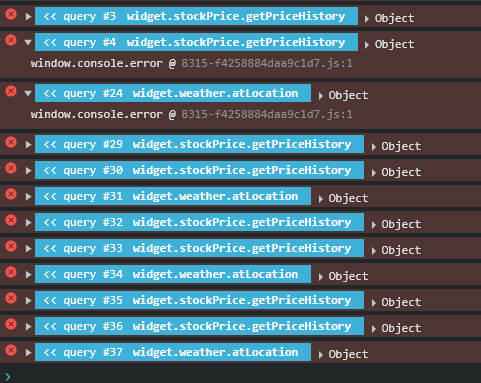
Application Error Message - Console

It seems that the issue is being caused by the Weather and the StockPrice widgets.
No description

Unraid Setup issues

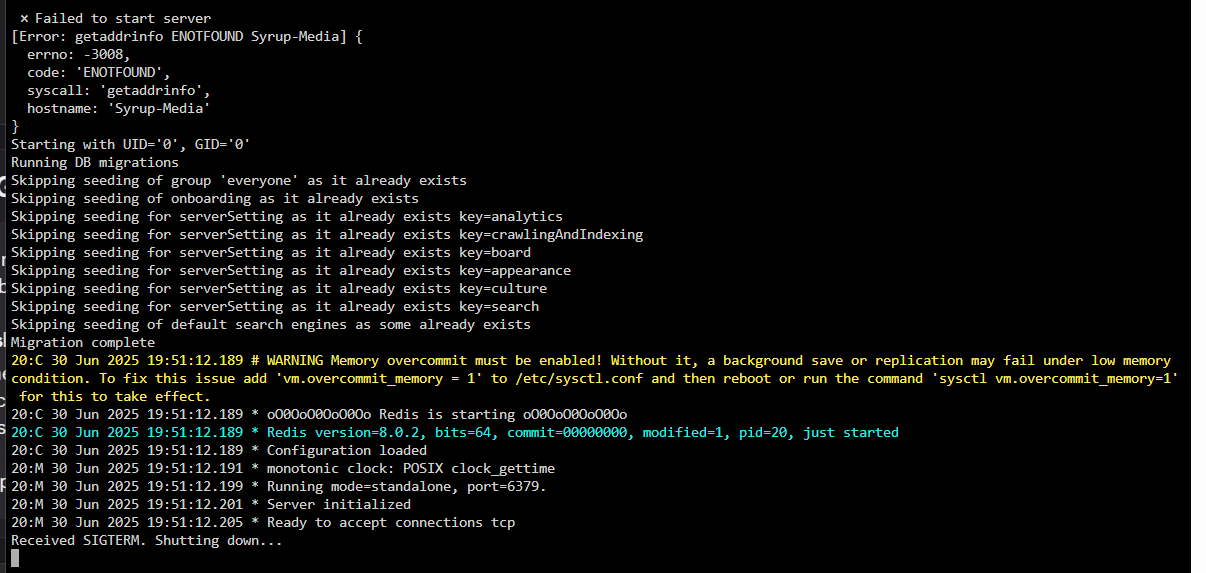
Hey so I feel like I am being very dumb but on a first time setup, im having issues with getting to the WebUI. I have done the usual looking through trouble shooting guides and such but to no avail (See screenshot for log). I am running it in UnRaid via docker (from the Apps tab)
Solution:
so ive got the webui now by adding a port manually for 7575:7575
No description

spinning saving wheel of doom Boards not saving correctly
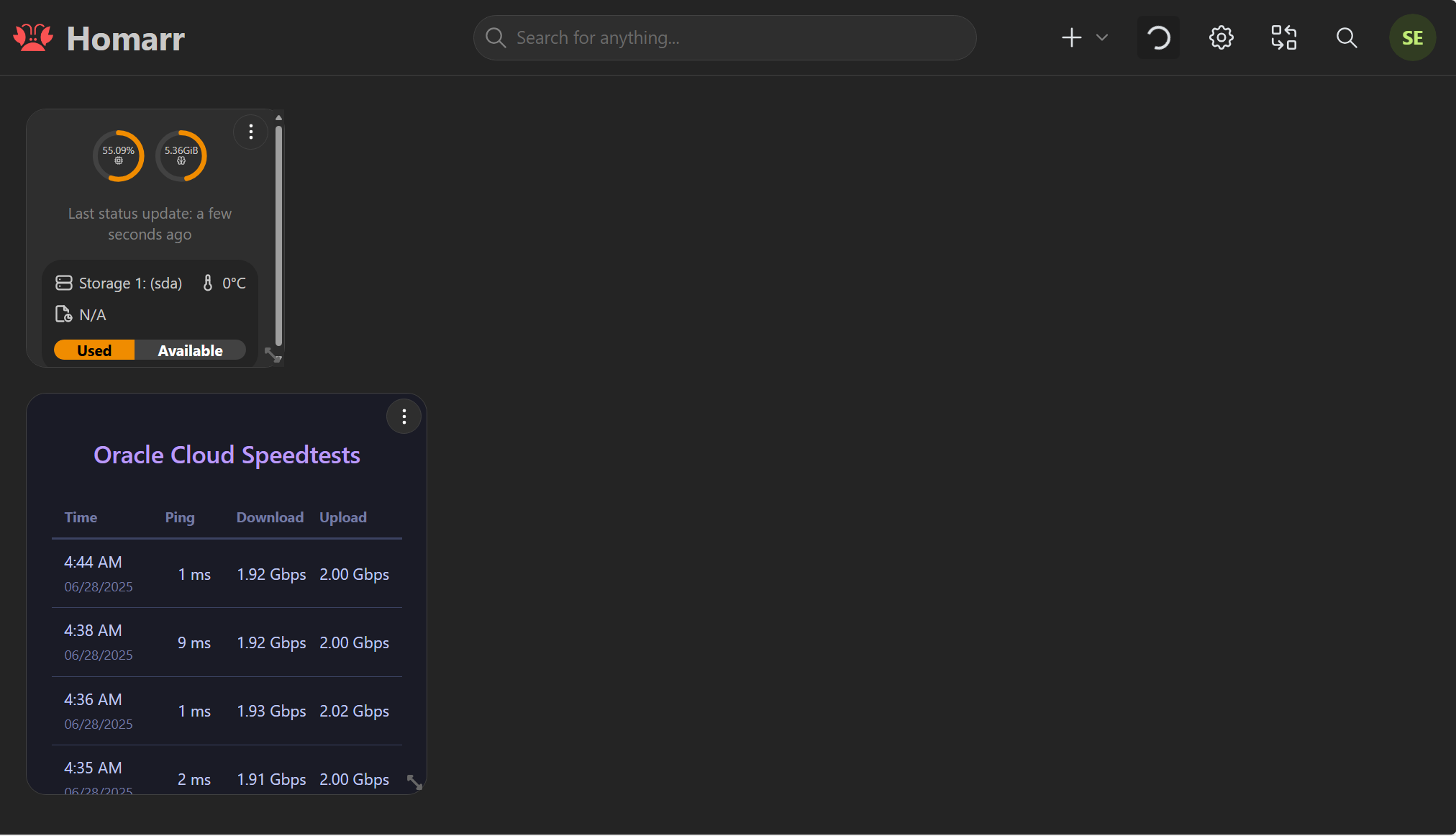
Been having this issue all night been working on something else so it didnt bother me however I am now trying to save my dashboard, and I am getting an error message that it cannot be saved #---------------------------------------------------------------------# Homarr - A simple, yet powerful dashboard for your server. # #---------------------------------------------------------------------#...
No description

Deploying in Helm - PVC/PV Error

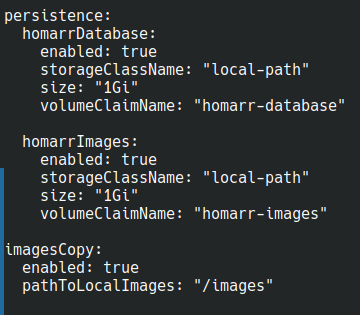
I'm running into an issue where when I deploy with persistent volumes, I get an upgrade failed error. I'm relatively new to K3s but despite despearate searching, I can't find anyone else that is running into this issue. The pod deploys cleanly and works perfectly without the persistence block, but I need to not lose my dashboards and data every time the server, vm, or pod needs to be restarted. Please help, I'm sure I'm missing something simple. Here's the error: Error: UPGRADE FAILED: failed to create resource: Deployment.apps "homarr" is invalid: [spec.template.spec.containers[0].volumeMounts[0].name: Not found: "homarr-database", spec.template.spec.containers[0].volumeMounts[1].name: Not found: "homarr-images", spec.template.spec.initContainers[0].volumeMounts[0].name: Not found: "homarr-images"]...
No description

Azure SSO Question

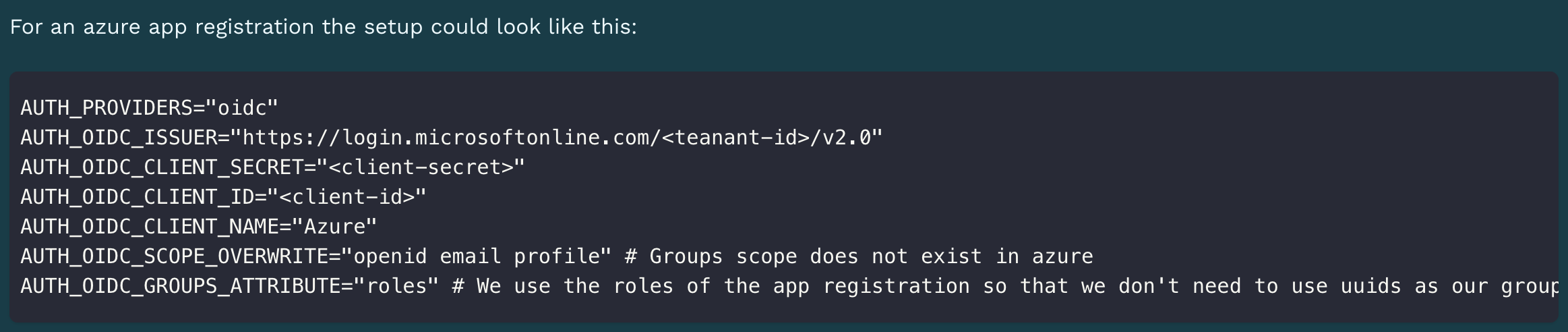
Hi, I followed the azure SSO example from here. I cannot find how to pass groups into homarr. I also tried to put in AUTH_OIDC_ADMIN_GROUP, but it is not giving the user the access. I've also added the optional claims from groups in token configuration. If somebody can provide some direction, that would be great. Docker env part:...
Solution:
as you are using the groups groups attribute you'll need to specify the group ids (as those are send in this groups attribute) You can also create roles for your app registration and use those with actual names (and the groups attribute roles). Currently there is no option for display name
No description

Jellyseerr media requests list widget doesn't work

Is there a fix for this? Seems to be happening since Jellyseerr updated to 2.7.0 but im not sure. Could be on their end.
2025-06-24T03:21:46.703Z error tRPC Error with query on 'widget.mediaRequests.getLatestRequests'
...
Solution:
I think your error message should be longer, also this probably is the new deleted status that we've added with https://github.com/homarr-labs/homarr/pull/3439
No description

Jellyseerr

I tried to apply the fix from another post about allowing integration access for my account, but still no use
No description

Configuration backup?

Hi, I am new to Homarr. I had mounted Homarr on a Proxmox Container, and had backups of the entire container. I switched Proxmox Node, but the backups got corrupted and I could not recover them. I had to start from scratch to configure again all the access and preferences. Is there any way to make a Backup of only the Preferences and Configuration, so I can recover it after some disaster? Thanks!...

Fetching Health Status Fails in 1.24.0

Health Status widget is not working on my dashboard. Its integration is dash. and the integration tests and connects successfully when set up. I’ve tried it with all 3 possible IP addresses. The local IP address and proper port, the tailscale IP address with proper port and also the docker container direct IP with the actual port it’s defined with and all of these state they connect yet I get a failed to fetch health status in the widget. All 3 of these URLs work in the browser to directly connect to the dash. panel and all of the expected metrics report. Also if I create an iframe with any of these known good URLs it also works on the dashboard as well. Is this a known issue with 1.24.0? All of my other widgets and integrations work fine. I also confirmed that both the dash. docker container and the homarr container are on the same internal network 172.18.0.# within docker. Only http:// is used. I’m on an Intel based mac mini with macOS 15.5 running Homarr in a docker container via Colima...

My Board is gone after trying to get Health Status to work on newly installed 1.24.0

Help! My board is no where to be found now. I had everything working with my full stack and just upgraded from the pre 1.0 version to 1.24.0 and all went smoothly other that getting the Health status from my dash. to show up so I was trying anything I could think of including deleting the widget and starting over. I removed something in the danger zone of the integration and now everything is gone and I can’t even create a new board. When they mean danger they mean danger! Any help?

pihole integration

Pi-hole 6.1.2 Homarr 1.24.0 Both running in docker on fedora server 42 Having a problem with pihole integrations getting the following error I did also notice after setting api in pihole it said logout to use think that is what it said anyway, but no longer a logout option in pihole, so i restarted its container but no change. I also don't know where this came from in the below URL /api/auth my URL ends in admin...
Solution:
@MeierschlumpfJust thought I would pop in to let you know I have sorted the PIHole integration, turns out it was not a homarr problem it was pihole and a change to the following compose line FTLCONF_WEBSERVER_API_PASSWORD=${WEBPASSWORD} Changed from the above to...