
How will workers figure out which D1 replica to read from? Something using the smart placement featu
How will workers figure out which D1 replica to read from? Something using the smart placement feature?
 M
M
 MMM
MMM
 M
M M
M NNMM
NNMM
ORDER BY random() LIMIT 25-> 78ms query execution timeORDER BY created_at DESC LIMIT 25with an index oncreated_at DESC-> 0.20ms query execution time
 J
J_cf_KV on every D1 database. This table has two columns, key and value. This has nothing to do with the actual KV product, has it? 
 HJM
HJM M
Mdb.batch() and/or db.exec()? B
Bnpx wrangler d1 migrations apply some-db --experimental-backend only works when logged in via npx wrangler login. In CI, however, where I'm not running npx wrangler login but instead providing a CLOUDFLARE_API_TOKEN env variable the command exits with code 1. Is this a known issue? What workarounds exist for running migrations in CI?Bnpx wrangler pages deploy dist --project-name abc in CI only providing the CLOUDFLARE_API_TOKEN env var.)B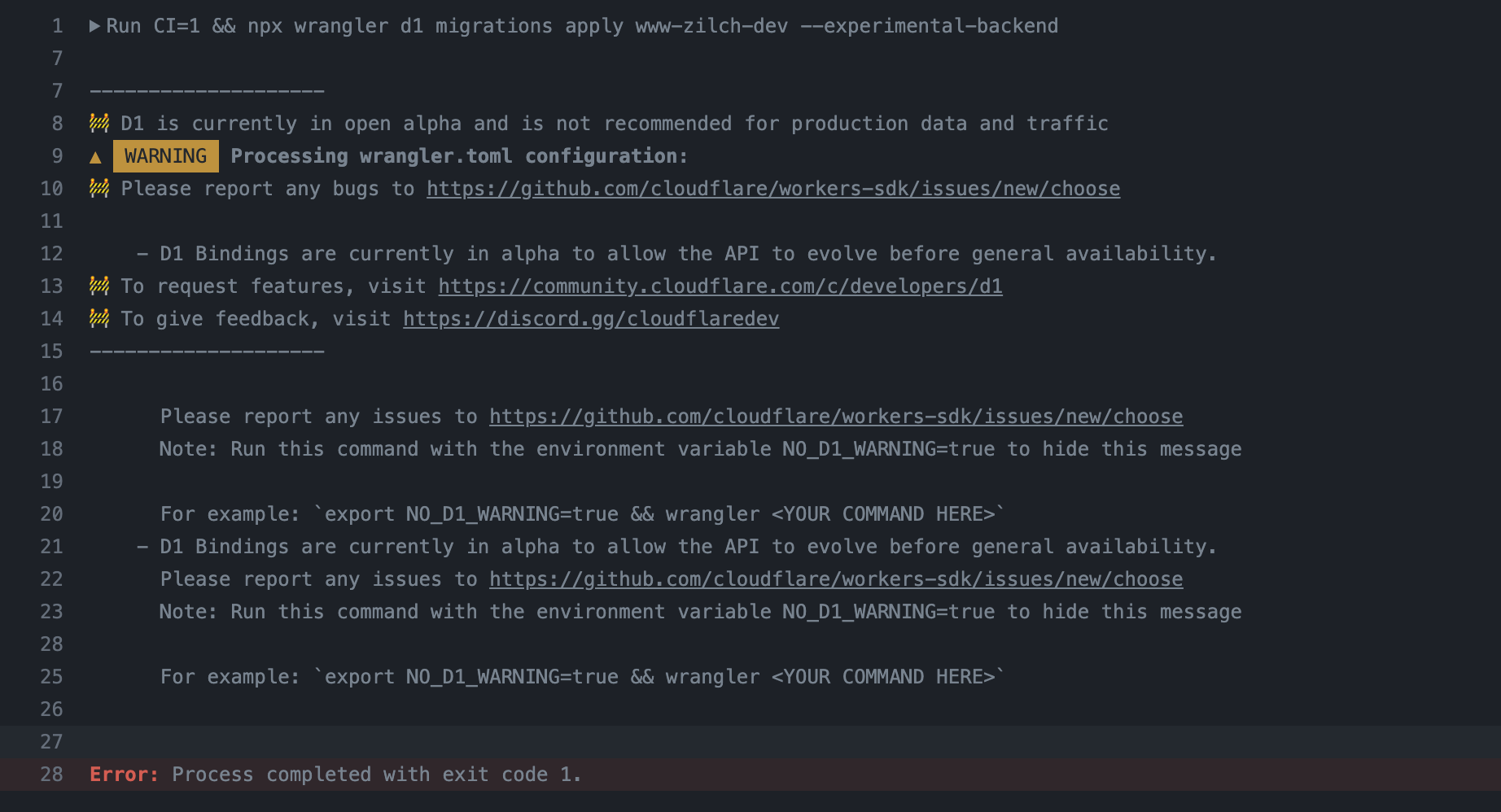 B
Bwrangler login I assume this is probably just an auth bug? Is there any way to provide auth in CI besides using the env vars?Bwrangler login work in CI?BBBMmain entry pointing at your worker entrypoint, like main = "src/index.ts"M TMT
TMT MM
MM TTM
TTM--experimental-backend and want to try D1's new Time Travel feature — you now can. This is a work-in-progress but sharing here. This preview branch may break at any time.npx wrangler@d1 d1 time-travel restore DB_NAME --timestamp=(unix timestamp|RFC3339 timestamp) to restore a database to any minute within the last 30 days.d1 time-travel restore DB_NAME overwrites your existing database (with confirmation). In the future, we'll allow you to fork and/or clone to a new DB or over the top of an existing database.MH SSS
SSS
ORDER BY random() LIMIT 25ORDER BY created_at DESC LIMIT 25created_at DESC_cf_KVkeyvaluedb.batch()db.exec()npx wrangler d1 migrations apply some-db --experimental-backendnpx wrangler loginnpx wrangler loginCLOUDFLARE_API_TOKENCLOUDFLARE_API_TOKENnpx wrangler pages deploy dist --project-name abcwrangler loginwrangler loginmainmain = "src/index.ts"--experimental-backendnpx wrangler@d1 d1 time-travel restore DB_NAME --timestamp=(unix timestamp|RFC3339 timestamp)d1 time-travel restore DB_NAME[[d1_databases]]
binding="DB"
database_name = "mydbname"
database_id = "db id string from the dashboard"





