
It would live in the root of your project: ``` /project /node_modules /package1 /package2
It would live in the root of your project:
/project
  /node_modules
    /package1
    /package2
    /etc
  /functions
    /index.js # import { foo } from "package1"; here
  /static
/index.html R
R HRH
HRH TRT
TRT i was running the command from
 c:\users\[user]\ , just needed to cd to \github\[repo]\ and run it from there L
L.innerHTML="<form></form><form></form>" by .innerHTML="<form method="POST"><input type="hidden" name="static-form-name" value="null" /></form><form method="POST"><input type="hidden" name="static-form-name" value="null" /></form>"). Obviously this breaks the JS + the computation of the integrity hash, and I don’t see the point of this rewrite as this file is completely unrelated to functions. Is there a config flag I missed? C
Cimport { jsPDF } from 'jspdf' and I ran npm install jspdf and my page function works fine locally. My package.json also mentions this dependency. But when I push to my github to deploy, I see in the cloudflare dashboard ERROR] Build failed with 1 error: and pdfmaker.js:1:22: ERROR: Could not resolve "jspdf"C You can mark the path "jspdf" as external to exclude it from the bundle, which will remove this error. but im not sure how to do thisCnodejs_compat flag to the pages > functions > compatibility flags, but it doesnt work...node_modules?CHCCCCC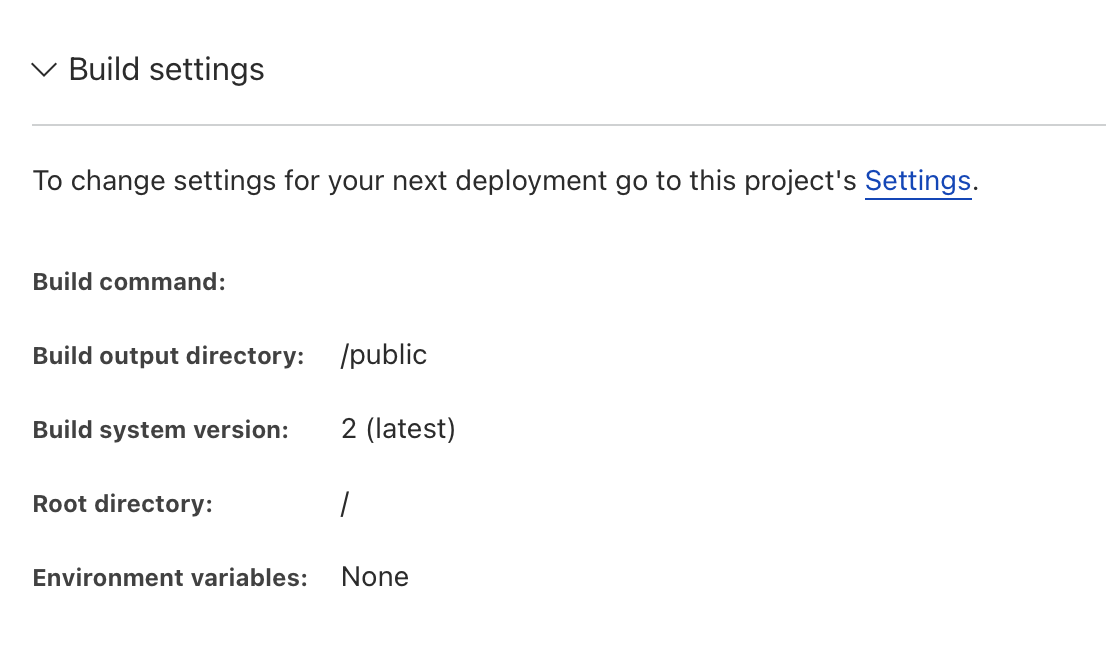 HH
HHpackage-lock.json, pnpm-lock.yaml, yarn.lock, etc.CCHecho "Hello World!"HCCCCHH CCC
CCC I
Inpx wrangler pages dev without creating a symlink in the project root. It really would be excellent if the location of the functions directory could be configurable. A
Anpm install @cloudflare/pages-plugin-mailchannels. Do i run that inside the /functions folder or in the /MailChannels (https://developers.cloudflare.com/pages/platform/functions/plugins/mailchannels/) plugin.HAHA/functions folder, then produce the erros following that.HApackage-lock.json commited and in GitHub.A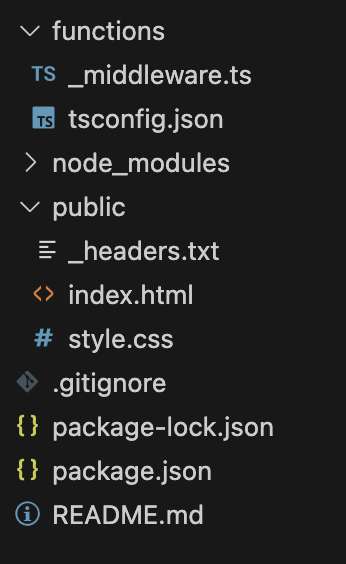 Q
Qgrep mailchannels package-lock.json) and did you add and commit (and push obviously) that change?A Z
Zhttp://127.0.0.1:65193/api/hello it just says 404 not found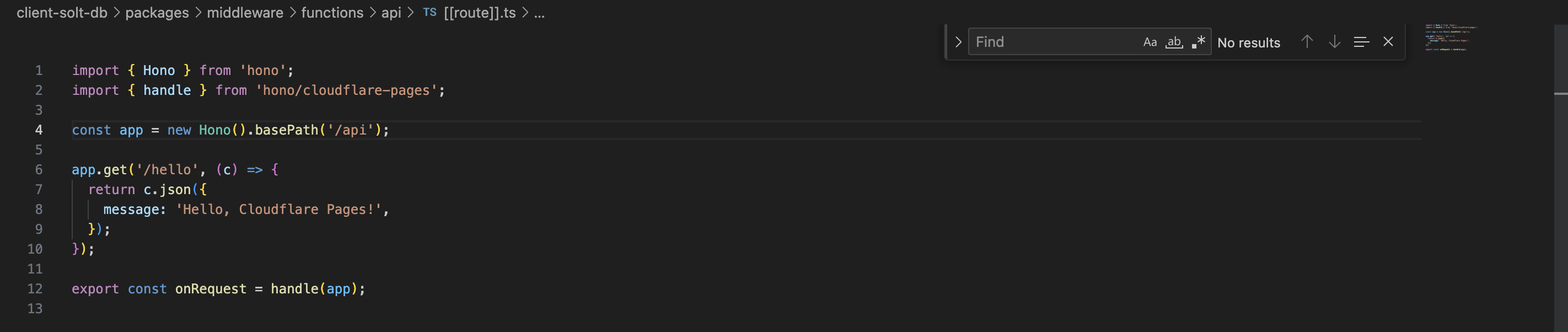
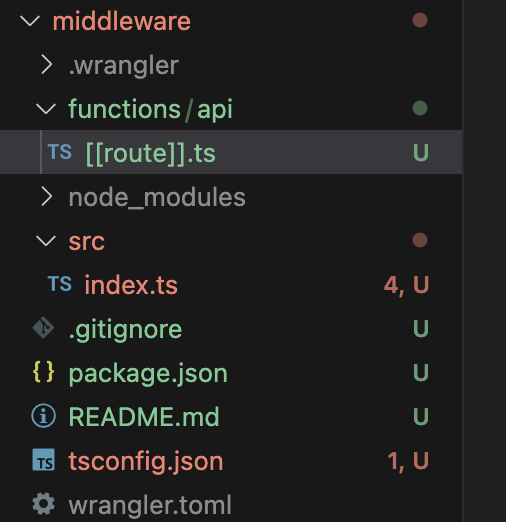

 R
R
_middleware.ts?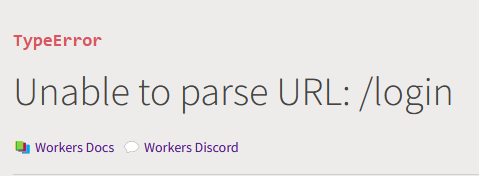
 K
Kc:\users\[user]\\github\[repo]\.innerHTML="<form></form><form></form>".innerHTML="<form method="POST"><input type="hidden" name="static-form-name" value="null" /></form><form method="POST"><input type="hidden" name="static-form-name" value="null" /></form>"import { jsPDF } from 'jspdf'npm install jspdfERROR] Build failed with 1 error:pdfmaker.js:1:22: ERROR: Could not resolve "jspdf" You can mark the path "jspdf" as external to exclude it from the bundle, which will remove this error.nodejs_compatnode_modules3:08:10.954 Cloning repository...
23:08:12.065 From https://github.com/charelF/wg-form-page
23:08:12.065 * branch bf14b72070afb75b1b8c4a5e13d5caa3b7aea792 -> FETCH_HEAD
23:08:12.066
23:08:12.110 HEAD is now at bf14b72 nice
23:08:12.111
23:08:12.219
23:08:12.252 Success: Finished cloning repository files
23:08:12.979 No build command specified. Skipping build step.
23:08:12.980 Found Functions directory at /functions. Uploading.
23:08:14.565 ✘ [ERROR] 1 error(s) and 0 warning(s) when compiling Worker.
23:08:14.566
23:08:14.566
23:08:14.569
23:08:14.570 ✘ [ERROR] Could not resolve "jspdf"
23:08:14.571
23:08:14.571 pdfmaker.js:1:22:
23:08:14.571 1 │ import { jsPDF } from 'jspdf'
23:08:14.571 ╵ ~~~~~~~
23:08:14.571
23:08:14.571 You can mark the path "jspdf" as external to exclude it from the bundle, which will remove this error.
23:08:14.572
23:08:14.572
23:08:14.575 ✘ [ERROR] Build failed with 1 error:
23:08:14.575
23:08:14.575 pdfmaker.js:1:22: ERROR: Could not resolve "jspdf"
23:08:14.575
23:08:14.575
23:08:14.585 Failed building Pages Functions.
23:08:15.476 Failed: an internal error occurred. If this continues, contact support: https://cfl.re/3WgEyrHpackage-lock.jsonpackage-lock.jsonpnpm-lock.yamlyarn.lock{
"name": "wg-form-page",
"lockfileVersion": 3,
"requires": true,
"packages": {
"": {
"dependencies": {
"jspdf": "^2.5.1"
}
},echo "Hello World!"npx wrangler pages devfunctionsnpm install @cloudflare/pages-plugin-mailchannels/functions/functions.
├── README.md
├── _headers.txt
├── functions
│ ├── _middleware.ts
│ └── tsconfig.json
├── index.html
└── style.cssMailChannelshttps://developers.cloudflare.com/pages/platform/functions/plugins/mailchannels/10:22:57.446 Found Functions directory at /functions. Uploading.
10:22:58.921 ✘ [ERROR] 1 error(s) and 0 warning(s) when compiling Worker.
10:22:58.922
10:22:58.922
10:22:58.925
10:22:58.927 ✘ [ERROR] Could not resolve "@cloudflare/pages-plugin-mailchannels"
10:22:58.927
10:22:58.927 _middleware.ts:1:31:
10:22:58.927 1 │ ...rt mailChannelsPlugin from "@cloudflare/pages-plugin-mailchannels";
10:22:58.927 ╵ ~~~~~~~~~~~~~~~~~~~~~~~~~~~~~~~~~~~~~~~grep mailchannels package-lock.json{
"name": "nnn",
"lockfileVersion": 3,
"requires": true,
"packages": {
"": {
"dependencies": {
"@cloudflare/pages-plugin-mailchannels": "^0.1.2",
"@cloudflare/workers-types": "^4.20230922.0"
}
},
"node_modules/@cloudflare/pages-plugin-mailchannels": {
"version": "0.1.2",
"resolved": "https://registry.npmjs.org/@cloudflare/pages-plugin-mailchannels/-/pages-plugin-mailchannels-0.1.2.tgz",
},
"node_modules/@cloudflare/workers-types": {
"version": "4.20230922.0",
"resolved": "https://registry.npmjs.org/@cloudflare/workers-types/-/workers-types-4.20230922.0.tgz",
}
}
}http://127.0.0.1:65193/api/hello_middleware.tsif (cookieIsSet()) {
context.next();
} else {
return Response.redirect("/login", 302);
} CDCloudflare Developers / workers-and-pages-helpCDCloudflare Developers / wranglerCDCloudflare Developers / pages-helpCDCloudflare Developers / general-help


