
Question: how is this the case with Websockets? Is there still a handshake procedure that requires e
Question: how is this the case with Websockets? Is there still a handshake procedure that requires extra round-trips?
 M
M IMII
IMII H
H C
CConnection terminated unexpectedlyclient.connect()client.query()Connection terminated unexpectedlynode_compat = truewrangler.tomlrds-ca-rsa2048-g1rds-ca-2019pgconnectconnect()pg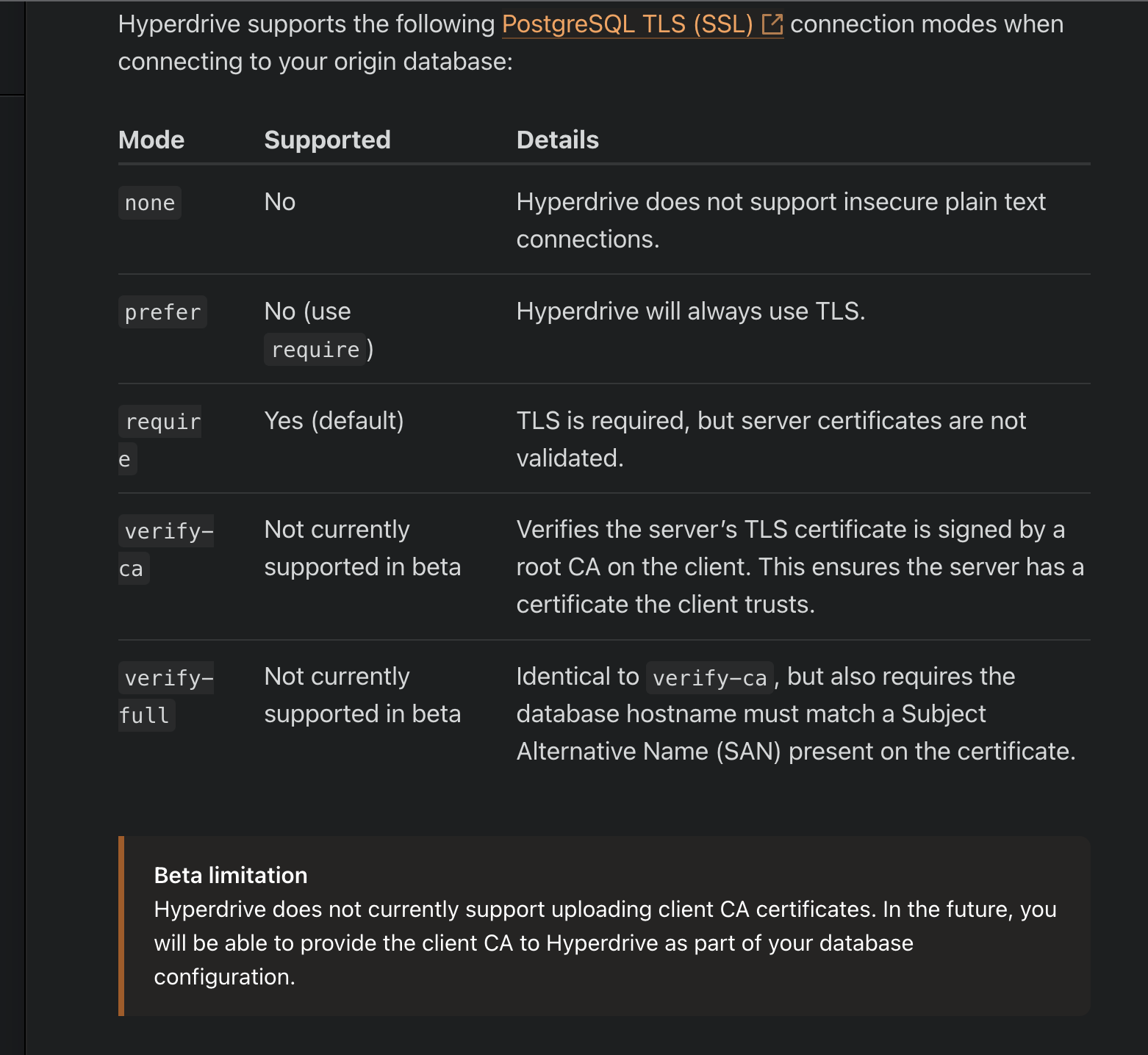 C
Cconnect()sslmode=REQUIRErequireand the “newer” AWS CA requires the client (Hyperdrive) to have it in its trust store.I'm a little unsure what you meant by this bit then
Crequirerds-ca-rsa2048-g1connect() K
Knode_compatnode_compatnode-postgresnode_compatconnect()node-postgresnode_compatnodejs_compat A
A J
J JJ
JJ SJM
SJMconst client = new Client({
connectionString: context.env.DB_HYPERDRIVE.connectionString,
});
// Connect to our database
console.log("START CONNECT");
await client.connect();
console.log("END CONNECT");
// Test query
console.log("START QUERY");
const result = await client.query({
text: "SELECT * FROM pg_tables",
});
console.log("END QUERY");
// Returns result rows as JSON
return context.json({ result: result });


